17 Best CRM Software for Small Business (2026 Review)
Samuel Oyebode
December 10, 2025
30 min read


If you asked Google what CRM features you need, you’d be flooded with more options than you’d know what to do with.
The idea of having a ton of options can be exciting, but that doesn’t mean it’s a good thing.
In reality, a lot of these options are unnecessary. They’re simply extra features, which means your small business doesn’t really need them to build customer relationships.
So, then, which CRM features are important for small businesses looking to build a strong connection with their customers and close more sales?
That’s exactly what you’ll find out in this post.
You’ll see all the must-have CRM features, as well as a few others that can be quite useful to your small business.
When you look at how much success enterprises—like Tesco, Coca-Cola, Amazon, and more—have had with CRM software, it’s only natural to want the same for yourself.
But before you try to opt for the same kind of CRM these enterprises use, you need to ask yourself a few questions.
Do you have the money to pay for enterprise-level features? Do you have a dedicated IT department to manage complex setups? Do you have the time to learn and navigate through dozens of advanced features? And most importantly, do you even need all of these features?
Most (if not all) small businesses don’t.
As a small business, you have a leaner team, fewer resources (including time), and limited technical expertise.
That’s why you need features that help you:
And more importantly, these features must be easy for your team to use. They also shouldn’t put a strain on your budget or overwhelm your team.
That’s what CRM features for small businesses are all about.
We’ve established that there are specific CRM features that work for small businesses. But some are more important than others.
Let’s take a look at all the features your small business CRM absolutely needs to include.
CRM software helps you build better relationships with your customers. To do this, it first of all grants you the ability to not only bring these customers into your system, but also store and organize their data.
Contact management allows you to create profiles for every customer. Each 360º profile contains data, like name, contact info, job title, organization, background, and more.
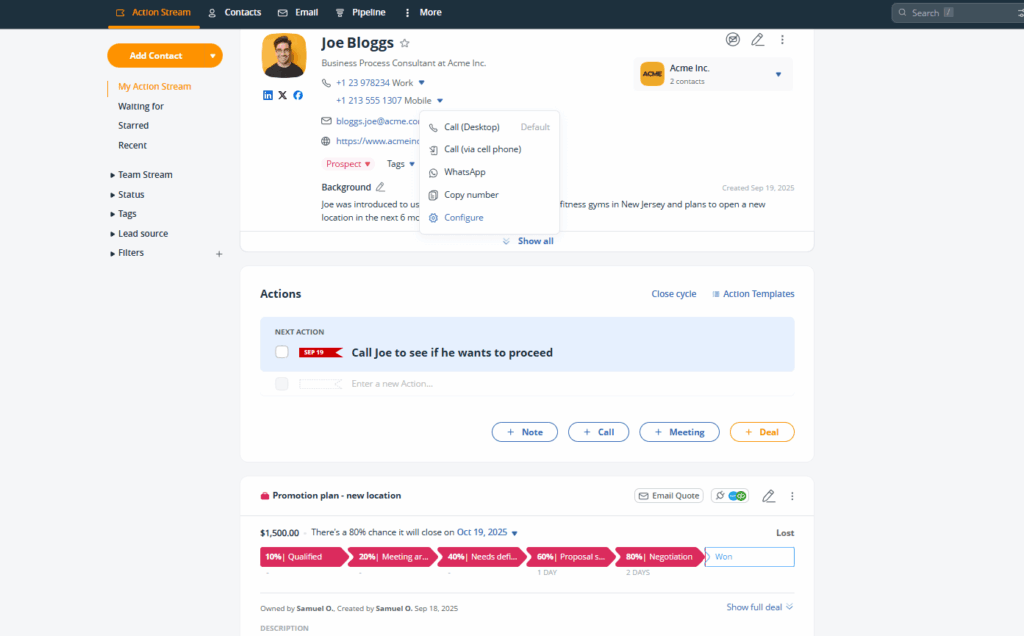
It also houses information about the customer’s entire journey through your pipeline. That includes all notes, tasks, deals, communications (emails and call logs), and even campaigns you’ve enrolled the contact in.
Contact management is the foundation upon which every other CRM feature is built.
The deal management feature makes it possible to not only set up, but also track, manage, and advance these sales opportunities.
In a CRM, each deal usually has a dedicated page. There, you’ll find relevant information like the contact the deal is tied to, its current stage in the pipeline, value, close date, and any upcoming tasks related to it.
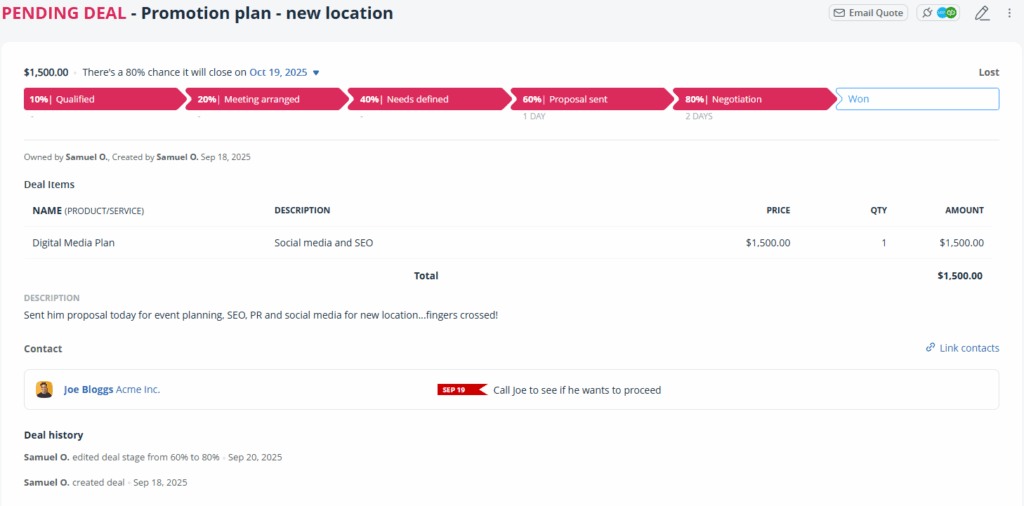
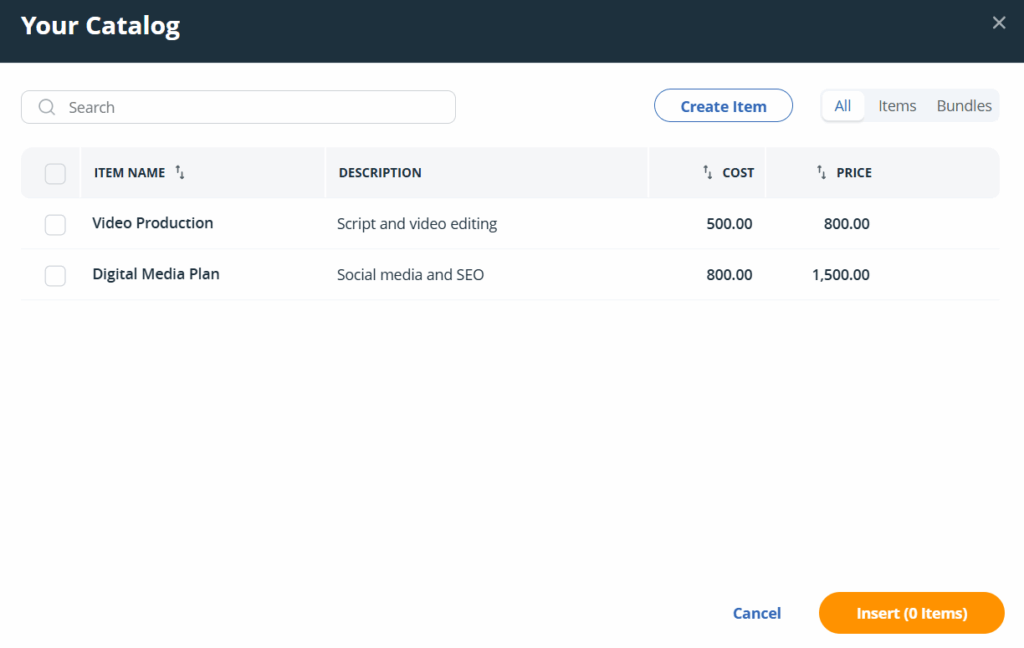
Some CRMs take deal management even further by offering a product and services catalog. This lets you pre-save the items you sell, so when you’re creating a new deal, you can simply pick the right item in a few clicks.
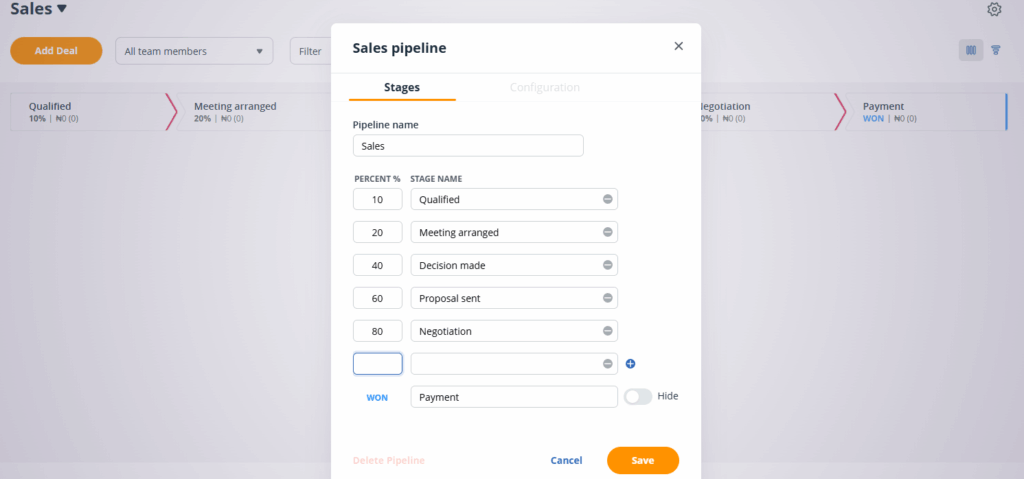
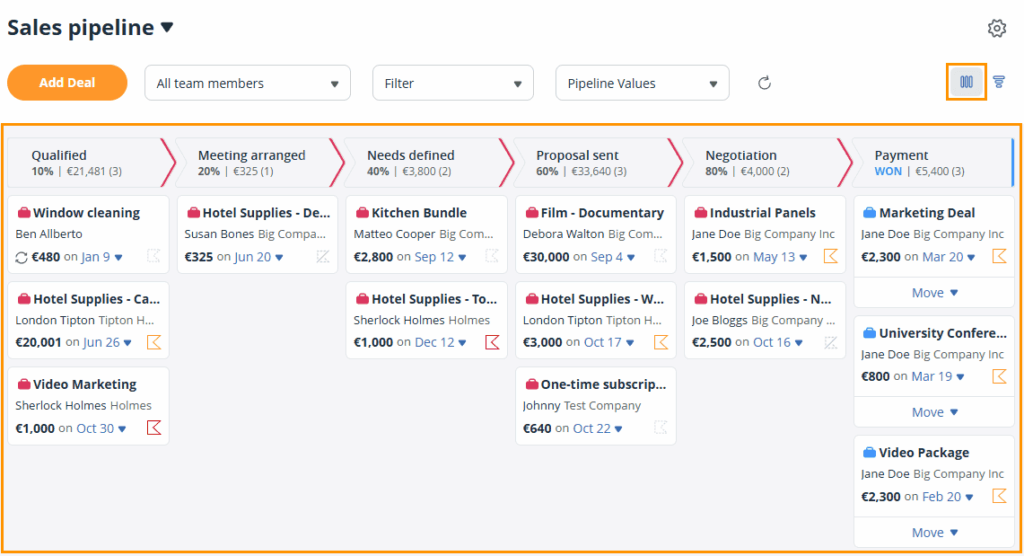
Pipeline management helps you visualize your sales process.
It allows you to map out the exact stages that all your deals move through—from first contact to close. It also lets you customize the stages to match how your business actually sells.
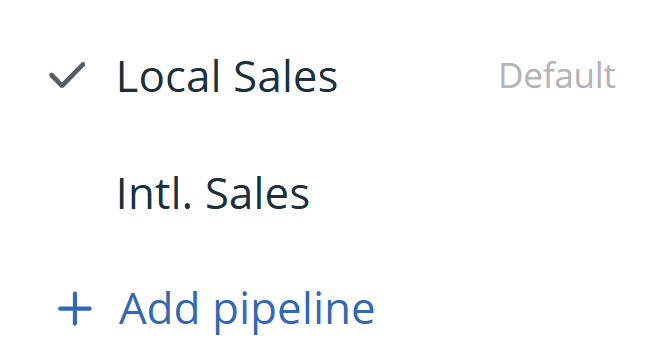
And if you market different products or serve diverse customer segments, the CRM feature lets you create separate pipelines for each one.
Furthermore, pipeline management presents your deals in a drag-and-drop Kanban board, according to their stages.
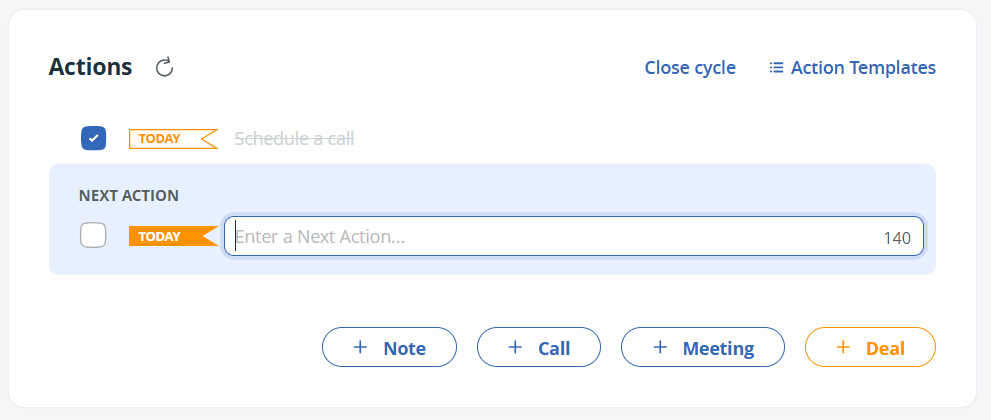
Most people don’t buy on the first day. That usually happens much later, after a lot of follow-up interactions like calls, emails, meetings, and check-ins. Follow-up tracking nudges you to consistently interact with prospects, so you can move them closer to making a purchase.
This CRM feature lets you attach a next step to every contact, along with a due date. When the deadline arrives, you get a reminder to take that next step.
And to make sure you’re always interacting with contacts, the feature also prompts you to add another next step whenever you complete one.
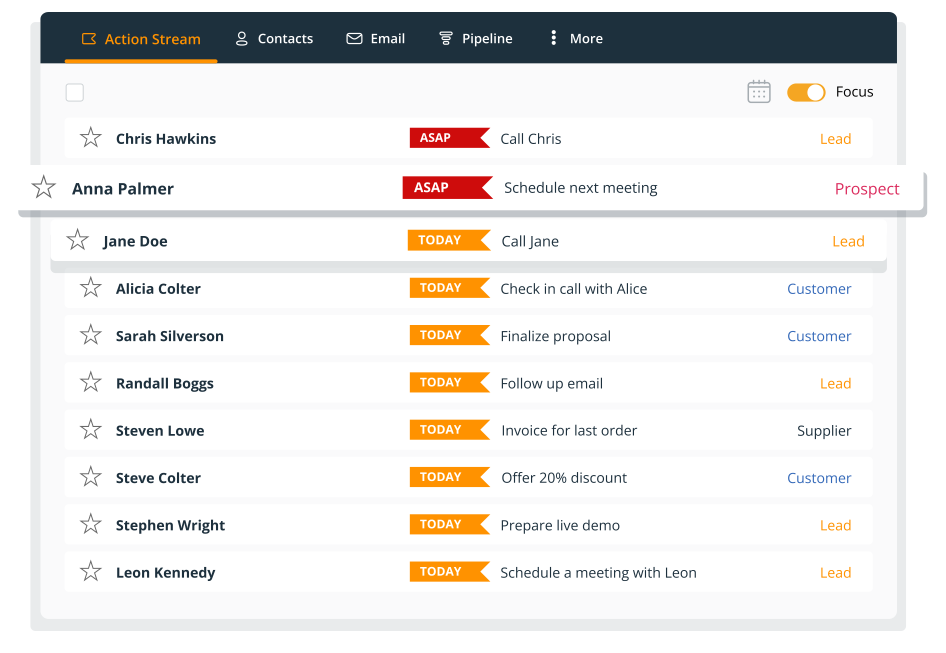
Some interactions are more urgent than others, and make no mistake, this isn’t about which one’s bringing in more money. It’s more about who needs attention right now.
You might be looking to make $10,000 doing business with John and $1,500 with Cassandra. But if Cassandra is the one you need to follow up with at the moment, you focus on her.
The lead prioritization feature automatically arranges your contact list according to how urgently you need to follow up with each contact. The reminders are also color-coded based on the same criteria.
You can’t just put your sales processes in motion and forget about them. You need to be sure they’re actually working, which is where sales tracking comes in.
Sales tracking helps you get a full view of how your business is performing. It monitors the progress of each deal in your sales pipeline. Similarly, it tracks the performance of each of your sales efforts, whether that’s a call or an email.
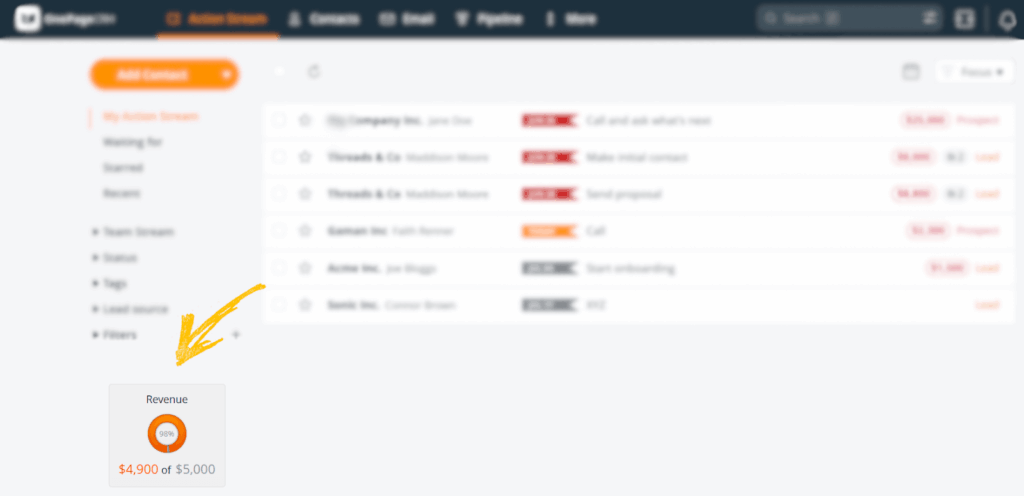
Sales tracking also includes tools for forecasting. That is, based on how your deals are progressing, your CRM predicts how much revenue you’re likely to bring in within a specific time frame.
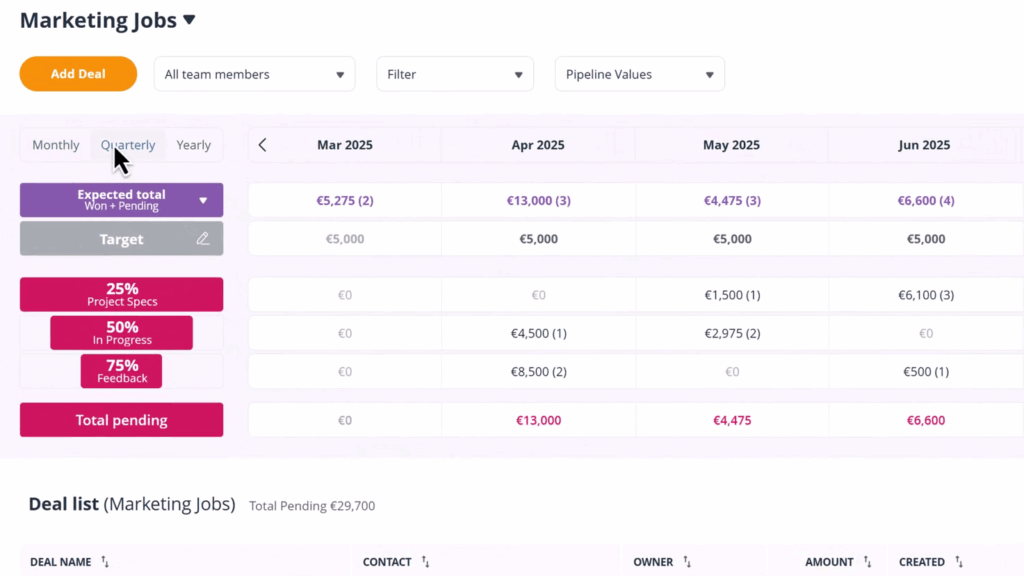
Some CRMs even let you set sales targets and monitor how close you are to reaching them.
As a small business, you always need to show potential customers that you pay attention to them and their needs. One way to do this is to ensure your communications are as relevant to them as possible.
However, creating a personalized experience for each customer can take a lot of time; time you don’t have in abundance.
The segmentation functionality can help.
Using filters and tags, this CRM feature groups your contacts by common traits like location, industry, how they found you, what stage they’re at in the sales process, and more.
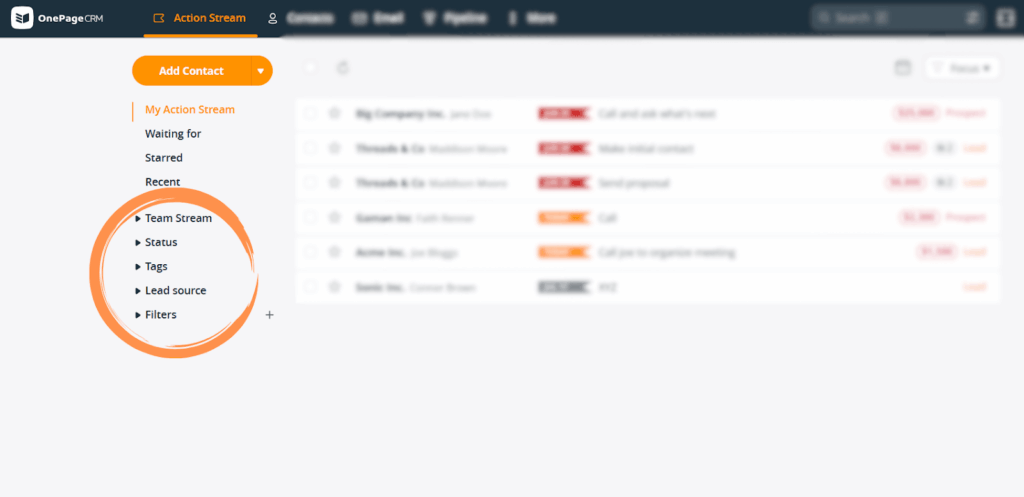
With this, you’ll be able to send relevant messages to a large number of contacts, without having to spend time personalizing each one.
Let’s say you want to offer a 20% discount to prospects you secured from social media, for instance. Just filter your list by source, and send your email explaining the discount to all your social media leads in a few clicks.
Having to switch from your CRM tab to your email tool to converse with customers not only consumes time, but also drains your energy and makes it easy to lose track of conversations.
The two-way email sync feature helps you avoid that.
It connects your CRM and email software, so you can send and receive emails right in your CRM. It also logs every email in the right contact’s timeline.
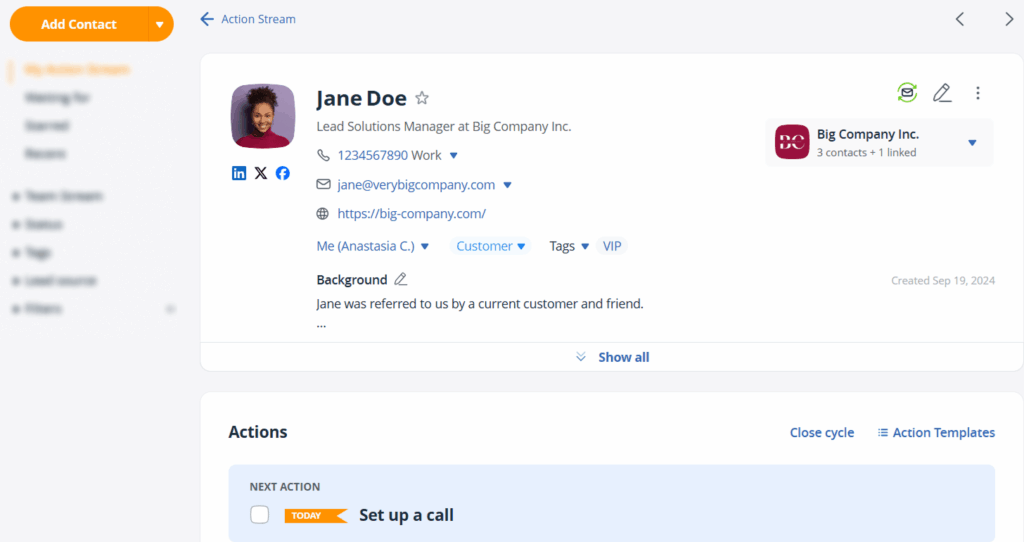
The two-way email integration in some CRMs even scans your traditional email inbox and pulls in past emails with your contacts.
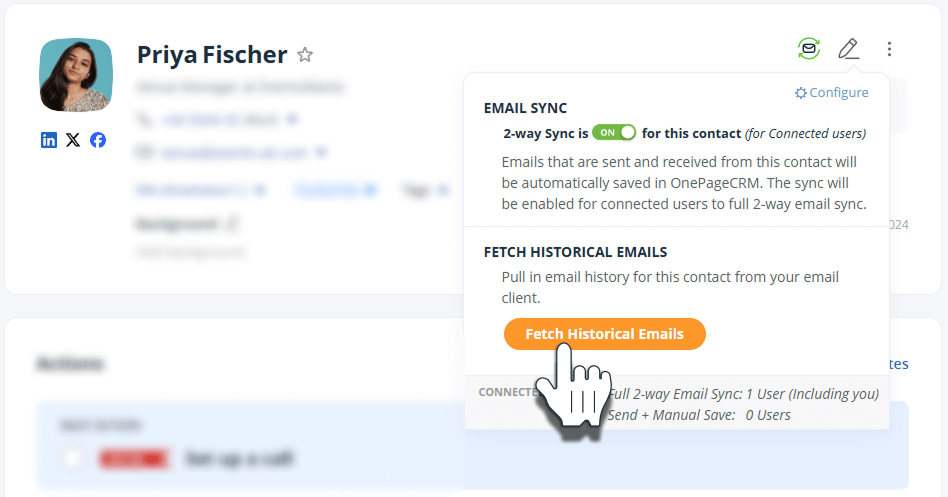
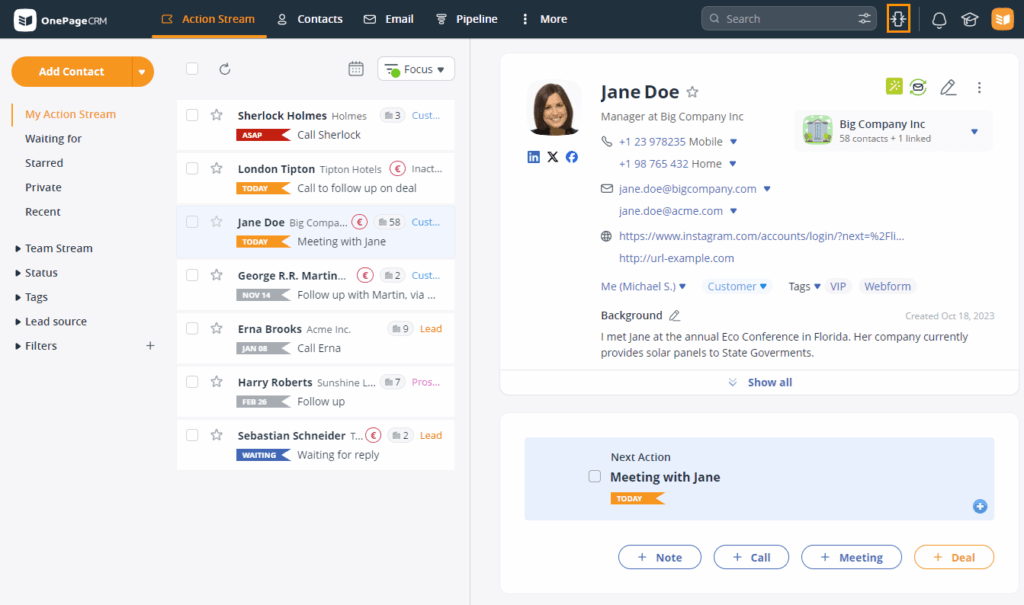
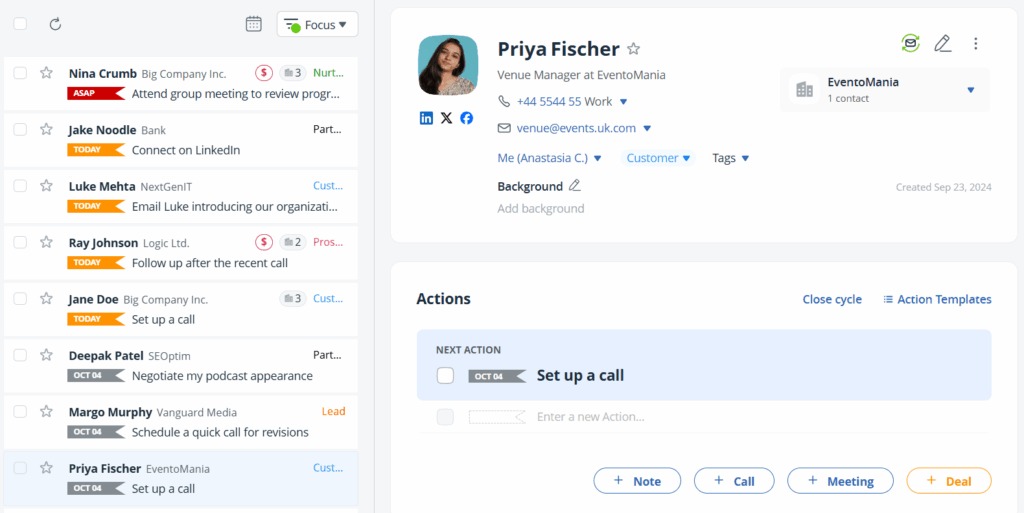
Small businesses need to work quickly, and every extra tab you have to open to get work done just wastes your time. That’s why small business CRMs should have a centralized workspace functionality.
It enables you to manage contacts, communicate (call and email) with customers, manage activities or tasks, advance deals, and more—all from one single page.
In OnePageCRM, it is called the Split-Pane view:
Every small business needs a way to track performance without having to spend hours analyzing reports. That’s what a simple CRM dashboard is for.
It gives you an overview of your whole business and presents your KPIs in a visual format. And instead of bombarding you with as many insights as possible, it focuses on data about essentials like contacts, deals, activities, and overall sales performance.
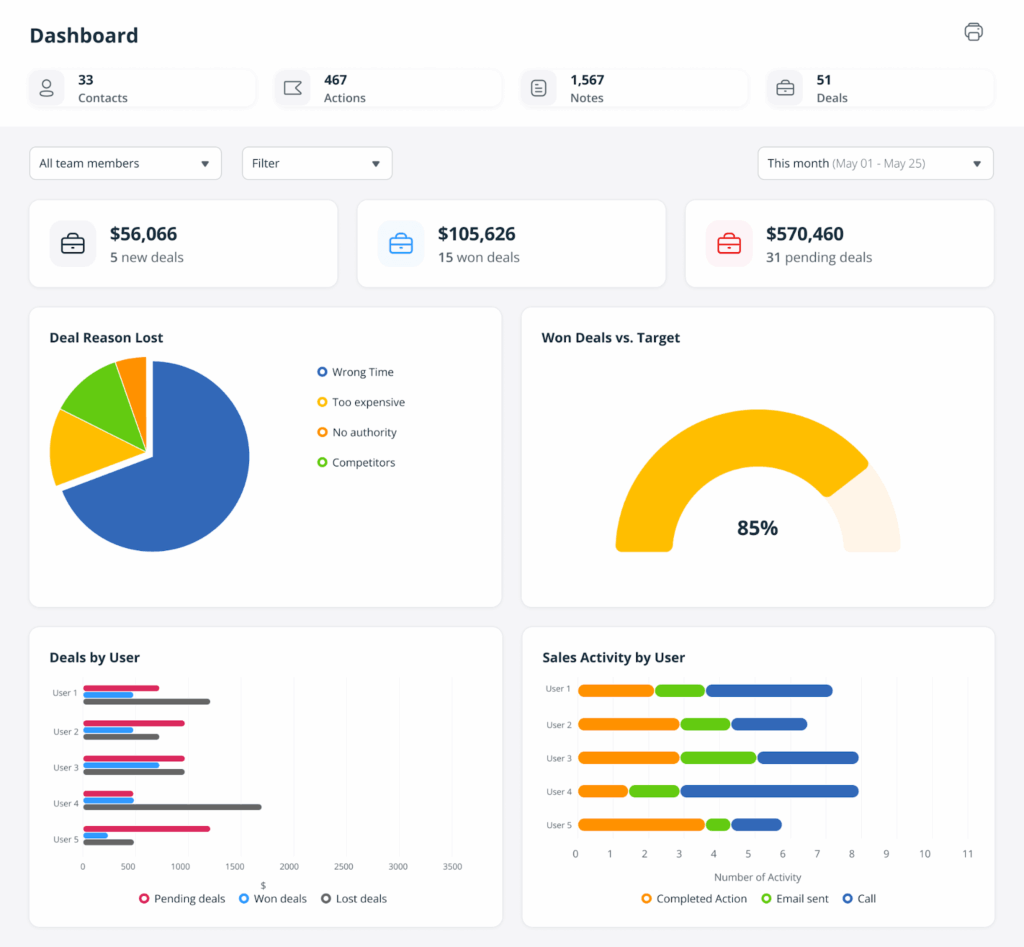
The best ones even let you filter the dashboard to display the metrics you want or check how specific team members are doing.
If more than one person is going to be using your CRM software, then you’d best make sure it supports teamwork and collaboration. Otherwise, your team will keep duplicating work and wasting time.
With teamwork features, you can assign contacts, deals, and tasks to your teammates. You can also leave notes and check what others are working on.
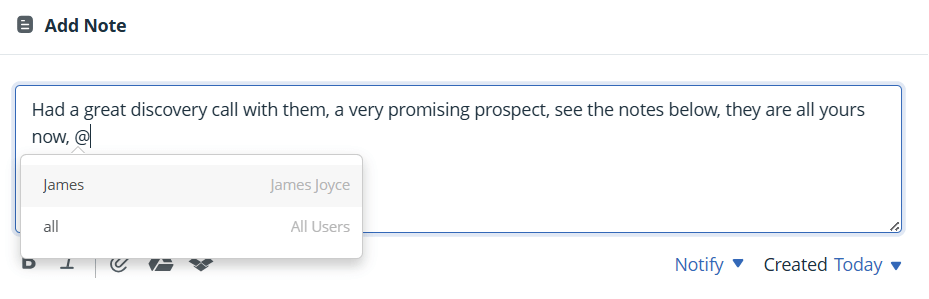
Some CRMs even let you collaborate with folks outside your company. Say you’re working with freelancers or contractors; you can bring them into your CRM system and grant them a workspace.
So, you added a customer to your database, and now, you’re trying to give them a call.
Would you rather:
Because options 1 and 2 waste time and can lead to errors, the last option is the most ideal for small businesses.
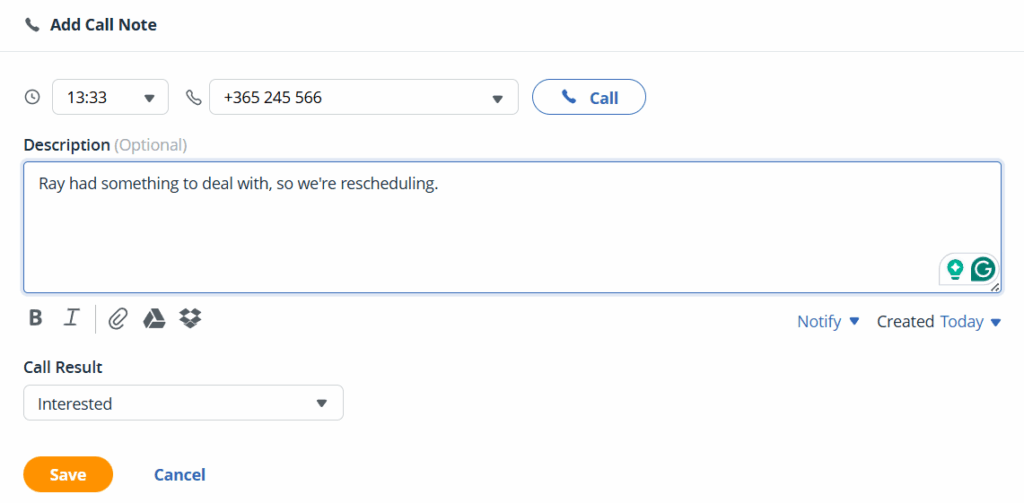
The click-to-call CRM feature makes it possible to place a phone call to any contact straight from the CRM with just a single click.
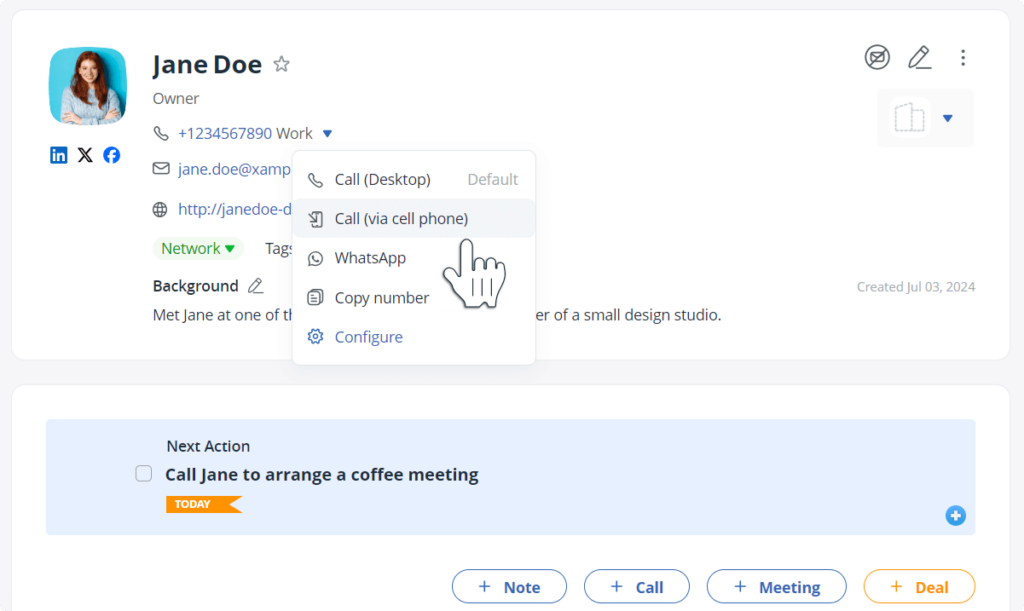
Beyond letting you call, the best implementations of this feature log those calls, too. After a call ends, some CRMs even prompt you to add notes or a follow-up task, so you always have context saved for the next conversation.
In addition to contact management, a proper CRM must also include a means for building customer profiles without manual effort.
This feature usually comes in the form of a browser extension. It allows you to capture contact details from your email inbox, web pages, and social media.
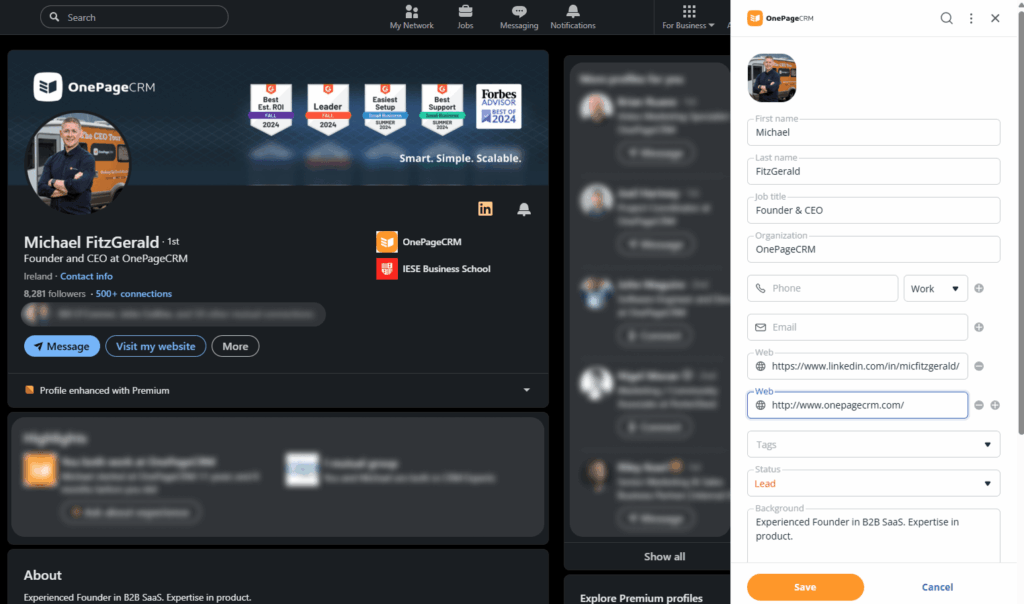
The captured data is then used to create a profile for the customer inside your CRM. And it all happens in a few clicks.
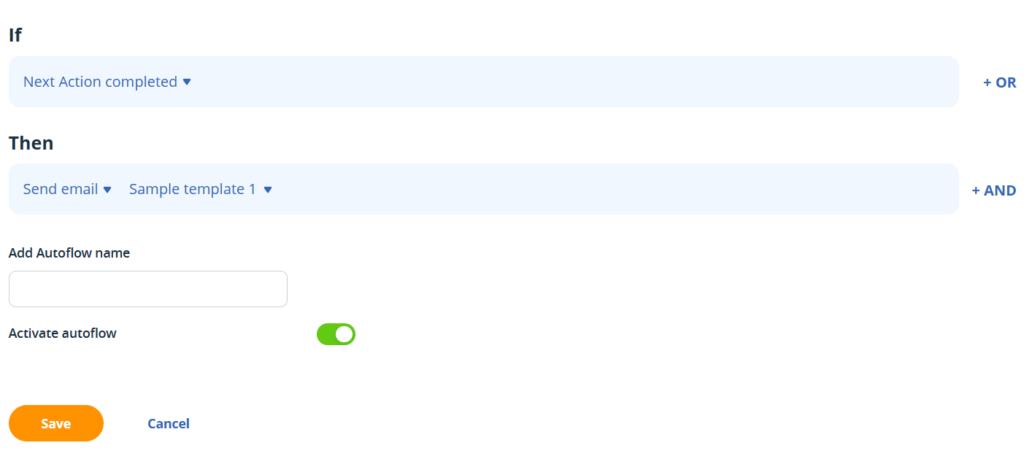
If you’re looking to grow your small business, you need to focus on what actually moves the needle, like nurturing leads and closing deals. However, you won’t be able to do that if you’re too busy with repetitive tasks like updating contacts’ data, adding notes, sending emails, and more.
That’s why workflow automation is such an important CRM feature. With this functionality, your CRM can perform those everyday tasks for you.
Simply set the rules once, and the system takes over and runs them automatically whenever the right conditions are met.
Sending emails to customers is a necessary evil, but it often consumes too much time. With email sequences, though, it doesn’t have to.
This CRM feature lets you set up a series of emails that automatically go out whenever certain conditions are met. You just write the emails once, choose who gets them, decide when they should be sent…and finito.
Let’s say a new lead comes in. You can have your CRM send out emails to welcome them, follow up a few days later, and check in on them after a week.
The email sequences feature helps you save the time and energy that you would’ve otherwise spent drafting emails from scratch every time you need to reach out to a customer.
Small businesses typically don’t have a lot of CRM expertise. As such, they often run into technical problems that they might not be able to resolve on their own.
For this reason, any CRM you select for your small business must possess some form of customer support or the other. Of course, the support has to involve direct assistance from the CRM vendor—like live chat or email support—not just some help article or documentation.
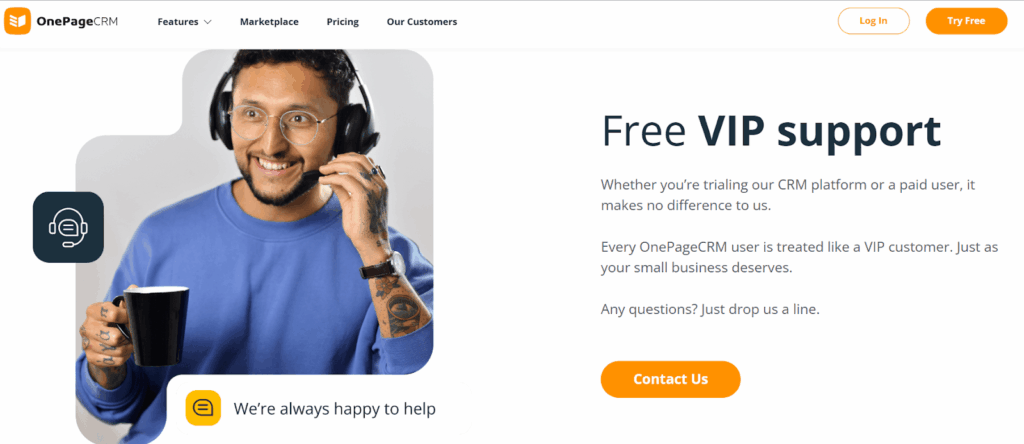
Even better if there’s support via phone call or a virtual meeting with screenshares.
A small business CRM needs to be dead simple to use.
That means it should have a clean design, minimal tabs, clear fonts, and just the essential features. It also means it should look and feel familiar from the get-go. For instance, some CRMs have a Gmail-like interface and contact pages that look a lot like social media profiles.
And if the CRM lets you complete tasks in a few clicks, drag and drop deals through the pipeline, and manage your entire sales cycle on one page? Even better.
This one should go without saying, but I’ve seen quite a few CRM software that back up your data only a few times a month. And I kid you not, some even offer paid add-ons if you’d like to back up your data at any other time.
A CRM for small business shouldn’t be doing this. Rather, the software should naturally back up your business data every single day, and without any extra charge.
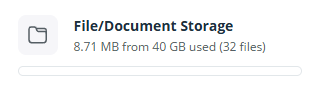
As your small business grows, so will the amount of data you need to store in your CRM system. From contact details and notes to files, emails, call logs, and more, you need enough space to hold all this information.
At the very least, your CRM should give you 10 GB of storage from the get-go. The last thing you need is to start deleting files or records just to make room.
Using a CRM means you’ll be storing delicate business data like customer contact details, deals, call logs, and internal notes, amongst others. That’s something you don’t want falling into the wrong hands or any other hands besides yours, for that matter.
That’s why your CRM software must come equipped with top-grade security and data protection features. That is, at the very least, it must include:
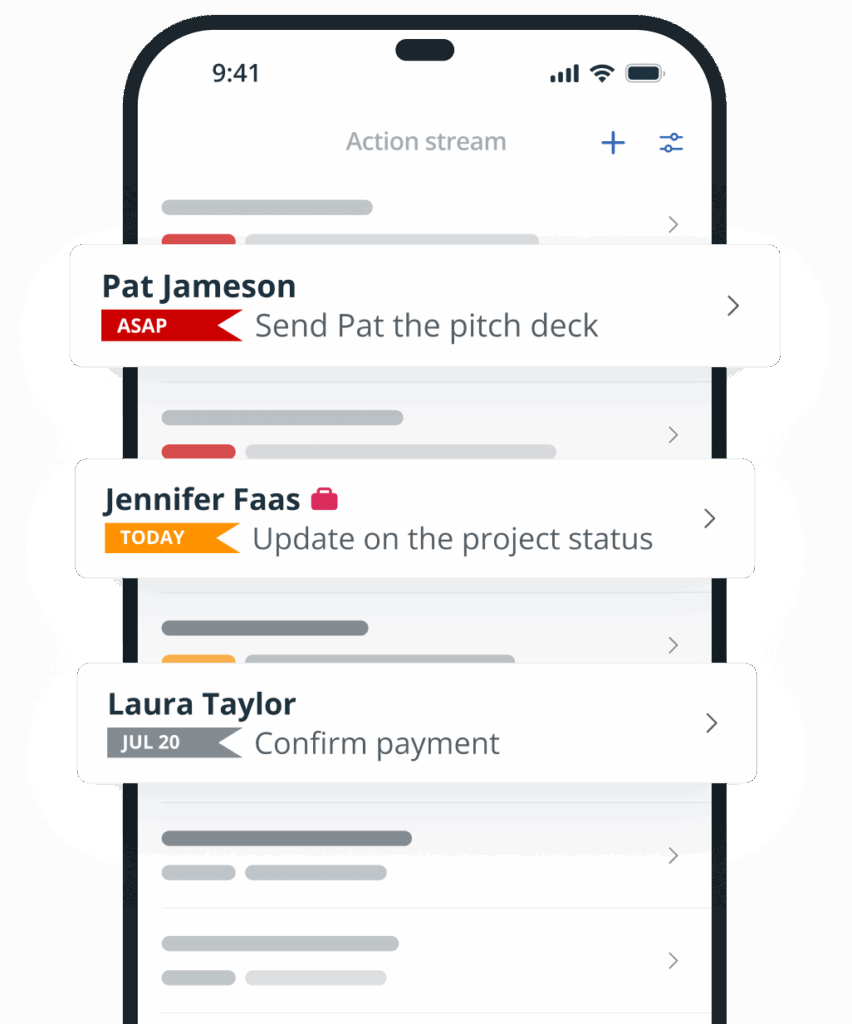
Your business isn’t tied to your desk or your desktop. Stands to reason that your CRM, the tool that helps grow that business, shouldn’t be, either.
Whether you’re traveling, heading to a meeting, out on field sales duty, or just stepping out, you should still be able to manage your customer relationships.
That’s why mobile access is a must-have CRM feature.
With this, you’ll be able to log into the CRM from your phone or tablet, manage customer details, update tasks, respond to emails, and even move deals through your pipeline.
As much as some CRMs try to offer a plug-and-play solution that works for everyone, you’ll still need to tweak some things to suit your specific needs.
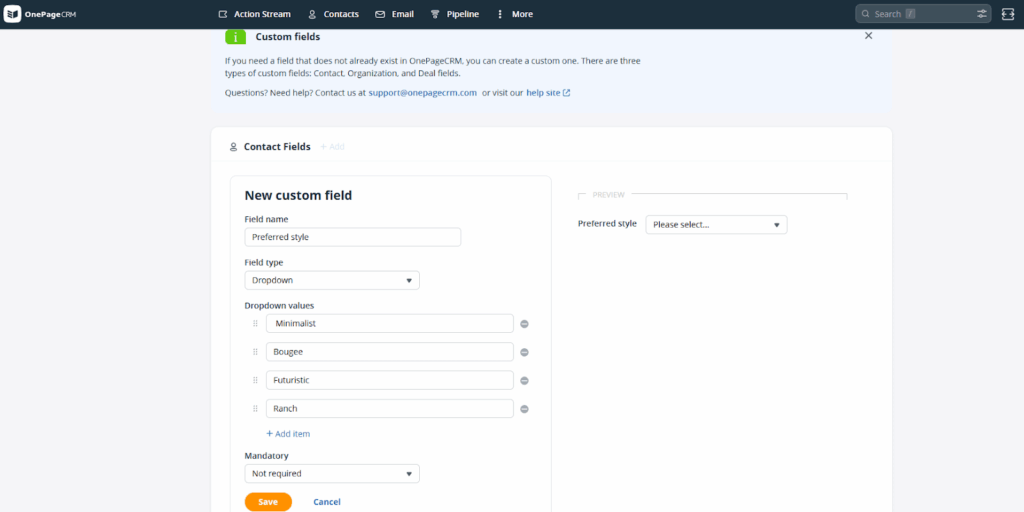
For instance, most CRMs come with standard fields like Name, Email, Phone Number, Job Title, and Address. But let’s say you’re in the interior design business. You might want a field for Preferred Style.
And what if you’re in the real estate business, where the sales process is quite niche? Instead of a generic sales pipeline, you might want something that looks a lot like this:
Qualified → Meeting Arranged → Property Viewed → Negotiation → Contract Signed → Payment
CRM customization allows you to create those custom fields and modify your sales pipeline to match how your business runs in real life. You can also create contact statuses, tags, filters, and whatever else you need to build a truly customized CRM system for your small business.
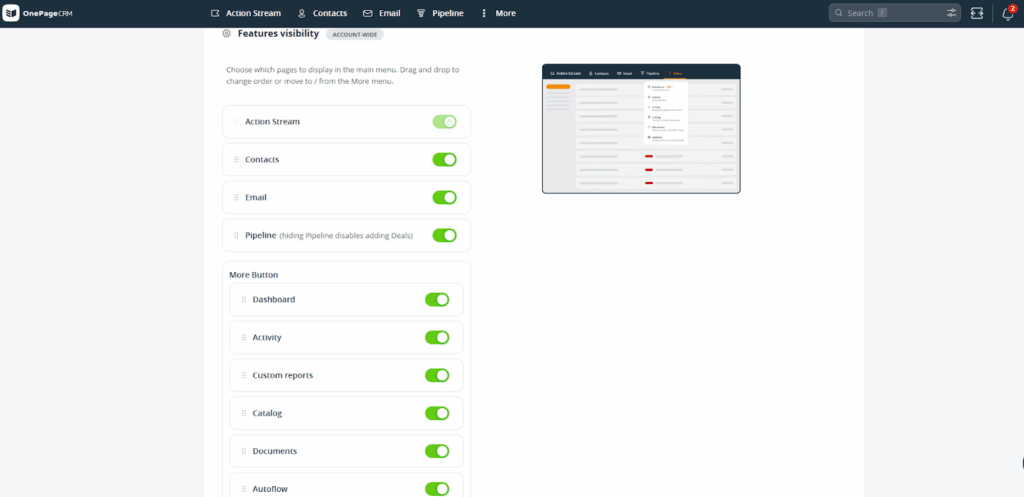
Customization features can even extend to the CRM system itself. Some CRMs allow you to adjust their layouts, hiding modules you don’t want to see.
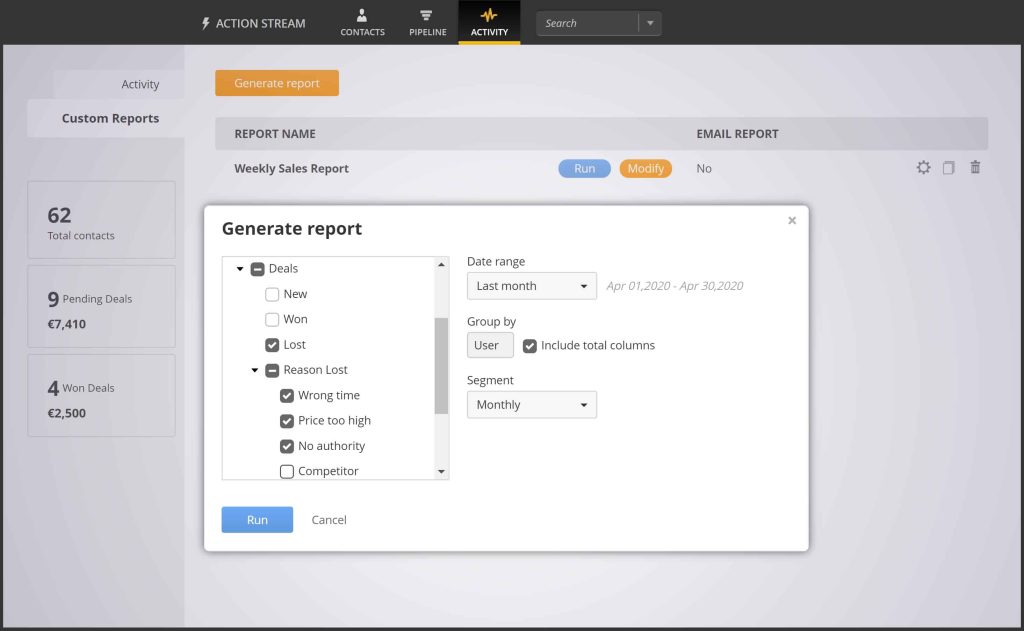
Beyond the basic insights you’d get from a simple dashboard, a CRM for small businesses ought to include more reporting and analytics features.
That means it should give you the ability to generate reports for your key metrics and customize those reports to show you exactly what you want to see.
The CRM should also allow you to set sales goals, monitor your progress, and predict your revenue based on the current state of your sales pipeline.
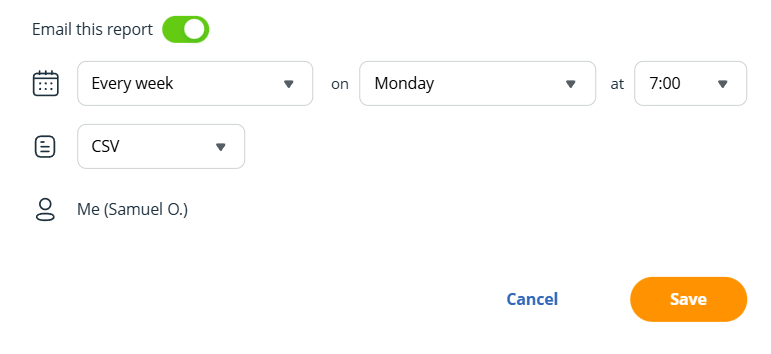
And if you’re not the only one using the CRM system, the analytics features should let you share reports with teammates, and or schedule them to be automatically sent to you (or a team member) every week, month, or quarter.
A small business CRM doesn’t need to be packed with every functionality under the sun. That just makes it bloated, hard to use, and expensive.
What matters is that it covers the essentials we’ve talked about, and lets you add more through integrations (if or when you need to).
A proper small business CRM should have a Marketplace where you can connect with other tools across categories like marketing, communication, invoicing, scheduling, accounting, and more.
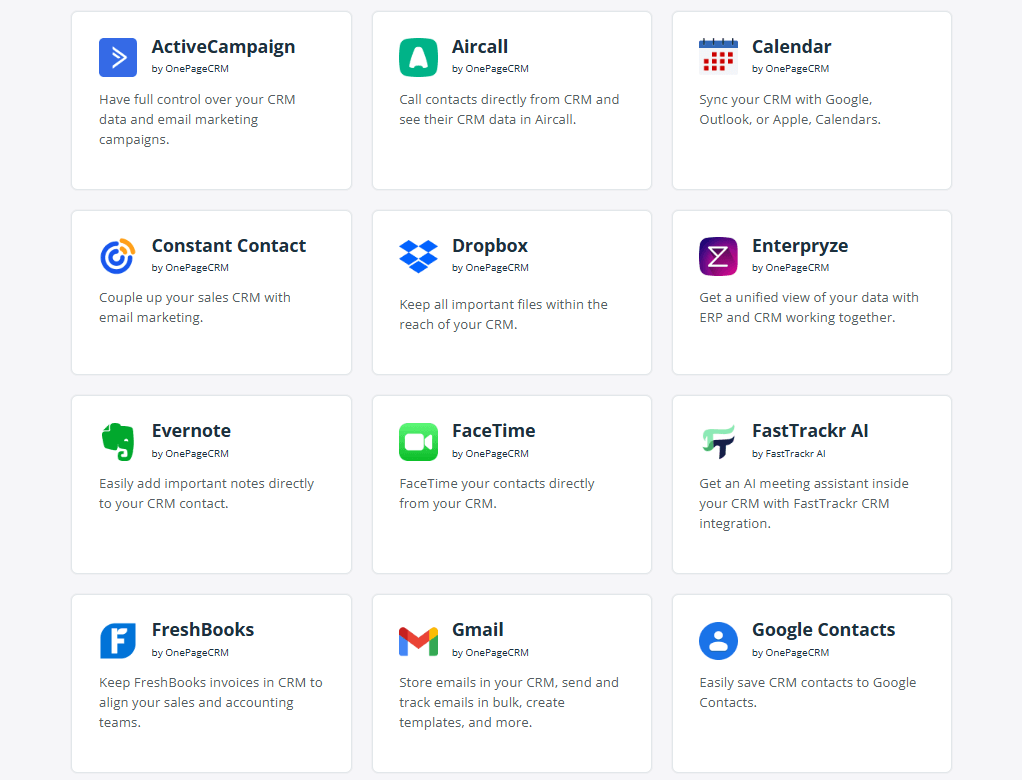
This way, even though the CRM system stays lean, it still doesn’t bar you from accessing certain features that might be useful to your small business—like the nine in the section below.
Not every small business CRM comes with all the essential CRM features. You’ll still have to sift through a lot of options to find the one with all the features your business will need.
By “sifting through”, I mean you’ll need to test dozens of CRMs and read through mountain-loads of documentation, help resources, and marketing materials. And then maybe, just maybe, you’ll find what you’re looking for.
But to save you the time and effort, I spent weeks doing the research for you.
If you scroll downwards, you’ll find a list of small business CRMs, along with how many essential CRM features they come equipped with, and of course, their costs.
| Small business CRMs | Essential CRM features | Starting price |
|---|---|---|
| OnePageCRM | 24/24 | $9.95 |
| Agile CRM | 18/24 | $9.99 |
| Nimble CRM | 18/24 | $24.9 |
| Salesforce Starter | 18/24 | $25 |
| Bigin CRM | 17/24 | $7 |
| Freshsales CRM | 18/24 | $9 |
| Zoho CRM | 18/24 | $14 |
| Salesmate CRM | 18/24 | $23 |
| Pipedrive | 20/24 | $14 |
| Capsule CRM | 19/24 | $18 |
| Folk CRM | 20/24 | $20 |
| Pipeline CRM | 20/24 | $25 |
| Insightly CRM | 18/24 | $29 |
| HubSpot | 19/24 | $15 |
| Monday CRM | 16/24 | $36 |
| Less Annoying CRM | 12/24 | $15 |
The essentials we’ve just talked about will typically be more than enough for you to handle your day-to-day workflow.
But in addition to those basics, you might want a few extras to help you work even smarter. These extras can be a part of the CRM out of the box, but most times, they’re accessible only via integrations.
Let’s take a look at a few of them.
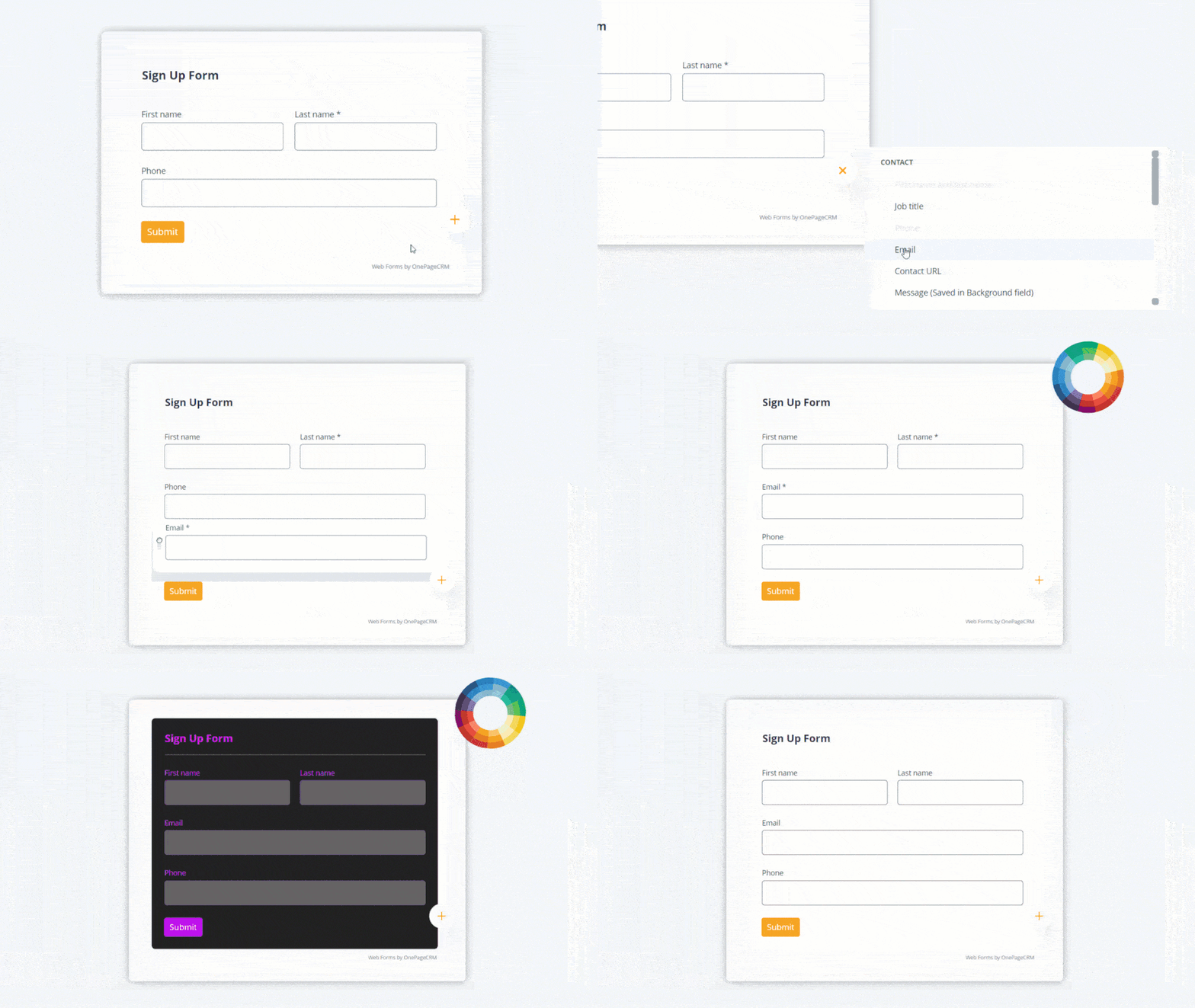
The webform functionality helps you avoid wasting time manually adding customers to your CRM. In fact, it’s more accurate to say it automates the process.
Instead of typing in or copy-pasting customer info, you just build a form once, add it to your website, and you’re good. Anytime someone fills the form, their details are automatically sent to your CRM.
You need this CRM feature if:
You collect leads from your website and want them to go straight into your CRM without you (or your teammates) having to lift a finger.
Route planning is another non-essential, yet useful CRM feature when you or your team need to meet with clients in person.
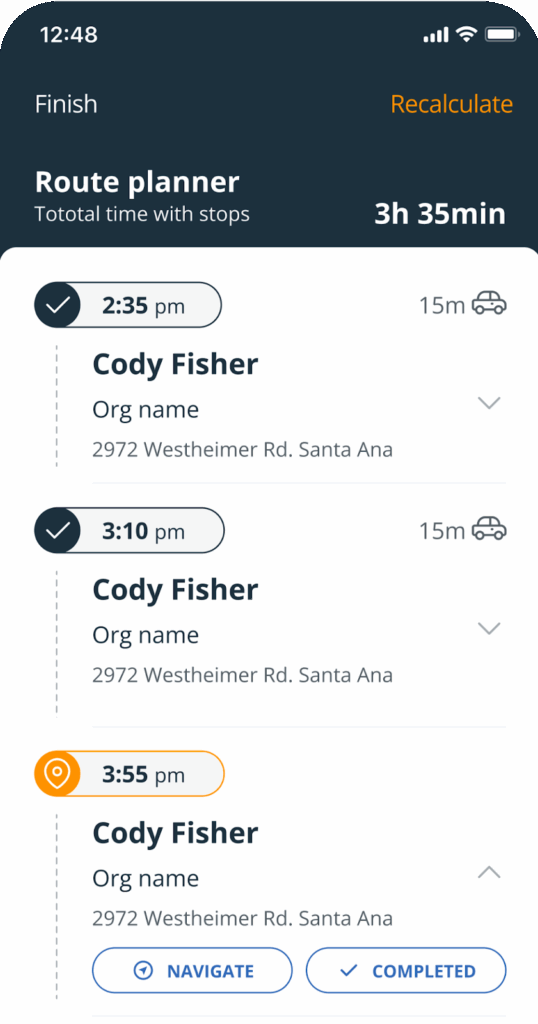
This feature is typically powered by AI, and it works by analyzing the latest traffic data to help you find the fastest route to the customer you’re meeting with.
You need this CRM feature if:
You do field sales. That is, you or your sales team often meet clients in person, and want to cut down on travel time and fuel costs.
An appointment scheduler makes it more convenient for you and your customers to set up meetings. This CRM feature gives you an online calendar where folks can see your availability and book a slot that works for them.
A part of this functionality is the ability to integrate your CRM with Calendly or similar scheduling tools to automatically add new prospects into your CRM.
You need this CRM feature if:
You book a lot of calls, demos, or meetings, and want to make it easier for customers (and yourself) to lock in a time. It’s also ideal if you handle a lot of contacts and want them to automatically sync to your CRM.
Marketing is a super important part of your business, but to be frank, it takes up way too much time.
According to a study by Inc., more than 57% of small business owners work more than 50–60 hours each week. Guess how much time they spend on marketing alone? An average of 20 hours!
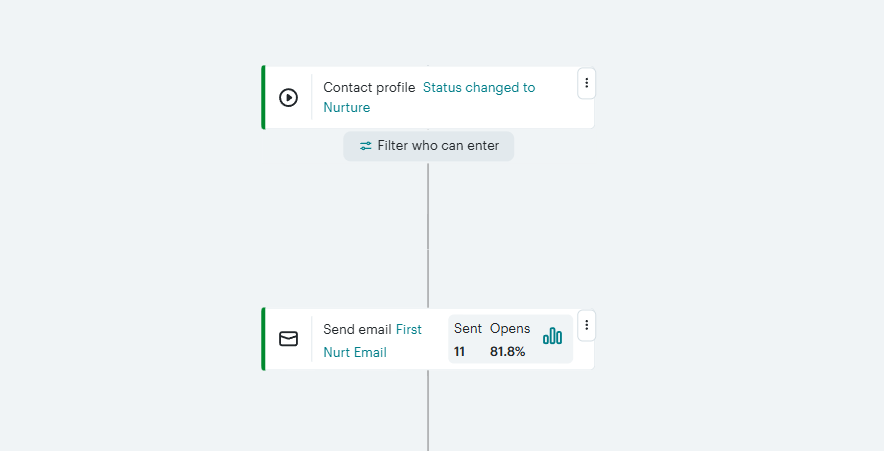
Marketing automation helps you take some of that time back. Instead of handling every email campaign, SMS promo, or social media campaign yourself, you can set them up to happen automatically.
You need this CRM feature if:
You have a fairly big database, send marketing campaigns regularly, and don’t want to spend hours each week just dealing with marketing tasks.
Many small businesses talk to customers on social media just as much as they do via email or phone.
Social media sync lets you bring those chats into your CRM. You’ll be able to send and receive DMs from apps like LinkedIn, Instagram, Facebook, Slack, or even WhatsApp—right from inside your CRM.
The social media integration features on some CRMs are even more advanced, as they allow you to post directly to your social channels from the CRM system.
You need this CRM feature if:
Your business is active on social media, and you want to keep it that way without having to leave your sales workspace (CRM).
Bookkeeping, or better yet, accounting, probably isn’t the most exciting part of your business. Yet, you know you can’t ignore it, no matter how cumbersome it can be.
That’s where the bookkeeping functionality comes in. With this CRM feature, you’ll be able to create and send invoices, track what’s been paid (and what hasn’t), and even view all invoices tied to specific contacts or deals.
These features can be built into the CRM system or accessed by integrating with accounting tools like Xero, QuickBooks, and the like.
You need this CRM feature if:
You want to create invoices, track payments, and keep everything organized within your CRM.
A calendar management functionality isn’t a deal breaker, but it sure makes life easier.
Just like the calendar app on your phone, this CRM feature gives you a visual schedule where all your tasks, follow-ups, meetings, calls, and other activities are arranged day by day.
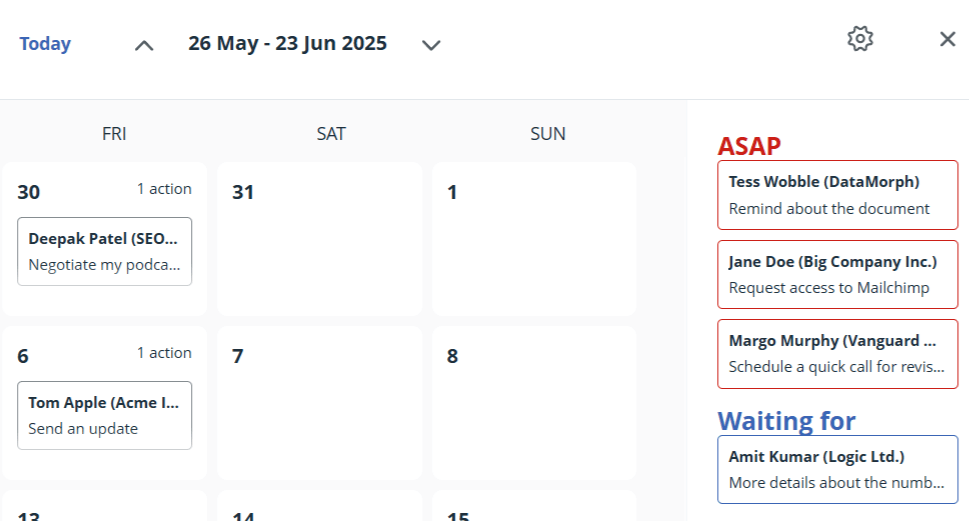
You won’t need this if you have an Action Stream, but it does help visualize your agenda.
You need this CRM feature if:
You want to visualize your schedule, stay on top of all the things you need to do, and re-prioritize your daily workload.
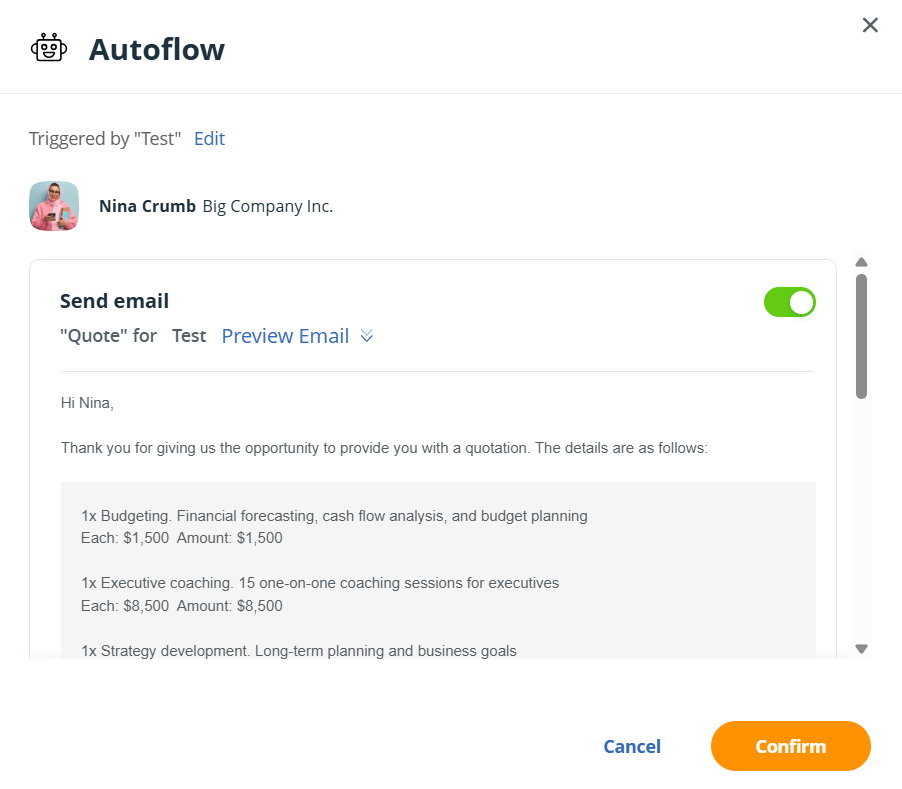
Sales quote tools take the manual labour out of price quotations.
Instead of building quotations from scratch, this CRM feature pulls data from your deal—like product or service, price, quantity, and more—and automatically generates a professional quote.
Depending on what CRM you’re using, you can even send out the sales quote to customers via email—in just a few clicks.
You need this CRM feature if:
You regularly send price quotes to customers, and want to make the process faster, error-free, and more professional.
Some CRMs let you connect the software to other tools through what’s called an API (Application Programming Interface).
This feature is especially helpful when you want to integrate your CRM with apps that aren’t available in the built-in integrations list.
For instance, if you have a custom-built app for your business, API capabilities make it possible to pass data back and forth between it and your CRM.
You need this CRM feature if:
You use a variety of tools to run your business and want them to sync with your CRM.
You don’t get to handpick the features that go into a CRM. That part’s up to the folks who built the software.
What you can do, though, is choose a CRM that already comes with the right features from the get-go. That means one with all the essentials, a few useful extras, and a price tag that actually makes sense for small businesses.
OnePageCRM ticks all those boxes.
This CRM software is built specifically for small and mid-sized businesses. As such, it includes the essentials for managing customer relationships and closing more sales.
It even throws in some useful extras like:
All that, and it’s still an affordable CRM (costs just $9.95 per user/month!).
See what OnePageCRM can do for your small business.


More than a writer, Samuel is a communications expert. He understands how confusing and overwhelming SaaS products can be. That's why he's spent 6+ years helping SaaS brands deliver simple, actionable content that makes their products easy to understand.