
17 Best CRM for Small Business (2026)
Samuel Oyebode
December 10, 2025
41 min read


Closing a sale and collecting payment is a great feeling, but it’s just the beginning.
If you want to build loyalty and retain customers, you also need to deliver the product or service and handle onboarding, support, or any other after-sales activity.
That’s where a CRM with project management comes in.
In addition to winning the sale, the CRM helps you manage your post-sales work and after-sales service support.
In this article, you’ll learn why you need a CRM with project management features, and what good project management actually looks like in a CRM system.
Every small business needs to be able to close sales deals and deliver what was sold. But that doesn’t automatically mean a dedicated project management software is the right tool for this.
Project tools—like Jira, Asana, YouTrack, and the like—are built to manage projects in a general sense. Especially in software development. They’re great at helping you track tasks, deadlines, your workload, or team capacity.
What they’re not ideal for is managing projects as a direct continuation of a sale. That’s because they’re separated from your customer data, conversations, deal history, or any other context you’ve gathered for a sales opportunity.
Let’s look at Asana, for instance.
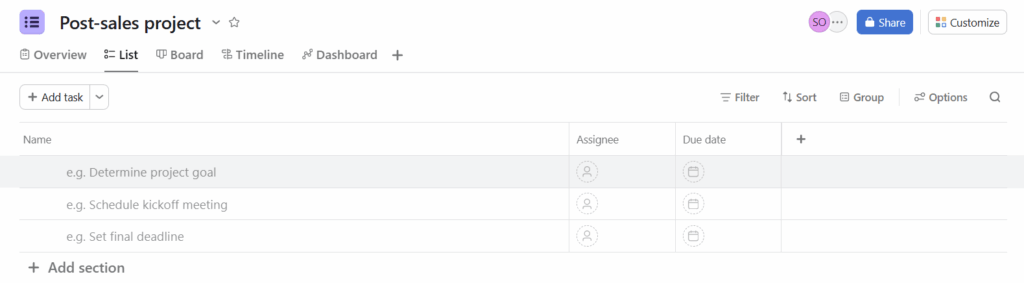
Once you close a deal in your CRM, you have to manually create a project in Asana.
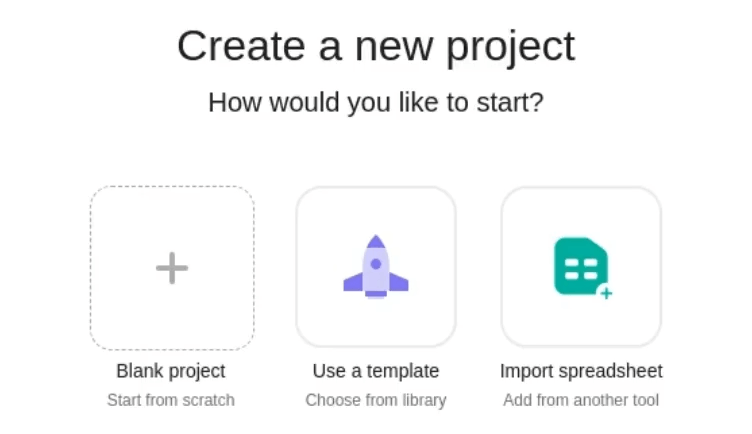
You also need to copy over customer details, describe the context again, and then switch back and forth between your CRM and Asana. This can make you lose context and do more admin work than you want to.
However, in a sales CRM with project management features, things are quite different.
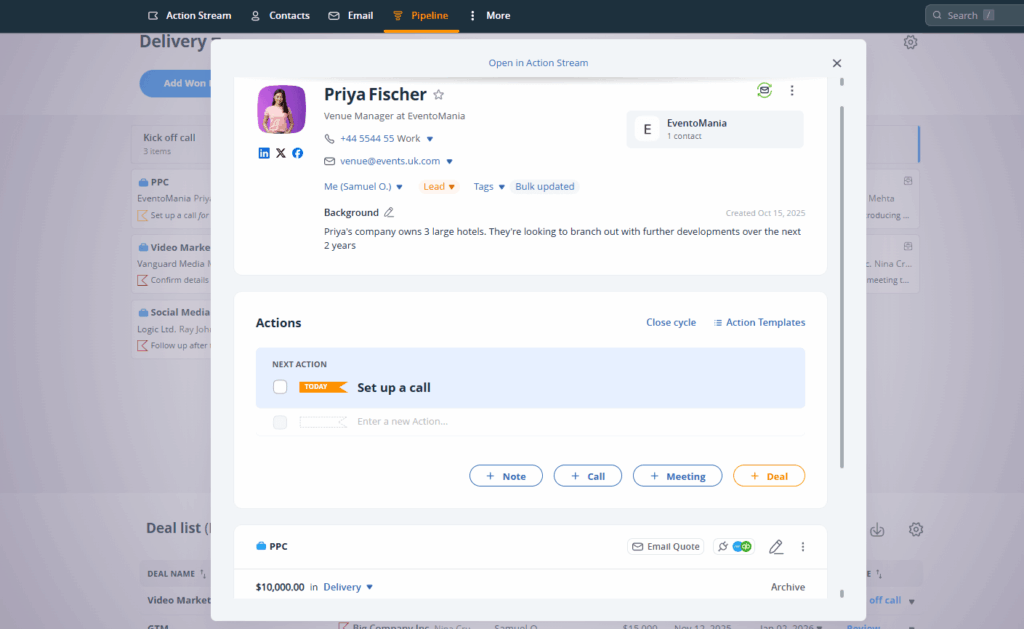
Here, after-sales projects are an extension of sales. The ‘project’ is a won deal. It stays linked to the customer, and carries over all the relevant information. You can see who the customer is, what was promised, how to deliver on that promise, and how close you are to doing so.
Unfortunately, most CRM tools don’t get how CRM and project management are supposed to work together.
Instead of focusing on what happens after a sale, they simply copy a general project management tool and place it inside the CRM.
Take Capsule CRM, for instance. There are project management features, but they’re not specifically designed for after-sales service. You can tell by how they’re treated as distinct records, occupying a separate space, and not associated with won sales opportunities.
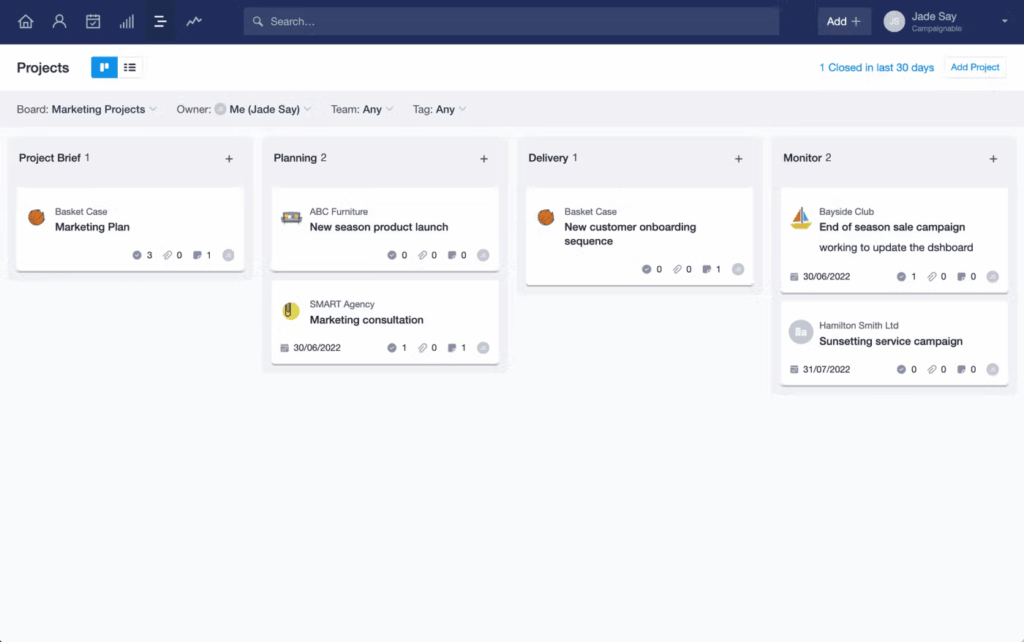
In an ideal CRM setup, projects should only exist because a deal has been won.
That’s why small business CRMs need to stop trying to compete with the likes of Asana. Instead, they should aim for a delivery pipeline.
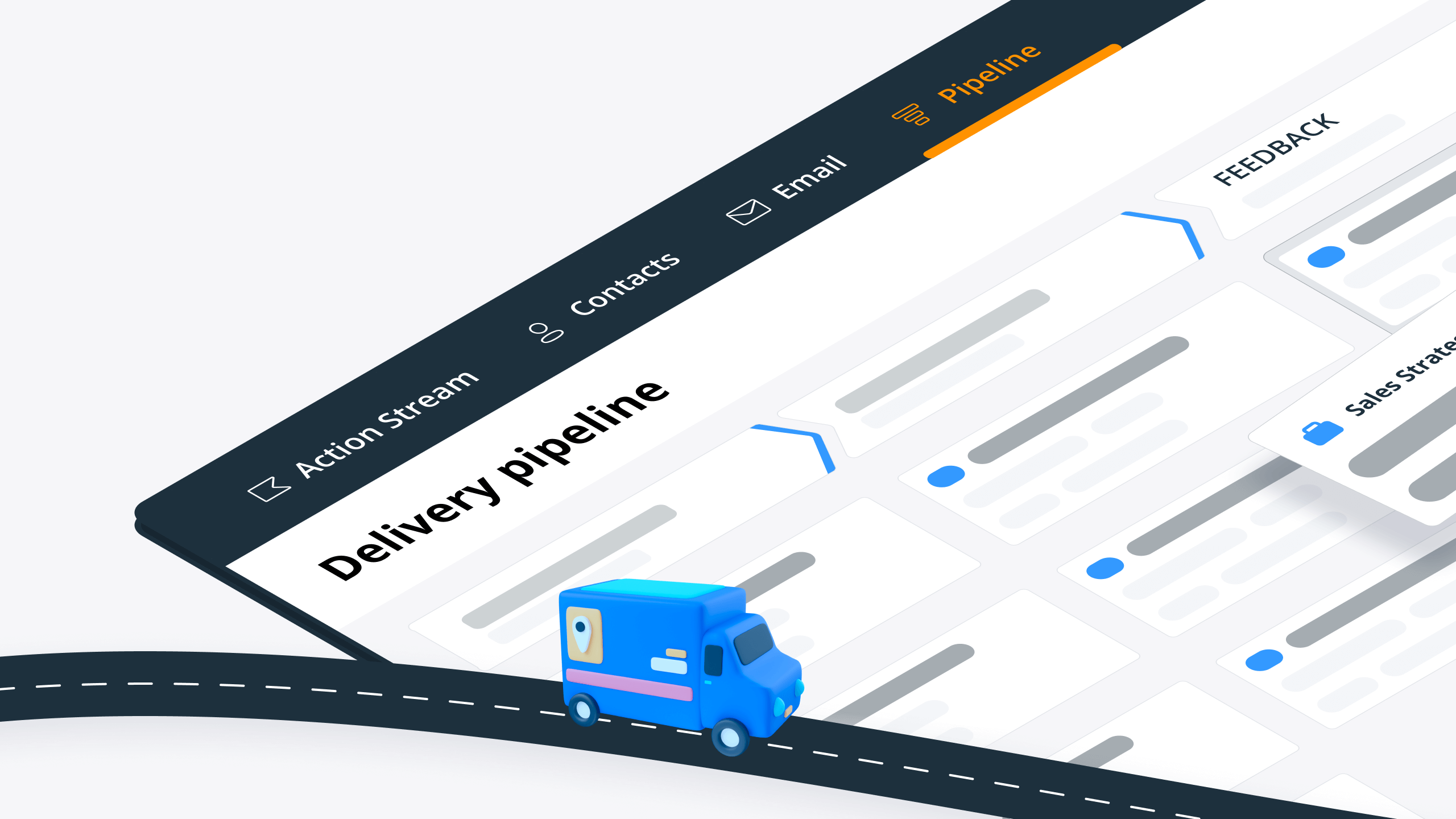
A delivery pipeline is a light project management tool built specifically for tracking after-sales processes in your CRM. Once you mark a deal as won in your sales pipeline, you can move it to a Delivery pipeline. And from this point on, you can start treating a won deal as a client project.
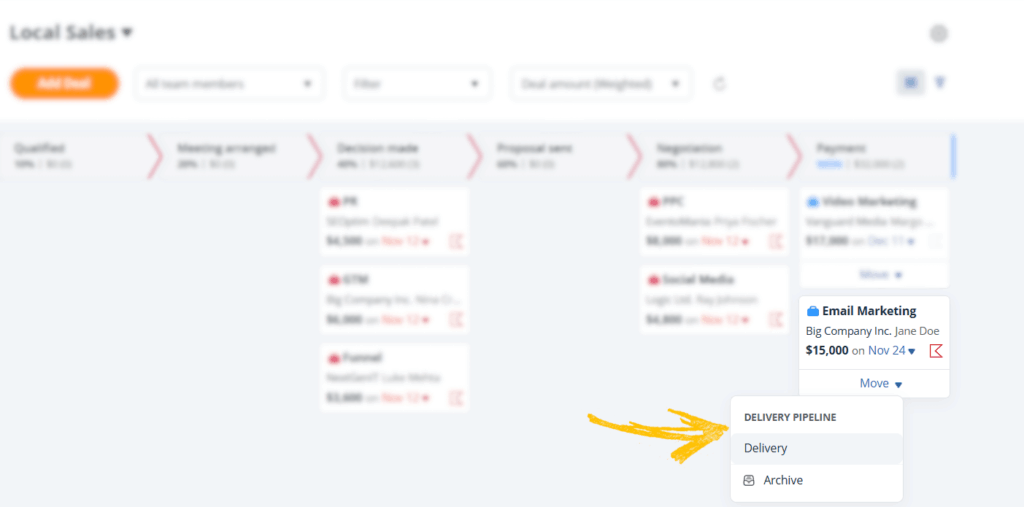
The pipeline displays all your ongoing projects, as well as the Next Actions required to move each project to the next stage.
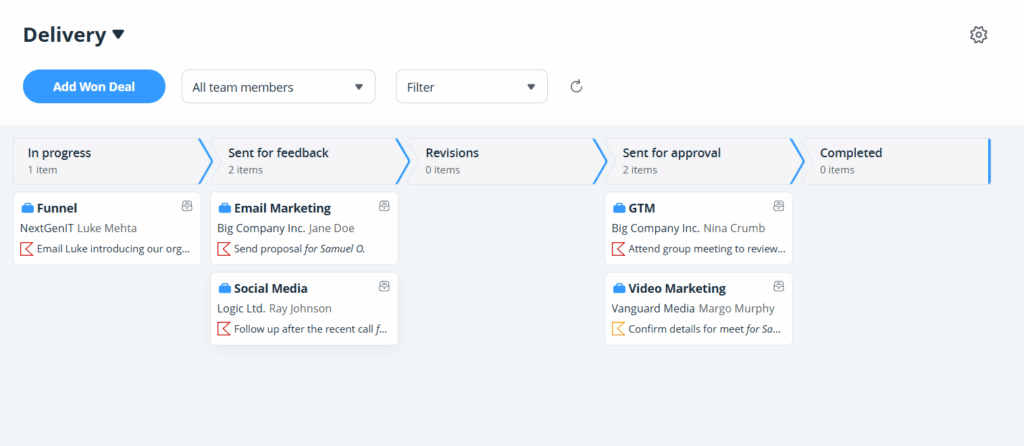
You can customize these stages to match how your business delivers services, whether that includes onboarding, implementation, revisions, feedback, or anything else that happens after winning the sale.
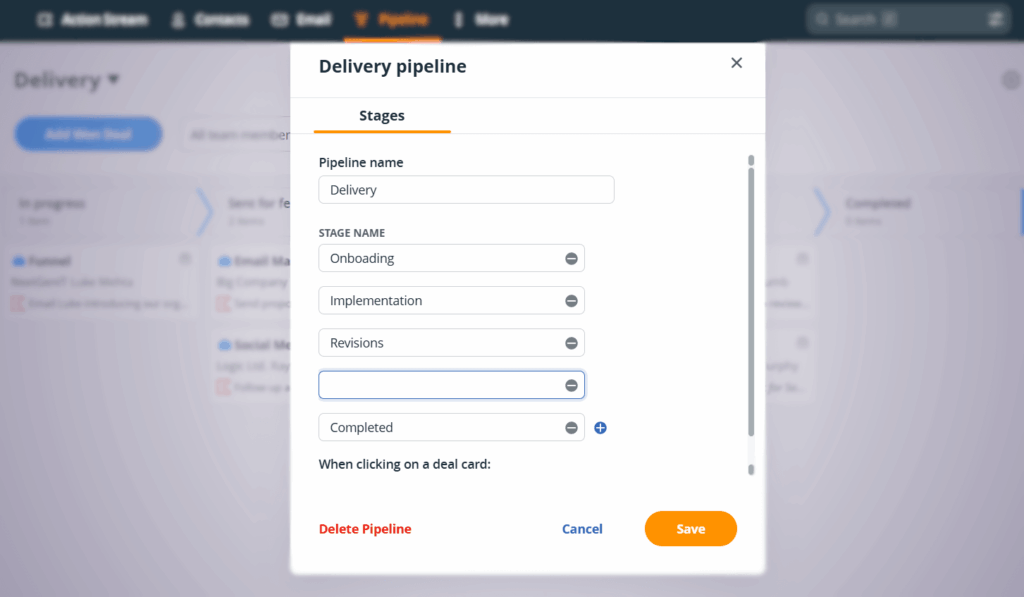
If your business handles different after-sales services, a delivery pipeline also allows you to create multiple pipelines, each tailored to a specific process.
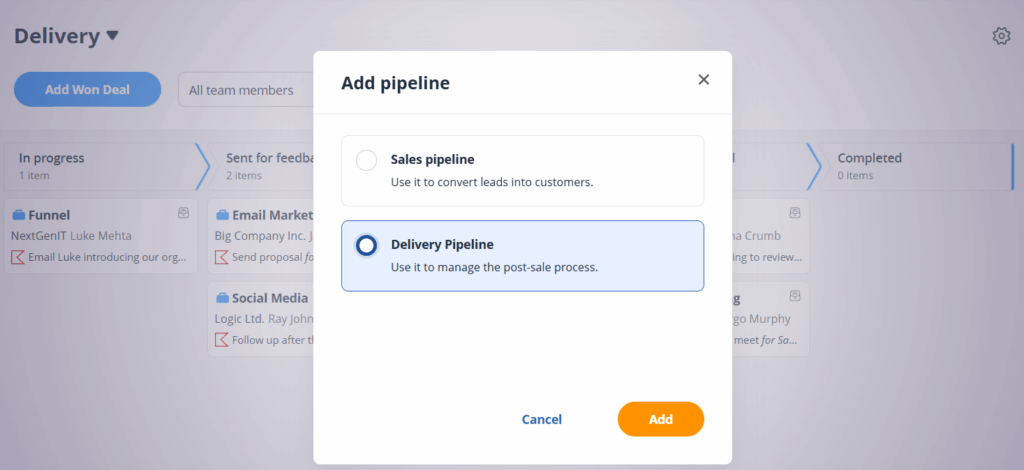
And because this approach is intentionally lightweight, the delivery pipeline doesn’t require a separate “project” tab. Instead, it lives on the Pipeline page. You simply switch between Sales and Delivery, as needed.
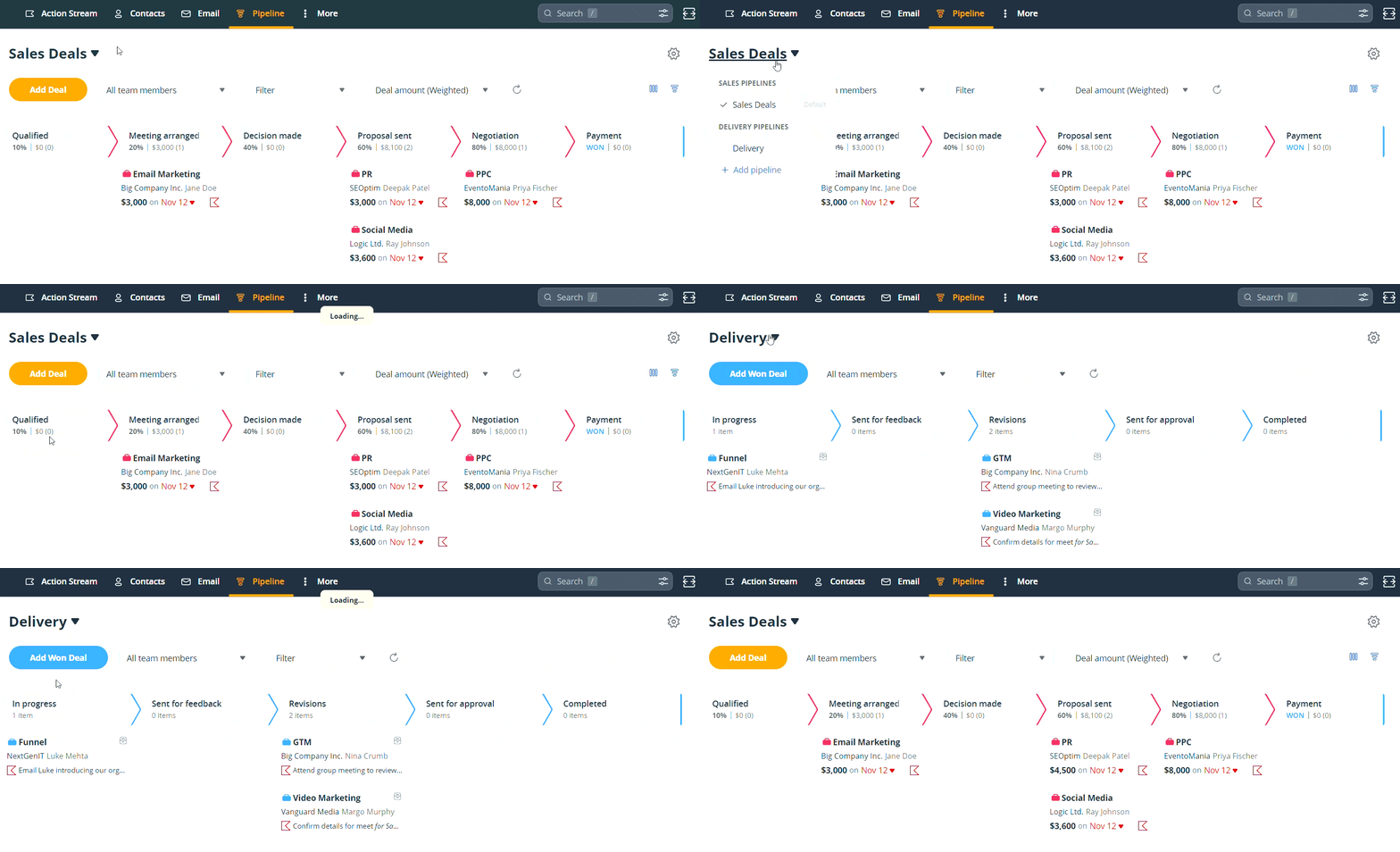
If you’ve read this far, you already know that a delivery pipeline is the ideal way to combine CRM and project management. You also understand how it works in theory.
Now it’s time to see what that looks like in practice.
We’ll walk you through real-world examples of how you can use a delivery pipeline to manage after-sales projects.
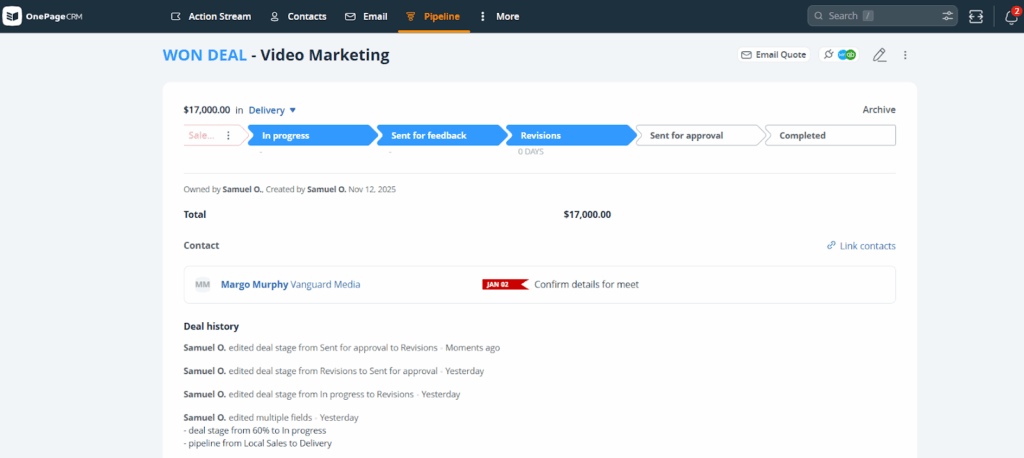
Once a deal is marked as won and moved to the Delivery pipeline, it stays linked to the original contact, so you always know who you’re delivering the after-sales activities to.
You also see all the information captured while the deal was still in the sales process, as well as the next steps required to move the delivery forward and bring it to completion.
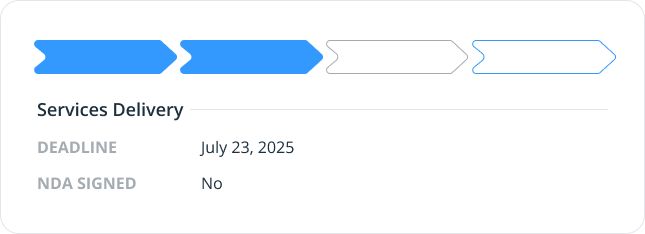
Additionally, you can add custom fields to collect any additional information necessary to complete the after-sales process.
A delivery pipeline helps you track everything that needs to happen after winning a sale.
You can set up stages for onboarding, training, implementation, upsells, customer check-ins, or any other post-sales activity your business handles. Then, move projects through those stages as the work progresses.
Let’s say you run a software setup service, and a client just purchased a package. What next? The after-sales process, which, in this case, is helping the new client set up the software properly.
That process might begin with a kickoff call, move into setting up the system and migrating data, then progress to user training. Once the software is live, the final step could be a review to confirm whether the client is satisfied and maybe recommend any upgrades or additional services.
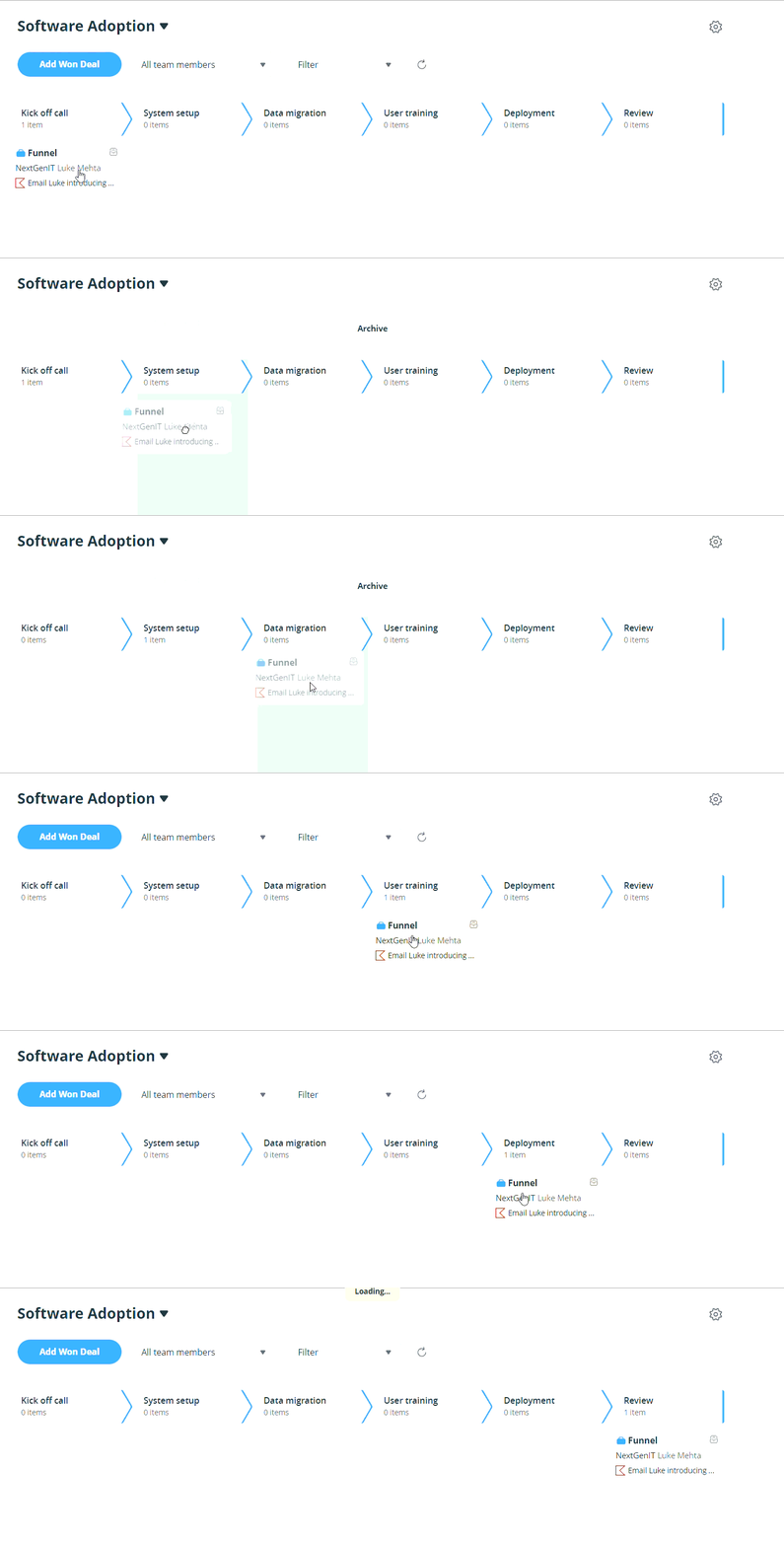
Of course, the exact stages will depend on your type of business and how it operates. If you run a plumbing business, your post-sales pipeline might look like this:
Initial inspection → Parts sourcing → Repair work → Quality check → Cleanup → Customer follow-up
And for a digital agency, the after-sales workflow could look something like…
Project kickoff → Strategy and planning → Design or production → Client review → Revisions → Final delivery
What’s important is that the delivery pipeline is customizable. So, you can create a post-sales process that fits your business.
An after-sales process is the set of steps your small business follows to deliver what a customer has paid for. It starts once the sale is won and ends when the customer has received the service or product as promised.
For instance, if you run a home services business, your delivery process might begin with scheduling the job, followed by preparing materials, completing the work on site, and finishing with a final check and customer follow-up.
A delivery pipeline helps you manage this entire post-sales process inside your CRM. Each step appears as a stage in the pipeline, so you always know what needs to happen next for the product or service to reach the customer.
When you’re looking for a CRM with project management functionality, remember that you’re not searching for some general-purpose project features.
Your goal is something client-oriented and focused on after-sales services.
Something that only a very few small business CRMs have.
OnePageCRM is one of those CRMs.
Instead of bolting on a general project management tool, OnePageCRM has a bona fide delivery pipeline feature for after-sales cycles.
If that sounds like something your business could benefit from, give OnePageCRM a try today.
Small businesses in over 80 countries already have.


More than just a writer, Samuel is a communications expert. He understands how confusing and overwhelming SaaS products can be. That's why he's spent 6+ years helping SaaS brands deliver simple, actionable content that makes their products easy to understand.