If you track something specific to your business, Custom Fields are a useful feature.
All CRMs have standard fields, such as the First and Last Name, Email Address, Phone Number, and so on.
Custom Fields are a fast and easy way to customize the CRM system to record extra data.
What are Custom Fields in a CRM?
Custom Fields are data containers. They store different types of information.
OnePageCRM has standard fields that cover the basics. But if you want to track and record unique data, you will need to set up Custom Fields.
They are very easy to create and organize.
Three types of Custom Fields in OnePageCRM
OnePageCRM has three categories of custom fields.
Custom fields for:
- Contacts,
- Organizations,
- and Deals.
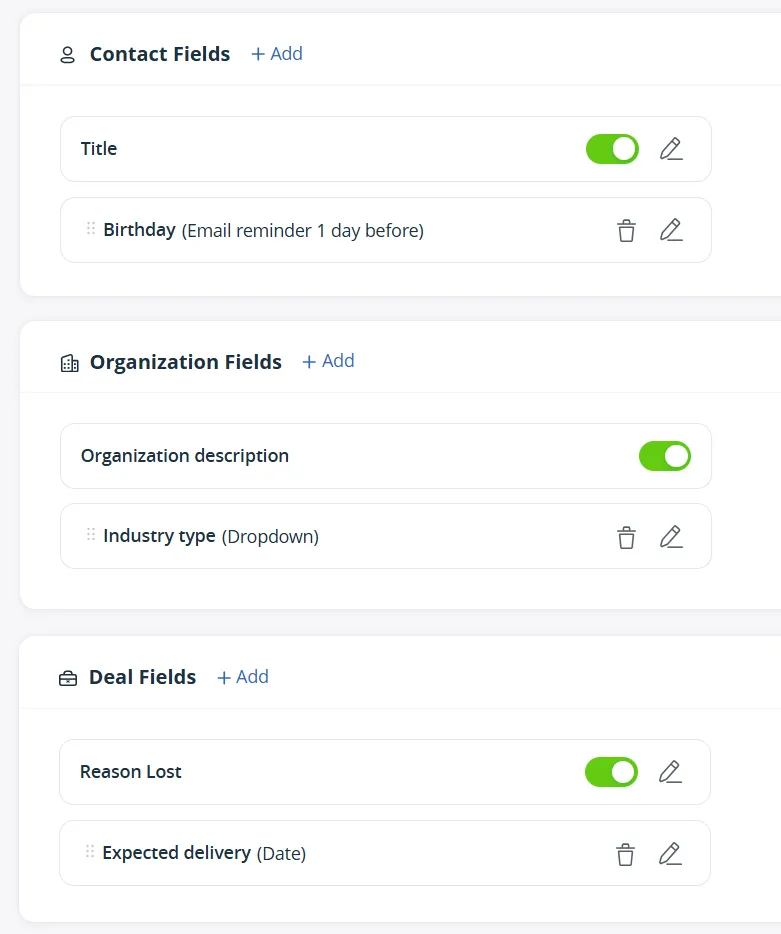
Contact Custom Fields
As the name suggests, these fields store contact-related information.
Here are a few examples of what you can track:
- Renewal dates (you can attach signed documents to the Contact pages)
- Preferred channels (some clients and prospects don't like phone calls)
- Time zones (handy if you have a global customer base)
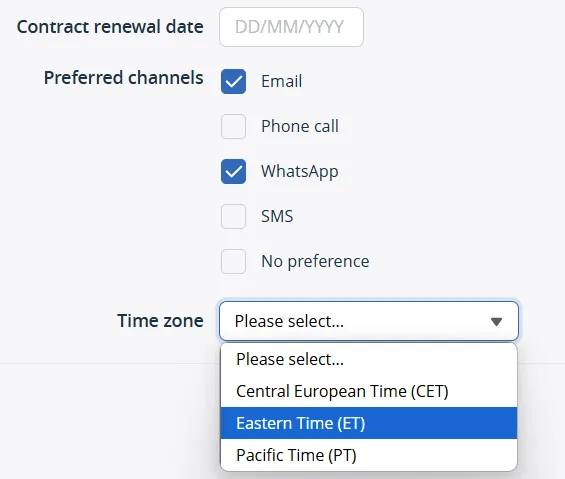
Each field can have a different data type. For example, use dates for renewals, a checkbox for channels, and a drop-down list for time zones.
By using different data types, you can organize data in a better way.
Organization Custom Fields
These fields capture company-wide details. They are not specific to individuals who work there, but describe the whole organization.
Common examples of such custom fields include:
- Team size (how many employees work at the organization)
- Tax ID number (for invoicing or other purposes)
- Annual revenue (if you need to score or prioritize leads)
In OnePageCRM, you can display Organization fields even on the Contact page (see the screenshot below).
In this case, you'll see company-related data without opening the Organization view.
Deals Custom Fields
For pending Deals, you can create custom fields to mirror your sales process.
Here's what you can track:
- Reasons lost,
- Deal types,
- Common objections,
- Anything else that is relevant to your business.
But that's not it.
OnePageCRM also lets you track won sales deals for your post-sales operations. This is especially useful when you need a light project management tool for delivering client work (see the Delivery Pipeline feature).
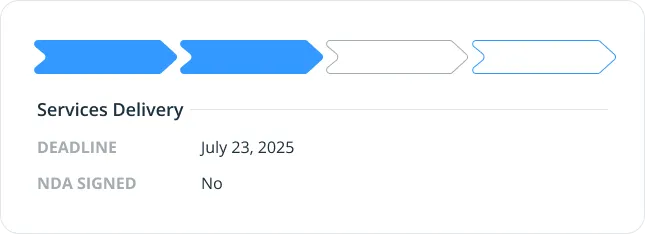
However, having multiple Custom Fields can feel overwhelming.
That's why you can customize the Deal Preview on the Settings page and decide how much information you want to show.
Data Types in Custom Fields
You can use different data types in Custom Fields, depending on what works best in each case:
- Single-line text fields are perfect for Job titles or any other short information.
- Multi-line text fields work for longer descriptions or detailed notes.
- Numbers store numerical values, like sales revenue or employee count.
- Drop-downs have a list of preset options and keep your data consistent.
- Date fields open a calendar picker.
- Checkboxes are great for simple yes/no options.
- Anniversary dates can trigger email reminders to your inbox.
- External ID fields link OnePageCRM to other apps.
- Section dividers help you organize custom fields into groups.
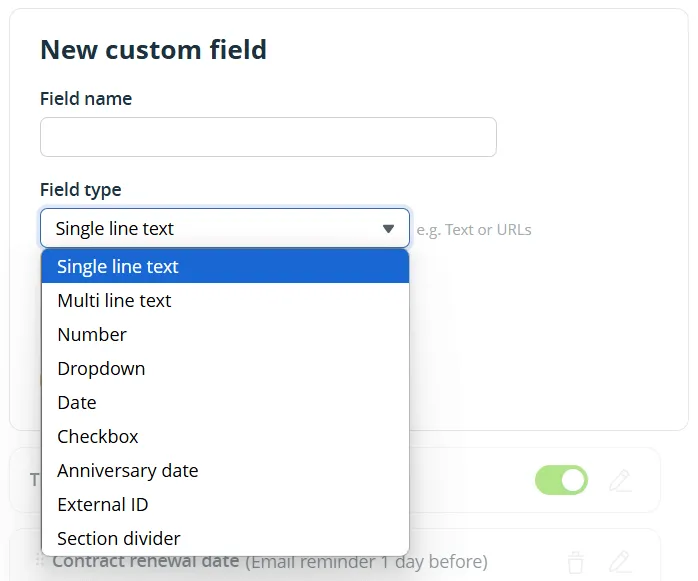
External ID Custom Field
The External ID field connects OnePageCRM with other tools.
Let's say you use OnePageCRM for sales and Mailchimp for marketing.
You can create a Mailchimp ID field inside OnePageCRM:
- Grab a contact's Mailchimp URL.
- Paste it into the External ID field.
- Replace the unique identifier with an ID variable.
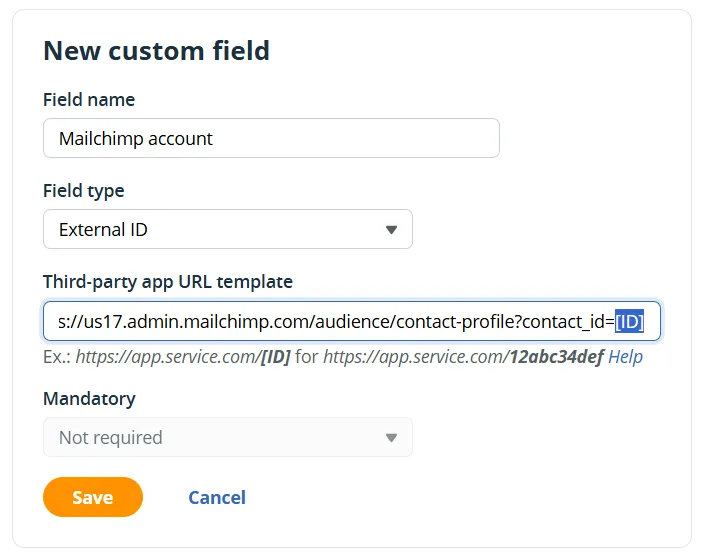
Now, that field becomes a clickable link that takes you straight to the contact's Mailchimp profile.
The External ID Custom Field is useful if, besides OnePageCRM, you also use a custom-built solution.
For example, some OnePageCRM users sell software products. They manage customer accounts in their own software product but use OnePageCRM as their sales CRM. By using the External ID field, they can link each contact in OnePageCRM to the corresponding account in their internal system.
This makes it easy for their Customer Success, Sales, or Support teams to open the user’s account with a single click, speeding up responses.
You can use this Custom Field for any web app that stores contact data and uses a consistent URL structure. For example, accounting platforms, help desks, and so on.
Section Dividers
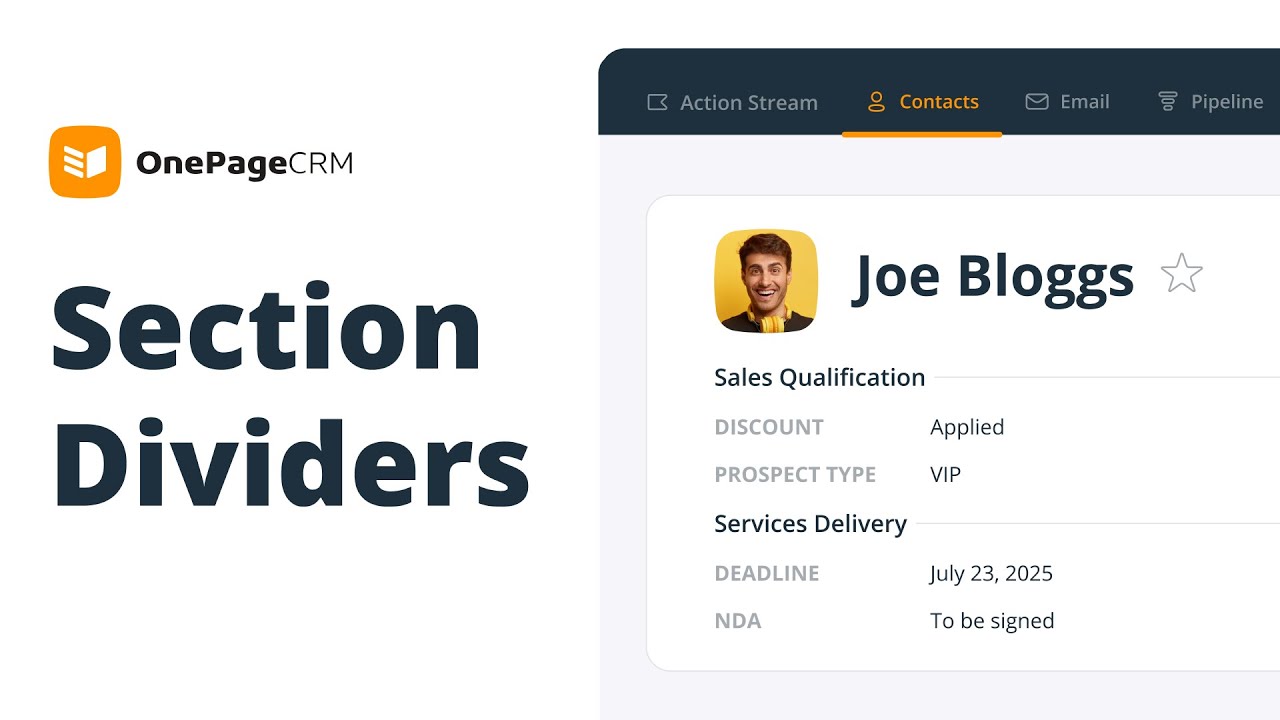
In OnePageCRM, you can add an unlimited number of custom fields.
That's why Section Dividers for Custom Fields can be very handy.
You can use them to organize Custom Fields into groups.
For example, let's say you're using both a Sales and a Delivery Pipeline in OnePageCRM.
In this case, you might want to record some qualification-specific data for the deals in your Sales Pipeline, such as:
- whether you offered the prospects a discount,
- or what bundle/package they are interested in.
Once the sales deal is won, you'll move it to a Delivery Pipeline, where you'll continue tracking post-sales information. It might include:
- the delivery deadline agreed upon with the customer (by when they want the services to be delivered),
- and a checkbox for the signed NDA.
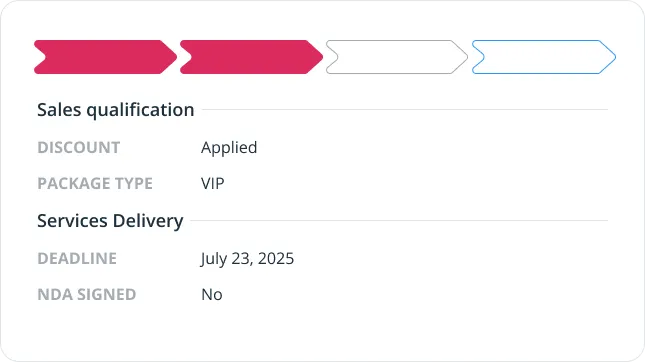
By adding Section Dividers to your Deals, you can visually differentiate between the two sets of custom fields: the ones for sales and the other ones for post-sales operations.
But that's not it.
You can add Section Dividers to Contact and Organization Custom Fields, too.
For example, if you have both Sales and Customer Success teams using one CRM, they probably track and record different types of data.
With Section Dividers, you can easily group these custom fields by team.
If you work in B2B sales, you might want to track account-wide information.
For example, what vendors an organization is using or its company size.
In this case, Section Dividers can be helpful too.
Mandatory vs. Non-required fields
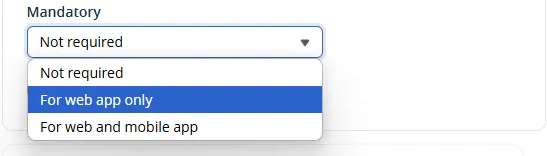
Not all Custom Fields are created equal, so you can decide on their importance:
- Not required. If you mark a Custom Field as not required, it signals to your team that this field is optional and can be left empty.
- Required for web app. You can mark a Custom Field as mandatory only when filled out in OnePageCRM's web app. In this case, mobile users can skip it.
- Required for web app and mobile. If a Custom Field has data that is critical to track for your business, you can mark it as mandatory regardless of device.
This flexibility helps balance quality with speed.
Field sales teams can quickly add contacts on mobile without getting stuck on lengthy forms, while office staff can complete records when they have more time.
Best Practices for Custom Fields in your CRM
Here are a few things to keep in mind:
- Cover the essentials. Identify 3-5 pieces of data you want to track and create Custom Fields for those.
- Introduce gradually. If you create too many Custom Fields at once, your team might get overwhelmed.
- Select wisely. More data doesn't lead to more revenue. If you're not going to use that data to make decisions or improve your workflows, do you really need to track it?
- Build Filters. To make the most out of Custom Fields, you need to put them to work. Filter your contacts by custom criteria and send targeted emails. All with a few clicks.