Are you running your small business on WhatsApp?
OnePageCRM can help with this, too.
We've been offering unlimited custom email templates to all small businesses for many years.
But if WhatsApp is how you sell, OnePageCRM now has you covered, too. Without an enterprise-level price tag.
Create custom message templates
You probably have a few go-to messages that work very well. A follow-up to a lead or a welcome text to a new client.
Instead of copy-pasting these messages from your notes app, you can keep them organized in OnePageCRM.
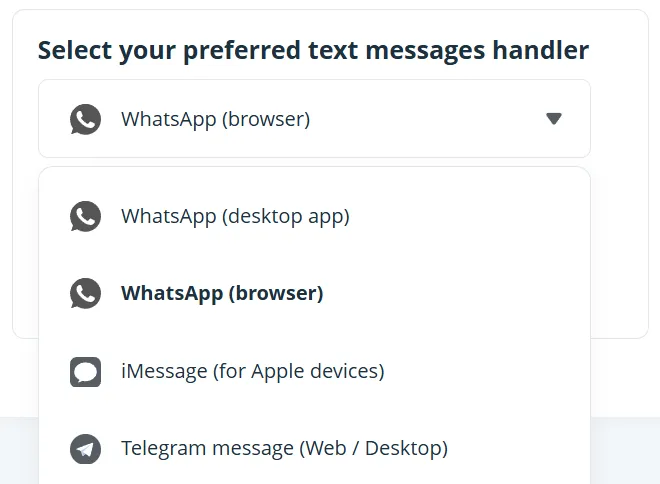
Now, you can build custom message templates for:
- WhatsApp,
- iMessage,
- or Telegram.
Save them in your CRM account and start sending to contacts instantly.
Make your messages personal
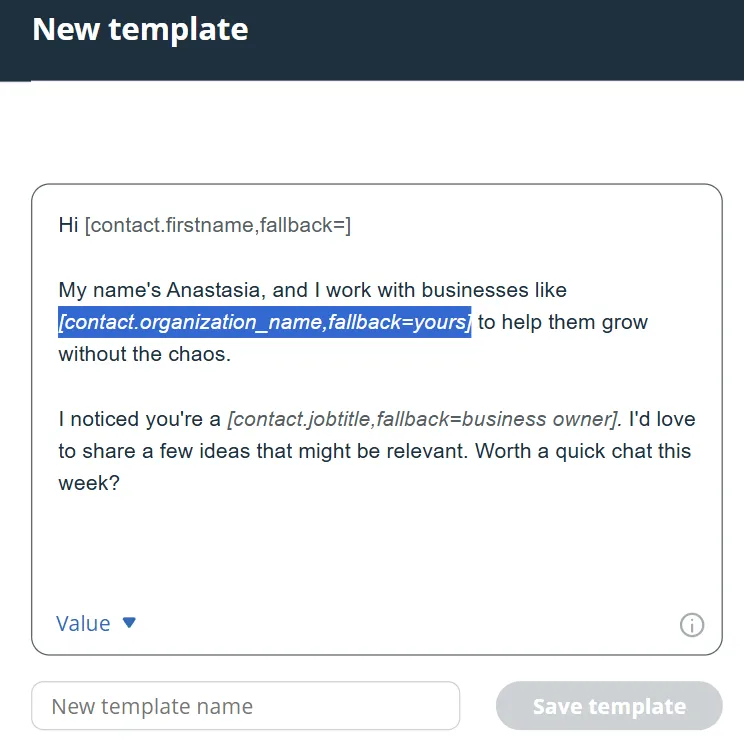
You can use variables in your message templates — name, company, and even custom fields.
They'll be pulled from OnePageCRM and inserted automatically.
WhatsApp and Telegram templates can be formatted too, so you can make your text bold or italic right from your CRM.
Pair up with other tools
If your small business relies on WhatsApp, you can pair up message templates with more OnePageCRM features:
- set WhatsApp as your default dialing and messaging app,
- instantly create new contacts from WhatsApp with Lead Clipper,
- add a free WhatsApp Chat Widget to your website.
Ready to try message templates out?
Open any contact, click the phone number, and create your first template.
There are no settings or configurations involved. OnePageCRM works out of the box.