Outlook CRM Guide: Best CRM for Outlook in 2026
Samuel Oyebode
February 4, 2026
18 min read


An email inbox is great for having sales conversations.
But if you want to turn those email conversations into real deals or sales opportunities, you’ll need an email CRM.
In this guide, we’ll explain how an email CRM can help you follow up and sell better. We’ll also show you which features matter the most, and even give you a review of some of the best email CRM software.
But first, let’s address the elephant in the room.
Not all CRMs are the same.
Often called social CRMs, some are designed to help you engage leads and sell through social channels. Others focus on outbound calling and call tracking.
Then there are CRMs built specifically to help you sell using email tools.
Put simply, an email CRM is a software that uses email as the main channel for managing relationships, tracking conversations, and moving sales opportunities forward.
It’s important not to confuse this with tools like Apollo or Gong, which are built for bulk email outreach. An email CRM is about personal, one-to-one communication and sales management.
The best email CRM isn’t the one with the most email features. It’s the one with the specific tools you need to properly communicate with leads, follow up, and sell your products and or services.
Below are the key features to look for in a proper email CRM.
Email sync is the foundation of any email CRM. An email CRM must sync with Gmail, Outlook, and other email providers (via IMAP/SMTP). And more importantly, it shouldn’t be a one-way setup.
Your email CRM needs to have a full, two-way email sync. That means it should let you send and receive emails directly inside the CRM.
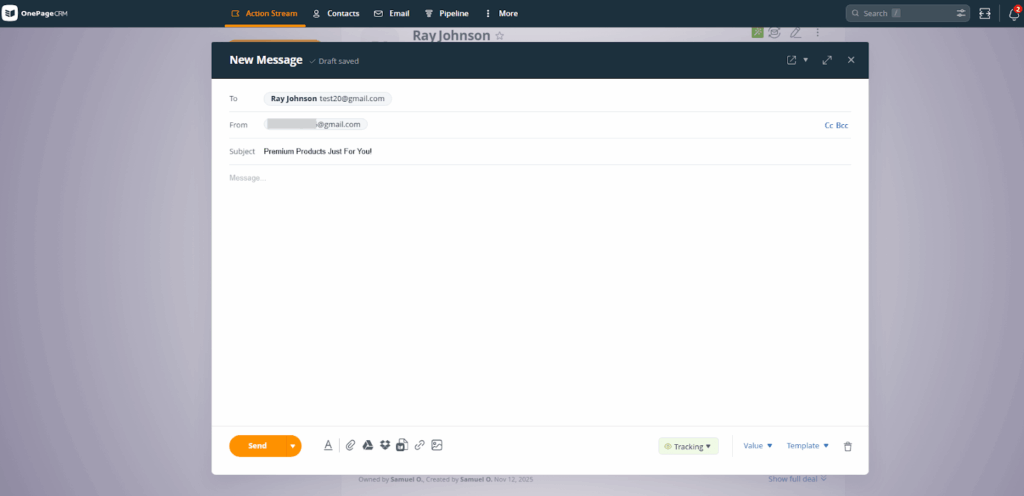
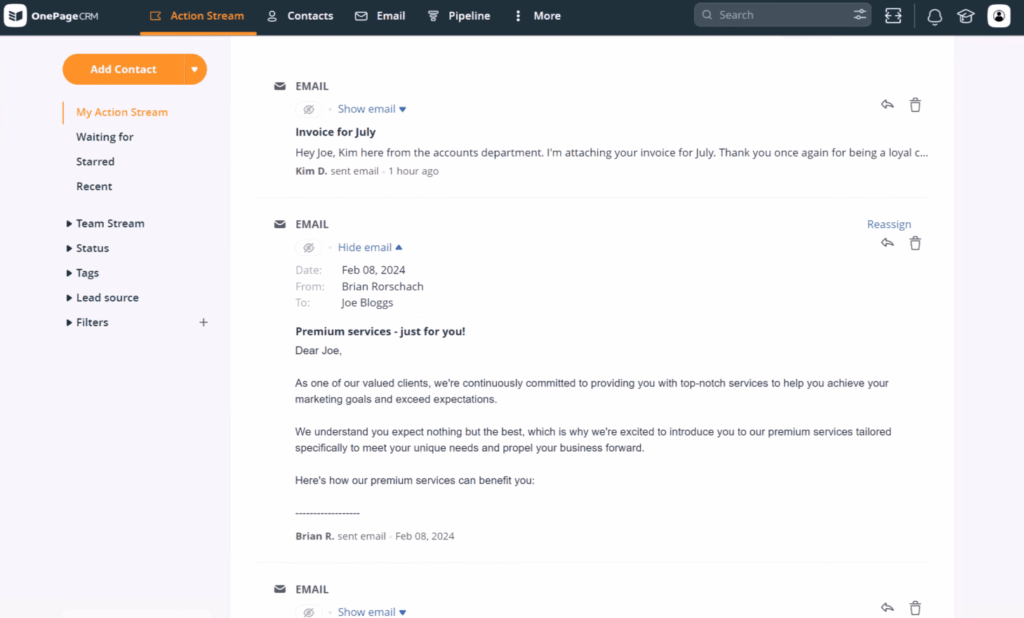
Every email to and from a CRM contact should also be logged automatically under the right contact or deal. That way, you always have a complete record of your conversations and never have to wonder what was said, when it was said, or who said it.
A shared inbox lets your team manage conversations together.
With this feature, multiple people can view, send, and reply to emails from the same inbox or email address. That keeps everyone in the loop and makes it easy to see the status of conversations with leads and customers across the business.
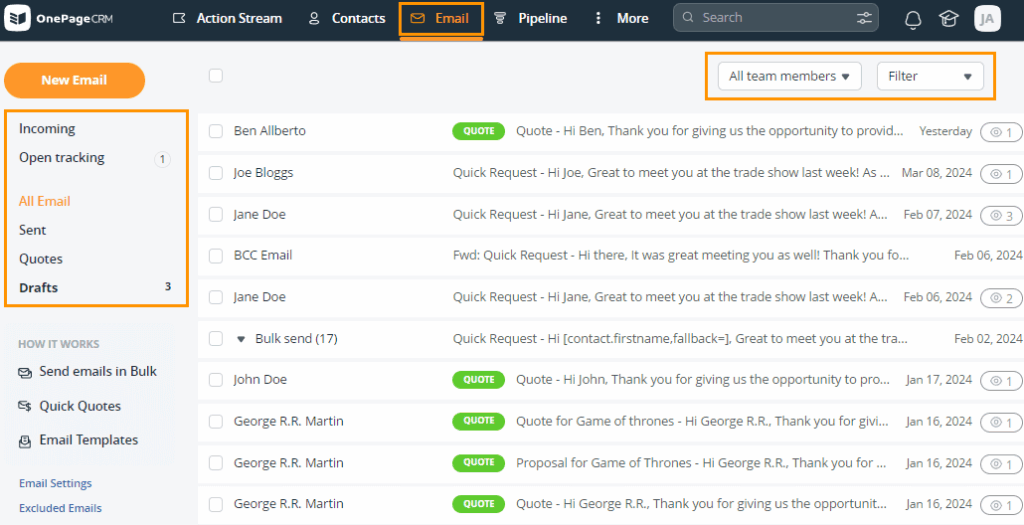
This is especially useful for sales teams and small businesses where more than one person is responsible for handling email communication.
Not every email belongs in your CRM, and a good email CRM knows that.
Smart filters sync only email conversations tied to leads and contacts in your CRM database.
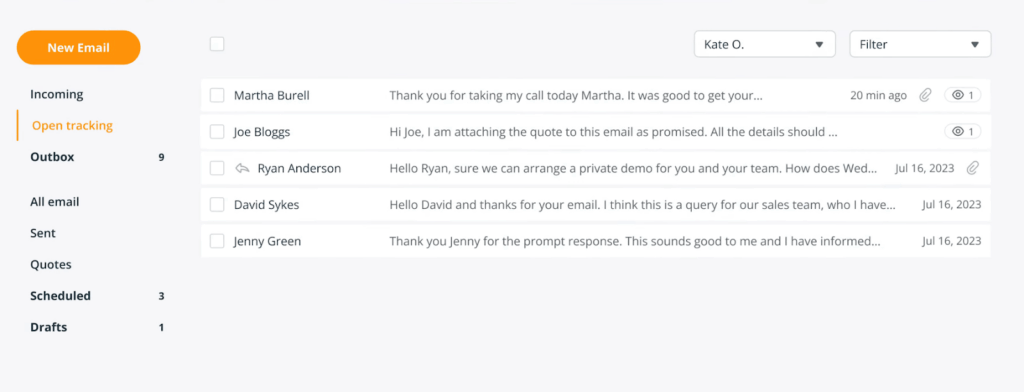
The result is a cleaner inbox where you can concentrate on sales or customer conversations without any distractions.
No personal or promotional email gets through.
A proper email CRM sends emails through your real inbox, not through shared servers or third-party sending domains. Because of that, your emails go out exactly the same way they would if you sent them directly from your email provider (Gmail, Outlook, or anything else).
That leverages your sender reputation and gives your emails the best chance of landing in the inbox, not the spam folder.
Bulk emailing is another important part of a good email CRM. This feature lets you send emails to multiple contacts at once, but in a way that still feels personal.
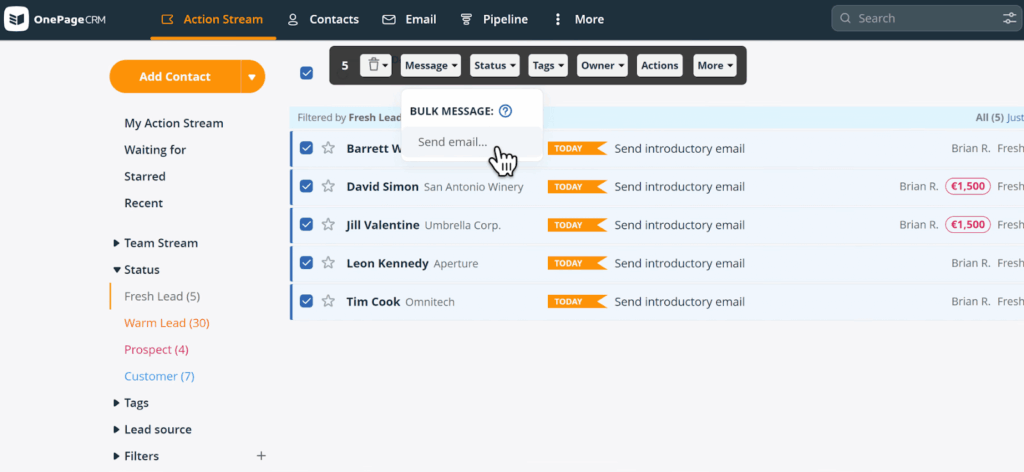
Each message is sent individually from your own inbox and can include contact-specific details, so it doesn’t come across as a generic blast. This is called mail merge.
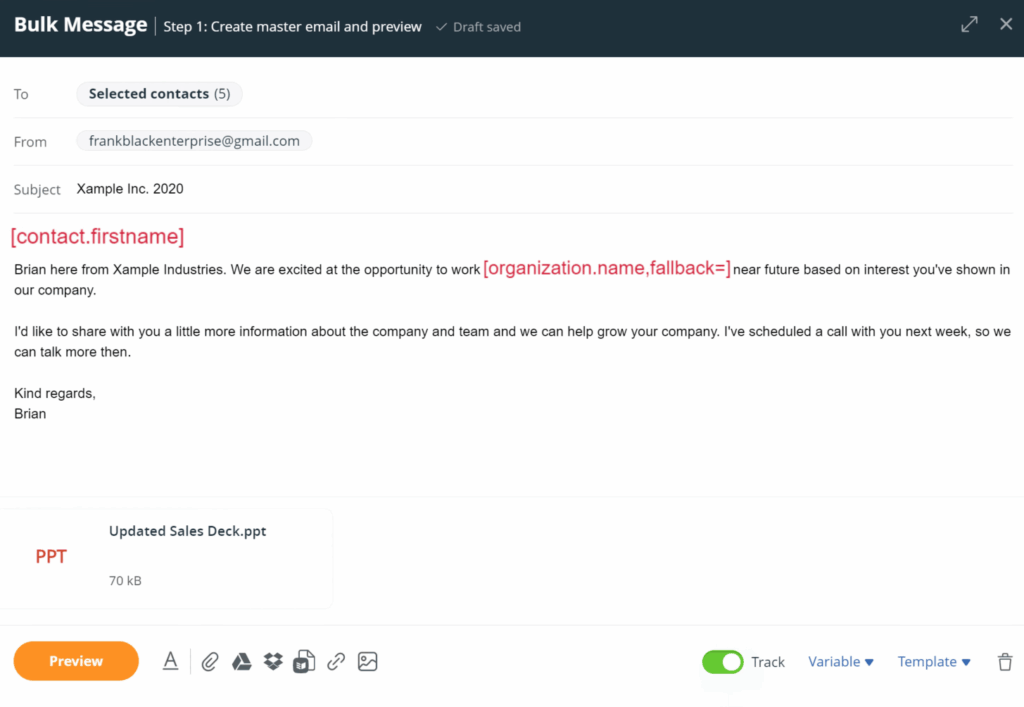
This works especially well for check-ins, updates, or reaching out to a group of leads when you want to save time without losing that one-to-one feel.
Being able to send emails is important, but the best email CRMs go a step further by showing how people engage with them. That’s where open tracking comes in.
This feature tells you whether a recipient opened your email and, in some cases, how many times they opened it.
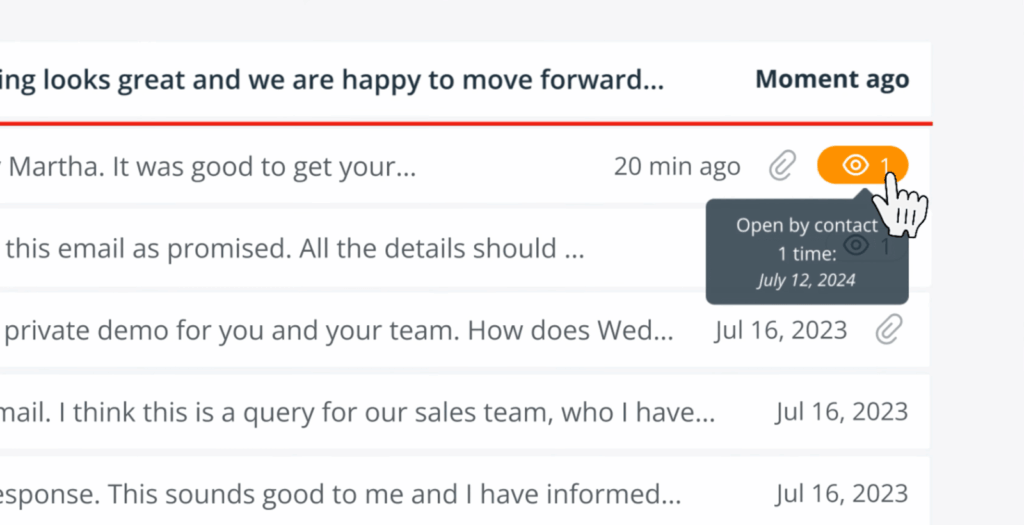
This isn’t a foolproof method of identifying a prospect’s interest, but it does give you some helpful insight to help decide what to do next.
For example, if someone hasn’t opened your last few emails, it’s a sign that something’s off. You can adjust your message, change your timing, or stop chasing the conversation altogether.
And to give you more insight into the success or otherwise of your emailing efforts, some email CRMs even track your link clicks.
An email CRM goes beyond just tracking those new emails that come in and go out of your inbox. It also pulls in your past conversations.
This means importing older email threads from your inbox, so your CRM reflects the full history of each relationship, not just what happened after you signed up.
Email templates are another useful feature of a good email CRM. They let you create and save messages you send often, so you’re not starting from scratch every time.
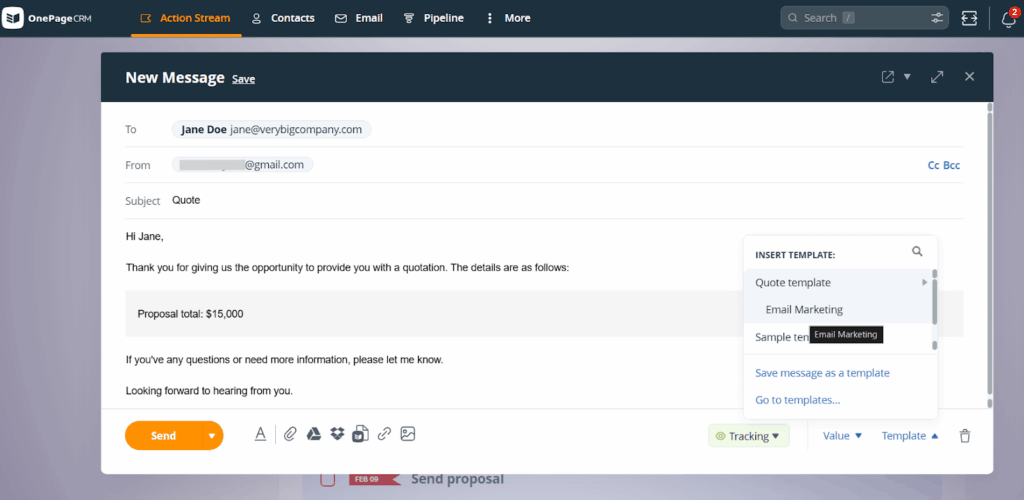
A solid email CRM should make it easy to build templates, save them, and apply them directly from your email interface. You should also be able to tweak them on the fly, so each message still feels relevant to the situation.
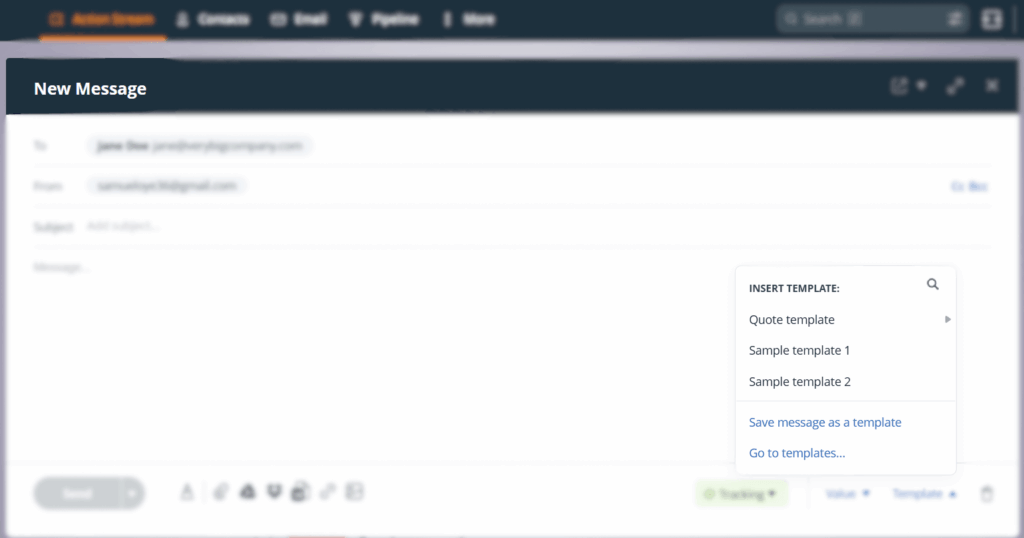
Some CRMs even take this further by offering quote email templates. These can automatically draft a sales quote for you, ready to send straight to a lead.
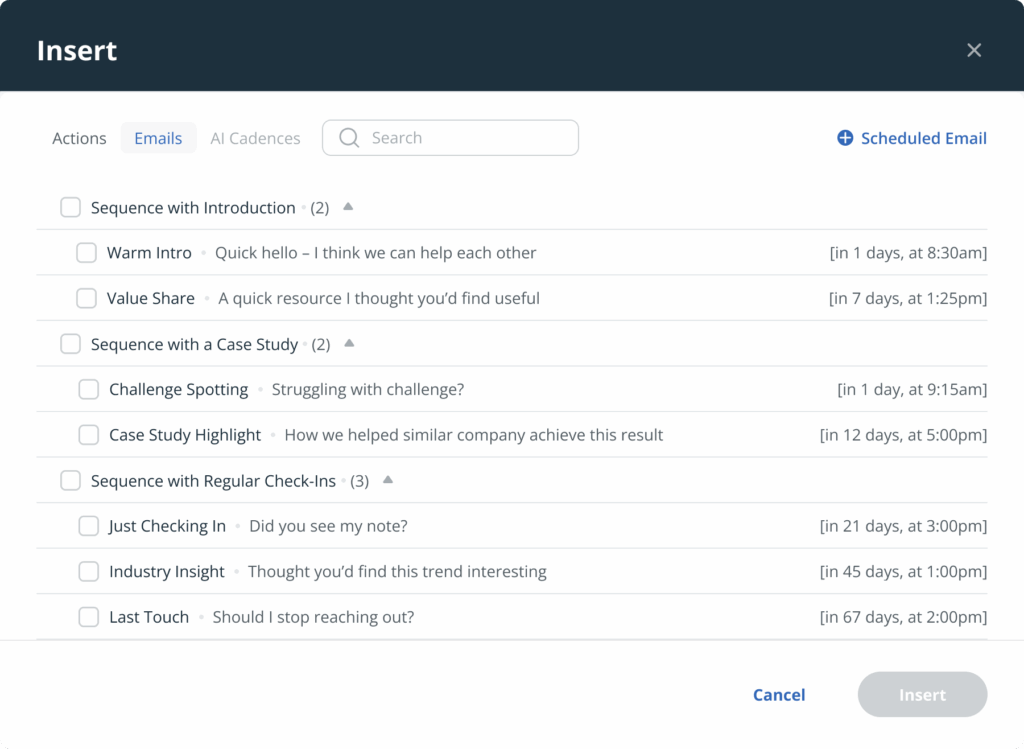
Email sequences are an important feature of an email CRM because they improve its core function of sending emails.
With email sequencing, you can set up a series of emails that are sent automatically over time. Instead of manually following up after every message, the CRM handles it for you based on the schedule you set.
This lets you automate a big part of your email workflow, while still keeping communication consistent and timely.
An email CRM shouldn’t stop at one-to-one emails. It should also support your email marketing efforts.
The best email CRMs integrate with an email marketing tool like Mailchimp or similar. That way, you can build and send campaigns to contacts stored in your CRM without having to jump between two different tools.
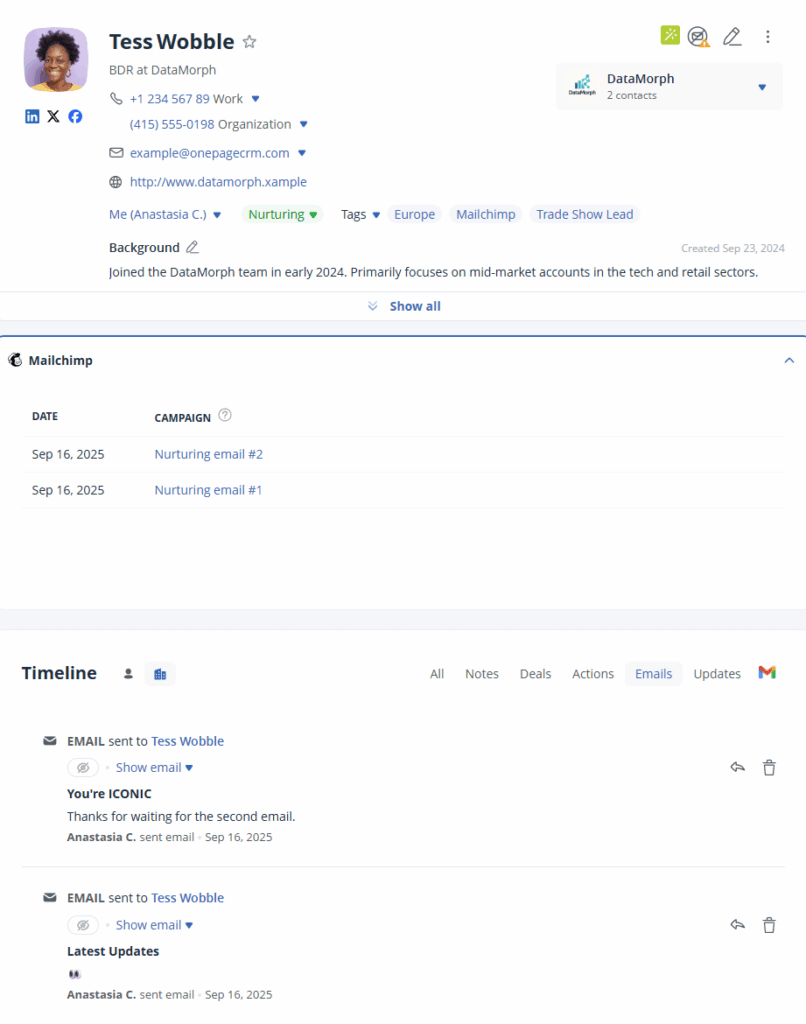
It should also pass useful context from your CRM into your marketing tool, so your campaigns are better targeted and more relevant.
Below, you’ll find five email CRM tools that work well for small teams looking to stay on top of email conversations and manage their sales cycles from one place.
| CRM | Starting price |
| OnePageCRM | $9.95 |
| Nimble | $24.90 |
| Pipedrive | $14 |
| Bigin | $7 |
| HubSpot | $15 |
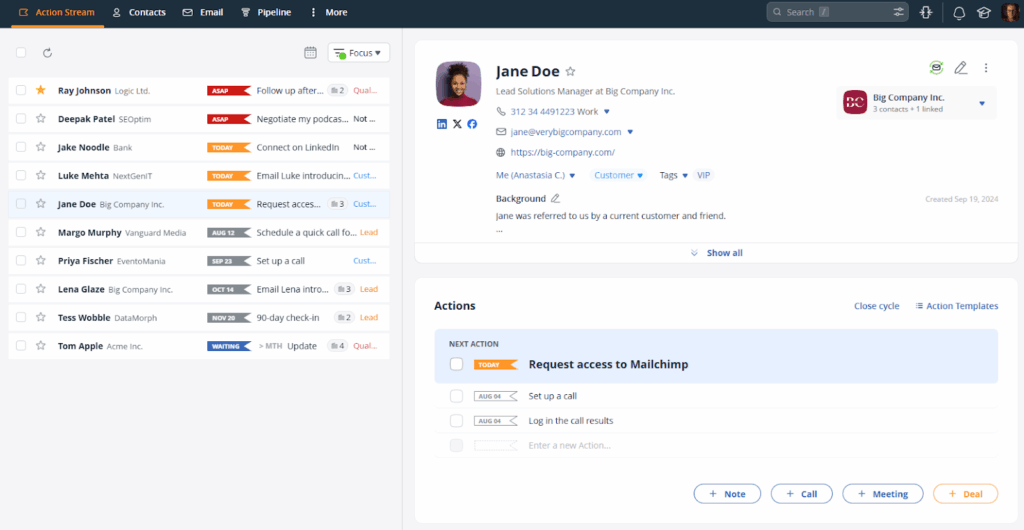
OnePageCRM is one of the best email-centric CRM software for small businesses. The main workspace even feels like an email inbox.
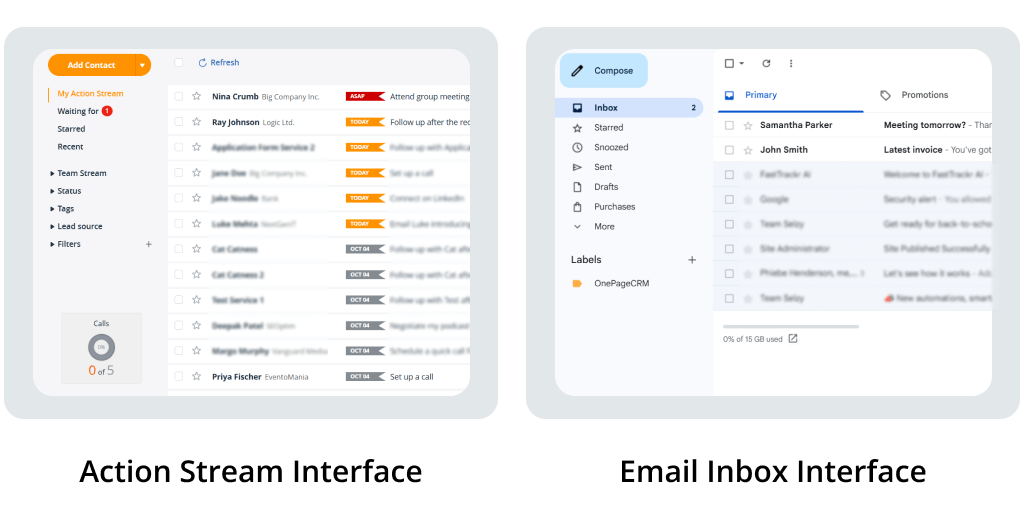
OnePageCRM offers full email sync with Gmail, Outlook, and other providers (through standard email connections), which means you can send and receive emails directly inside the CRM.
Every email you send or receive is automatically linked to the right contact, giving you a complete conversation history in one place. Emails that aren’t connected to any contact in your database are filtered out, so your CRM inbox stays focused on sales opportunities.
On top of that, you can track email opens, send personalized bulk emails, and use simple email templates, including quote templates that help you move deals forward faster. You can also set up email sequences, and if you need to run broader campaigns, OnePageCRM integrates with Mailchimp, so you can handle email marketing.
Beyond its email capabilities, OnePageCRM is popular for follow-ups. It’s built around helping you take the next steps with every contact. You set Next Actions for contacts, and the CRM tracks them by constantly showing and reminding you who to work on and when.
The overall experience with this email CRM is seamless. OnePageCRM only includes the tools small businesses actually need. Plus, you can manage contacts, emails, deals, and follow-ups from a single page.
Pros
Cons
| OnePageCRM | |
| EMAIL CRM FEATURES | |
| Two-Way Email Sync | Yes |
| Share Inbox | Yes |
| Smart Filter | Yes |
| Bulk Emails | Yes |
| Open Tracking | Yes |
| Email History | Yes |
| Email Templates | Yes |
| Email Sequences | Yes |
| Email Marketing Integration | Yes |
Pricing: $9.95 per user/month
Best for: Small businesses that rely on email for communication and need to stay on top of follow-ups. Also great for teams needing an easy-to-use email CRM or a sales outreach tool.
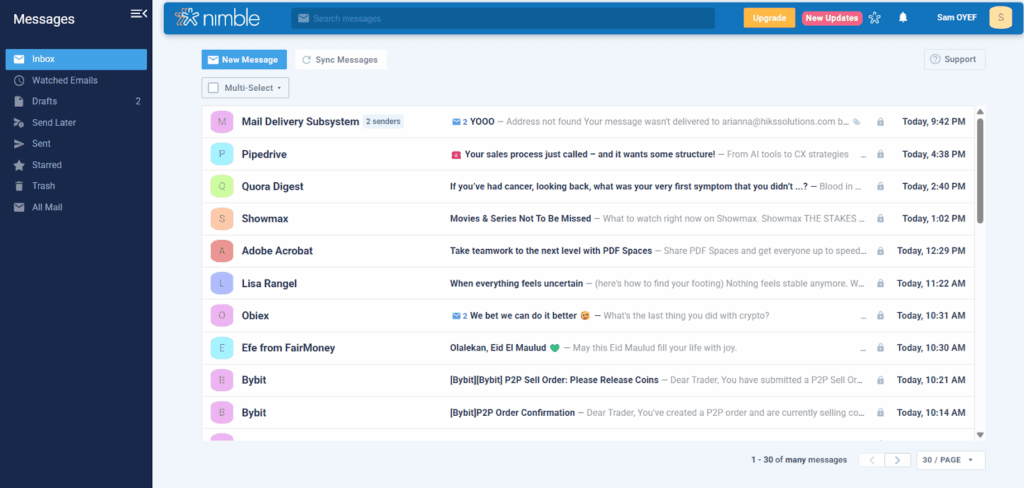
Nimble is a relationship-driven CRM that puts email at the center of how you manage contacts and stay in touch. Once you connect your Google Workspace or Microsoft 365 email account, Nimble pulls all email conversations into the CRM and ties them to the right contact records.
From there, you can send and reply to messages, see full email histories, and set up email sequences that kick off based on time delays or the recipient’s behavior. You can also create segments, send group emails, and track opens, clicks, and engagement.
But on the downside, Nimble’s email sync brings in your entire inbox, which means you’ll see emails that aren’t related to your sales or CRM workflow. There are also monthly caps on things like email sequences, group messages, and automations, and email marketing requires a paid add-on from the start.
To top it off, there’s no dedicated shared inbox for teams, and many users will find the interface a bit busy.
Pros:
Cons:
| Nimble CRM | |
| EMAIL CRM FEATURES | |
| Two-Way Email Sync | Yes |
| Share Inbox | No |
| Smart Filter | No |
| Bulk Emails | Yes (with usage limits) |
| Open Tracking | Yes |
| Email History | Yes |
| Email Templates | Yes |
| Email Sequences | Yes (with usage limits) |
| Email Marketing Integration | Paid add-on (with usage limits) |
Pricing: $24.90 per user/month
Best for: Small businesses that need a one-plan CRM and interact with leads on social platforms like LinkedIn, X, and Facebook.
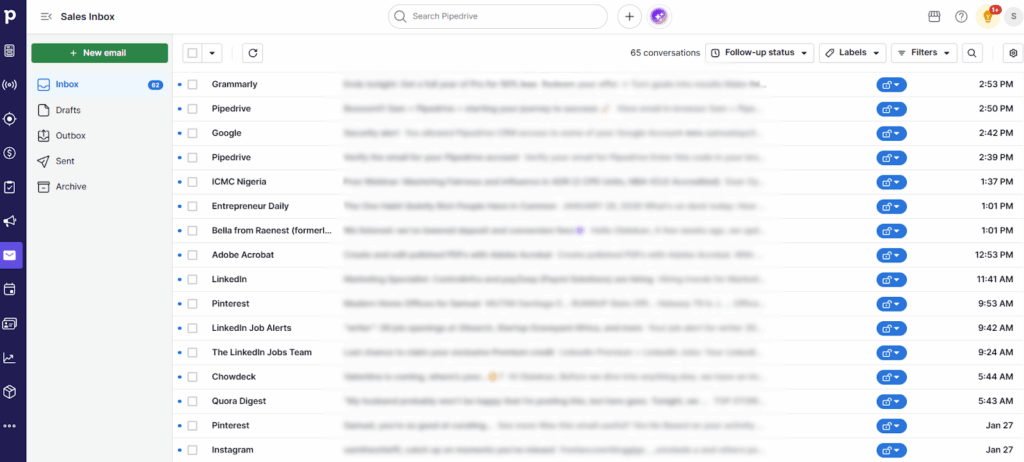
Pipedrive is a deal-focused CRM that offers a two-way email sync with Gmail, Outlook, and other email providers.
Once the sync is enabled, you can send and receive emails directly inside the CRM, use email templates, schedule messages, and track opens and clicks. You can also build simple email workflows and sequences.
That said, Pipedrive’s email setup has a few downsides. First off, the full two-way email sync is not available on the entry plan. To unlock it, you need to move to higher-tier plans that cost roughly double the starting price.
And even if you do upgrade, the email sync still pulls in messages that are not related to sales or CRM work. That means personal emails (like an Amazon purchase confirmation email, for instance) can show up, making the CRM inbox rowdy and disorganized.
Another downside is that email features like group emailing and marketing campaigns come with limitations and require paid add-ons, respectively.
Pros:
Cons:
| Pipedrive | |
| EMAIL CRM FEATURES | |
| Two-Way Email Sync | Higher plans only |
| Shared Inbox | Higher plans only |
| Smart Filter | No |
| Bulk Emails | Yes (with usage limits) |
| Open Tracking | Yes |
| Email History | Yes |
| Email Templates | Yes |
| Email Sequences | Higher plans only |
| Email Marketing Integration | Paid add-on |
Pricing: $14 per user/month
Best for: Sales teams that focus on deals and pipelines.
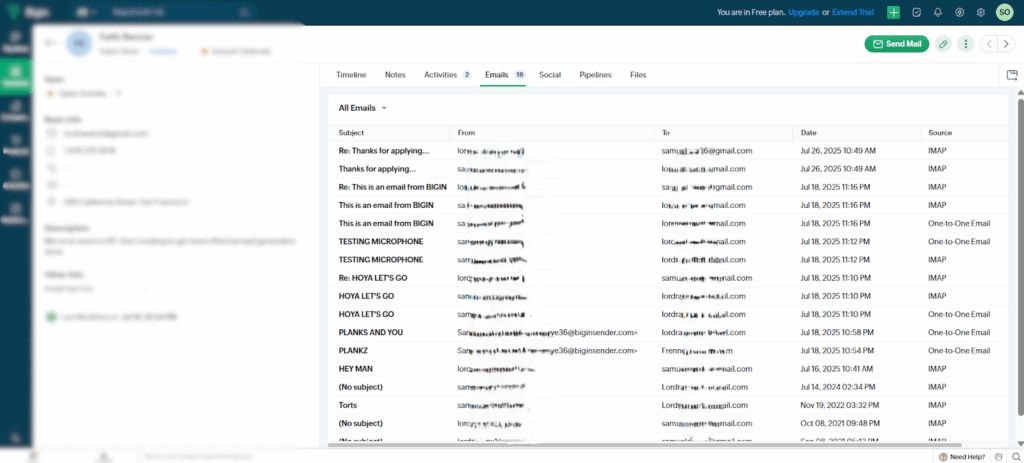
As a lightweight CRM, Bigin lets you send, receive, and track emails from inside the CRM.
Once you connect your email account, which can be Gmail, Outlook, Zoho Mail, or any other provider via IMAP or POP3, your conversations are logged automatically under the right contacts and deals. You can create email templates, send mass emails, and view simple insights like opens and clicks.
Bigin also includes a neat feature called Email In. This gives you a custom email alias, and when someone emails that address, Bigin automatically adds that ‘someone’ to your pipeline.
The problem with Bigin, however, is that a custom email alias can decrease your deliverability rate.
Moreover, Bigin works best as a starting point. There are no email sequencing or email marketing features. And while you can connect a Zoho tool like Zoho Campaigns to fill that gap, doing so exposes you to extra costs and setup work.
Pros:
Cons:
| Bigin | |
| EMAIL CRM FEATURES | |
| Two-Way Email Sync | Yes |
| Shared Inbox | No |
| Smart Filter | Yes |
| Bulk Emails | Yes |
| Open Tracking | Yes |
| Email History | Yes |
| Email Templates | Yes |
| Email Sequences | No |
| Email Marketing Integration | Paid add-on |
Pricing: Limited free plan available. Paid plans start at $7 per user per month.
Best for: Very small businesses that enjoy the Zoho ecosystem.
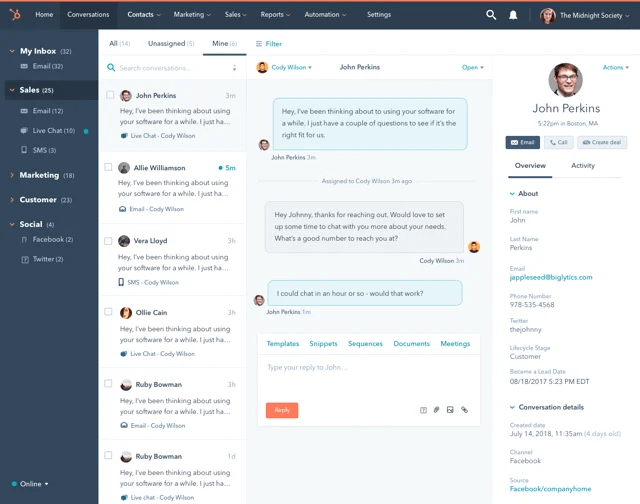
HubSpot lets you connect Gmail, Outlook, or another email provider so you can send and receive emails directly from the system and keep a record of every exchange.
From there, HubSpot layers on a lot of other email-related tools. You can track opens and clicks, use email templates for messages you send often, and set up email sequences to follow up automatically (depending on how your recipient engages with your last email).
And because HubSpot also includes marketing tools, you can go beyond one-to-one emails and run campaigns, then use reporting dashboards to see how your emails perform over time.
Where HubSpot starts to lose some small businesses is in the trade-offs that come with being so feature-heavy.
First off, email sequences and most automation features are locked behind higher-tier subscriptions that start from $90 per user/month. There’s also a steep learning curve, and due to the sheer volume of features, the CRM does slow down at times.
Pros:
Cons:
| HubSpot | |
| EMAIL CRM FEATURES | |
| Two-Way Email Sync | Yes |
| Shared Inbox | Yes |
| Smart Filter | Yes |
| Bulk Emails | Yes |
| Open Tracking | Yes |
| Email History | Yes |
| Email Templates | Yes |
| Email Sequences | Higher plans only |
| Email Marketing Integration | Yes |
Pricing: Limited free plan available. Pricing starts from $15 per user/month
Best for: Medium to large businesses that want email, sales, and marketing in one platform.
At the end of the day, an email CRM is meant to do two things well: help you stay on top of conversations and advance sales opportunities. And as you’ve seen, different tools approach this in different ways.
For instance, HubSpot gives you an all-encompassing experience, but you pay for it with more costs and complexity. Pipedrive works well if you live inside your pipeline, although its strongest email features sit behind higher-priced plans.
Nimble is great for relationship selling, but its inbox can be disorganized, and pricing is steep. Bigin is a good starting point, but you’ll probably outgrow it once you need email sequencing and marketing tools.
OnePageCRM is the perfect middle ground. It has all the core email CRM features and also follow-up tracking. Best yet, it’s one of the most affordable CRM software you’ll find.
If this seems like something your small business needs, you can try OnePageCRM for free (no credit card required).


More than just a writer, Samuel is a communications expert. He understands how confusing and overwhelming SaaS products can be. That's why he's spent 6+ years helping SaaS brands deliver simple, actionable content that makes their products easy to understand.