Top 7 Free Notion CRM Templates
Samuel Oyebode
January 22, 2026
21 min read


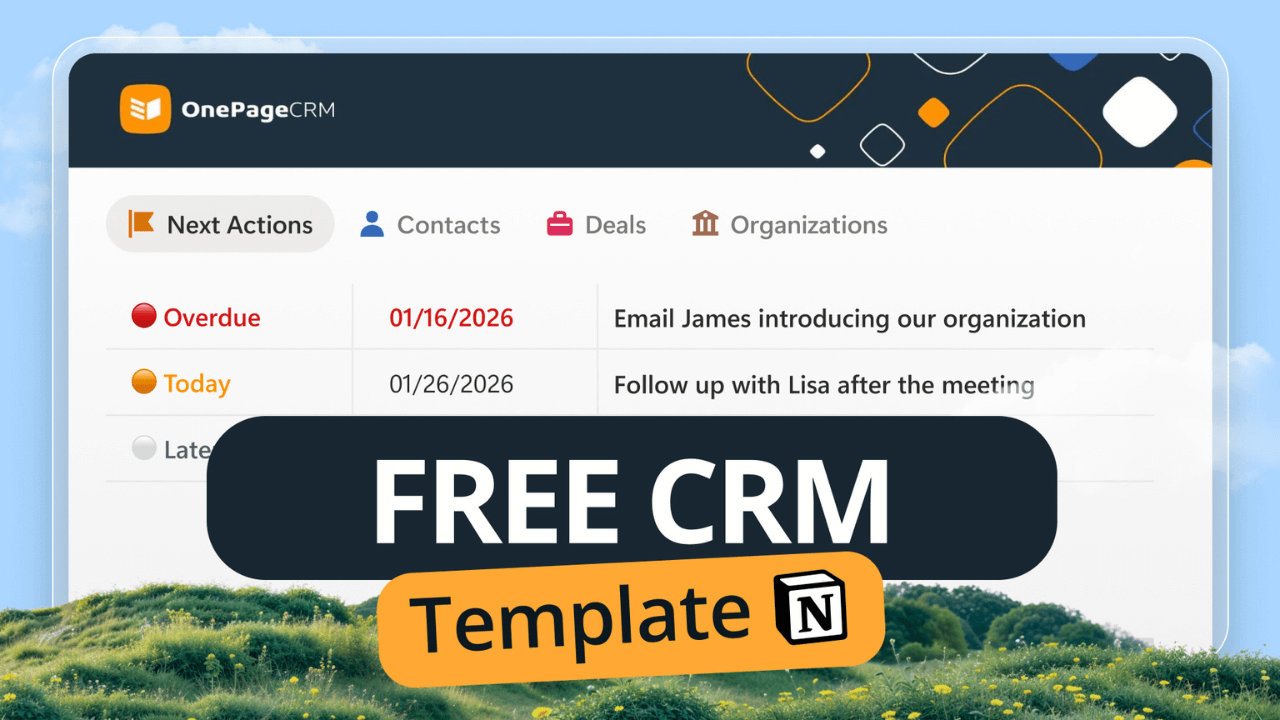
If you run a small business and already use Notion, it may have crossed your mind to turn it into a CRM.
But you know that building a Notion CRM from scratch can be challenging and time-consuming.
That’s why we’ve built a ready-to-use CRM template in Notion. It gives you a way to manage contacts, deals, and keep in touch, without investing in traditional CRM software or spending countless hours setting things up yourself.
First things first. To use this CRM template, you need to obtain a copy for yourself.
The template lives on Notion, so click the button below and add it to your workspace.
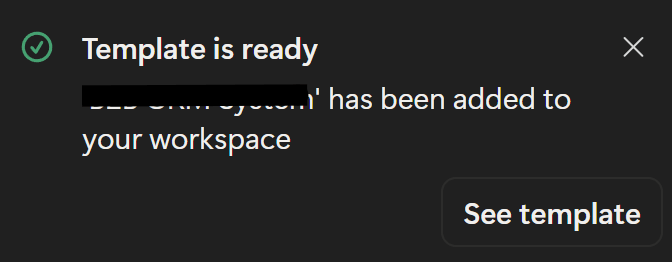
The process takes a few seconds to complete, and once it’s done, you’ll see a notification at the bottom left side of your screen. It should look something like this…
Once you have your copy of the CRM template, it’s time to get to work.
Customer relationship management and sales both start with people, so the first step is adding those people to your Notion database. You can do this from the homepage using the “New Contact” button, or via the Contacts page’s “New” button, if you prefer.
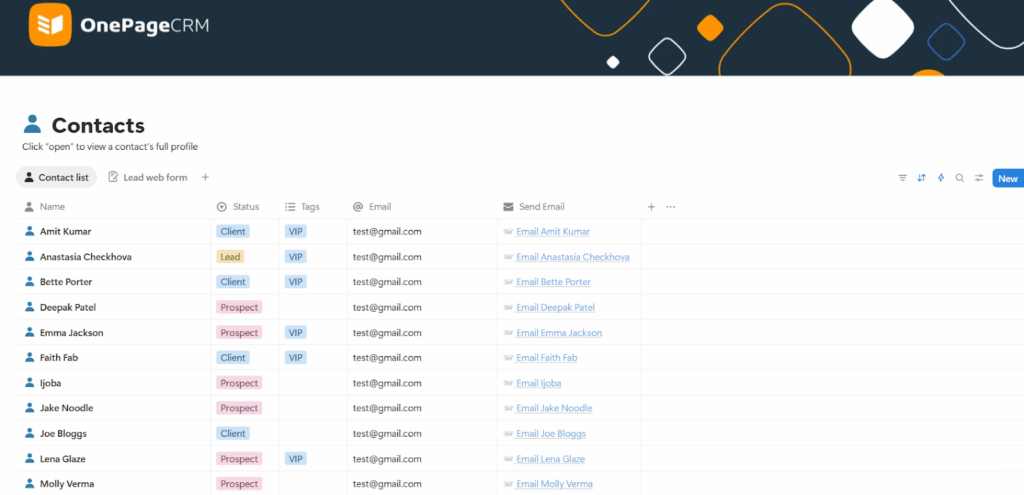
One of the nice things about this Notion template is how simple the process is. When adding a new contact, you only need to manually fill in a few basic details like name, email address, phone number, and location.
That said, the CRM template houses a lot more than this basic information.
Clicking into a contact opens up their full profile, where you can update their status, add tags, send them emails, and reassign them to another team member.
You can also leave notes in the Comments section and tag (@) team members if you need to loop someone in.
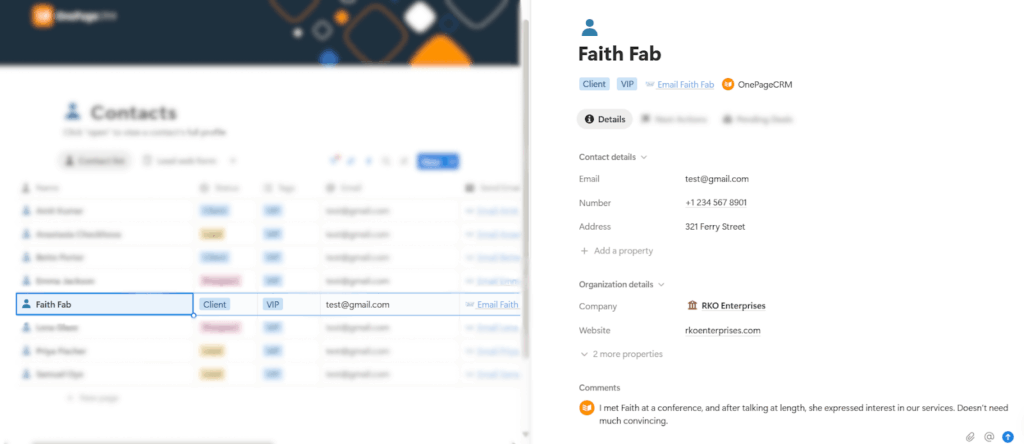
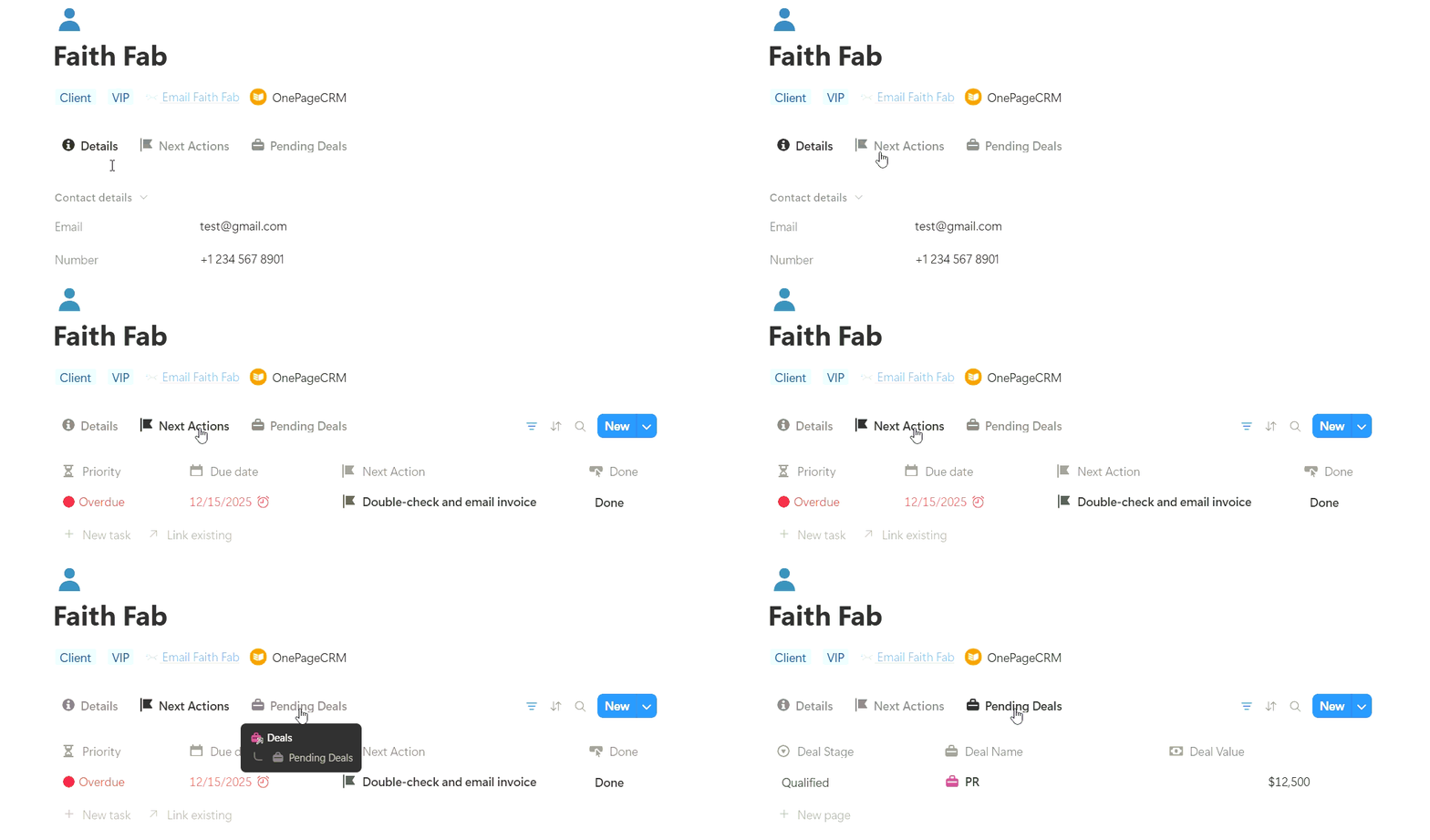
What’s more? The profile shows your next steps with that contact, along with any deals currently linked to them.
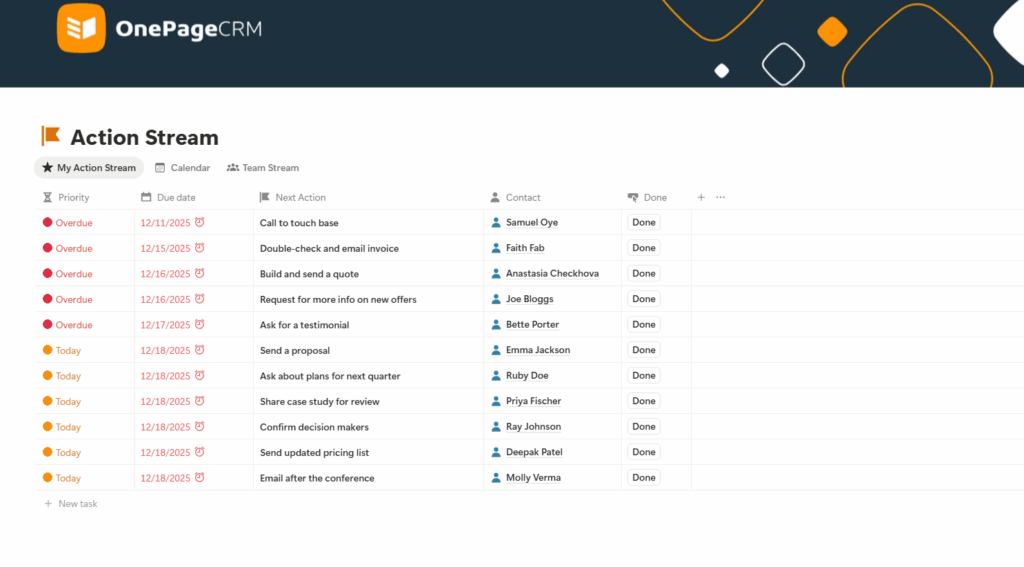
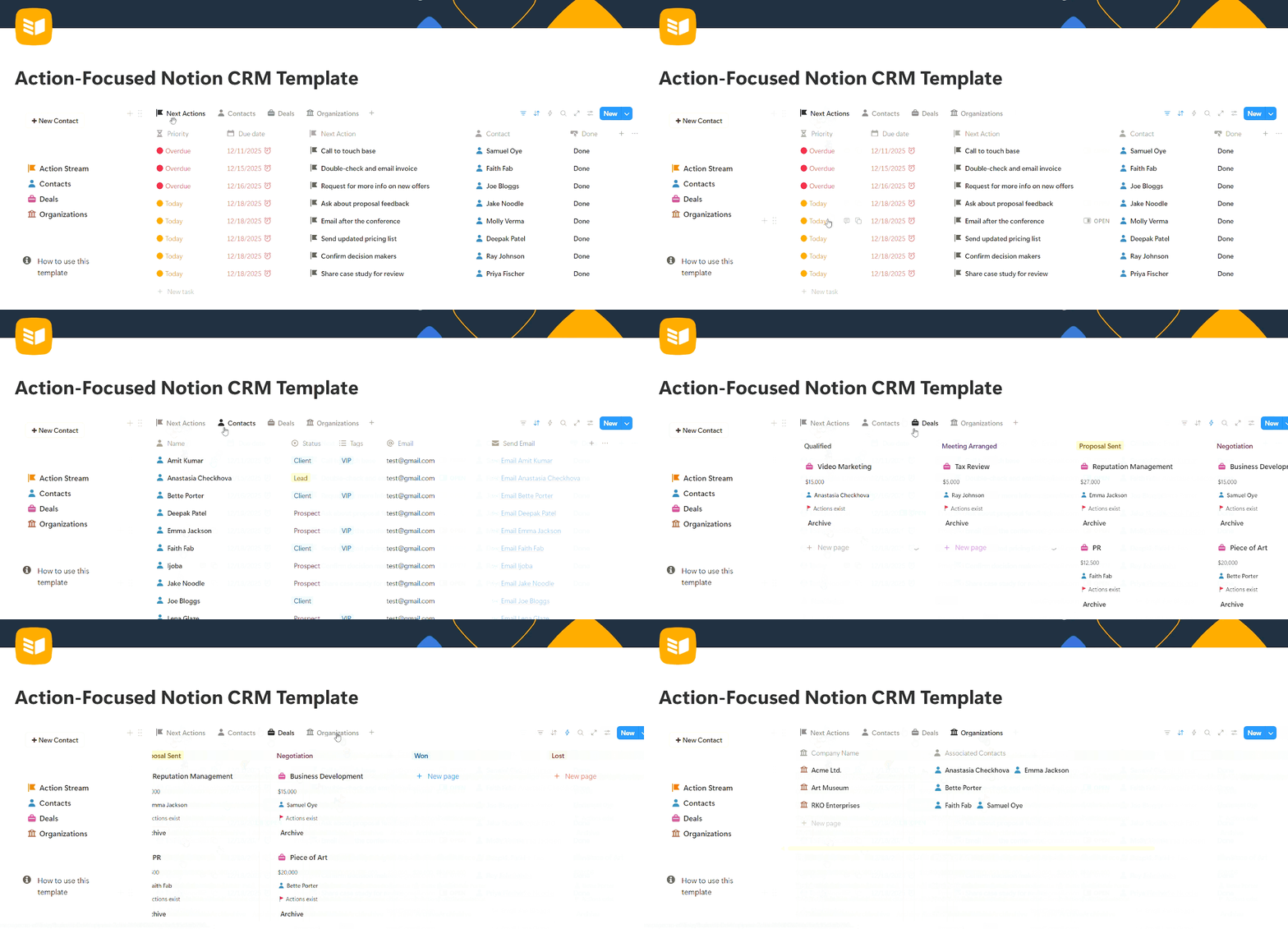
Once you have your contacts all set up, you can start nurturing and keeping in touch with them. This is where the Action Stream comes in.
On this page, you’ll find a list of all the Next Actions you want to carry out with each contact.
The Action Stream automatically arranges these Next Actions according to their due dates, so the most urgent activities (or next steps!) appear higher on the list.
What’s more? For those who don’t like staring at numbers and dates, all Next Actions in this Notion CRM have a ball emoji that’s colored depending on their urgency:
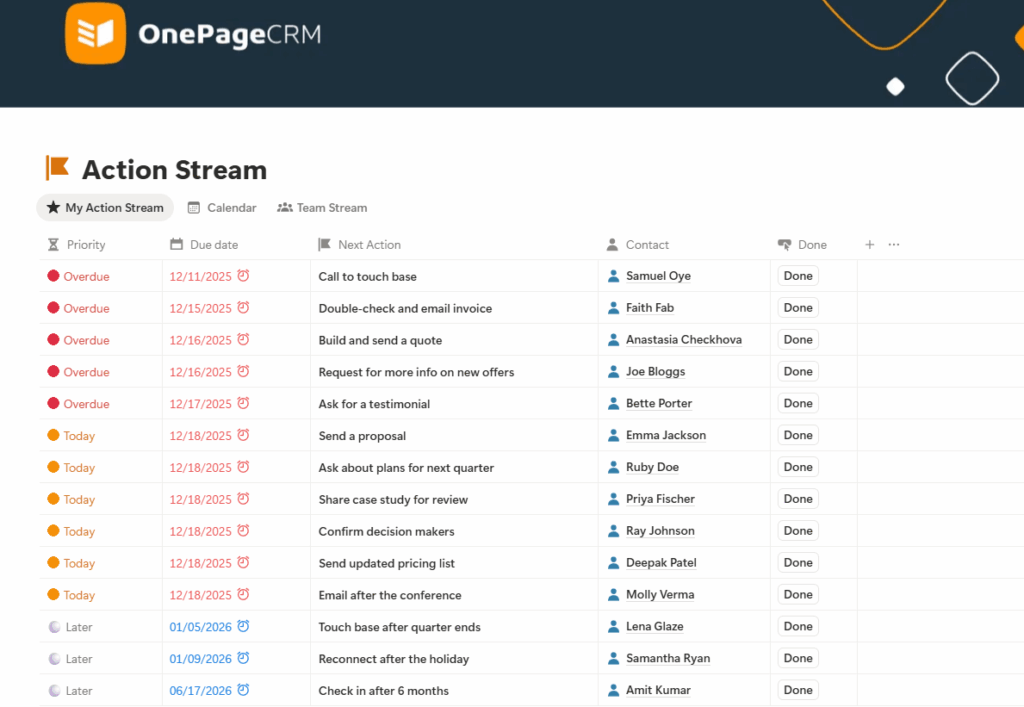
Once you complete an action and click the “Done” button, it vanishes from your Action Stream to keep the list clean.
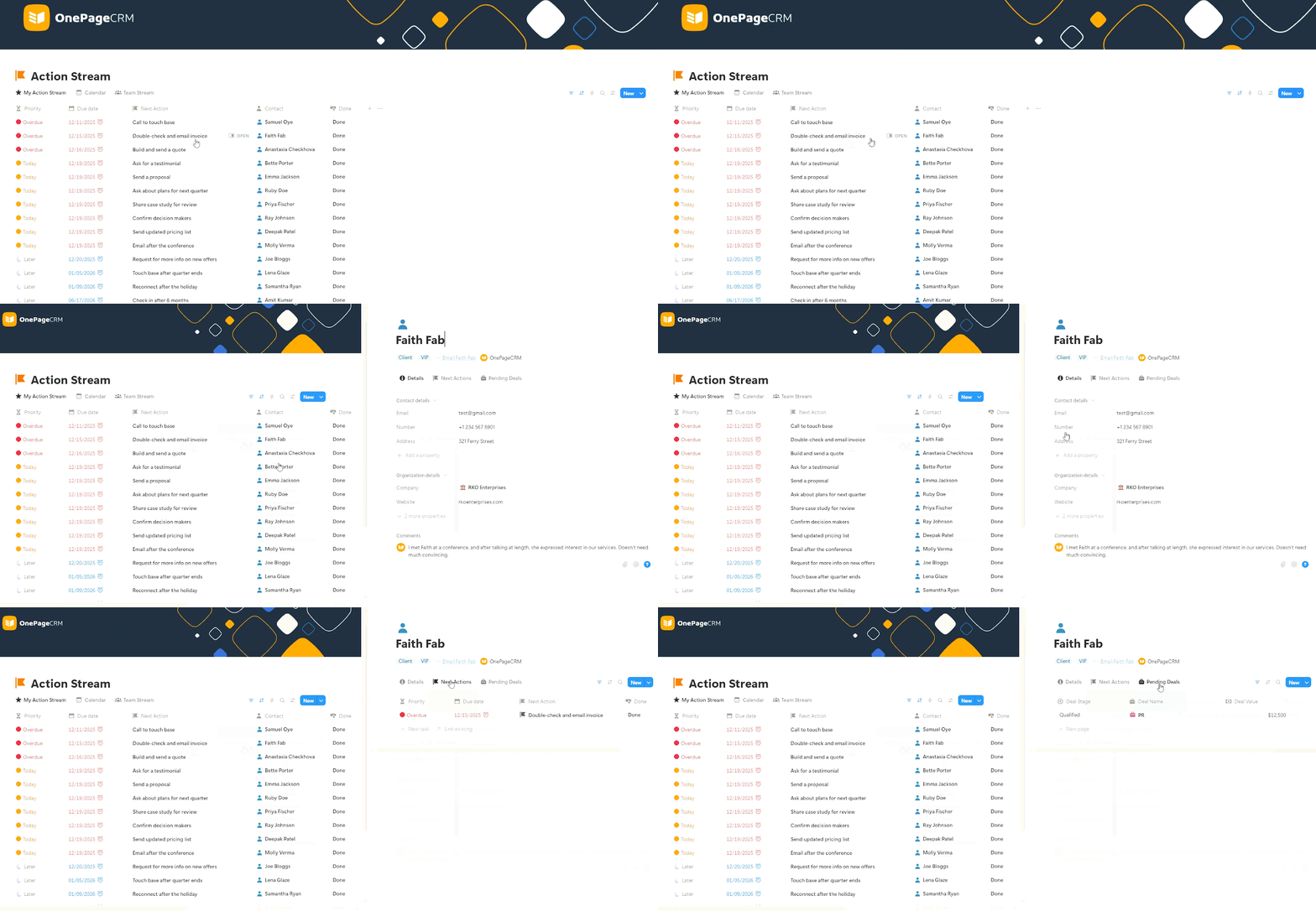
The Action Stream also shows the contacts linked to each Next Action. When you click on these contacts, you can not only view, but also manage their full profile. And since deals are a part of said profile, you’ll be able to manage them, as well. All from the Action Stream.
With this Notion CRM template, you can even filter your Action Stream to show only Next Actions that are due today and those that are overdue. To do this, set a filter for the ‘Due date’ to ‘On or before Today’.
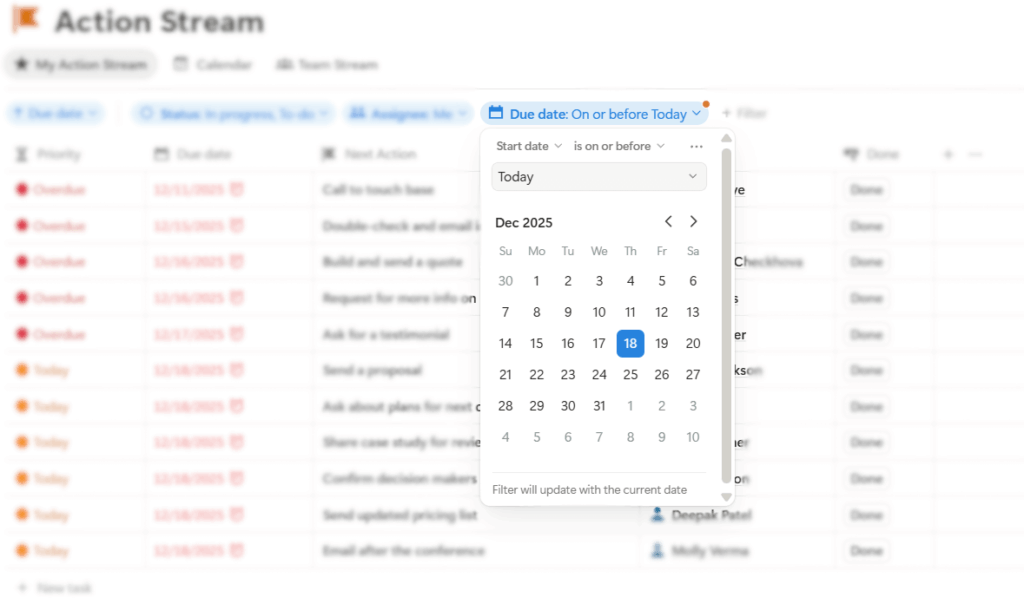
This helps you focus on the tasks that actually need your attention right now.
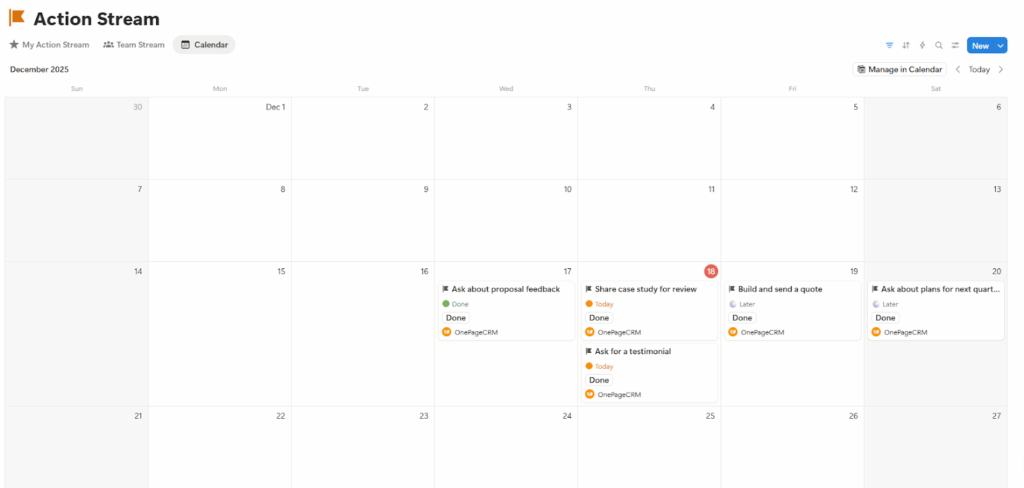
If you’re not a big fan of tables and lists, you can instead present your Next Actions in a Calendar format.
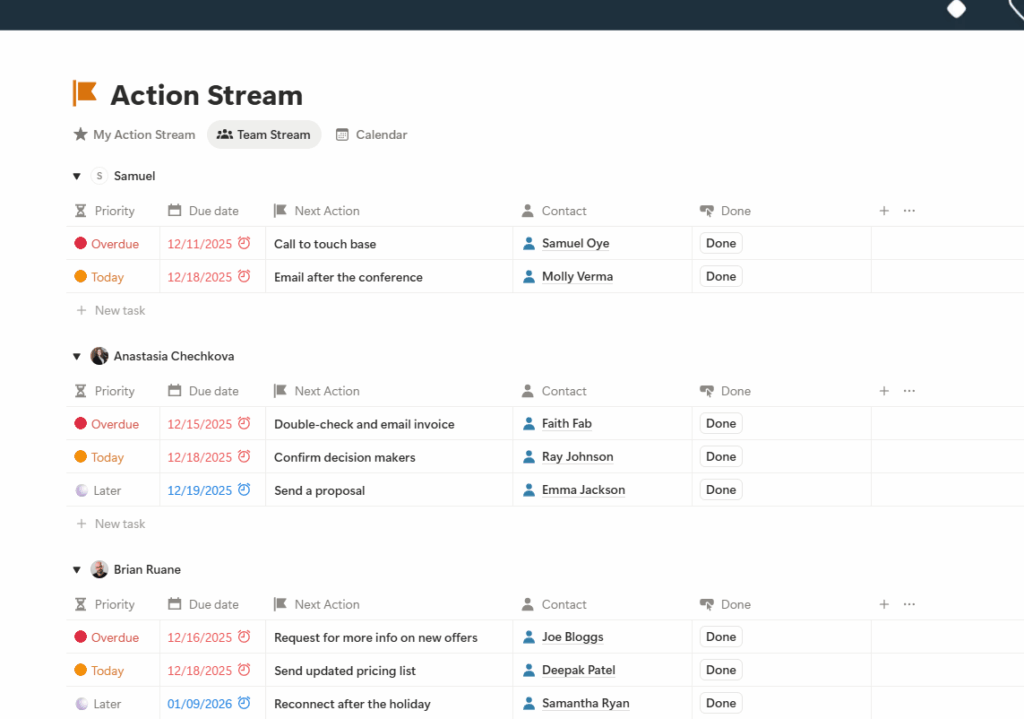
While the My Action Stream tab shows your own workload, the Team Stream allows you to see all the follow-up activities and contacts that other team members are working on.
This Notion CRM lets you create deals so you can track every sales opportunity from start to finish.
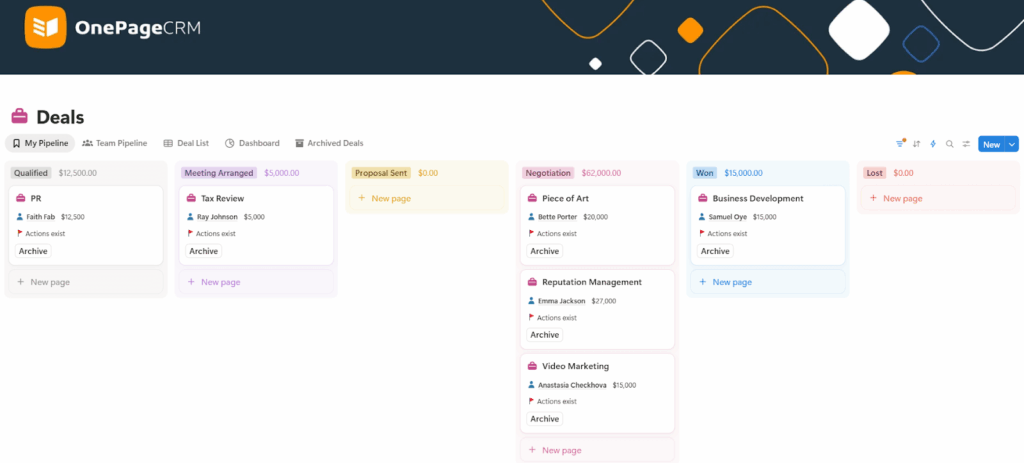
Deals assigned to you appear in the My Pipeline view, where they’re organized according to their sales stages.
In this pipeline, you can see which contacts are linked to each deal, the value of the opportunity, and whether an Action exists for a contact. You can also drag and drop deals as they progress through each stage, and archive closed deals to keep your pipeline tidy.
If a visual pipeline isn’t your thing, you can switch to the Deals list view instead. This shows all your deals in a table, which can make it easy for you to scan and sort them.
Clicking on any deal opens the full record in a side panel, where you can view details such as:
You’ll also see the creation date, along with a close date that’s automatically filled in once a deal is marked as won or lost.
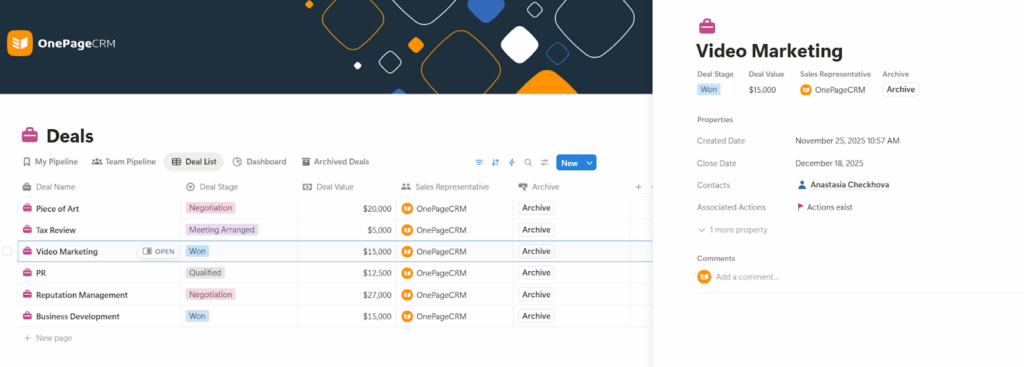
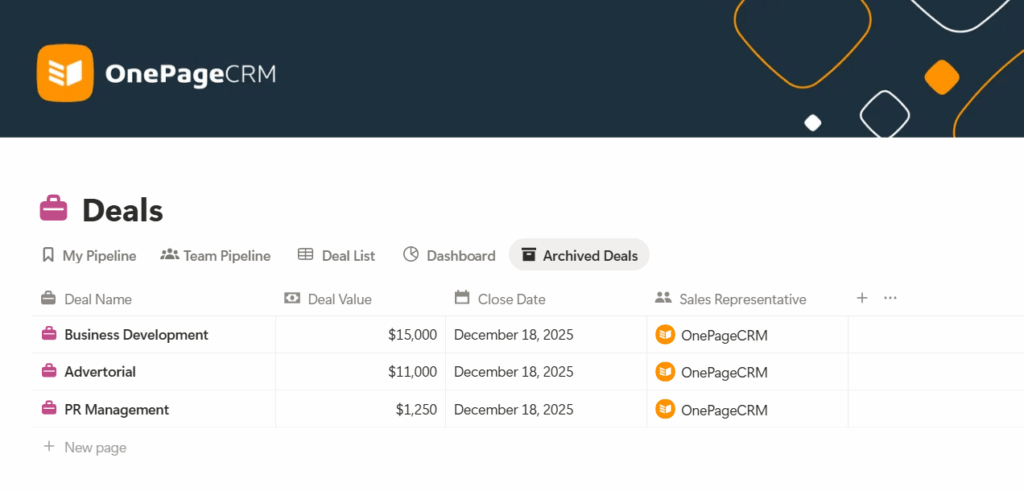
The deal page features an Archive button for hiding won or lost deals. When you click it, the deal is removed from your active pipeline and moved to the Archived Deals view.
With this, you can focus on open opportunities whilst still having access to past ones.
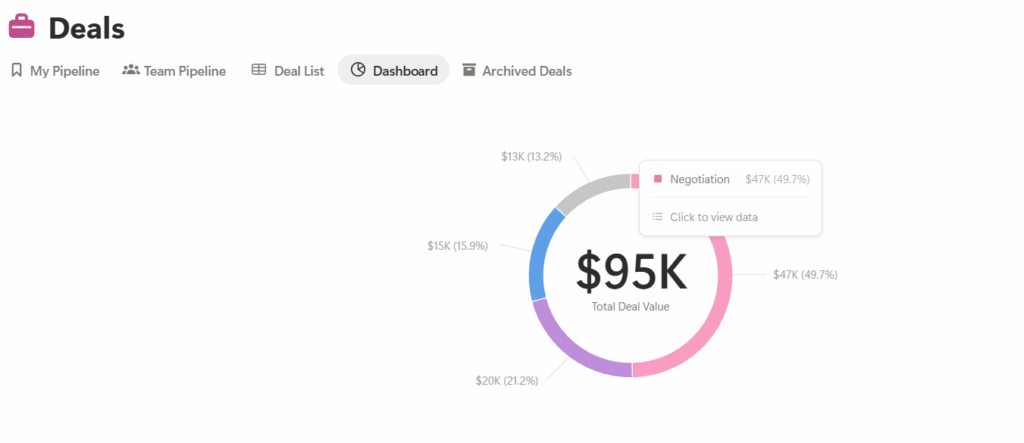
The Dashboard houses a simple chart that lets you see the total value of your sales pipeline.
The chart also shows you what percentage of your deals are at each stage of the sales pipeline, as well as how much each pipeline stage is worth. And since archived deals are not accounted for in the Dashboard, the insights will always be relevant.
This Notion template provides you with a free web form located on the Contacts page.
You can share the form or embed it on your website, and when a prospect fills it out, their data is automatically added to your database.
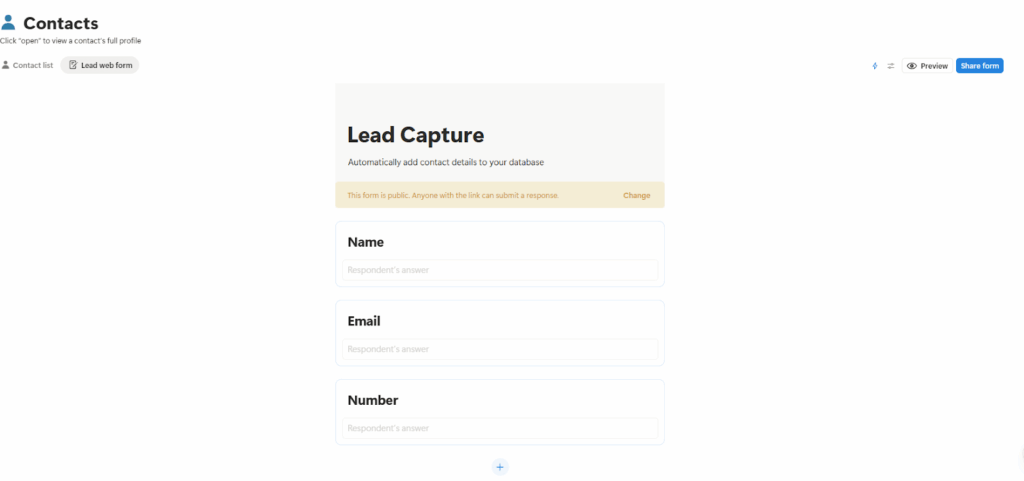
The Lead Capture form normally only collects a contact’s name, email address, and phone number. However, you can add more fields to collect more data.
You can communicate with customers right from this Notion CRM template. Simply click the Send Email button on your contact list or individual contact profiles.
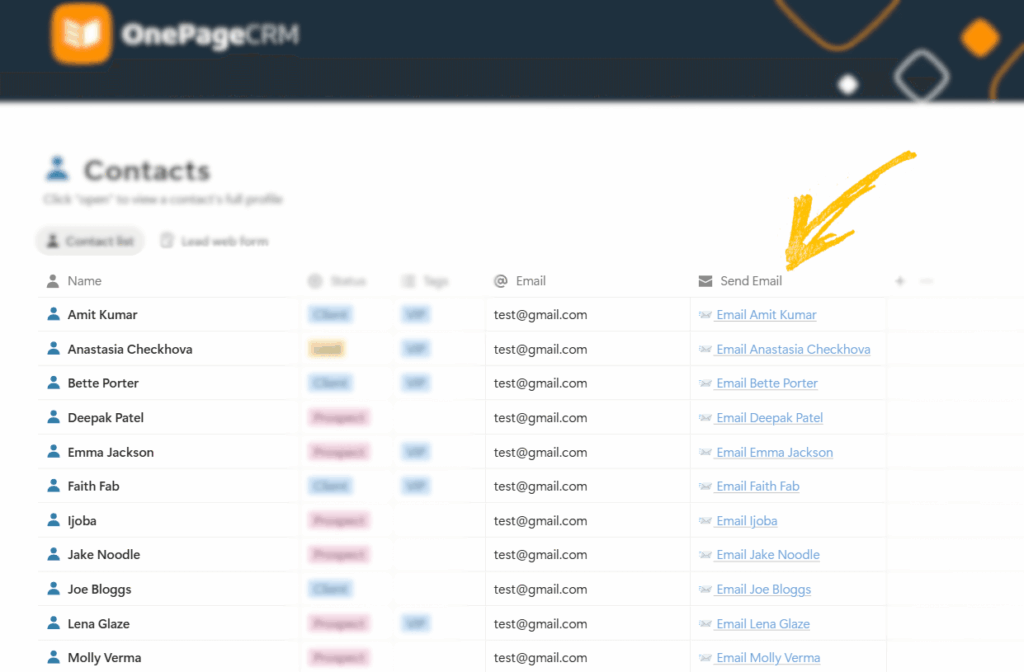
This opens up your default email software, with the contact’s email address already filled in.
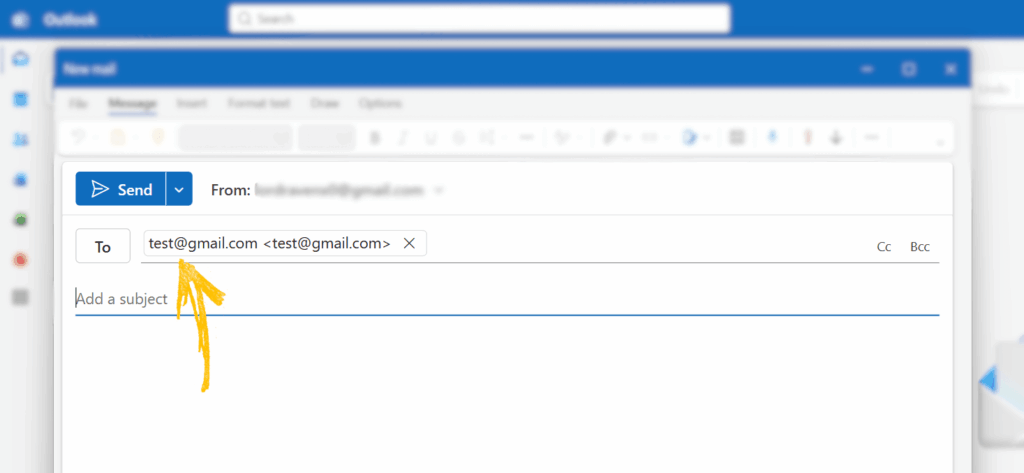
Just write your message and click Send. It’s that simple.
The same logic applies to calling. Clicking a contact’s phone number opens up your default dialer app, with the contact’s number already punched in. Just hit call, and that’s it.
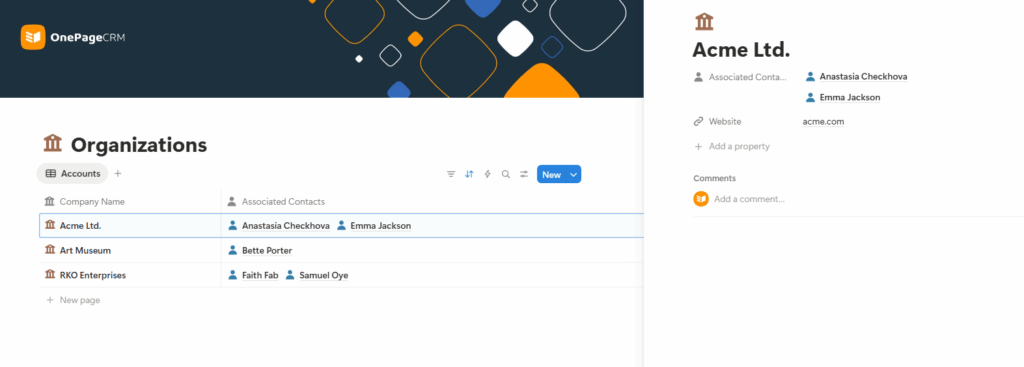
Beyond contacts, deals, and Next Actions, this Notion CRM template also includes a dedicated page for managing B2B sales.
The Organizations page lets you add companies to your database and link each one to one or more contacts. This makes it easy to see who you are speaking with at a company and keep all related information in one place.
If you like the idea of grouping your contacts and working through them in batches, then you’ll love the segmentation functionality in this Notion template.
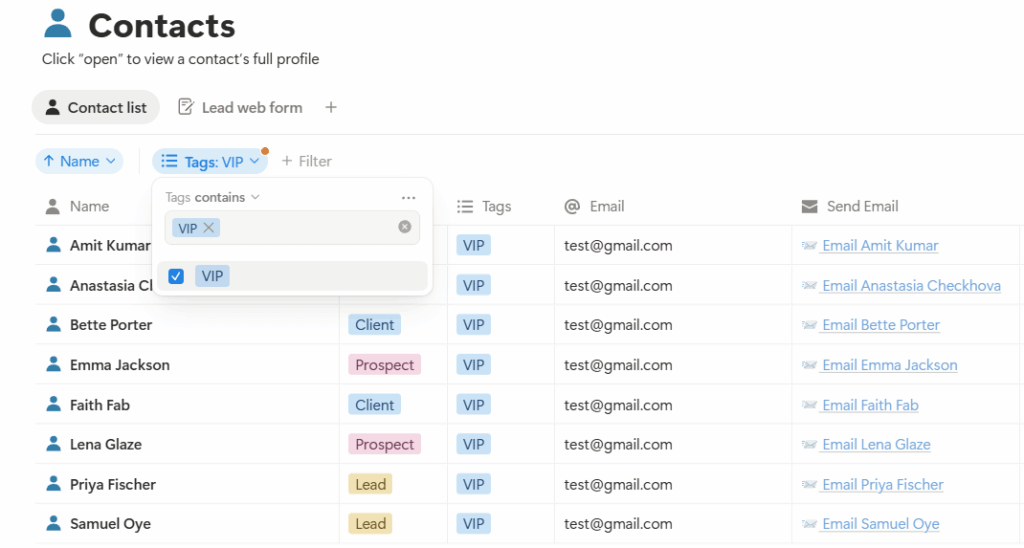
You can filter your contacts based on status or tags, so that you can focus on a specific group.
For example, if you want to follow up with VIP contacts, you can simply filter by the VIP tag and work through that list unhindered. Likewise, if you’d like to see only prospects, leads, or clients, you can simply set up a filter that displays just that.
And of course, you’re not limited to these use cases. You can create your own tags and statuses to suit your needs.
Sales deals can be segmented, as well.
If you notice that deals tend to stall at a particular stage, you can filter your pipeline or deal list to show only deals in that stage. Just open the filter, select the deal stage, hide the stages you do not want to see, and focus on the one that needs your attention.
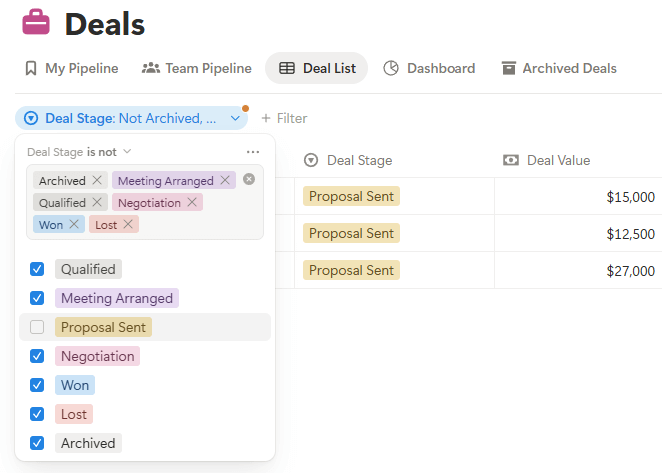
It’s also possible to filter deals by sales representative, in case you want to review or work on another team member’s pipeline. And if you’d like to focus on the most profitable opportunities, you can filter by deal value to show only deals above a certain amount.
These are but a few common use cases. You can organize and categorize your deals in whatever way makes sense for your small business. Just be sure to set up the right filters for the fields you want to focus on.
By segmenting your database, you’ll be able to zero in on what you want to work on, without having to dig through piles of data every time.
When you open this free Notion template, you’ll notice the homepage is split into two parts.
On the left side, you’ll find a New Contact button that lets you add people to your database in seconds. Just below that sits the navigation menu, which lets you jump into your Action Stream, Contacts, Deals, and Organizations pages.
But if you’d rather not jump between pages while you work, you can just make use of the right side of the screen.
The right pane functions as your central workspace. There, you can access the most important parts of the CRM system without having to open up their individual pages.
To be precise, the workspace features your Action Stream, so you can see all your overdue actions, as well as those due that day. It also lets you create, view, and manage contacts, deals, and organizations.
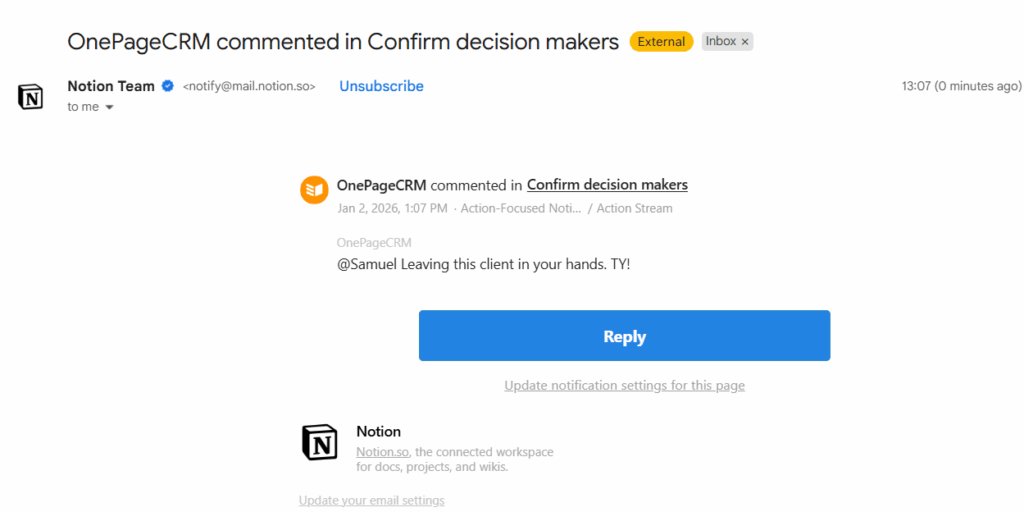
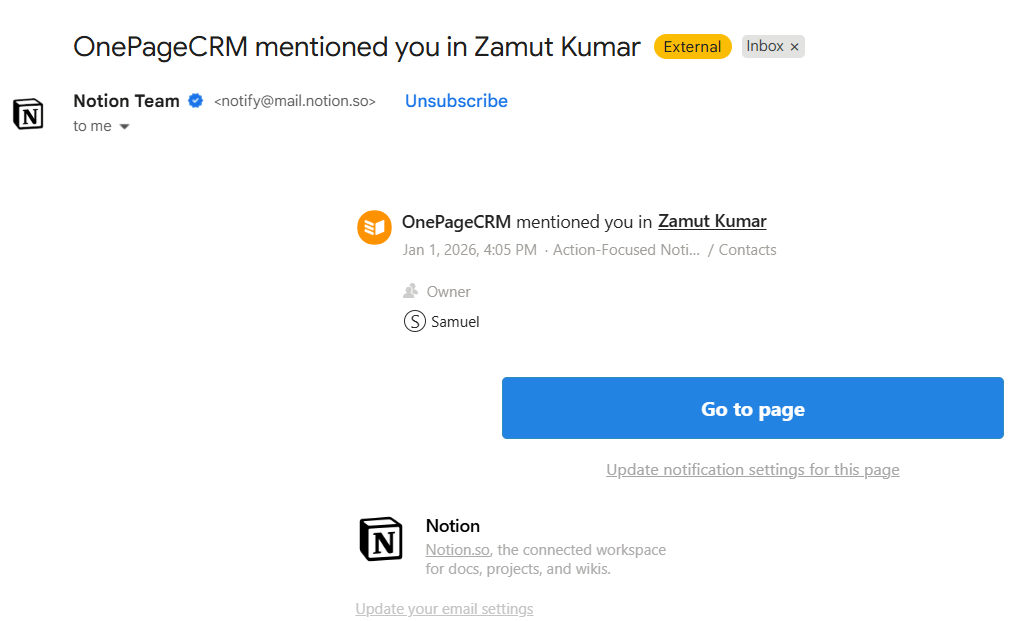
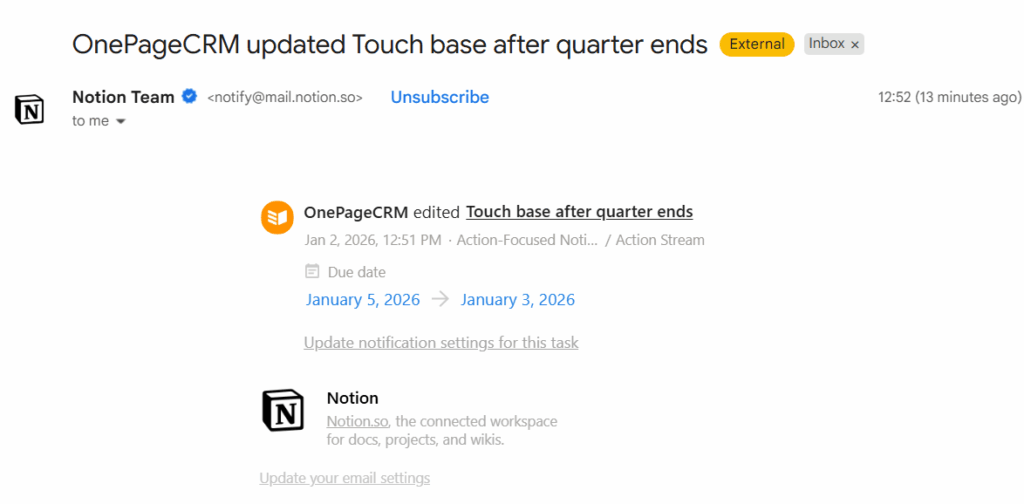
This Notion CRM helps you stay on top of what’s happening in your business and respond quickly.
It does this by sending you a notification email when:
Using this Notion template as a CRM can be beneficial in many ways. However, it does have several limitations.
Let’s take a look at both sides.
This free CRM template can take you far, but you’ll get to a point where it just doesn’t cut it anymore.
If you find yourself needing to receive emails right inside the system, set up email sequences, or generate custom reports, that’s a sign you’ve outgrown the Notion CRM template. It’s the same if your database grows, your team expands, or you’re finding it hard to handle duplicate records.
At this stage, moving to a dedicated CRM is the next best step. And a natural option to migrate to is the CRM that this Notion template was modelled after in the first place: OnePageCRM.
In addition to pioneering the Action Stream concept, OnePageCRM also includes vital CRM features that the template does not.
You can send and receive emails directly from the CRM and keep a complete history of all conversations. On top of that, it’s equipped with duplicate management, sales forecasting, workflow automation, and several other features you need for managing customers and closing more sales deals.
And with a cost of $9.95 per user/month, it’s one of the most affordable CRM software for small businesses.
If the action-focused CRM template on Notion served you well, OnePageCRM will serve you even better.


More than just a writer, Samuel is a communications expert. He understands how confusing and overwhelming SaaS products can be. That's why he's spent 6+ years helping SaaS brands deliver simple, actionable content that makes their products easy to understand.