Best Email CRM Tool for Follow-Ups and Check-Ins (2026)
Samuel Oyebode
February 17, 2026
19 min read


If you’ve been using Outlook apps and are now in need of CRM features, you’re probably looking for an Outlook CRM.
In this guide, we explain what an Outlook CRM is, highlight its features, and show you the best CRM for Outlook in 2026.
An Outlook CRM is a customer relationship management tool that works with Microsoft Outlook.
Instead of having to use Outlook for your email and calendar, then switching to another tool to manage contacts, deals, and follow-ups, an Outlook CRM helps you bring them all under one roof.
With an Outlook CRM, you can send and receive emails, log conversations, book meetings, and more, without ever leaving the CRM. Some tools even bring the CRM functionality into Outlook, letting you manage contacts, deals, and activities directly from your inbox. Some CRMs do both.
Either way, you get to work from one place, without having to constantly switch tabs or copy and paste information all over the place.
The best Outlook CRM is not the one with the most features. Rather, it’s the one that houses the right mix of tools.
Below are the core features a CRM for Outlook should have.
Email sync is the foundation of any Outlook CRM. Without it, you’re right back to copying conversations, updating records by hand, and trying to remember who said what and when.
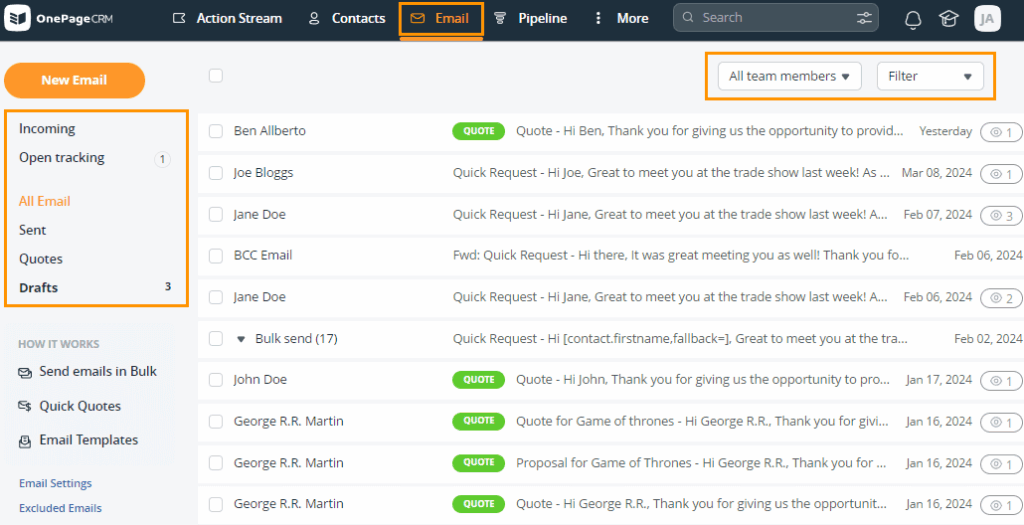
That’s why a good Outlook CRM doubles as an email CRM. That means it syncs your Outlook inbox, so the emails you send and receive are automatically linked to the right contacts and deals. You can reply to emails, see the full conversation history, and keep track of sales communication without leaving the CRM.
With the right Outlook CRM, you can connect your Outlook calendar and see your CRM activities—like follow-ups, meetings, and calls—inside Outlook. So, when you open your calendar to plan your day, everything you need to do is already there with their deadlines.
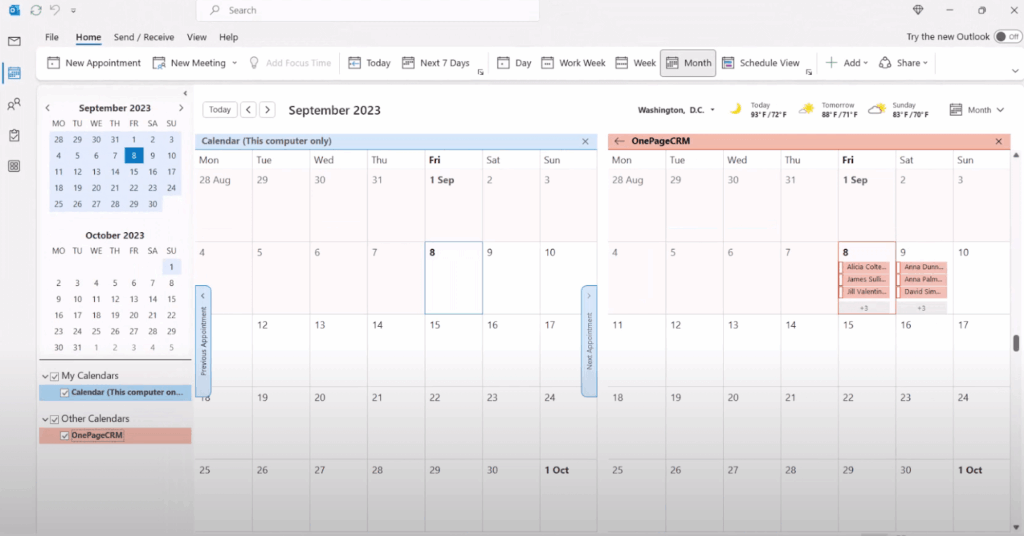
Calendar sync also improves visibility across your team. In addition to your CRM activities, you can also see your teammates’ schedules, which makes it easier to plan handoffs, avoid calendar clashes, and understand who’s handling what at any given time.
Manually adding leads is slow and tedious. A good CRM for Outlook solves this by helping you capture leads the moment you come across them.
Ideally, you should be able to add a lead straight from your Outlook inbox, a website, or even a social media profile with a single click. Along with basic contact details, you can also save useful context about who they are and why they matter, so you’re not left guessing later.
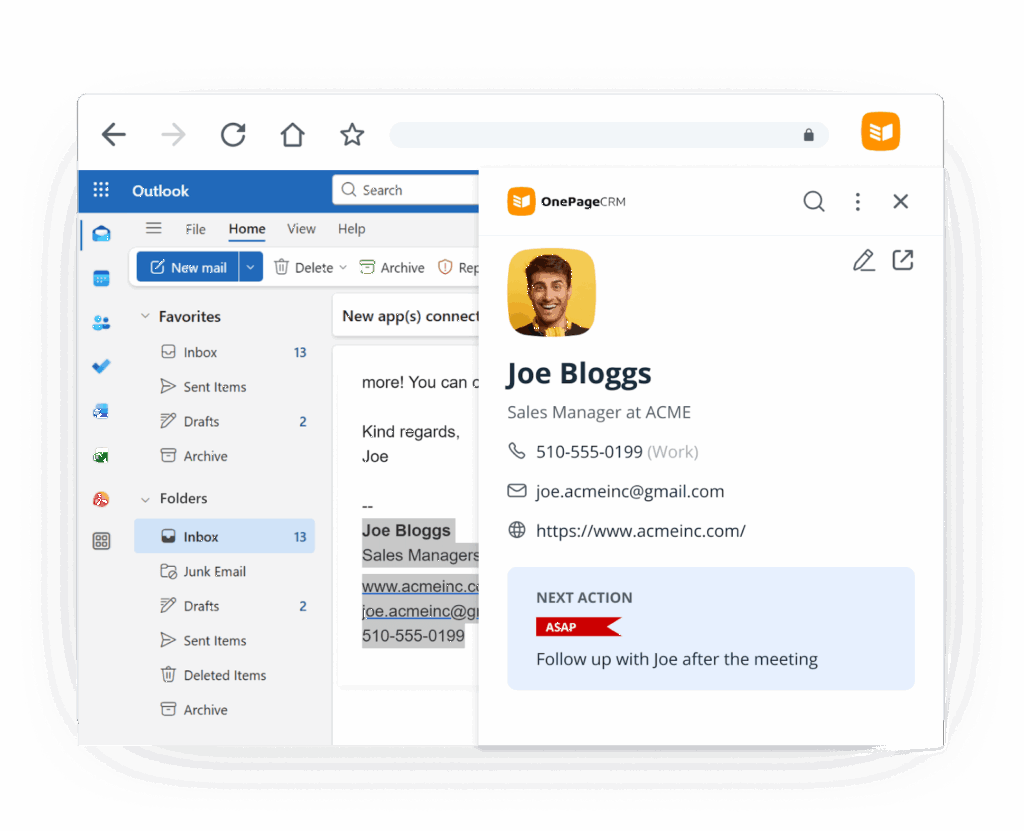
Some CRMs go a step further by offering free web forms. When someone fills one out, their details are sent straight into your CRM.
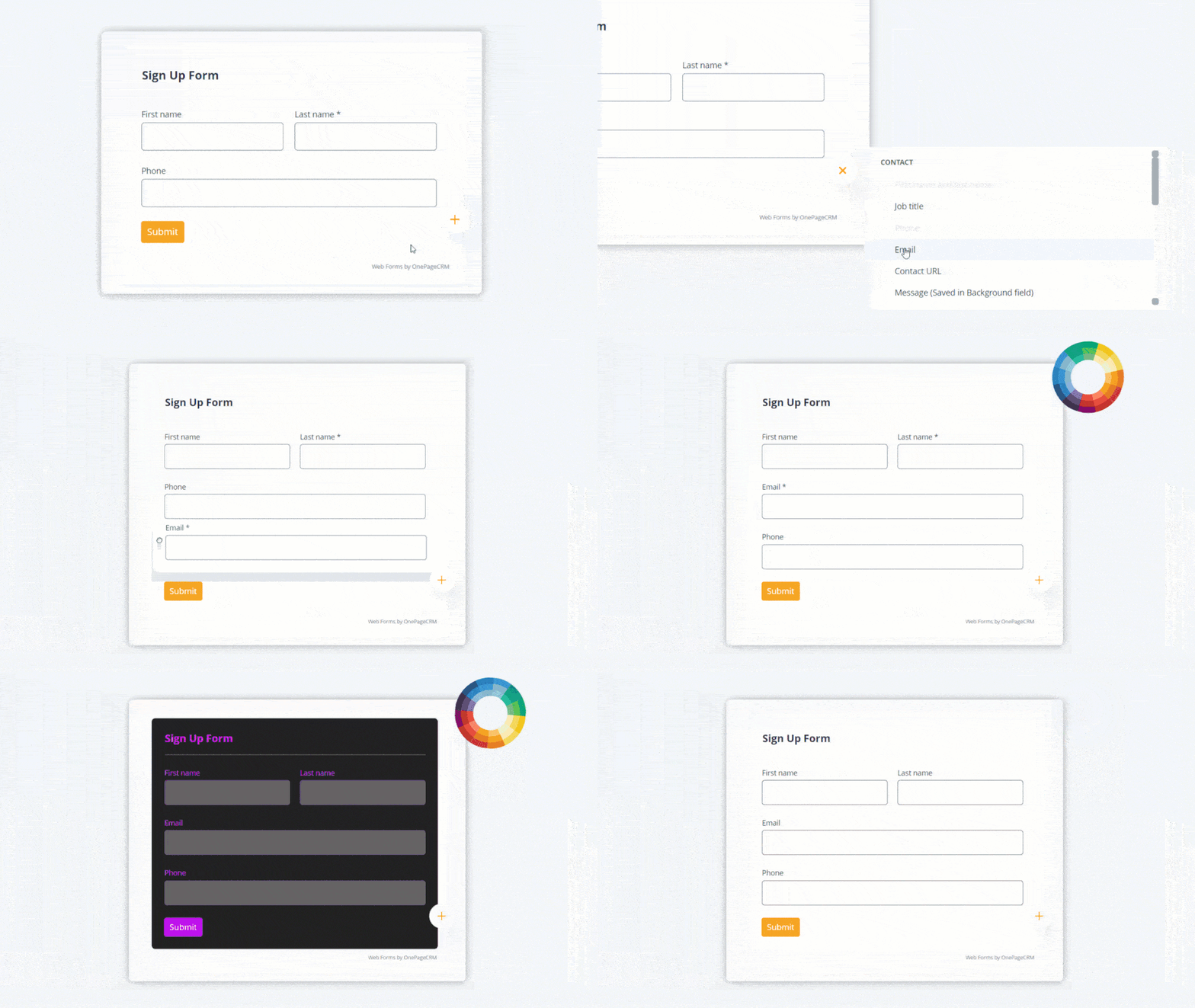
A CRM for Outlook should come with sales management tools that help you see where every deal stands, and manage them as they progress through your funnel, from initial contact to close.
Ideally, the CRM allows you to view your pipeline visually, update deal progress quickly, and check important details such as deal value, expected close date, and recent activity at a glance.
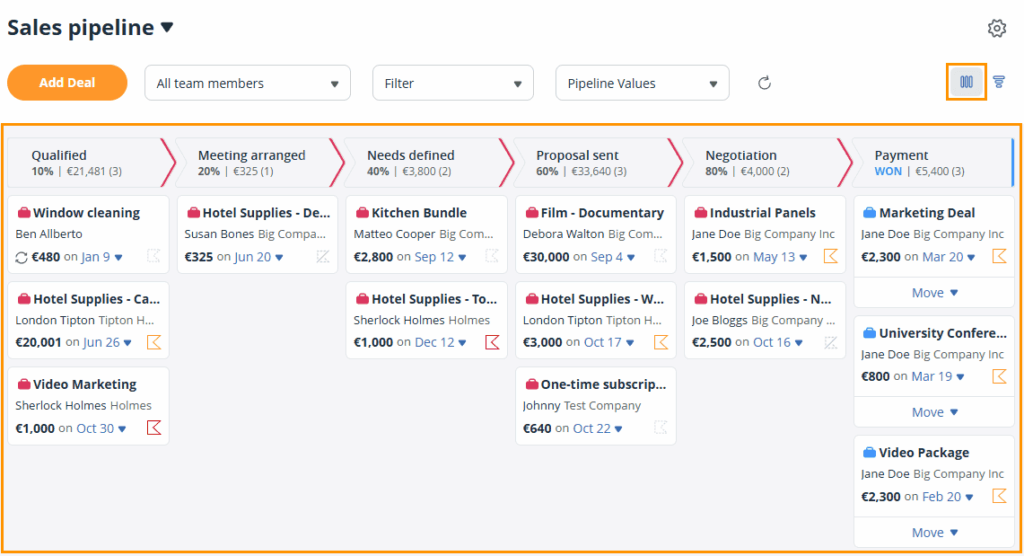
It should also provide simple forecasts and reports, so you can determine which sales opportunities are moving forward, which ones are stalling, and where you need to focus your attention next.
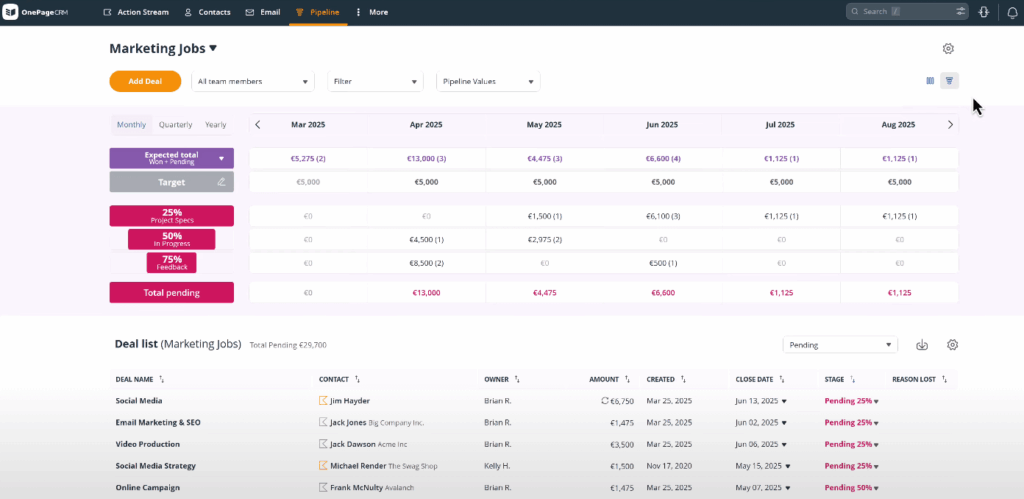
A proper Outlook CRM should help you stay clear on what to do next with every contact.
It should encourage you to set next steps for each contact or deal, then bring those follow-ups to the surface at the right time. That way, you always know who to contact next and why you’re reaching out.
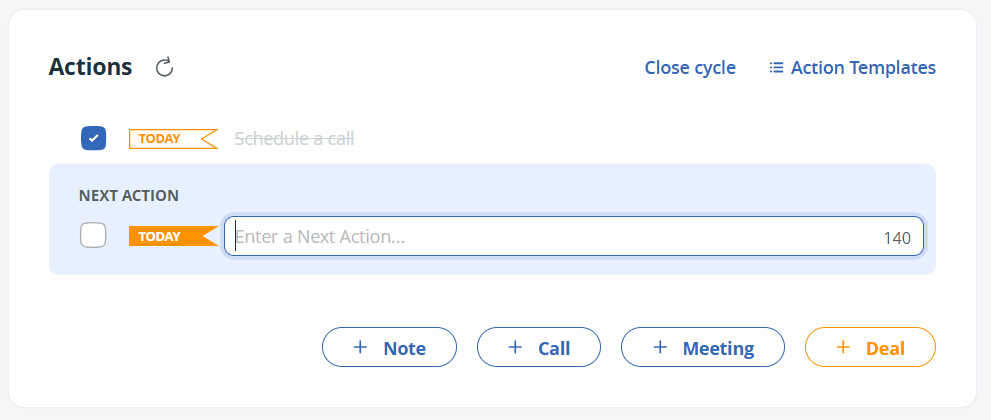
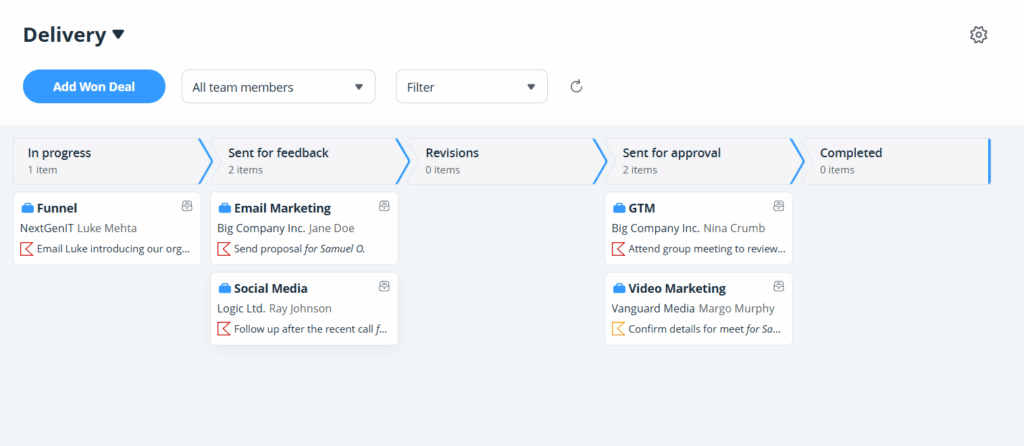
Your Outlook CRM shouldn’t stop being useful once a deal is closed. It should also help you track what happens after the sale, whether that’s onboarding, delivery, or any other after-sale activity.
It should give you a visual pipeline to manage these post-sales processes and see what’s been delivered, what’s in progress, and what still needs attention.
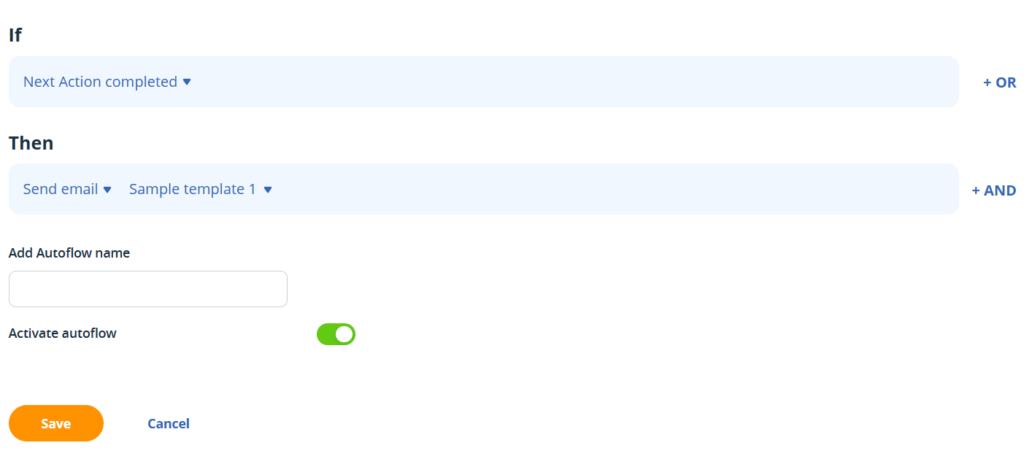
The ideal CRM for Outlook also includes automation tools that cut down repetitive work and help you keep your processes consistent.
It should let you set up tasks that are carried out automatically. It should also support automated emails and simple email sequences, so you can stay in touch with contacts without having to kick off the interaction by yourself every time.
Below are five of the best small business CRM software that not only integrate with Outlook, but also help you manage contacts and sales.
| CRM | Starting price | Best for |
| OnePageCRM | $9.95 | Follow-ups and sales |
| Salesflare | $29 | Data enrichment |
| HubSpot CRM | $15 | All-in-one CRM suite |
| Pipedrive | $14 | Pipeline management |
| Nutshell | $13 | Microsoft 365 sync |
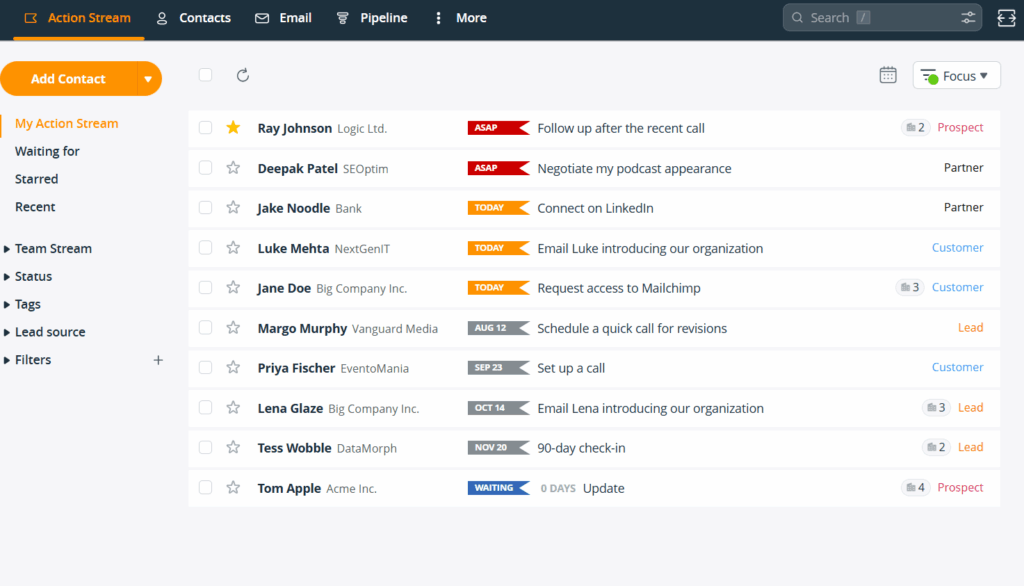
OnePageCRM’s top feature as an Outlook CRM is its integration with Outlook email. With the two-way sync, you can send and receive emails, and see your full conversation history inside the CRM system.
Emails aside, OnePageCRM connects with Outlook Calendar, allowing you to bring your CRM scheduled activities—like calls, meetings, tasks, etc—into your Calendar app. And since you can use said app on a mobile device, you’ll be able to stay on top of your day, even if you’re away from your desk.
This Outlook CRM also has a Microsoft add-in, as well as a free browser extension that works inside your Outlook email inbox. With these tools, you can instantly capture leads from inside your email inbox with a click.
In addition to its integrations with Outlook tools, OnePageCRM still fulfills the primary goal of any CRM software: helping you sell more. That’s why it lets you set Next Actions for your contacts, after which it arranges them by urgency and reminds you to follow through.
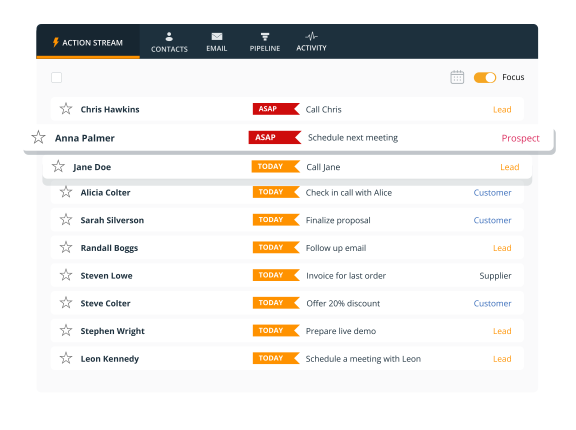
And as you complete each action and guide your contacts closer to buying, the Outlook CRM offers you visual pipelines to track the sales and after-sales cycles.
Starting Price: $9.95 per user/month
Key Features:
Microsoft Outlook Integrations:
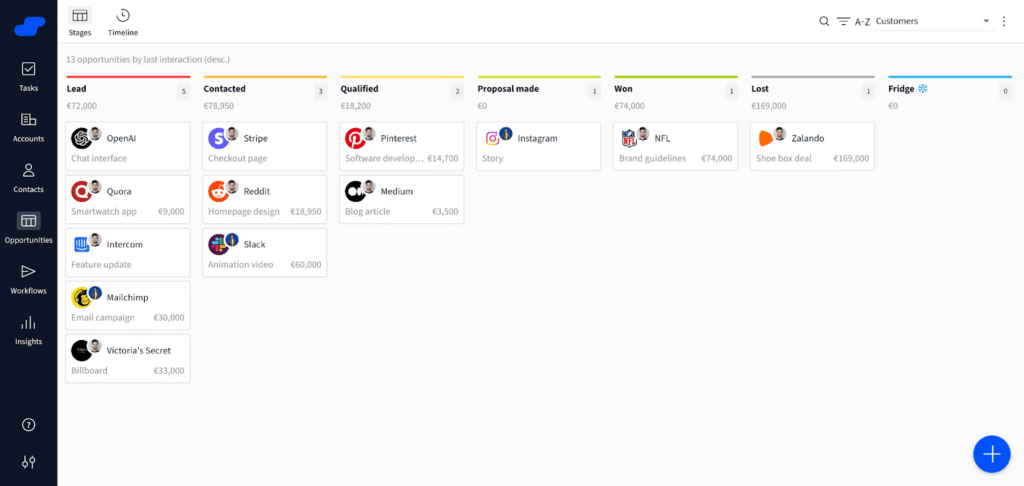
As an Outlook CRM, Salesflare brings CRM features into your inbox.
When you open an email, you can view and manage the related contact or deal without opening the CRM itself. Emails are automatically synced, and Salesflare can even create new contact records for people you’re communicating with.
Outside of Outlook, Salesflare uses automation to handle a lot of the manual work that usually comes with CRM upkeep. When you add a new contact, it looks up company information, email addresses, and social media profiles and enriches their profile automatically.
Salesflare CRM also includes a Kanban-style sales pipeline to help you track deal progress, an email workflow builder for setting up follow-ups and campaigns, and email tracking so you can see how recipients engage with your messages.
That said, Salesflare does have a few drawbacks. There’s no free plan, and even the lowest-tier plan requires a business email address to sign up. On top of that, useful features like custom dashboards and advanced workflows are locked behind higher-tier plans.
Starting Price: $29 per user/ month
Main Features:
Microsoft Outlook Integrations:
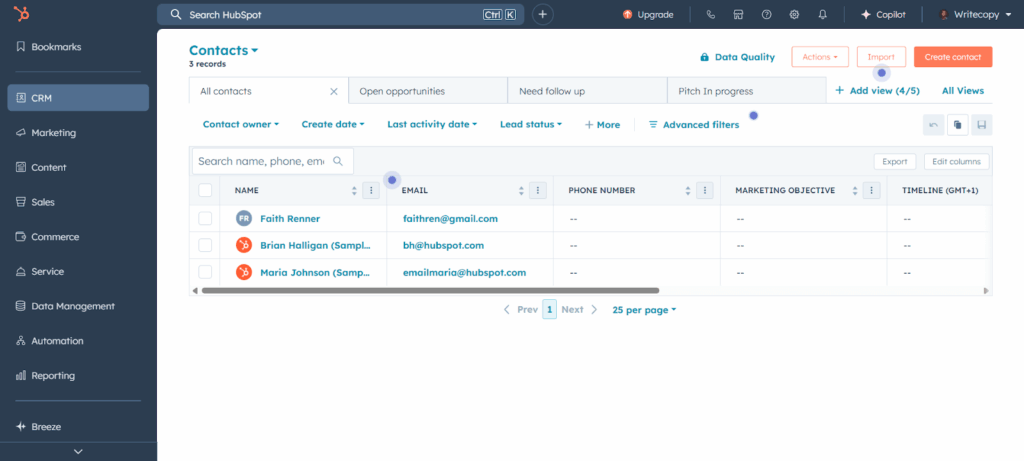
HubSpot started life as an inbound-marketing tool and has since evolved into a large all-in-one platform. The core of the Smart CRM (HubSpot’s term for the combined contact, deal, and ticket database) is free to use and includes basic tools for sales, marketing, and customer service management.
When it comes to Outlook, HubSpot mostly acts as a two-way bridge. You link your email and use the CRM as your inbox, so every message you send or receive from Outlook is tracked, logged, and associated with the right contact or deal.
You can also connect your Outlook calendar so that tasks set in the CRM appear in your calendar and vice versa. HubSpot even offers a browser extension that scrapes contact details from your Outlook inbox and creates a CRM record for you.
Beyond that, HubSpot offers sales management tools such as a kanban-style pipeline and a 360° page for sales context, like contact details, notes, tasks, and communications, amongst others.
That said, some powerful features like advanced automation, sequences, and custom reports are hidden behind higher-tier subscriptions that cost up to $90 and require an additional $1,500+ for onboarding.
Moreover, because the platform serves multiple business functions, the interface is busy. And yet, HubSpot makes it impossible to hide features you don’t need.
Starting Price: $15 per user/month
Main Features:
Microsoft Outlook Integrations:
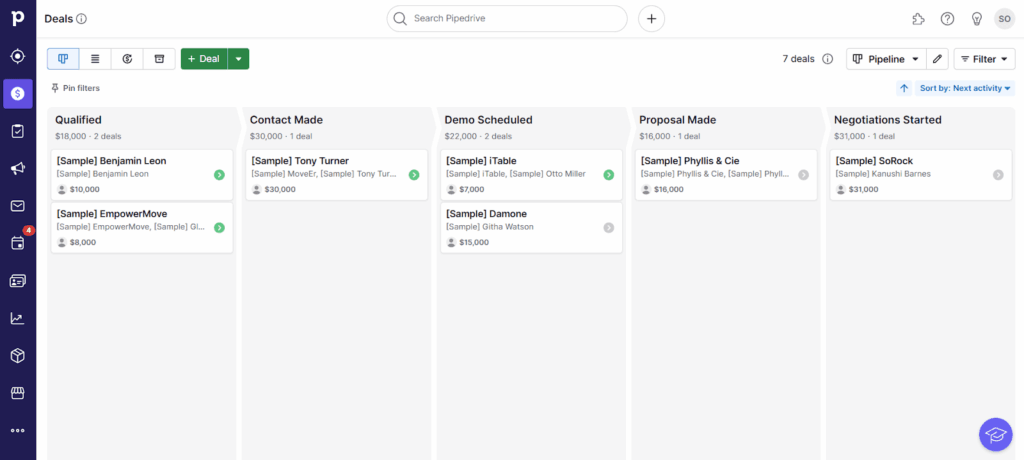
Pipedrive comes with email integration for Outlook. Once you connect your Microsoft email account, emails linked to contacts and deals show up inside Pipedrive, and you can reply without leaving the CRM.
There’s also a dedicated Outlook add-in called Pipelook. It opens a side panel inside Outlook and shows Pipedrive details about the person you’re communicating with. From the side panel, you can add contacts, create or view deals, and schedule activities.
Pipedrive’s main feature is its visual sales pipeline. Deals can be dragged from one stage to another, which makes it easy to track progress, deal values, and overall sales momentum. Follow-up reminders are built in as well, so you always know what action to take next for each deal.
On higher-tier plans, Pipedrive adds AI-powered sales assistance, email templates with open and click tracking, and forecasting reports to help you plan ahead.
That said, Pipedrive is designed for bigger teams and can be feature-heavy and too complex for small businesses.
There’s also no free plan, and the lower-priced Lite plan limits the number of deals you can work on while omitting features like full email sync and custom reports. Even web forms require a separate add-on, which can cost up to twice the price of the entry subscription.
Starting Price: $14 per user/month
Main Features:
Microsoft Workspace Integrations:
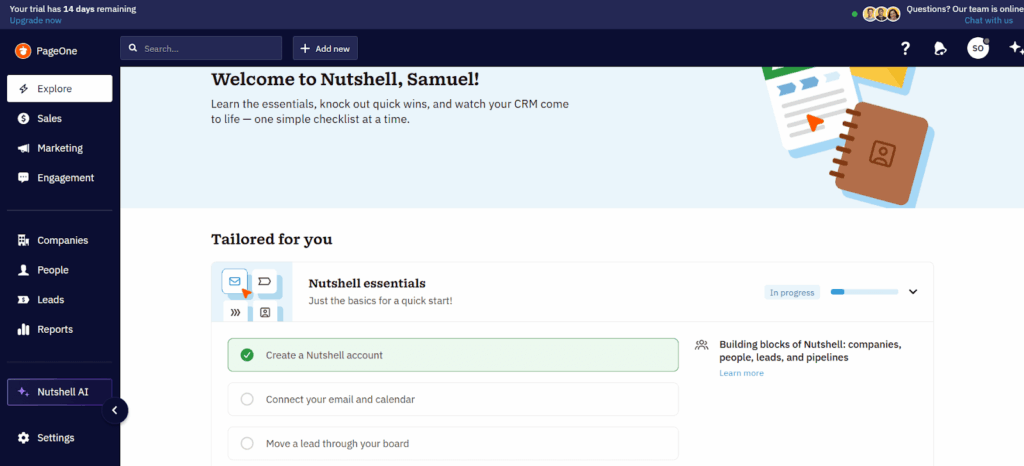
Nutshell is a sales-focused CRM designed for growing businesses. This CRM offers a native Outlook add-in that brings CRM functions into your email inbox.
You can send emails directly from Nutshell and automatically save a copy in your Outlook’s Sent folder. And from the sidebar inside your Outlook, you can create contacts and tasks, view upcoming activities, track communications with contacts, jot down notes, and access CRM records without leaving your inbox.
It’s worth noting that Nutshell’s sync with Outlook emails and calendar is two-way. That means messages, meetings, and tasks stay updated in both your CRM and your Microsoft account.
Beyond that, Nutshell’s pipeline can handle both sales and post-sales activities. The Outlook CRM also features automation tools, with which you can automatically assign leads, follow up with them, and move them through pipeline stages.
On the downside, Nutshell doesn’t offer a free plan, and some advanced features—like unlimited pipelines, deeper customization, and AI—are restricted to higher-tier plans costing $59+ per user/month.
Starting Price: $13 per user/month
Main Features:
Microsoft Outlook Integrations:
Microsoft Outlook does a great job as an email and calendar tool, but it doesn’t have a CRM of its own. So if you’re trying to manage sales from Outlook alone, you’ll eventually hit a wall.
That’s why an Outlook CRM makes so much sense.
Of course, what you get depends on the option you choose. Some tools mainly bring CRM context into your inbox. Others focus more on automation, reporting, or pipeline management.
But if you’re looking for an Outlook CRM that helps your small business close more deals, OnePageCRM may just be your best bet.
You get full email sync with Outlook, instant lead capture so you’re not manually adding contacts, and the Next Action system that keeps you focused on what to do next with every lead. On top of that, you can handle your entire business from just one page.
No wonder it’s a top choice amongst small businesses in over 80 countries across the globe. Try it today for free—no credit card required.


More than just a writer, Samuel is a communications expert. He understands how confusing and overwhelming SaaS products can be. That's why he's spent 6+ years helping SaaS brands deliver simple, actionable content that makes their products easy to understand.