

CRM Dashboard: What is it? [Examples, Benefits, Report Types]
Anastasia Chechkova
November 9, 2022
5 min read


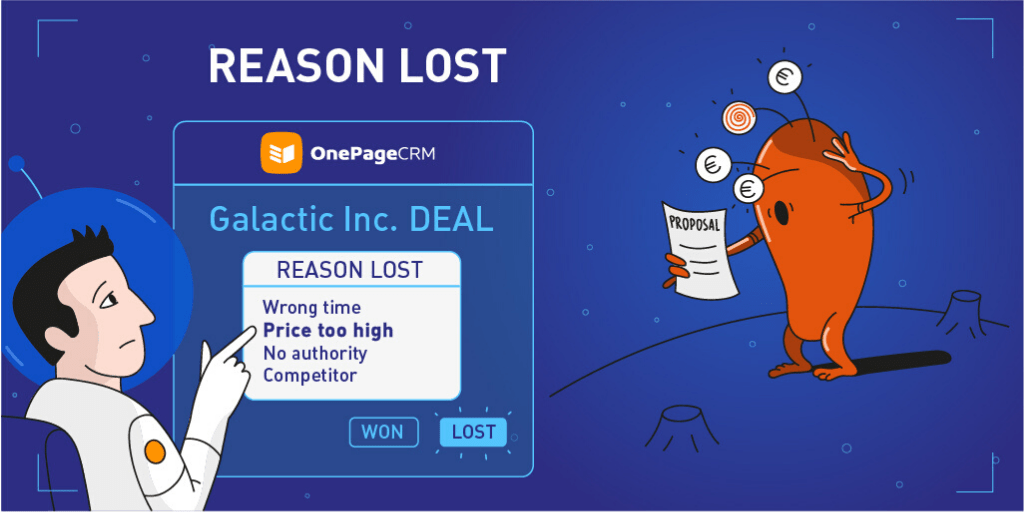
“You have no choice about how you lose, but you do have a choice about how you come back and prepare to win again.”
We all can appreciate a good win. In fact, at OnePageCRM, we made it easy for you to celebrate your sales successes with the Pipeline Won Column.
And after you’ve done your little celebratory dance, you can sit and see what you did right and try to replicate your tactics.
Unfortunately, according to research (and, probably, your own experience), on average salespeople close only 20% to 30% of qualified leads.
And let’s be honest, it’s much more difficult to objectively focus on those remaining 70%. However, our users often highlight that knowing why you’ve lost a deal is as—or even more—important than knowing why you’ve won one. Because the former gives you the opportunity to learn and create a better strategy for your sales success.
This post is introducing our new feature for easier deal management.
Now, every time you mark the deal as Lost, you can select the reason for it. And then, just as easily, include the breakdown of all the reasons for the loss of deals in your custom report.
This way, you can easily identify the most common factors standing in the way of your sales success and adjust your strategy accordingly.
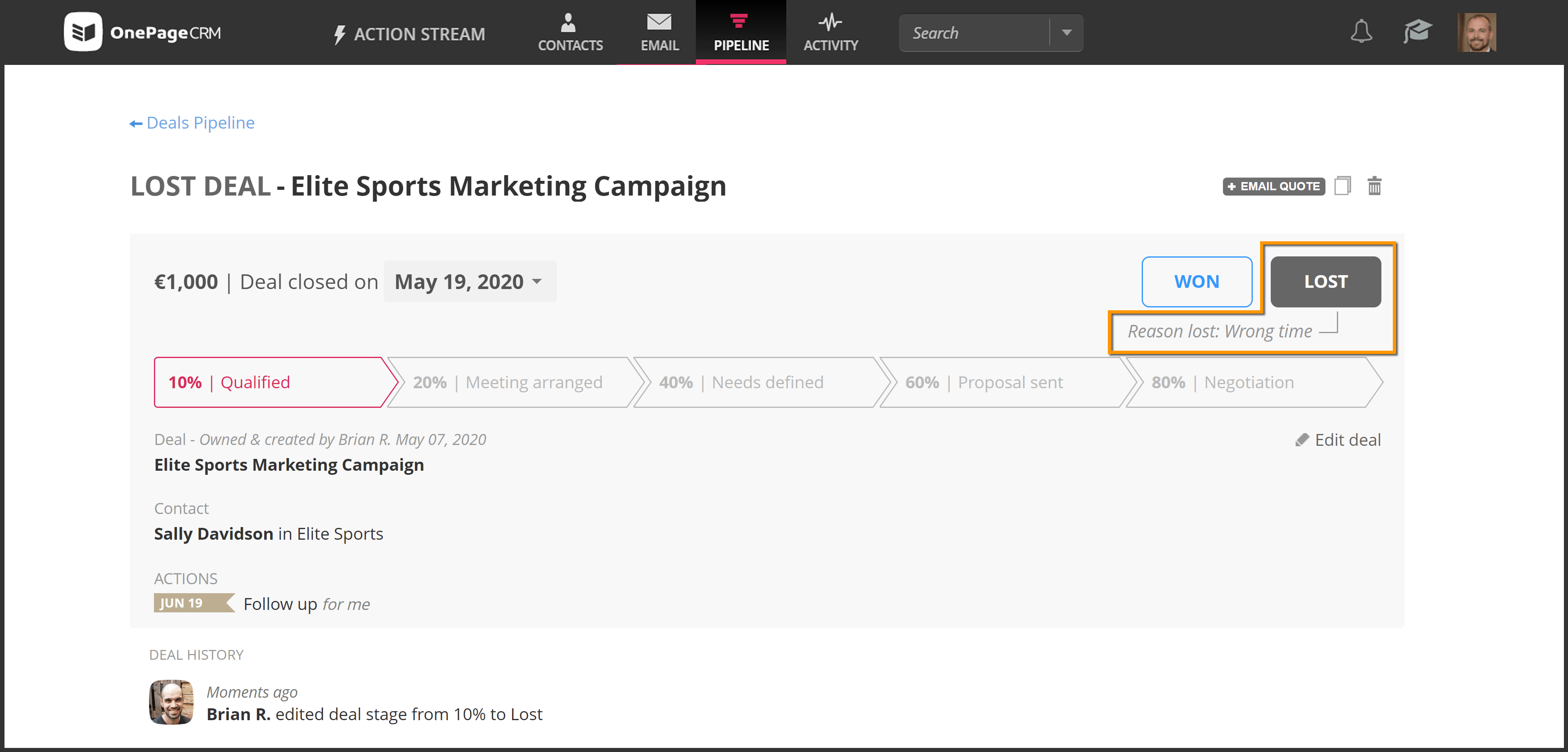
Most salespeople often have an idea of where the deal went sour.
But, according to Griffin group, only 40% reach out to lost prospects/customers to determine the actual reason. Asking “why” can help you gain invaluable insights. So don’t be afraid.
After all, you’ve got nothing to lose! And once you have a clear understanding of why the deal was lost, the next step is to record it.
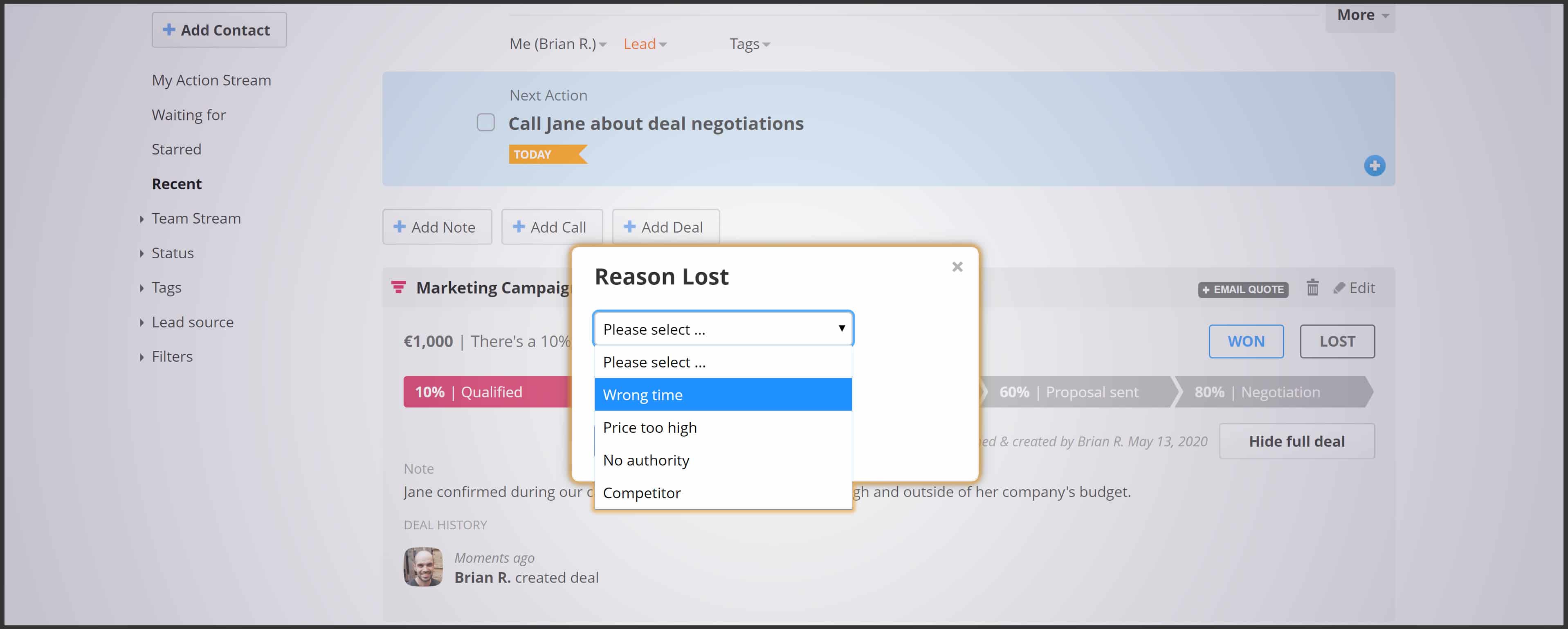
To enable the Reason Lost field, the account owner or admin simply needs to go to their User Profile → Settings → Custom fields. Once enabled, you will be able to select the reason any time you mark the deal as Lost, be it from the contact view, Pipeline deal view, or in your Deal List.
We’ve listened to you, our users, and determined the four most common reasons for a deal loss. We’ve set them as default for the Reason Lost dropdown.
Timing is essential, and it accounts for up to a quarter of all lost deals.
But it’s important to remember that while your offer might not be relevant to the contact at this particular moment, it doesn’t mean it won’t be in the future.
Take note of their circumstances and make sure to set yourself the Next Action to follow up with them when the time is right.
If it’s a repeated problem for your business, you might want to assess the appropriacy of your price policy compared to the market and industry standards. As well as evaluate the quality of your leads.
A quick Google search on “how to get past the gatekeepers” turns up over 2,390,000 results.
So if this reason is common for you, it’s safe to assume you’re not alone in it. And yes, while some studies show that only 13% of experienced salespeople and 1% of the new ones resolve this issue, don’t let it discourage you.
There are plenty of techniques out there to help you.
So regroup, identify the decision maker, add them as a contact to OnePageCRM, and get closing!
Are you losing the majority of your deals to competitors? Or, perhaps, one competitor in particular? Is it their product or the sales techniques of their reps?
Talk to your lost prospects or customers, analyze the information you get, and decide on the next steps.
While these reasons might be common, we know that each business is different.
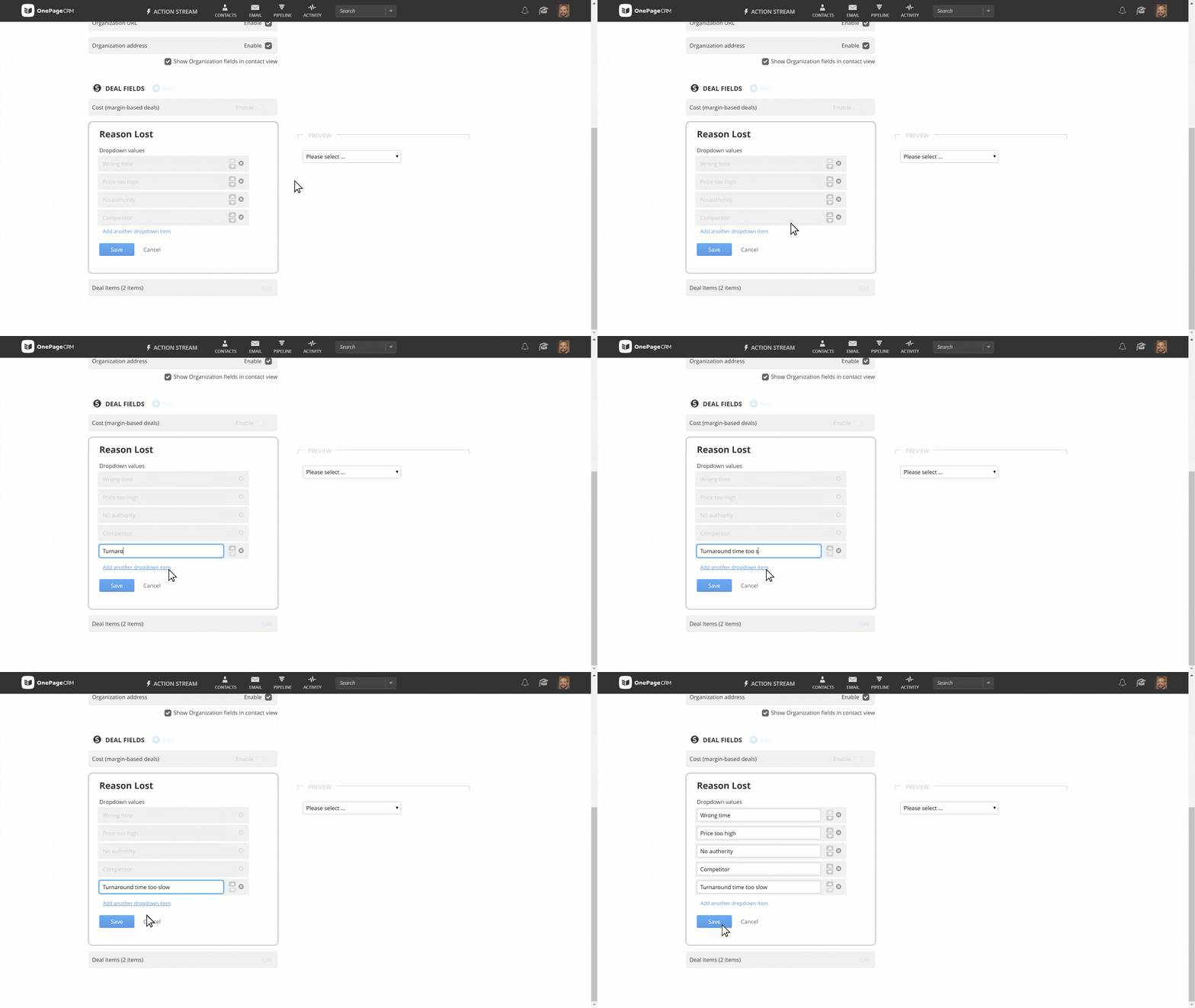
So we give you an opportunity to easily customize, add, or remove the deal loss reasons in just a couple of clicks.
Recording the reason for losing a deal is the first step.
The next one is to have a look at the bigger picture and analyze the patterns.
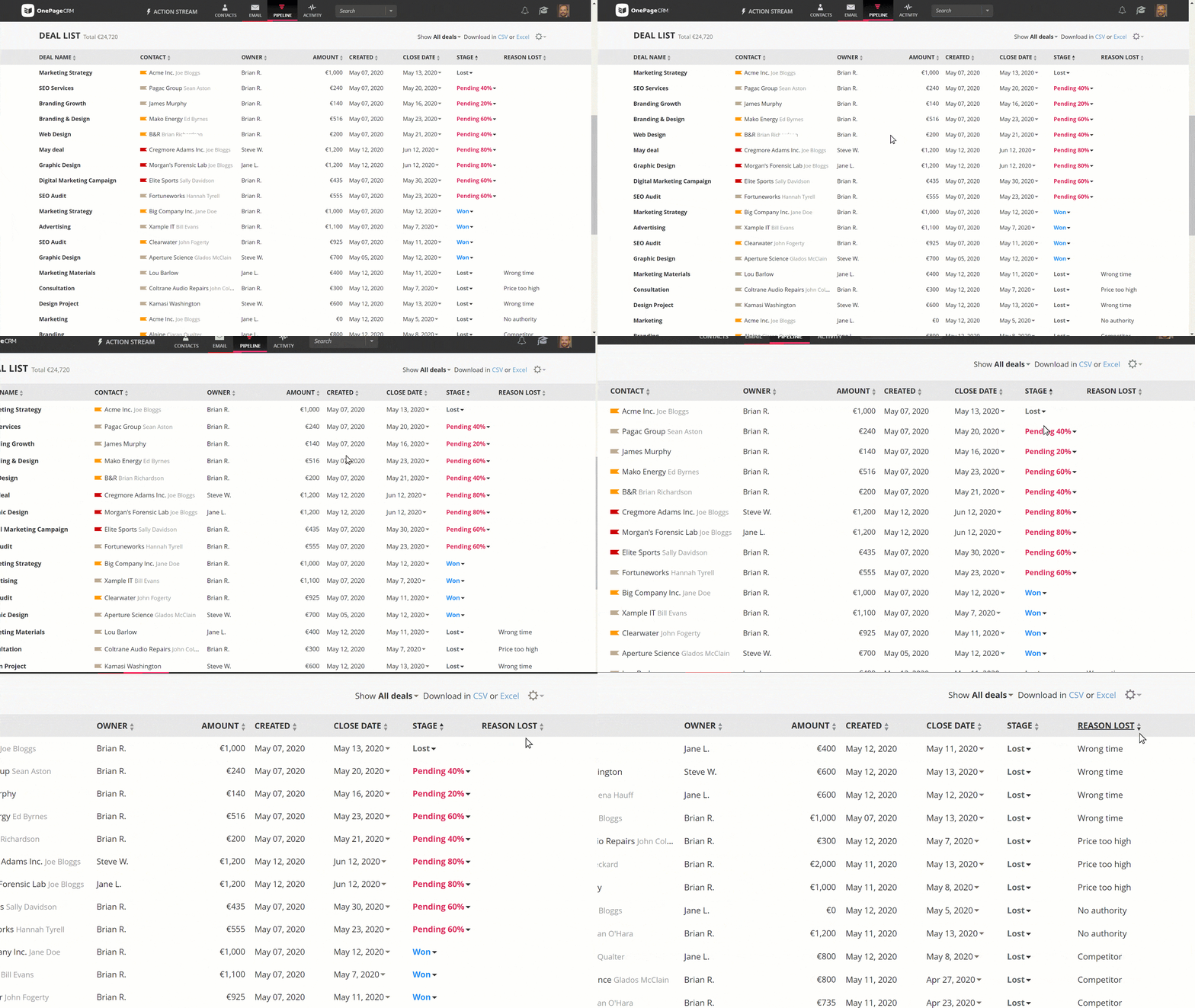
To get a quick look at all your lost deals and their reasons, you can go to your Pipeline and sort your Deal List by the Reason Lost column.
If you want to dig deeper and see the reasons for losing your deals in the context of your other sales activities, you can easily add Reason Lost to your custom reports.
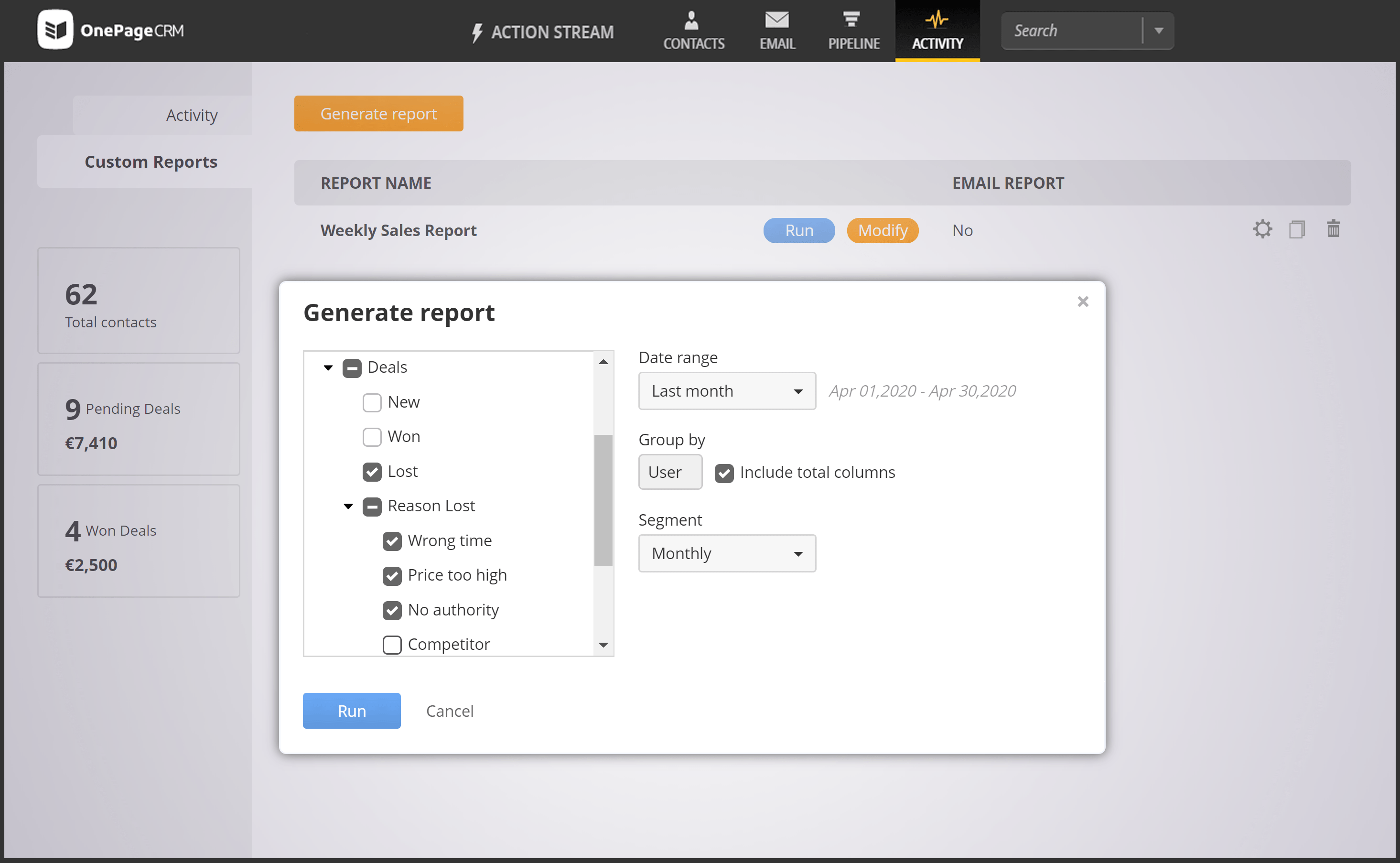
When building a report, simply tick Reason Lost under the Deals, select the needed date range and segment, and click Run.
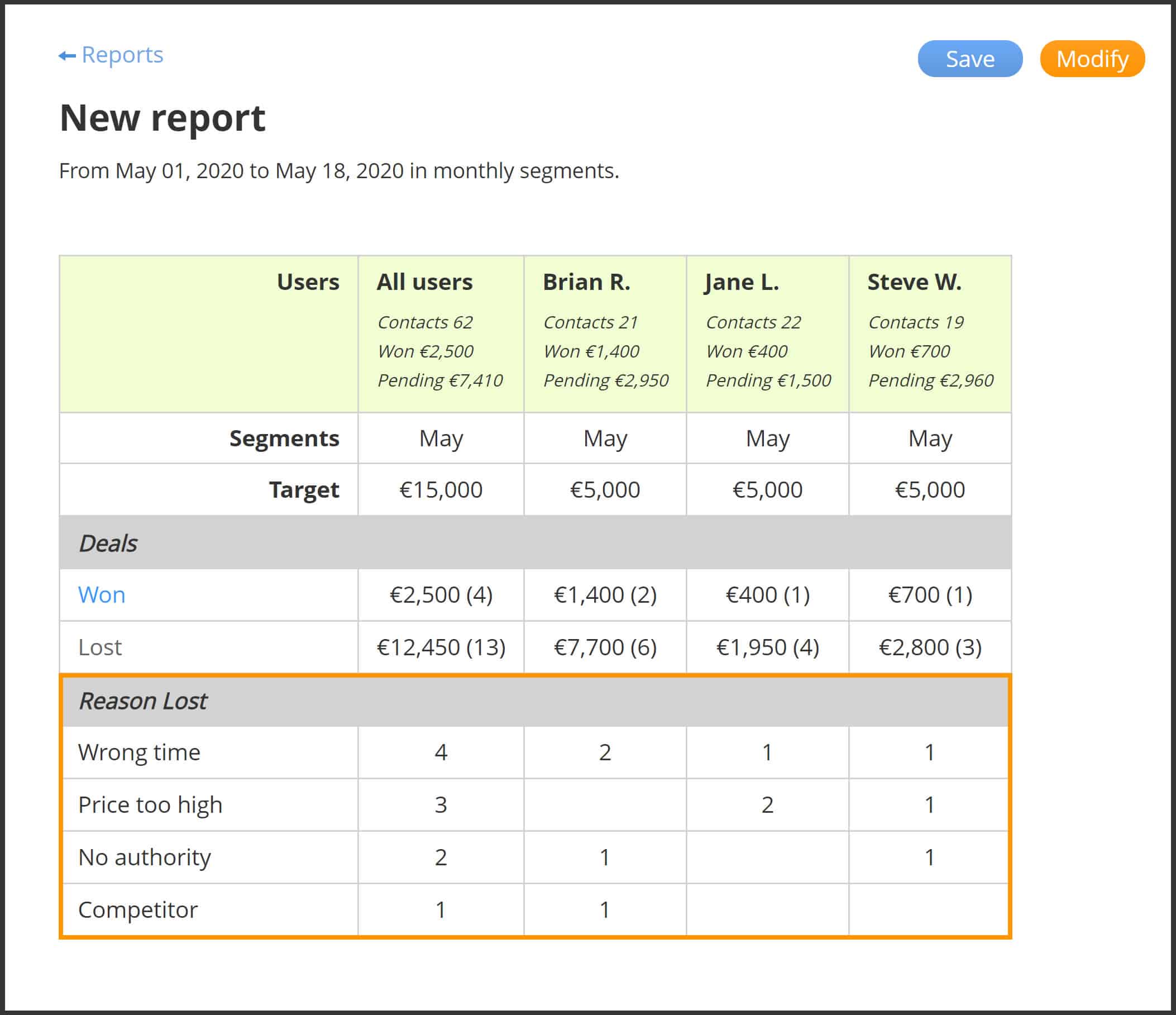
This way you get an additional KPI and can easily monitor the most common reasons for a deal loss and adjust your sales strategy accordingly.
The report also shows which reasons are associated with which users so you can identify potential issues and improve your team’s performance.
Have you tried the Reason Lost feature already? Let us know what you think in the comments below or tweet us @OnePageCRM!



