Best Email CRM Tool for Follow-Ups and Check-Ins (2026)
Samuel Oyebode
February 17, 2026
19 min read


So, you’ve been looking for a CRM with email marketing automation features built in. But what if that’s not the best choice for your small business?
These all-in-one CRMs are often too expensive—and quite frankly, too complicated—for small businesses with modest budgets and limited technical expertise.
Instead of spending hundreds to thousands of dollars on all-in-one platforms like HubSpot, Pipedrive, or Zoho, you can opt for the more cost-effective (and efficient!) option:
In this article, you’ll learn why combining OnePageCRM with Mailchimp is your best way to automate email marketing efforts.
But first: Many people think that because Mailchimp stores contacts, it can double as their CRM and email marketing software. It can’t, and we’ll explain why below.
Email marketing automation tools are better suited for mass broadcasts (marketing communications), not personal interactions (sales outreach).
However, those personal interactions ensure you actually close a sale, not just promote your services.
| Marketing communications | Sales outreach | |
| Type | Inbound One-to-many broadcasts | Outbound One-to-one messages |
| Audience | Large audience | Individual prospects |
| Permission | Require explicit consent or opt-in | May not require prior consent |
| Goal | Promote services/share updates | Start a direct conversation |
| Example | Newsetters | Cold outreach |
| Suitable tool | Marketing software | Sales CRM |
That’s why you can’t rely on email marketing automation software—like Mailchimp—alone.
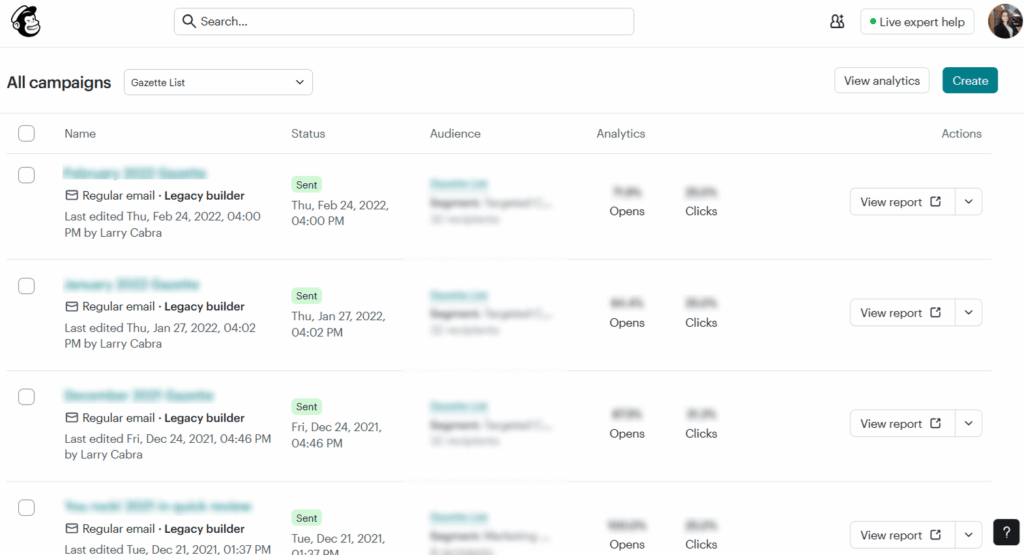
Mailchimp lets you manage and automate marketing campaigns across email, social media, and SMS. It can even track website and app engagement, analyze purchase behavior, and much more.
However, Mailchimp doesn’t have CRM features like one-to-one emails, drag-and-drop pipelines, task management, and follow-up tracking. It’s mostly focused on managing marketing campaigns, not relationships.
A CRM, on the other hand, facilitates one-to-one interactions and helps you manage sales. Contrary to marketing automation platforms, your CRM doesn’t need to track usage patterns or customer behavior. Its main goal is to help you build deeper relationships with leads and customers.
For example, OnePageCRM automatically sorts contacts by urgency, shows your next step, reminds you when it’s time to follow up, and lets you send and receive emails right inside the app.
You also get a full view of your sales pipeline, so you can track every deal from first contact to close—all in one place.
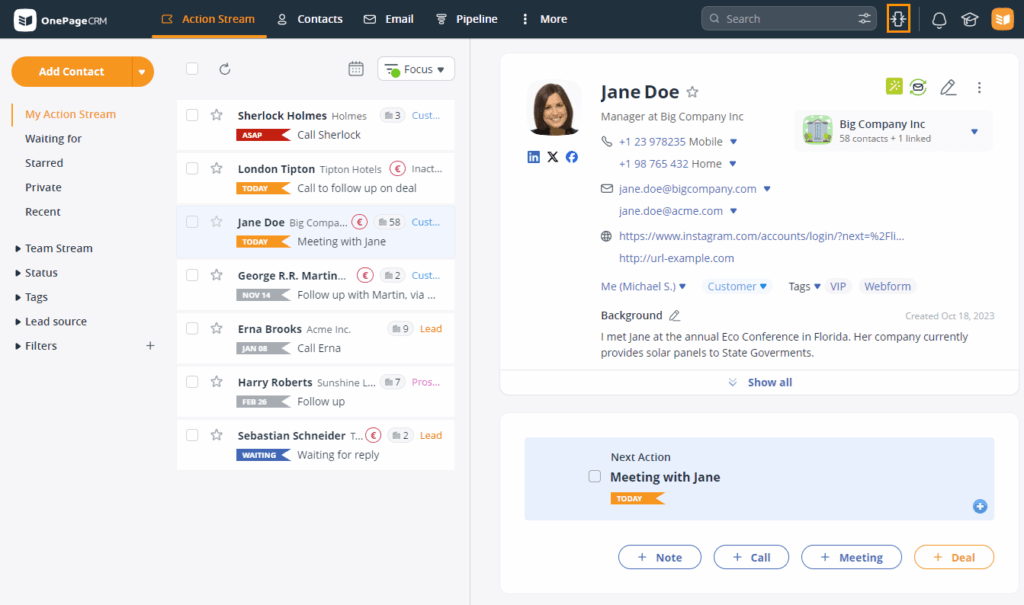
When you combine these tools, you essentially get a system for CRM email marketing automation.
Once your contacts sync from OnePageCRM to Mailchimp, you can start automating email marketing campaigns.
Here are some of the best automations you can build right now.
When you get a potential customer, the next best step is to build a relationship with them. That’s where an email nurturing campaign comes in.
With OnePageCRM and Mailchimp, you can set up an email nurture campaign to trigger for selected contacts. The campaign can include messages that introduce your brand, share helpful resources, answer common questions, and help potential customers learn more about your business.
For example…
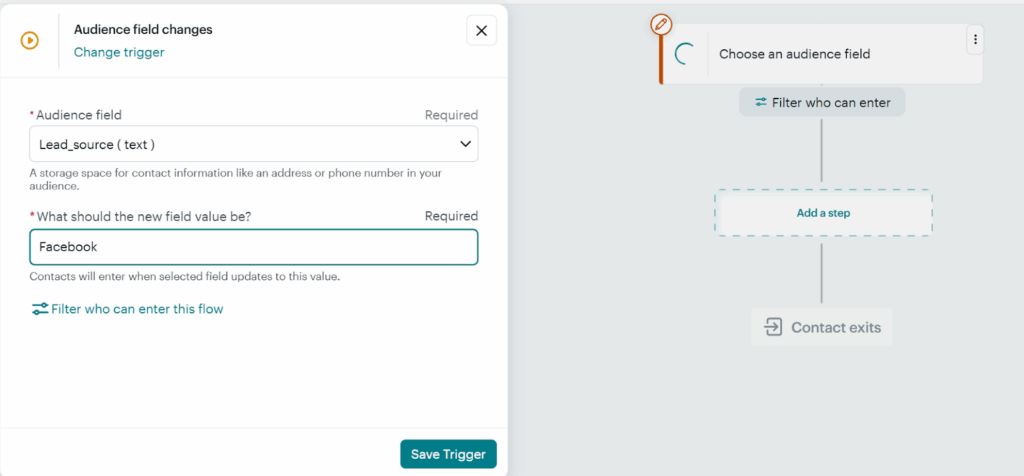
When you change the contact’s Status from, say, Prospect to Nurture in OnePageCRM:
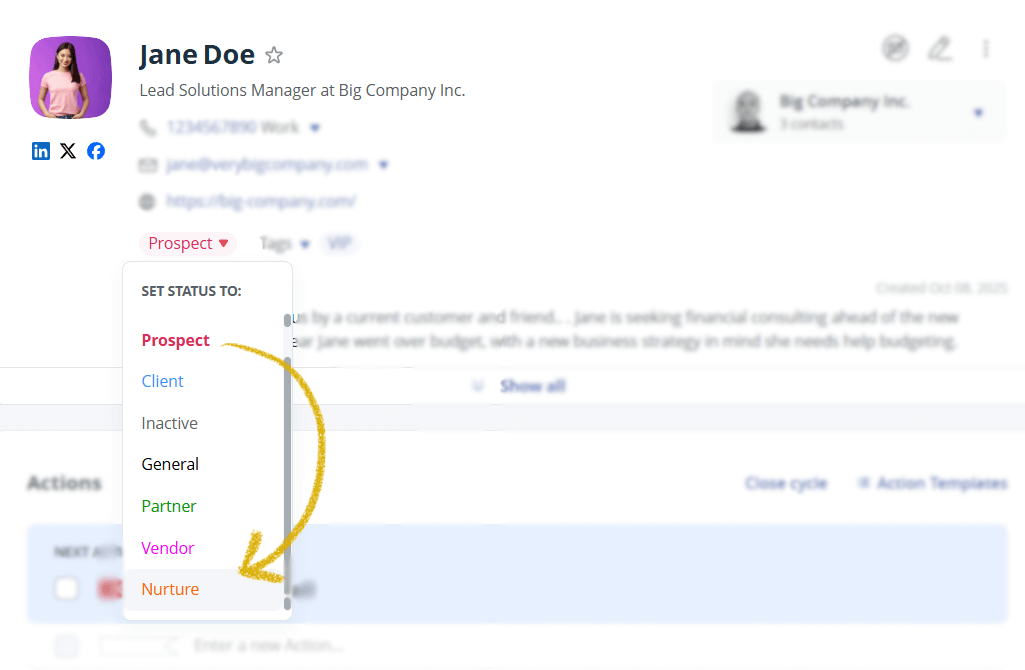
This contact is then automatically enrolled in a nurturing campaign and will receive a series of marketing emails pre-built in Mailchimp.
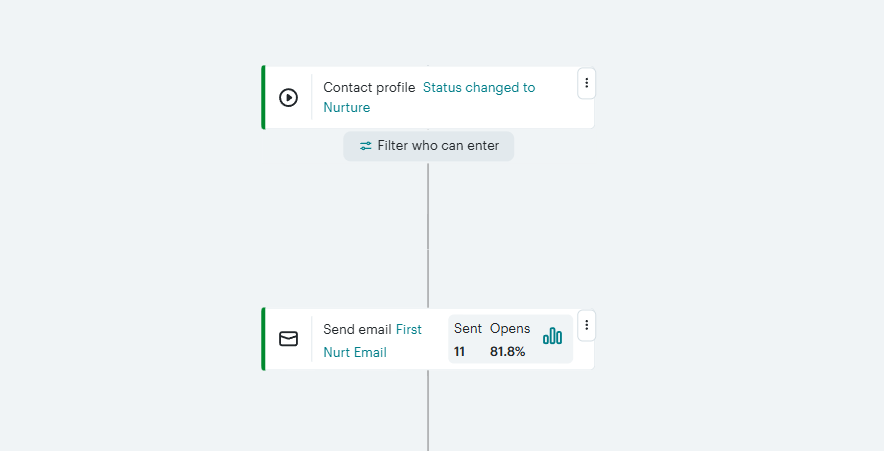
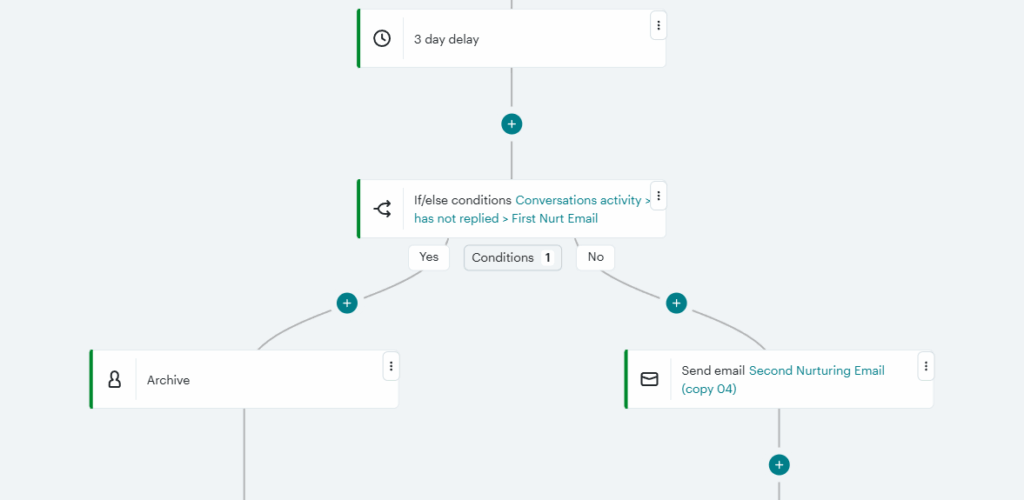
Besides just sending emails, you can use the OnePageCRM and Mailchimp combo to set automated marketing actions based on how your audience engages with your messages.
You can set up your flow so that if a contact replies to your email, the journey continues. However, if they don’t respond after a few days, they’re removed from the campaign.
Keep in mind: Mailchimp is not designed for cold outreach. All emails should go to contacts who agreed to be contacted by you. If cold outreach is what you’re after, you can check out the guide below.
A typical web form collects lead information and adds it to your CRM software. But what if you could automate what happens after someone fills out your form? Well, by combining OnePageCRM with Mailchimp, you can.
Let’s say someone fills out a service inquiry form you created in OnePageCRM. You can set up a targeted email series in Mailchimp based on the service they selected.
So if they’re interested in, say, Website Design, they get marketing emails about that. And if it’s Social Media Marketing they chose, they get a different one.
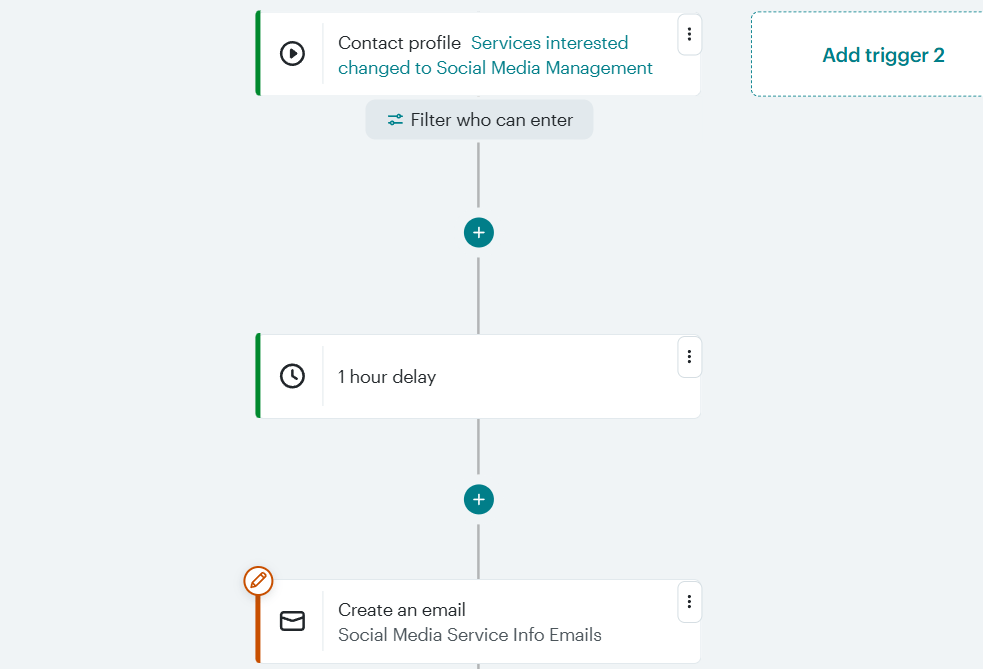
This flow not only saves time for your marketing team, but also ensures each prospect receives information that’s relevant to them.
It’s not uncommon for customers to become inactive. This means they’re not responsive, and you haven’t interacted with them in a while. If the idea of reconnecting with these contacts sounds good to you, OnePageCRM and Mailchimp make it easy to re-engage.
To do this, use the Last Activity filter in OnePageCRM to identify inactive customers. Then change their Status to Inactive:
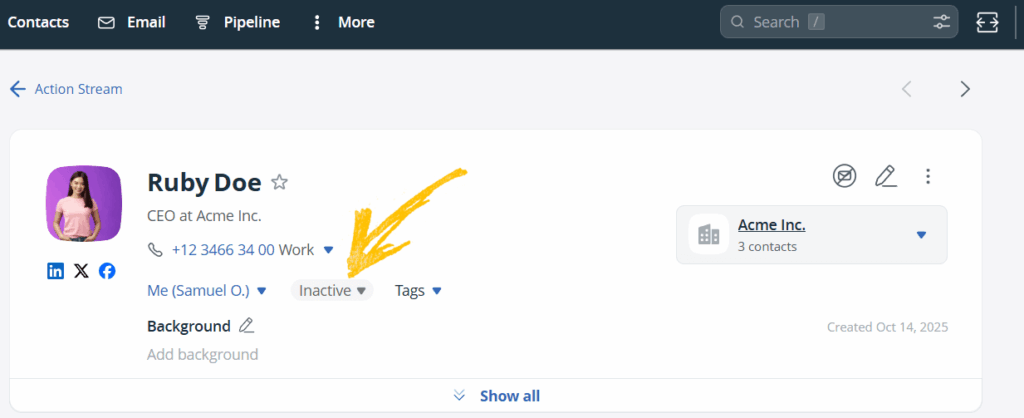
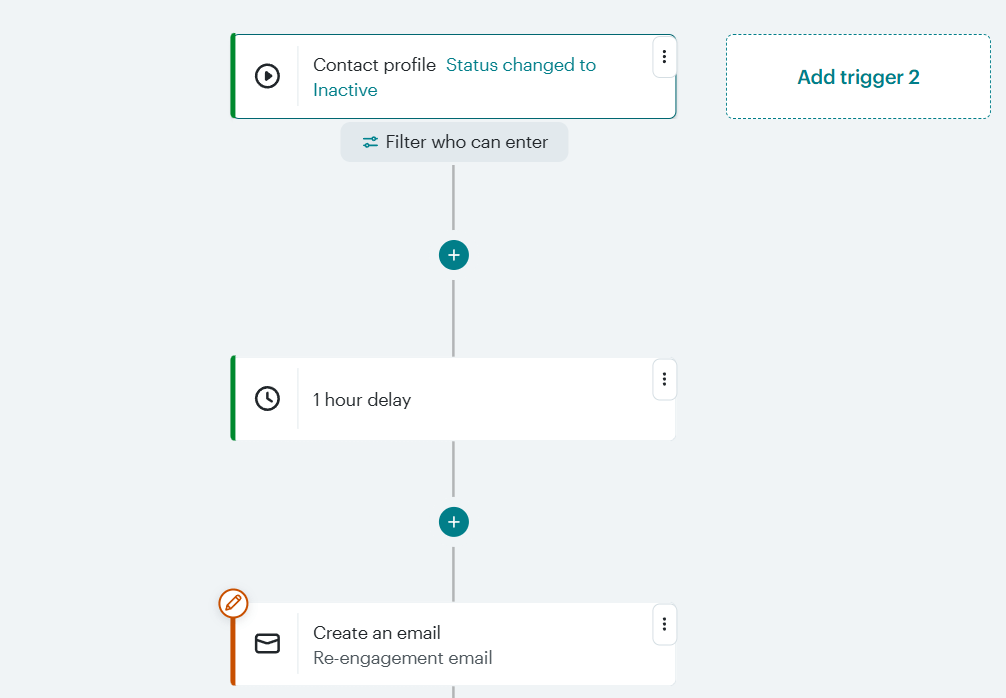
Once done, they’ll be automatically added to a re-engagement marketing campaign in Mailchimp (you need to build one beforehand).
These inactive customers will receive a series of emails to resurface your brand name in their minds. You can also offer them discounts or other incentives to encourage repeat business.
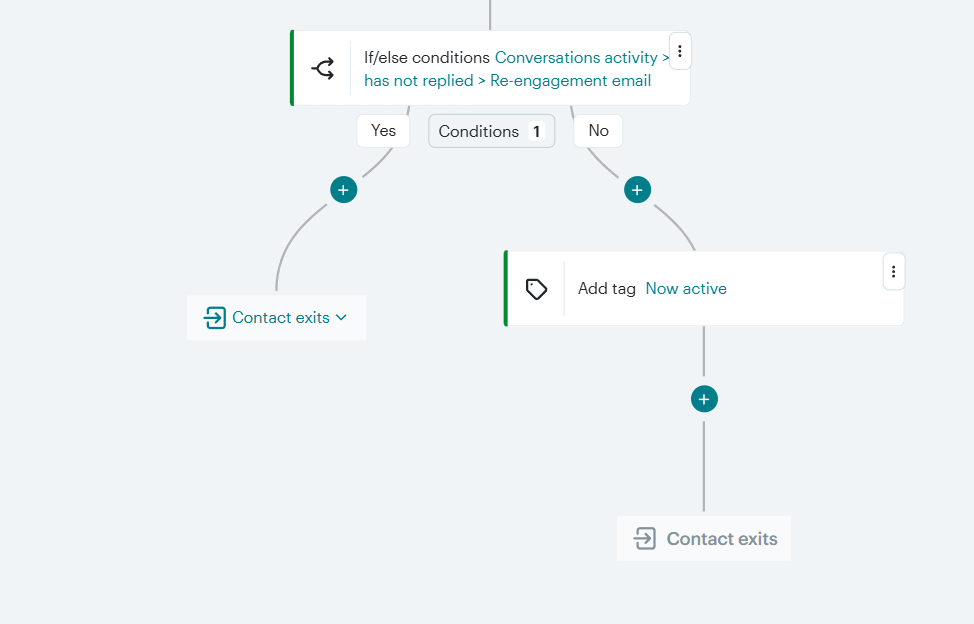
If they open, click through, or respond to the emails, you can automatically assign a tag to them in Mailchimp to indicate that they’re no longer inactive.
Mailchimp features an Inbox Messages for tracking replies to your marketing campaigns. You need to enable this feature in your Mailchimp account.
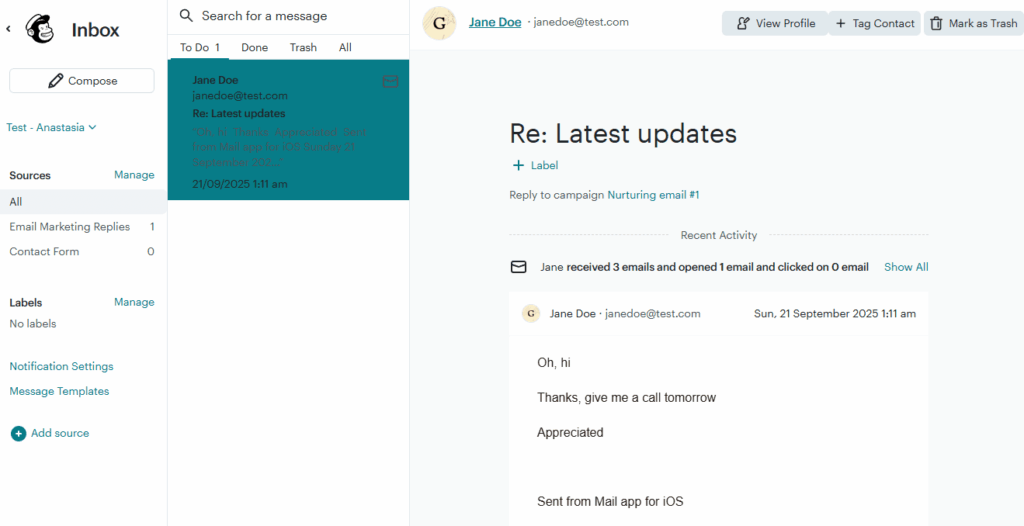
When you receive a reply to one of your marketing emails, Mailchimp will send you a notification:
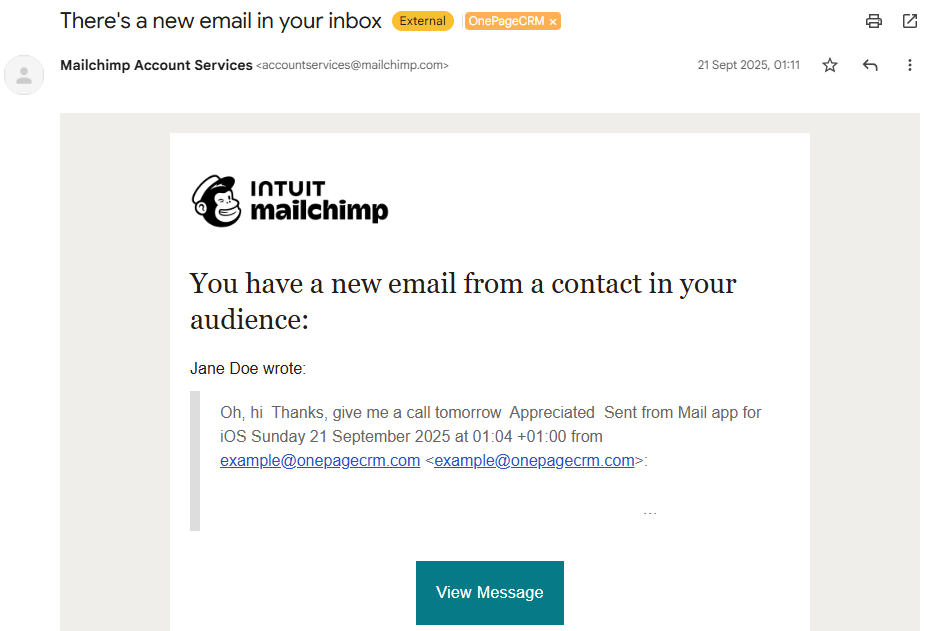
You can save the notifications email address (accountservices@mailchimp.com) in your OnePageCRM account as a contact. Then you’ll get Mailchimp notifications inside your CRM:

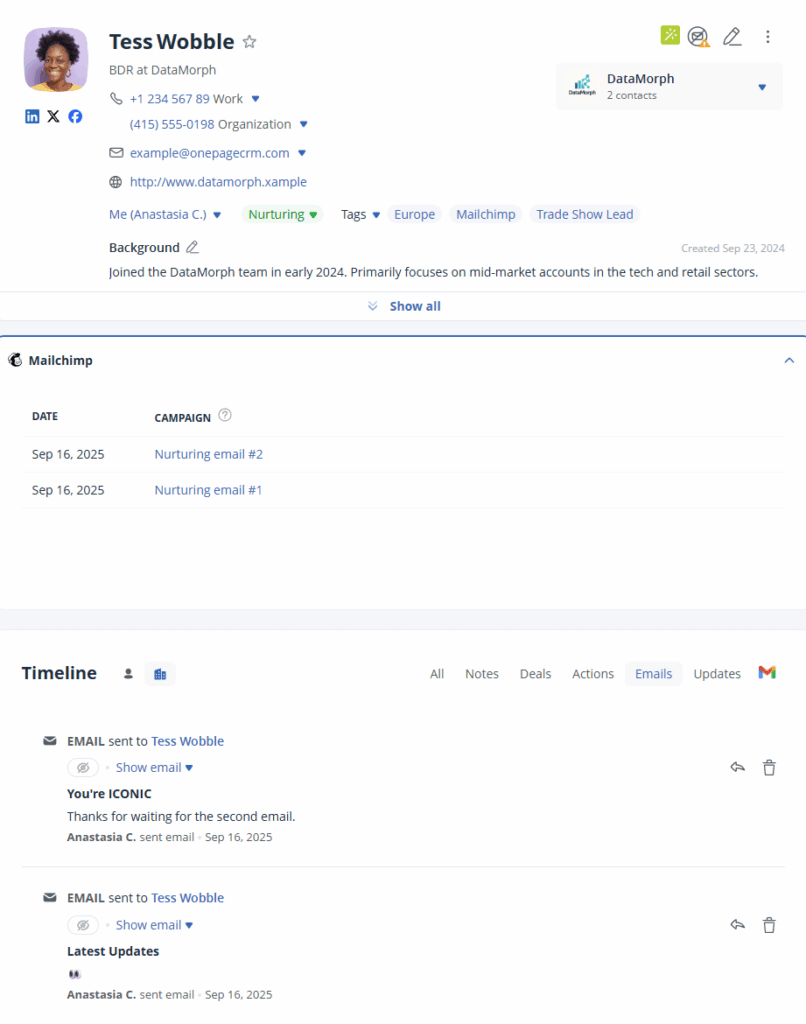
Moreover, all emails sent to your CRM contacts from Mailchimp will be synced to your OnePageCRM account—in the Mailchimp Widget and in your CRM inbox:
In this section, we’ll give you a direct comparison between the OnePageCRM and Mailchimp combination and some of the most popular CRM with email marketing.
HubSpot is a marketing automation platform with additional CRM functionality.
Pros:
Cons:
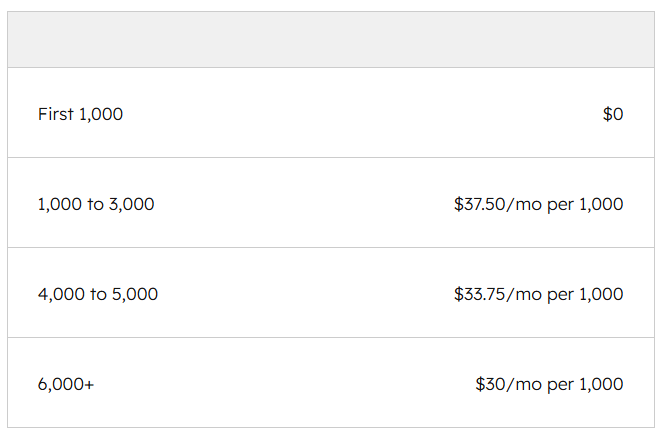
Even if you manage to shell out that much money for HubSpot’s higher subscription plan, you might find that the software’s overcrowded interface and its multitude of features make it too complicated for your small business to use.
In contrast to this, CRM email marketing automation via the OnePageCRM + Mailchimp integration costs around $35, whilst offering almost the same capabilities. You also get free onboarding and a stress-free setup.
Pipedrive is a powerful CRM platform, but its email marketing add-on has a few issues.
Pros:
Cons:
In other words, Pipedrive’s email marketing functionality is very limited. However, if you integrate OnePageCRM and Mailchimp, you get two powerful tools — a sales CRM and fully operational email marketing automation software.
Unlike Pipedrive, Mailchimp allows you to add up to 200 steps in each automation. Besides, you’ll have deep analytics tools, A/B testing, and other advanced features of an email marketing app.
Moreover, the joint cost of OnePageCRM and Mailchimp is more affordable than Pipedrive’s pricing plan, coupled with their paid Campaigns add-on.
As a 360º platform, Zoho CRM tries to help you manage your whole business from a single app. That’s why it covers tons of features, one of which is email marketing and its automation.
Pros:
Cons:
Overall, Zoho CRM’s entry plan plus Zoho Campaigns’ Professional plan starts from $35.75 per month (for more than 1,000 contacts).
| Zoho Campaigns (Professional) | Cost |
| 1,000 contacts | $9 per month |
| 2,500 contacts | $21.75 per month |
| 4,000 contacts | $30 per month |
On the other hand, you spend around $36 for the OnePageCRM + Mailchimp combo, whilst getting access to tons of extra perks like:
Moreover, as a lean CRM software, OnePageCRM is more beginner-friendly than Zoho CRM, a bloated tool with a wide range of features your small business likely won’t need.
And while OnePageCRM’s interface is intuitive and super easy to use, Zoho CRM is notorious for its overwhelming navigation and customization options, both of which require lots of training to work with.
You might be wondering why we singled out OnePageCRM and Mailchimp amongst the host of options available on the market.
OnePageCRM is the simplest and easiest-to-use CRM you’ll find. Not to mention it’s affordable, and comes with native Mailchimp integration. As for Mailchimp, it’s the most popular and powerful email marketing software in the world.
The integration of the sales CRM and marketing automation tool offers you a quick and easy setup process that you can complete in a few clicks.
It also provides you with an affordable email marketing automation option. The CRM begins from $9.95, while Mailchimp’s email marketing features start from the $20 plan (Standard). That means the unique combination will only cost you a total of $30 – $55 per month, depending on how many marketing contacts you need.
That’s much more affordable than most all-in-one platforms that combine CRM, email marketing automation, and a host of other functionalities in one system.


More than a writer, Samuel is a communications expert. He understands how confusing and overwhelming SaaS products can be. That's why he's spent 6+ years helping SaaS brands deliver simple, actionable content that makes their products easy to understand.