Best Contacts App & Contact Manager (2026)
Samuel Oyebode
March 17, 2026
15 min read



Living with ADHD often means focus comes and goes.
It’s not that you’re lazy, and it usually has little to do with motivation. Mostly, it’s about how your brain processes tasks, time, and attention.
Below are nine apps, each chosen because it addresses a specific challenge people with ADHD often face.
Not every productivity app works for an ADHD brain. In fact, many of them make things harder. They come with too many options, require too much setup, and make you click through several screens before you can do anything useful.
The apps that tend to stick share a few things in common:
The nine ADHD apps below are grouped by the problem they solve. I recommend starting with the problem that costs you the most time or stress right now.
ADHD sometimes makes it surprisingly hard to stay in touch with people. It’s easy to forget to reply, follow up, or check in, even if you genuinely want to.
The right ADHD app can help you keep track of who you need to reach out to and when, so your relationships don’t go cold.
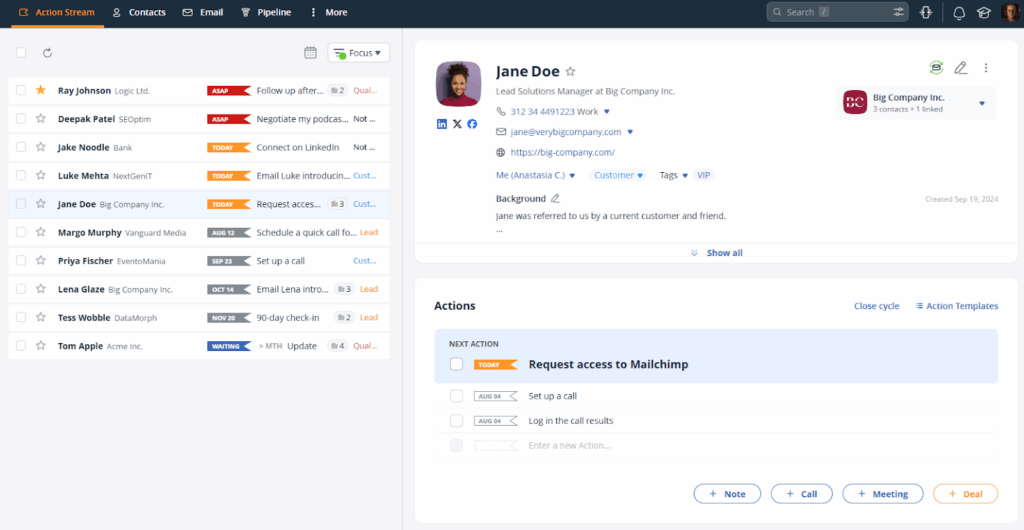
If ADHD makes you forget people you promised to call back, email, or check in with, OnePageCRM can help address exactly that.
It’s a simple contact database designed around the Next Action methodology, inspired by Getting Things Done (GTD). There’s always one clear next step, visible in front of you, so you don’t have to stop and decide what to do.
OnePageCRM’s founder, Michael FitzGerald, is neurodivergent himself. He’s spoken openly about how his dyslexia shaped the way he built the product. This partially explains why OnePageCRM’s interface is so clean, minimal, and free of distractions.
When you open OnePageCRM, you see your Action Stream, a single list of people, sorted by how urgently you need to follow up with them:
You start at the top and work down. One follow-up per contact. When you complete one, OnePageCRM asks you to set the next step right away. That’s how all your relationships keep moving forward.
What makes OnePageCRM ADHD-friendly:
Who it’s best for: People who manage clients, contacts, or relationships and keep dropping the ball on follow-ups.
Pricing starts from: $9.95/user/month
Organizing your thoughts, tasks, and ideas can feel difficult for people with ADHD. These things may float around in your head, but quickly disappear when something else comes in.
These ADHD apps can help with that.
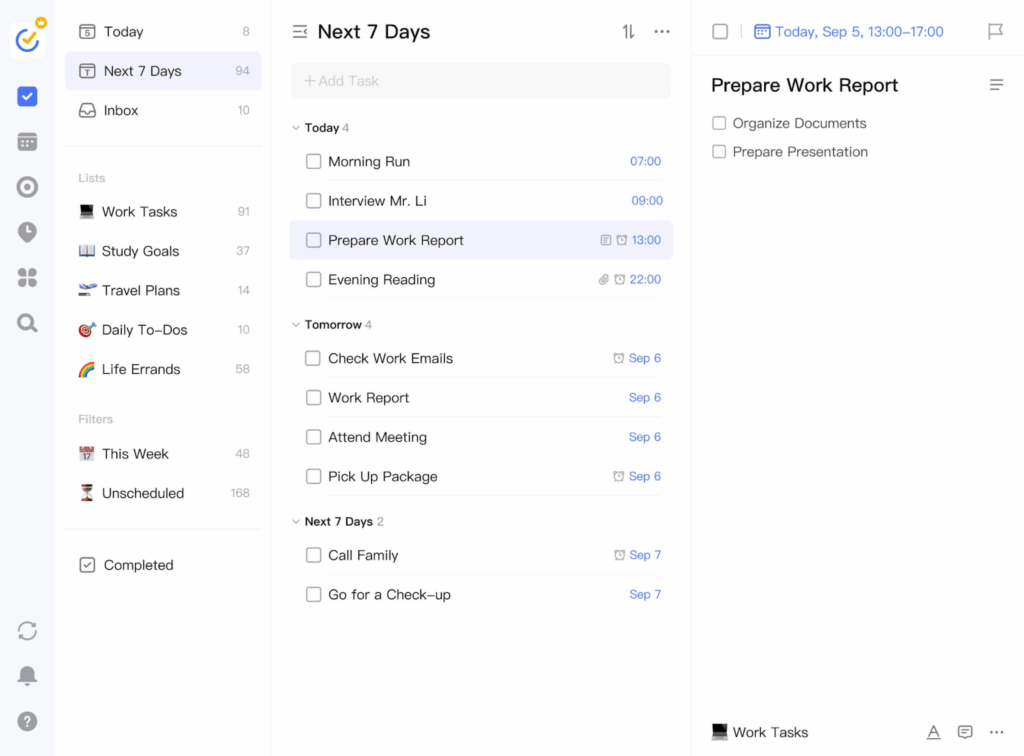
TickTick houses a calendar, to-do lists, a habit tracker, and a Pomodoro timer, all in one place.
One of its biggest strengths is how quickly you can capture tasks and ideas. You can add items from anywhere—inside the app, from a widget on your home screen, or by speaking to your phone.
The built-in Pomodoro timer also doubles as a focus tool. If you find it difficult to begin a task, a timer that tells you to put in just 25 minutes can lower the bar enough to get you going.
What makes it ADHD-friendly:
Who it’s best for: People whose biggest problem is thoughts disappearing before they can act on them.
Pricing starts from: Free plan available. Premium starts from $3.99/month ($35.99/year).
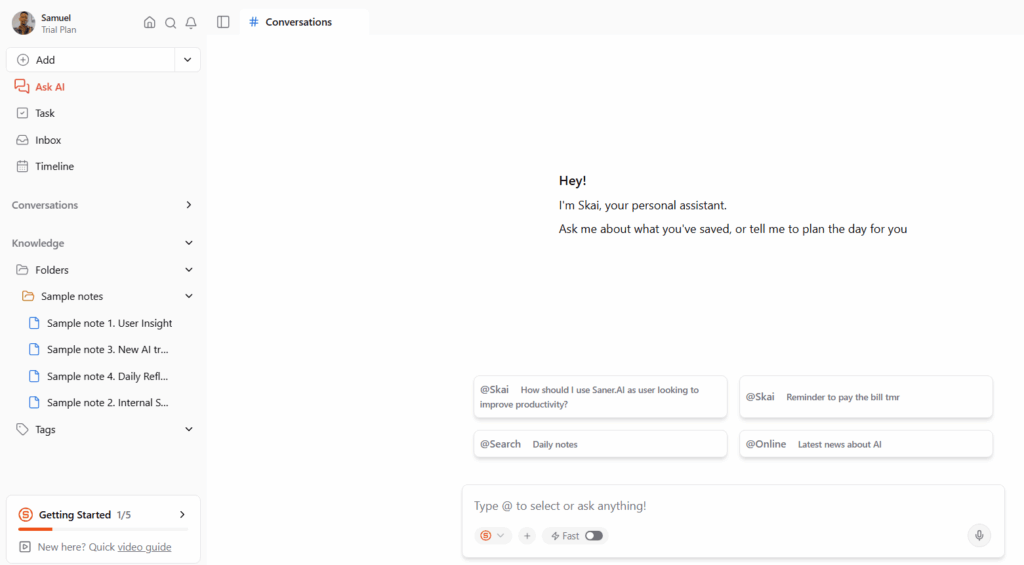
Built by people with ADHD, Saner.ai is an app on a mission to help folks with ADHD organize scattered thoughts.
You dump your messy thoughts into the app, and the AI organizes them for you. Whether it’s voice notes, long rambling text, or half-formed ideas, Saner.ai accepts it all. It then turns those inputs into clearer notes, structured ideas, or actionable tasks.
That said, the AI organization isn’t perfect. You may occasionally need to edit or adjust the results.
What makes it ADHD-friendly:
Who it’s best for: People whose ideas come fast and messy, and who always mean to organize them later, but never do.
Pricing starts from: Free plan available. Paid subscription begins from $8/month.
Time can feel slippery when you have ADHD. You can lose track of time and spend more time on a task than you really need to, or overestimate how long something will take you.
These ADHD time management apps can help.
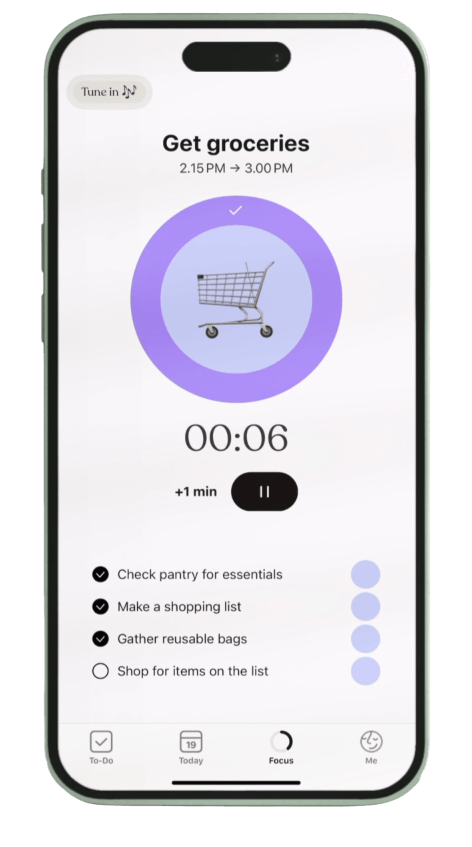
Tiimo was built specifically for neurodivergent people who struggle with keeping track of time.
The app gives you a visual timeline of your day. Each task appears with its own color and a countdown timer that runs in real time. You can literally see time passing, which helps with the time blindness that makes ADHD brains lose entire afternoons without realizing it.
Once you set up your routine, Tiimo guides you through the day and lets you know when it’s time to move on to the next task.
That said, Tiimo works best for people who follow fairly structured daily routines. If your schedule changes a lot from day to day, you may find yourself editing your timeline quite often.
What makes it ADHD-friendly:
Who it’s best for: People who lose whole chunks of the day without realizing it, or who struggle to transition between tasks.
Pricing starts from: Free plan available. Premium begins from $7/month (varies by region).
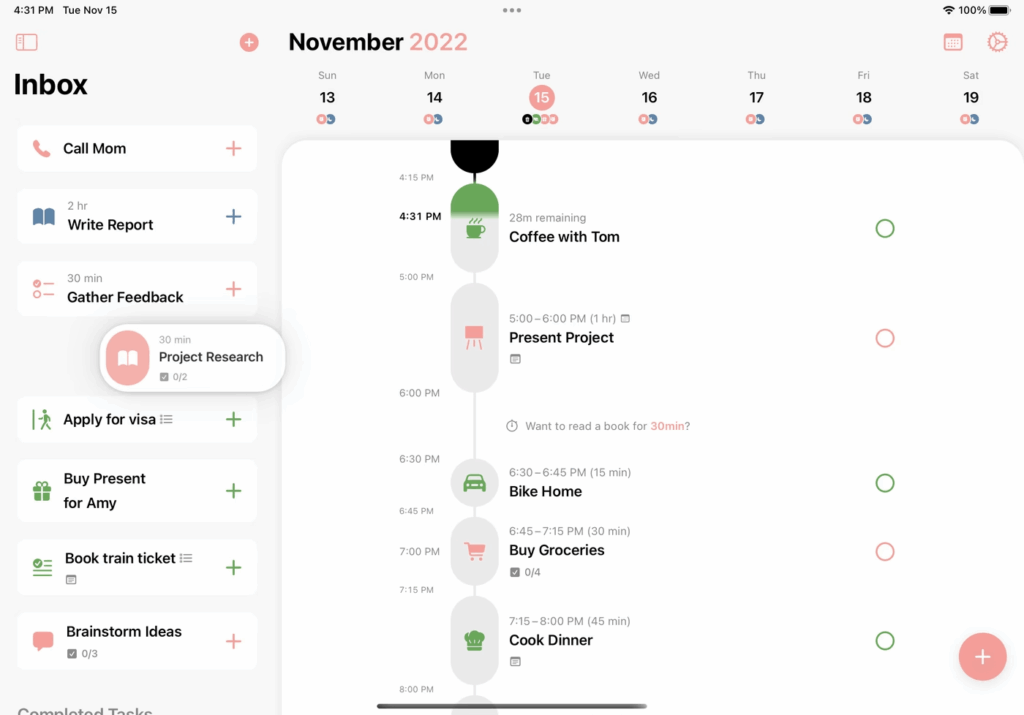
If staring at to-do lists is overwhelming for you, you’ll appreciate how Structured presents your day as a color-coded visual timeline.
You plan your day by dragging and dropping tasks, assigning them to time blocks, and giving each one a color. This turns your day into a visual map that shows your timeline, what’s coming up next, and how much time you have before your next task.
That said, Structured is purely a scheduling and planning tool. If you’d like to stay on top of tasks and get work done, you’ll need a separate tool.
What makes it ADHD-friendly:
Who it’s best for: People who need to see their day as a visual map rather than a list.
Pricing starts from: Free plan available. Pro plan starts from $6.49/month (varies by region).
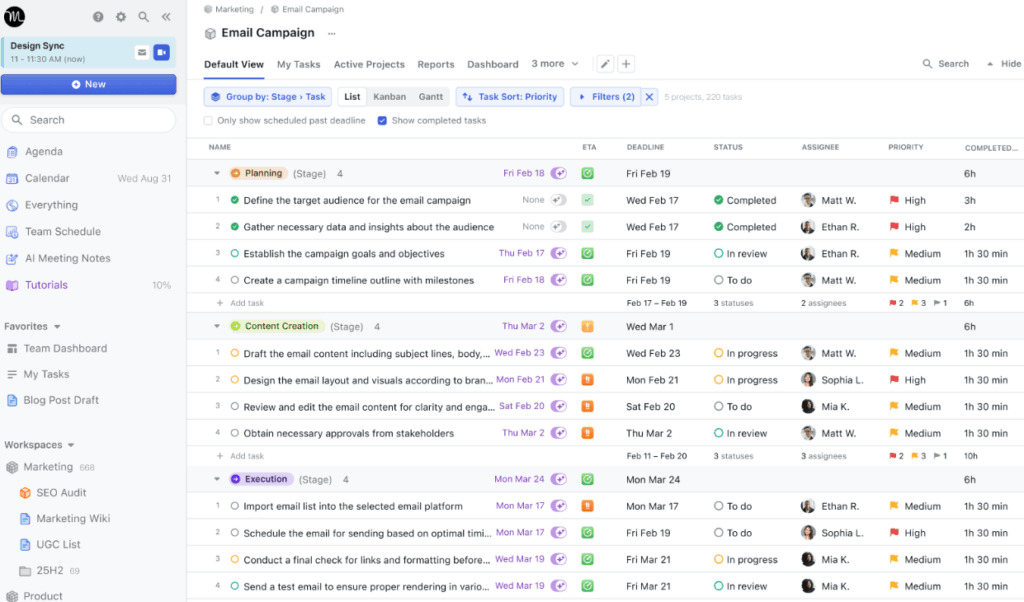
Motion (often called Motion app) works more like a hands-off planner. It uses AI to plan your day for you, so you don’t spend too much time trying to figure it out yourself.
You add your tasks, deadlines, and an estimate of how long each task will take. Motion then decides when those tasks should happen and places them into your calendar based on your availability and priorities.
If something changes, like a new task coming up, for instance, Motion automatically rearranges your schedule to keep you on track.
That said, Motion does take some time to set up properly. The system needs to learn your work style and priorities before it can schedule things effectively. It’s also one of the more expensive ADHD apps on this list.
What makes it ADHD-friendly:
Who it’s best for: People who struggle with scheduling decisions and want to hand over the job entirely.
Pricing starts from: $29/month for individuals. $19/month for teams.
Staying focused can be one of the toughest parts of working with ADHD. The apps below are designed to remove distractions and create the right mental environment for you to lock in and finish what you start.
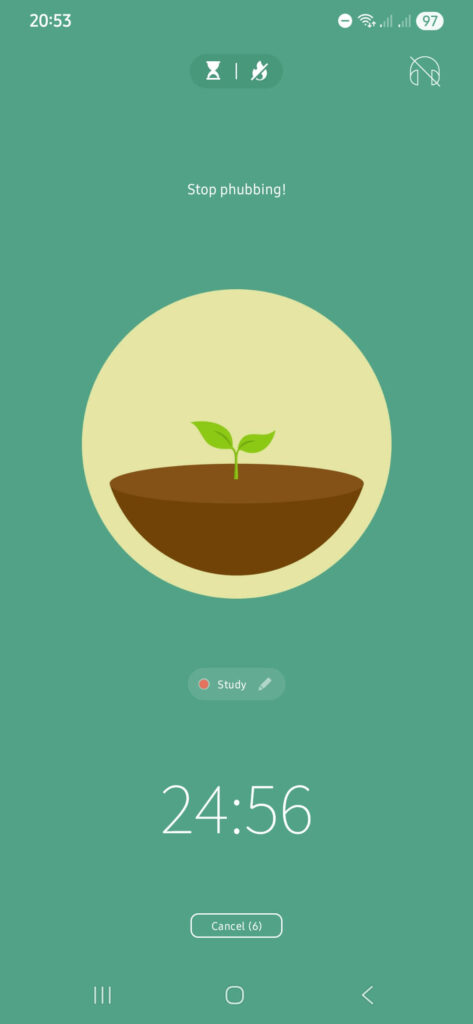
Forest uses a gaming system to help you stay off your phone.
When you want to focus, you plant a virtual tree. As long as you remain on the Forest app, your tree grows. If you leave to switch to social media or other distractions, the tree dies.
This works because it adds an external, visual consequence that makes distraction feel real for a lot of people with ADHD. Likewise, the reward of growing a forest of trees by completing focus sessions can motivate you to go on.
Forest is really just a focus timer, though. It won’t help you plan your day or structure your tasks. It only works if your phone is your biggest distraction.
What makes it ADHD-friendly:
Who it’s best for: People whose phones prevent them from focusing.
Pricing starts from: Free version available. Full features for a one-time purchase of $1.99 (Android) or $3.99 (iOS).
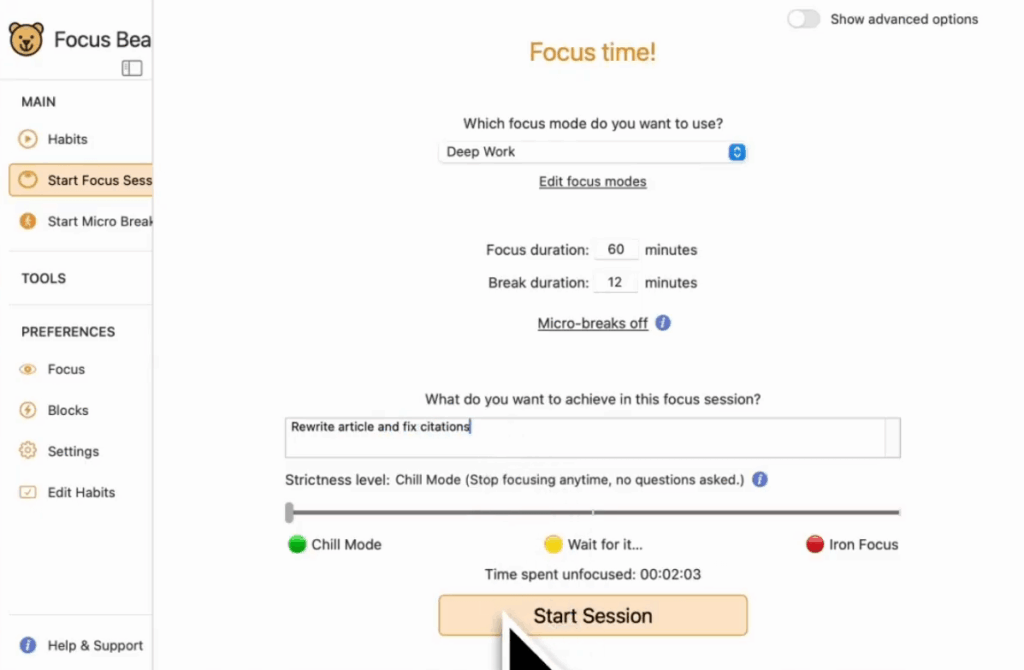
Focus Bear is a distraction blocker that keeps ADHDers away from distractions across all their devices. When you start a focus session, it blocks distracting websites and apps on both your computer and your phone.
Focus Bear has a stricter mode called Grizzly Bear. In this mode, everything is blocked except the apps you’ve specifically allowed, and you can’t override it mid-session.
Beyond blocking distractions, Focus Bear also helps you set up morning routines to support better focus habits over time.
The main downside is setup. You need to configure your block lists and routines properly for it to work well. Once that’s done, though, it runs on autopilot.
What makes it ADHD-friendly:
Who it’s best for: People whose distraction problem spans both their laptop and their phone.
Pricing starts from: $9.99/month.
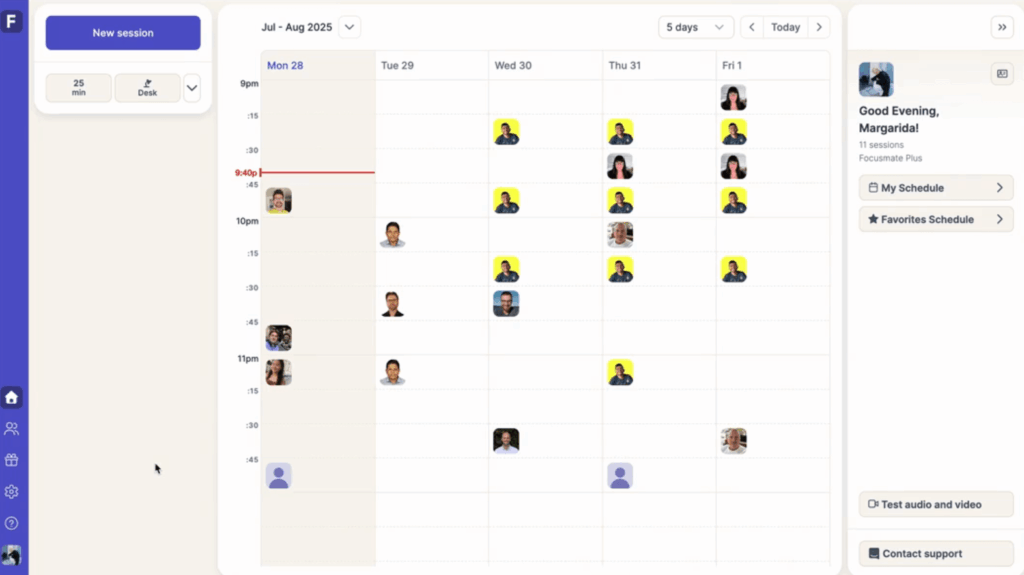
Focusmate is a co-working platform built around body doubling—one of the most effective evidence-backed strategies for ADHD focus.
You log in, book a 25, 50, or 75-minute session, and the platform matches you with someone from anywhere in the world. You both turn on your camera, say what you’re going to work on, and then work silently together until the session ends. When you’re done, you do a quick check-in, and that’s it.
You’ll need a camera and stable internet connection. You also have to be comfortable with the idea of being on video with strangers.
What makes it ADHD-friendly:
Who it’s best for: People who can only seem to work when someone else is in the room or on screen.
Pricing starts from: Free (3 sessions/week). $8/month for unlimited sessions.
It can be tempting to download five or even all the apps on this list at once. But before you do that, remember that they don’t all address the same challenges.
Start by asking yourself one question: What’s the one thing that’s costing me the most time or stress right now?
If you’re constantly forgetting to follow up with people, start with OnePageCRM. Struggle with losing track of time? Try Tiimo. If staying focused is your biggest challenge, Forest or Focusmate are good places to begin. And if your thoughts tend to disappear before you can write them down, TickTick can help.
Everyone’s brain works differently, so give the app a few weeks before deciding whether it actually works for you.
Godspeed!


More than just a writer, Samuel is a communications expert. He understands how confusing and overwhelming SaaS products can be. That's why he's spent 6+ years helping SaaS brands deliver simple, actionable content that makes their products easy to understand.