Mobile CRM apps for Android & iOS
Keep selling when you are away from your desk, on whichever phone is in your pocket.

Run business from your mobile phone
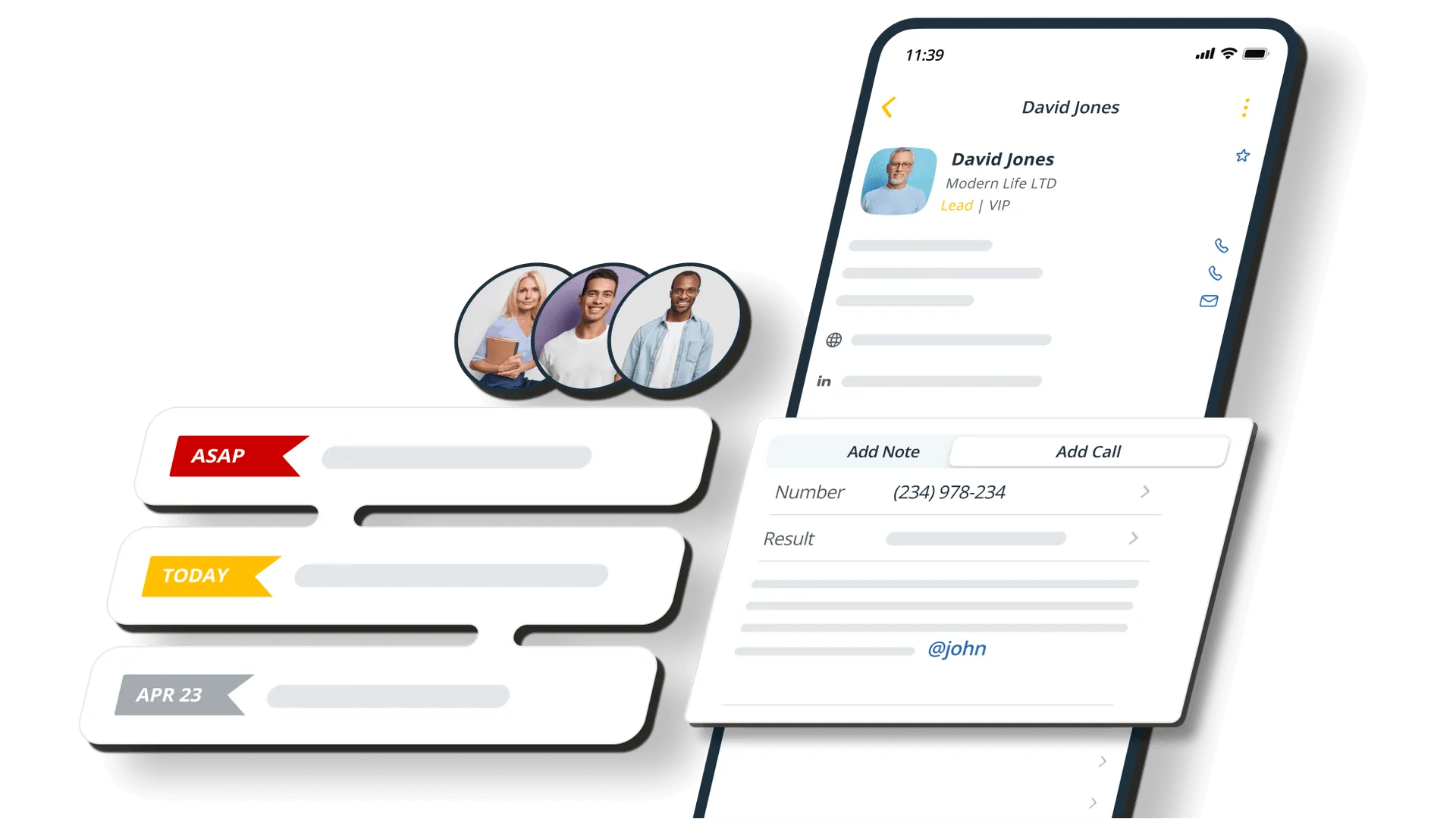
Continue selling on the go
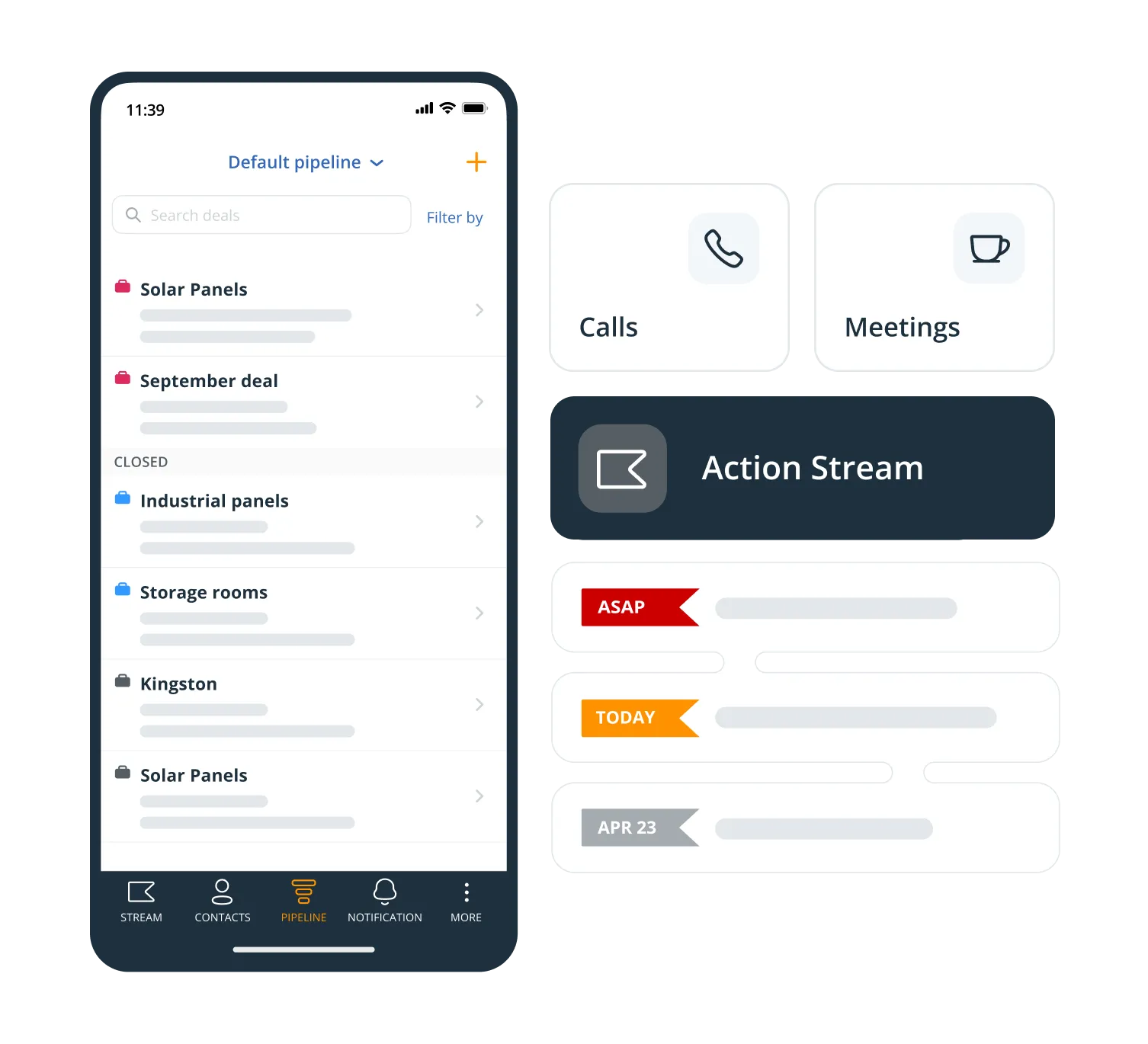
The app carries the parts of the CRM you actually use standing up: your Action Stream, the whole contact profile, and the pipeline with every deal on it.
Team Stream comes too, so you can see what a colleague owes a client while you are the one standing in front of them.
Use on iOS or Android
Both apps are free and on both platforms: the CRM itself, and On the Road for field sales. Whatever the rest of the team carries, nobody is left on the web app.


Card Scanner
Built into the app. Photograph a business card and the AI turns it into a contact.
Route Planner
On the Road builds your driving order for the day from live traffic, then times the run.
Speed Dialer
Star the contacts you need to ring and work down the list without looking any of them up.
Push notifications
Get told on your phone when work lands on you, or when somebody @mentions you in a note.
Add contacts
Type one in, pull one from your phone’s address book, or import the lot in one go.
Calls and call notes
Ring a contact through your own phone, and the app asks for the call note when you hang up.
What others say

“The OnePageCRM Mobile App has been a massive help in terms of keeping up with admin, helping us not lose clients along the way. This is a brilliant aspect of OnePageCRM. And I think that the Mobile App is worth its weight in gold just for this.”
John McLaughlin · Director at Sutherland Black
“…the best balance of cost and functionality goes to OnePageCRM.”
 Ross GolenGoogle review
“OnePageCRM had everything we needed, without all the bloat.”
 Jason KneppGoogle review
“OnePageCRM is like having an assistant I don’t have that gets our sales on a priority list, reminds me of what I need to do daily…”
 Geoff FlynnCreative and Operations Director at Brand Blue
“…the focus on Next Action is exactly what our small business needs.”
 HowardGoogle review
“They’ve helped me keep myself organized and grow my little company into a thriving business…”
 Karen SuhakaGoogle review
“The customer support provided by the OnePageCRM team is unparalleled!”
 Jennifer WaldenGoogle review
“…everyone on our team can pick up where any of us left a conversation because of the ability to keep detailed notes in OnePageCRM.”
 Bret BicoyGoogle review
“The ability to complete, track, schedule and make sense of calls, emails and interactions makes thinking about selling more productive and profitable…”
 John KlymshynGoogle review
“It’s near impossible to let any relationship fall through the cracks.”
 Lauren AyersGoogle review
“It is probably the easiest CRM I’ve ever used.”
 Robert HeineyGoogle review
“The program keeps me on track with my sales leads and communicating with my clients.”
 Roger PinedaGoogle review
“…for its dedicated purpose, it’s perfect without a lot of bloat.”
 Melody JacksonGoogle review
“…this simple extremely effective CRM tool to get organized and free up your brain space.”
 Sally EltzerothGoogle review
“…If my team haven’t logged in a note or a call with a client, I consider it to not have happened…”
 Ciara CrossanFounder and CEO at Wedding Dates
“I particularly like the full Outlook email integration, especially the open tracking feature.”
 Phil KGoogle review
The best mobile CRM for your business
21-day free trial • No credit card required • Simple setup
Frequent questions
A mobile CRM is an app that helps businesses run their CRM from a mobile device, be it a tablet or a phone. A good mobile CRM has all the important features of the desktop CRM and allows businesses have quick and easy access to their contact database.
Working on the go is becoming increasingly common in sales so you need a CRM which can keep up with you. We’re bringing OnePageCRM’s mobile app closer to our desktop version so you can manage your contacts seamlessly, both inside and outside the office.
- User-friendly interface. It should be easy to add notes to your mobile CRM, make calls, and edit contacts from a mobile device.
- Team collaboration features. While running your business on the go, you still want to be in touch with the team.
- Easy access to customer data. Your mobile CRM should allow you to quickly pull customer profiles.
- Sales Route Planner. Ideally, your mobile CRM should have a free sales route planner for easier navigation between customer visits.
- Business Card Scanner. As a small business, you and your team probably visit lots of different in-person events. A business card scanner can help you quickly upload new contacts to your mobile CRM.
Because a small business rarely has somebody sitting at a desk all day. The app is built for the ten minutes between one meeting and the next: find the contact, log the call, set the follow-up, move on.
There are two apps and both are free with any OnePageCRM account, on iOS and Android. The mobile CRM has the AI Business Card Scanner built into it, and On the Road, the sales route planner, includes the Speed Dialer.