
Best Bulk Email Sender Software
Samuel Oyebode
February 24, 2026
14 min read



Cold outreach, whether by emailing or calling, is tedious work.
The kind that only gets better if you use a cold outreach software.
However, finding the right software is like looking for a needle in a haystack…blindfolded.
In this guide, we break down what cold outreach software is and which features to watch out for. We also review the best cold outreach software for 2026.
Cold outreach is the act of reaching out to potential customers who haven’t interacted with your business before.
You’re making the first move, starting a conversation, and creating interest to see if there’s an opportunity to take things further.
A cold outreach software is what helps you do this.
That is, it’s designed to help you find leads, reach out, track who engages with you, remind you to follow up with people who don’t respond, and keep all your conversations organized in one place.
Some cold outreach tools focus purely on email. Others throw in one or more channels like calling, social media (like LinkedIn), or even SMS.
Cold outreach software often include tons of features.
Below, we compile the essential features of a cold outreach software for small businesses.
Before you think about writing emails or making calls, you need to first and foremost find and document who you’ll be reaching out to.
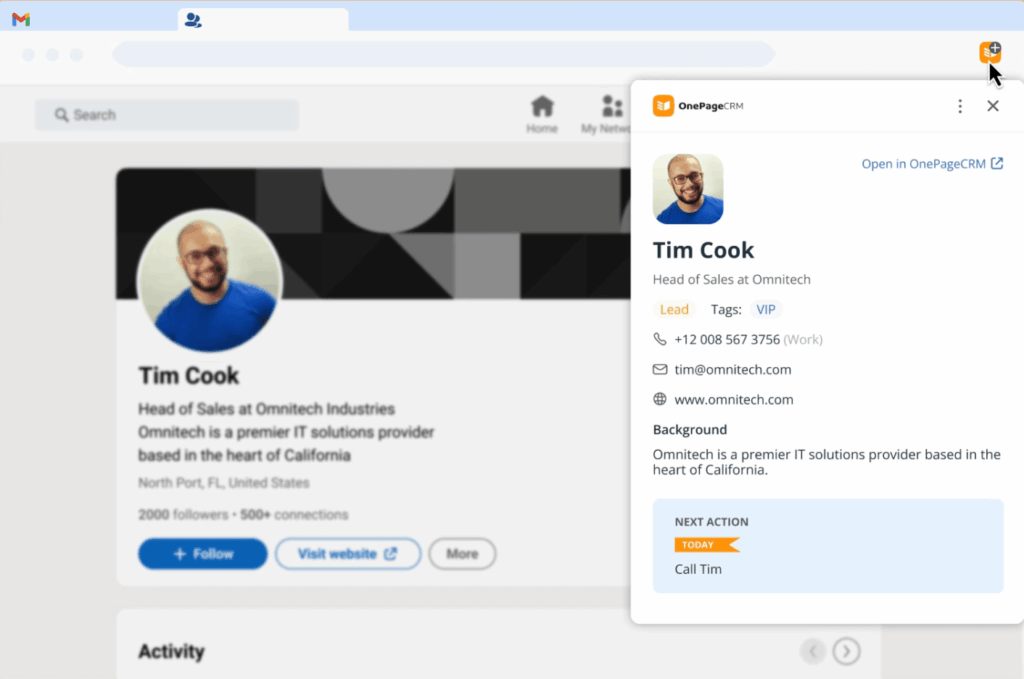
A proper cold outreach software comes equipped with tools for capturing leads and their info from websites and social media platforms.
An ideal cold outreach software offers a two-way sync with your email client (Gmail, Outlook, or others).
That is, it connects your existing email account to your cold outreach software so you can send and receive emails right from the app.
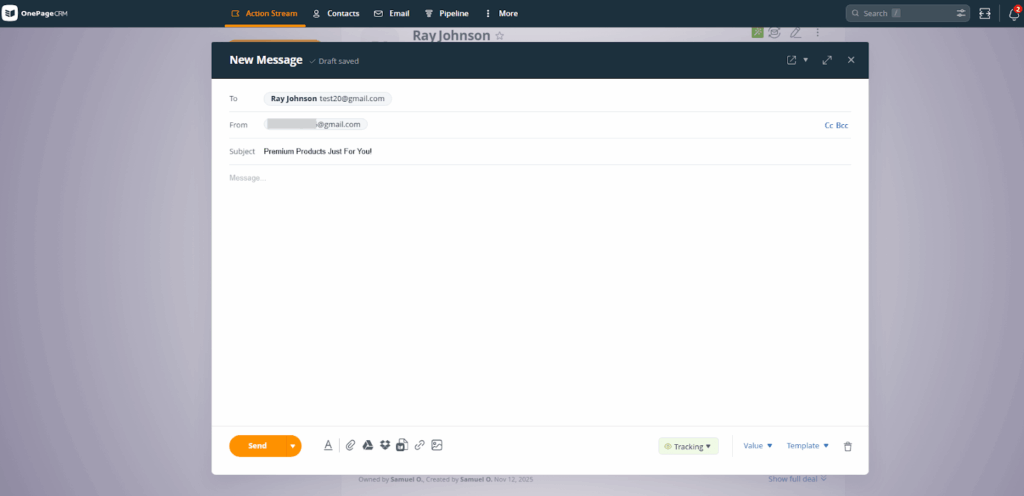
Moreover, emails you send through the cold outreach tool, as well as replies you get from leads, are recorded inside the tool.
The average response rate for a cold email is low (around 4% to 5%), and a lot of the time, it’s because prospects just forget to reply.
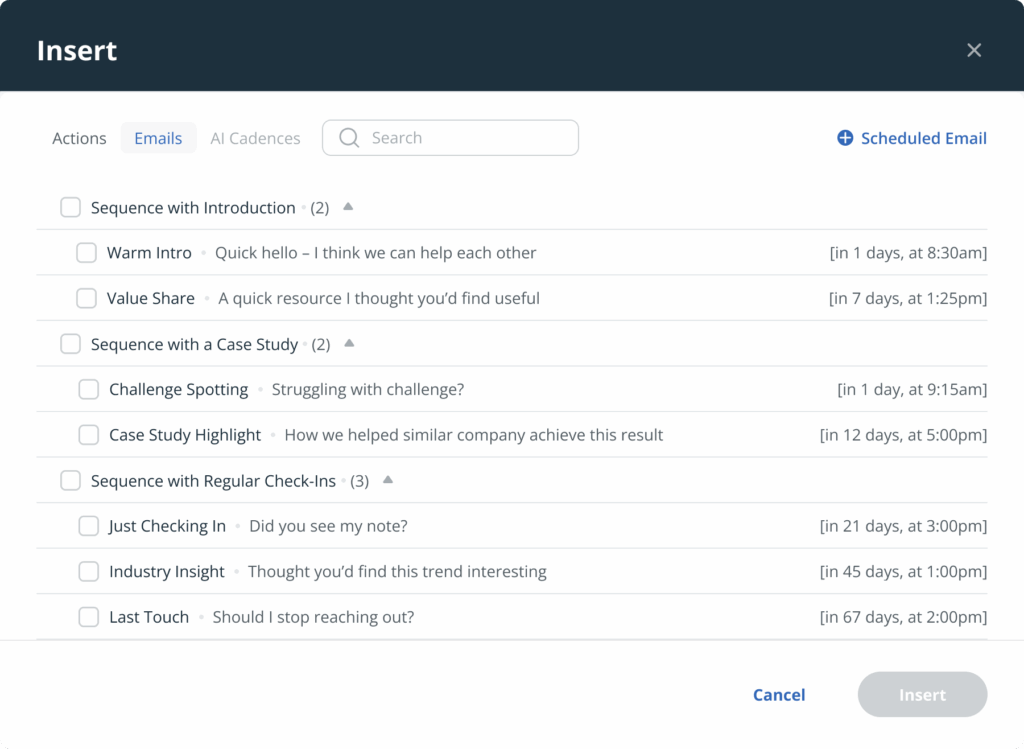
That’s why every cold email outreach software needs email sequences for automatic follow-up.
This feature lets you set up a series of emails that go out automatically, one after the other. These emails are sent out based on a fixed schedule or your recipient’s behavior (e.g., no response to your initial email within X amount of time).
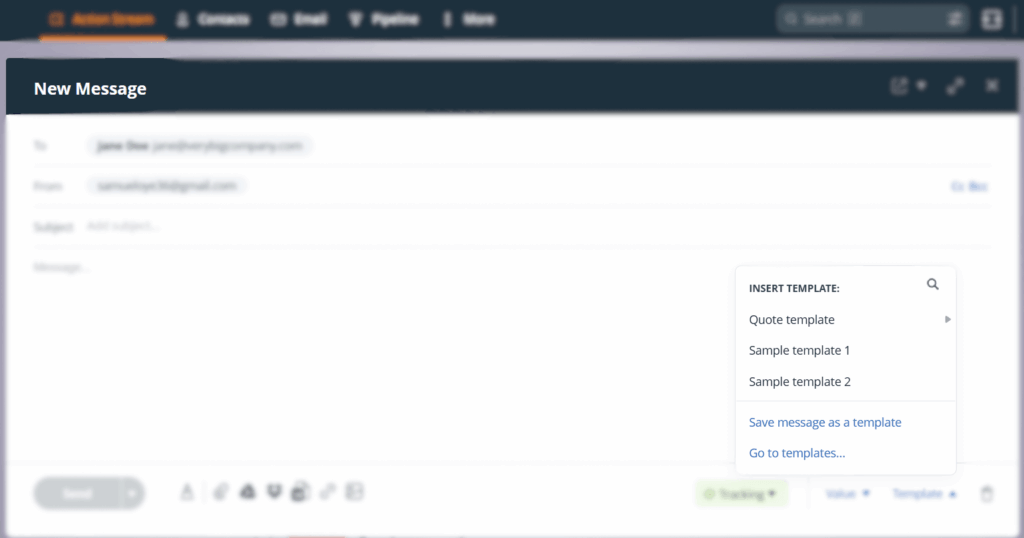
When you’re doing cold outreach and have several tens or hundreds of prospects to go through, having custom email templates in your cold outreach software can save the day.
You can use them whenever you want to send out a similar message. This comes in real handy for common cold outreach scenarios like introductions, follow-ups, sales quotations, and more.
When you’re doing cold outreach to many different leads, one thing you want to avoid is sending a generic email to every single prospect.
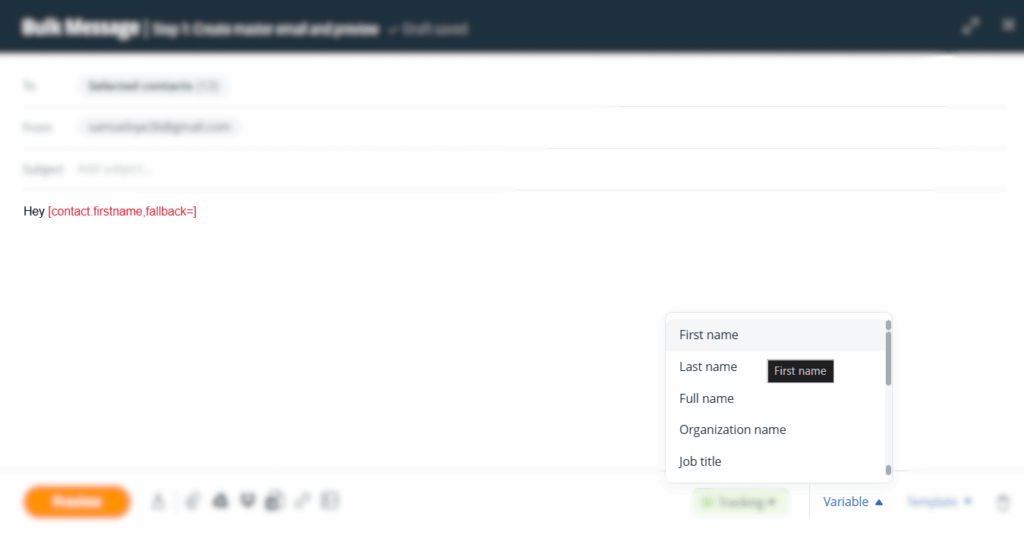
That’s why email personalization is so important for every cold email outreach software.
It lets you add mail merge tags (placeholders like {{FirstName}}, for example) to your emails, after which it automatically replaces them with your recipient’s unique information—which, in this example, is their first name.
Open tracking tells you exactly when a prospect opens your email. In some cases, you can also see how many times they opened it or whether they clicked any links inside it.
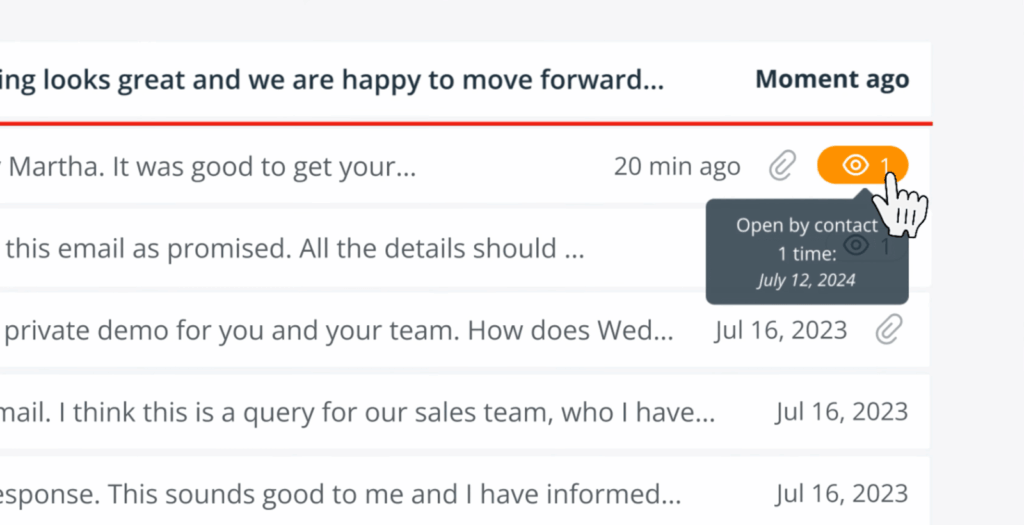
If someone opens your email multiple times, that’s a telltale sign that they’re likely interested, but need a little nudge to take the next step. And with this realization, you can send another email that addresses their hesitance and/or doubts.
Sending out cold emails is great, but some people respond better to phone calls. That’s why some of the best cold outreach software have a click-to-call feature that lets you place calls with one click.
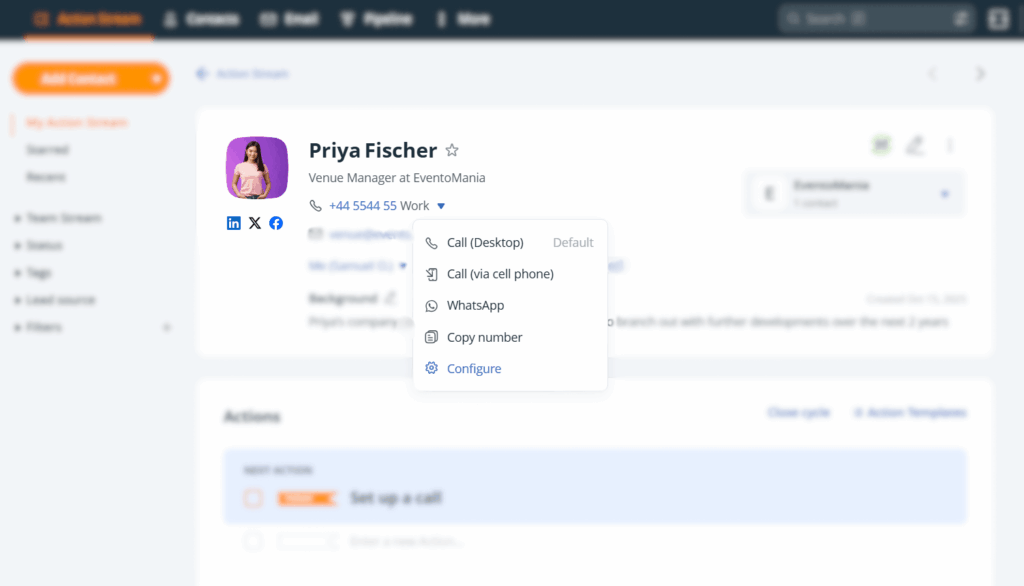
To help you get through a large list of prospects, some software also provide a speed dialer (sometimes called a power dialer or sales dialer). It automatically dials through a list of contacts one after the other.
There’s always more to do after sending that cold email or making that cold call. For instance, you may need to call or email the prospect again after a few days or get together for a lunch meeting the month after that.
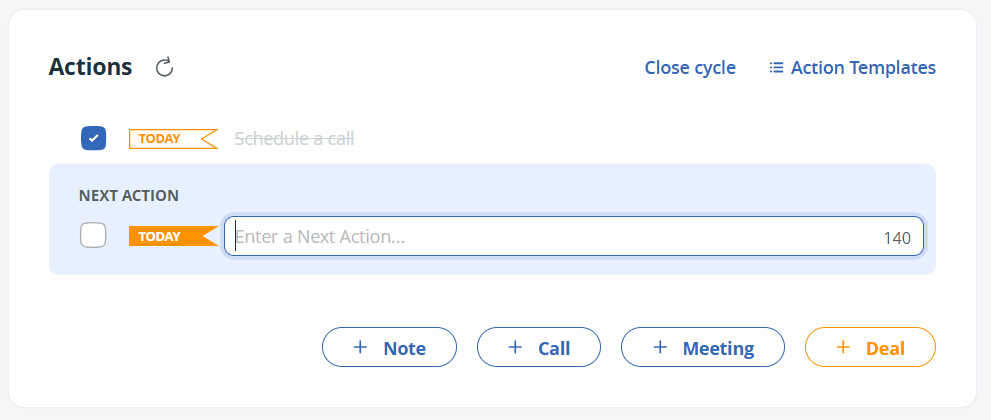
To stay on top of all these activities, your cold email outreach software must include follow-up reminders. That is, it should let you schedule tasks for each lead and remind you to follow through.
Below, we review six of the best software for cold email outreach and cold calling in 2026.
| Cold outreach software | Starting price | Best used for |
|---|---|---|
| OnePageCRM | $9.95 | Highly personal cold outreach |
| Close | $9 (1 user max) | Cold calling |
| Instantly | $37.6 | Large-scale outreach |
| Apollo | $49 | Finding cold leads |
| Lemlist | $63 | Personalized images & videos |
| Reply.io | $49 | Multi-channel cold outreach |
Let’s go into each software’s offerings, pros, and cons.
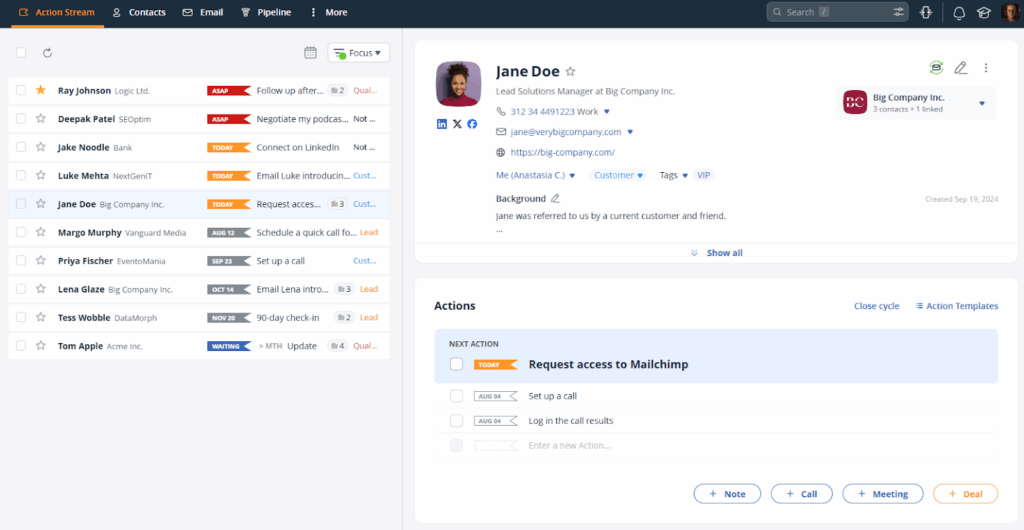
As a cold outreach software, OnePageCRM gives you a free browser extension that captures leads and creates full profiles for them in one click.
The software connects to your email account, allowing you to send cold emails from inside the system. Every email you send, as well as any response from your lead, is automatically recorded in said lead’s profile.
If you have tons of leads to reach out to, OnePageCRM offers you a bulk email sender with email templates to help you speed things up.
OnePageCRM also features email sequences, a click-to-call tool for cold calling, as well as a speed dialer that helps you quickly reach out to a long list of cold leads one after the other.
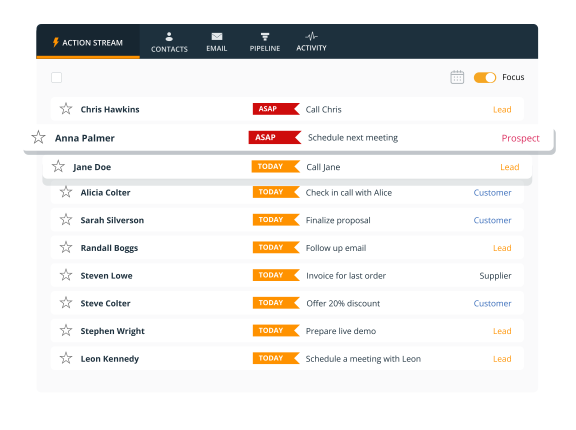
And after sending out that cold email or making that cold call, OnePageCRM prompts you to set follow-up reminders. It even automatically arranges these follow-ups by urgency, so you’re always interacting with the right lead at the right time.
Top Features:
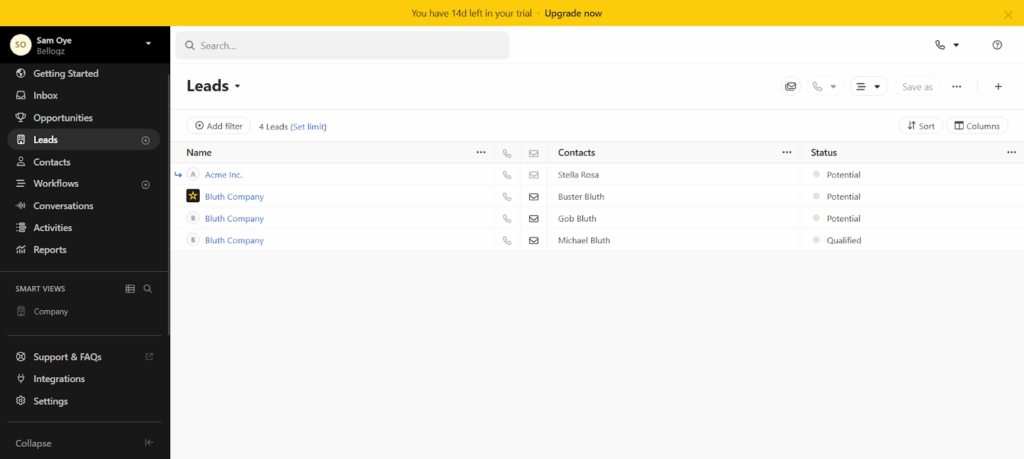
Close supports cold email outreach, but it’s mostly preferred for its calling functionality.
Its standout feature is its built-in phone system (VoIP) that lets you call someone instantly from your computer. And with the power dialing feature, you can call through a list of contacts without manually dialing each number.
Close also lets you set up sequences that mix emails, phone calls, and text messages.
Other parts of this software’s outreach capabilities are its pipeline management for tracking leads, task reminders, and team reporting dashboards that show who’s making the most calls and closing the most deals.
That said, Close’s pricing can get expensive. The entry Solo plan starts at $9 per month but only allows one user and doesn’t include automations. Most teams will need the Essentials plan, which is priced at $35 per user/month. And if they need email sequences and advanced automations, they’ll even require the Growth plan at $99 per user/month.
Moreover, if you decide to move your existing business phone number to Close, you can’t use it to send or receive SMS or receive calls on Close. You’ll also be charged for any outbound calls you make from inside Close’s system.
Top Features:
Pricing: $9 per user/month (Limited to one user)
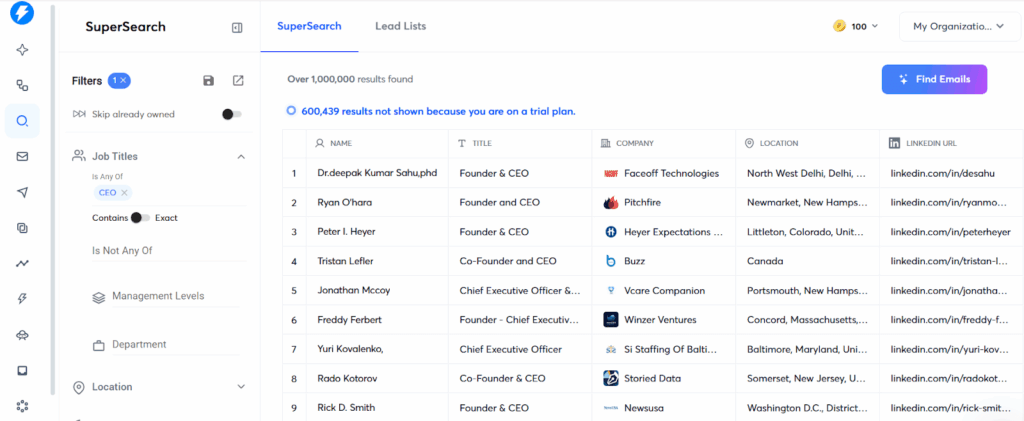
Instantly is a cold email outreach platform built for scale. It connects to an unlimited number of email accounts, allowing you to send loads of emails without breaching the daily sending limits on any of the accounts.
And so you can manage replies more easily, this cold outreach software combines all the replies from your different email accounts into one unified inbox.
Instantly also offers automatic email warmup to make your email accounts look trustworthy and give your cold emails a higher chance of landing in the primary inbox of your prospects.
Instantly offers you email sequencing with personalization variables. You can also track performance with detailed analytics, use the built-in AI tools to write emails, and leverage the built-in lead database called Supersearch (over 450 million contacts).
That said, Instantly has separate pricing for its outreach, lead database, and lead tracking capabilities. The cold outreach software also has no calling features, and its interface can be difficult to learn and use, especially for smaller teams.
Top Features:
Pricing: $37.6/month
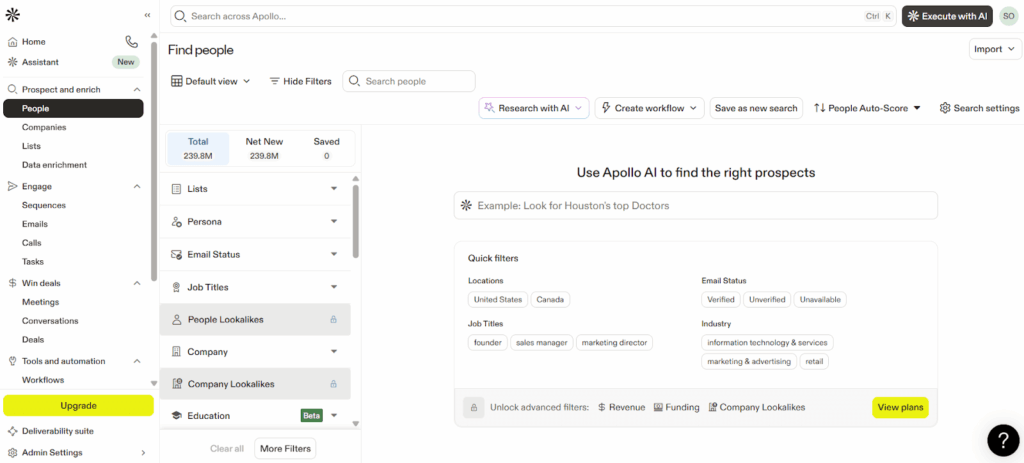
Apollo is well-known for its massive database. It gives you access to over 210 million contacts and 35 million companies with filters for job title, company size, industry, location, and more. Then, it provides you with the tools you need to launch a cold email outreach to them.
Apollo includes email sequencing, open tracking, and a built-in dialer for making calls. The platform also supports multichannel sequences, where you can combine emails, calls, and LinkedIn into one automated workflow.
The major downside of Apollo is the credit system. Most actions—such as finding email addresses, revealing phone numbers, and exporting data—consume credits. And these credits expire at the end of each month, even if you don’t use them all.
Top Features:
Pricing: $49 per user/month.
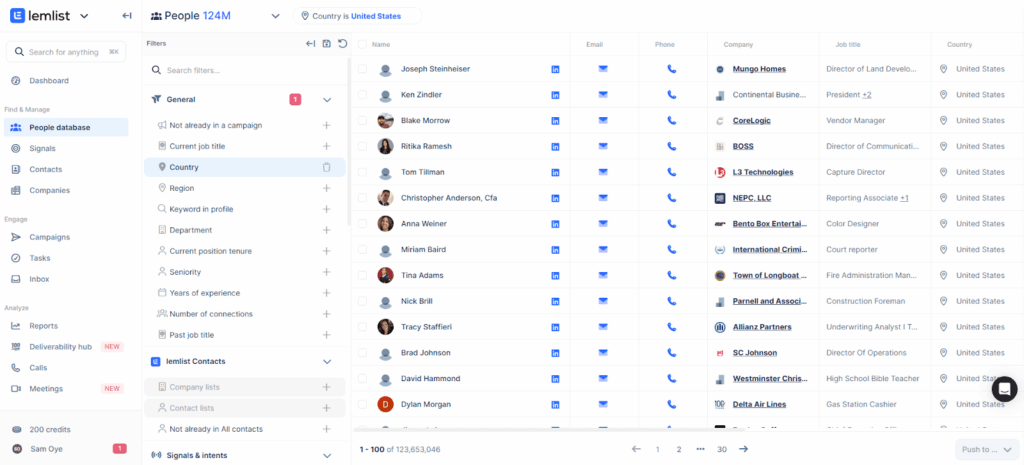
Lemlist offers one of the most creative personalization functionalities you’ll find in any cold outreach software.
The platform’s signature feature is dynamic image personalization. You create an image (like a screenshot or graphic), and Lemlist automatically inserts your prospect’s name, company logo, or website screenshot into it.
Lemlist also supports video personalization. You can record a video once, and the platform will automatically create custom thumbnails for each recipient, showing their name, company, or other unique info.
Beyond personalization, Lemlist includes standard cold outreach features like email sequences, A/B testing, and email warmup. The software also has a built-in lead database for finding cold leads.
Top Features:
Pricing: $63 per user/month
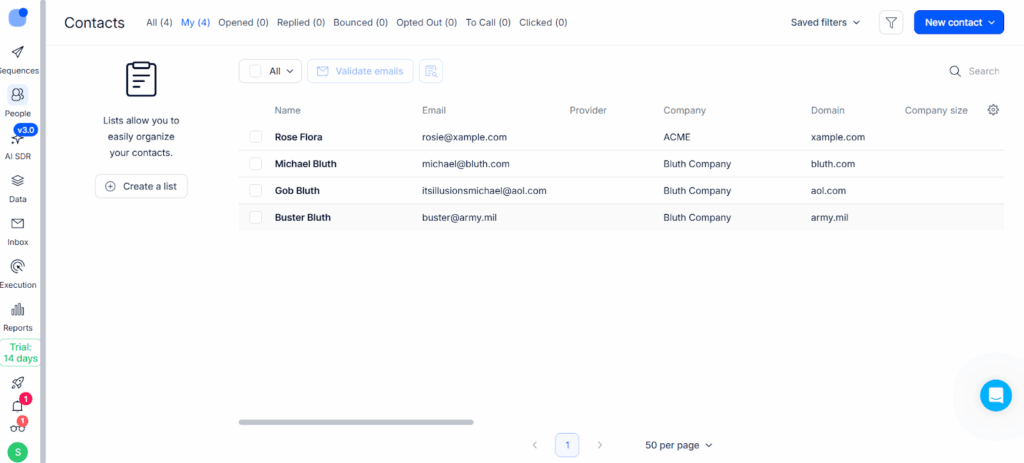
Reply.io’s biggest strength is its multichannel automations. This software lets you reach prospects across multiple channels, including email, LinkedIn, phone calls, text messages, and even WhatsApp.
Beyond that, Reply.io houses features like email sequences, email warmup, and anti-spam. The platform also has a built-in database (1+ billion contacts) with email verification.
Reply.io includes AI tools that help you write emails, find the best times to send messages, and respond to prospects. One particular AI feature — dubbed “AI SDR” — even handles basic conversations and books meetings without human involvement.
However, Reply.io has a LinkedIn automation problem. Automating LinkedIn connection requests and messages violates LinkedIn’s terms of service and can get your account restricted or banned. Reply.io builds these features in, but you use them at your own risk.
Pros:
Pricing: $49 per user/month
Each cold outreach tool on this list solves a distinct problem.
For instance, Instantly is great for high-volume email campaigns, Close is a smart choice for cold calling, and Apollo gives you a massive B2B contact database.
If personalized images and videos are what you’re looking for, Lemlist can help. And if you want to run campaigns across email, LinkedIn, calls, SMS, and WhatsApp, Reply.io may just be what you need.
But if your small business relies on personal conversations and following up with leads consistently, OnePageCRM is a great choice.
It comes with all the essential cold outreach features, yet maintains a simple interface and has a low starting price of just $9.95 per user/month. You can even use it free-of-charge for 21 days (no credit card details needed).


More than just a writer, Samuel is a communications expert. He understands how confusing and overwhelming SaaS products can be. That's why he's spent 6+ years helping SaaS brands deliver simple, actionable content that makes their products easy to understand.