NEW Email Sequences and AI Assistant are live now


 All product updates
Potential customers visit your website all the time, but not all of them fill out a form. Some just want a quick answer.
You can generate a WhatsApp chat button in your CRM account and embed it on your website.
When a visitor clicks it, a WhatsApp conversation opens with your business number.
You can create and customize the button inside your CRM account.
Once the button is ready, copy the code snippet and paste it into your website. The button will appear on every page where you add it.
It’s a handy feature for WhatsApp-centric businesses to connect with potential customers.
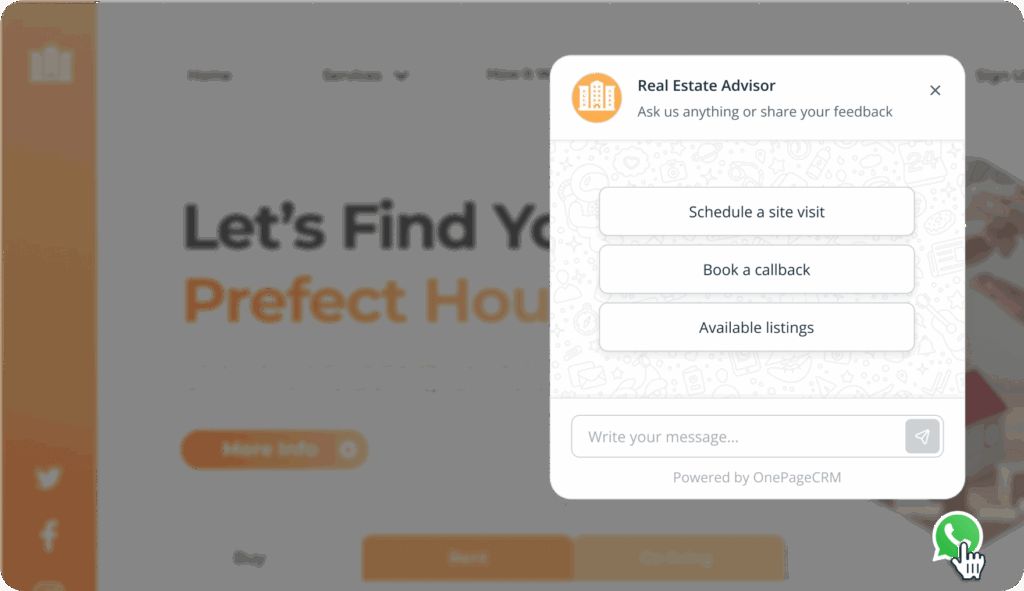
Not every lead is ready to book a demo or fill out a contact form.
A WhatsApp button gives them a low-friction way to reach out to your business. They tap the button, type a question, and get a response on an app they already use every day.
For a small business, being easy to reach is a competitive advantage.
If a significant share of your website traffic comes from mobile, a WhatsApp button fits naturally into how those visitors communicate.
Filling out a form on a phone is tedious. Typing a quick WhatsApp message is second nature.
WhatsApp is the most popular messaging app in many countries outside the US.
If you serve clients in Europe, Latin America, or Asia, WhatsApp is a go-to channel for many customers there.
It also removes the cost barrier of international calls. A prospect in another country can reach you instantly without worrying about rates or time zones.




