Zoho CRM is known for its long feature list. And that's usually enough to attract a lot of small businesses.
But of course, what works for a lot of businesses won't work for all of them.
The good news is that there are plenty of other options. In this post, we'll go through some of the best Zoho alternatives, focusing only on small business CRMs. We have tested and researched each one in depth to see how well it works for a small business.
For each alternative, you'll see what it does better than Zoho CRM, where it falls short, what it costs, and how its users rate it.
Why do small businesses look for Zoho alternatives?
Zoho CRM has a lot going for it, but plenty of small businesses still walk away from it. Some do so after years on the platform, while others try it out and decide against it early on. Either way, the same three problems keep coming up.
To see how real those problems are, we created a Zoho account and used it for weeks the way a small business would.
The low price doesn't stay low
Zoho CRM's entry plan costs $14 per user/month, and there's a free plan for up to three users. It looks like one of the better deals in the CRM market. The problem is, the price only provides a part of what you'll need.
File storage is small, and extra space costs money. Data backups are free twice a month, and after that, you pay per backup. Better customer support is a paid upgrade. Even emailing is capped, since the entry plan allows just 50 emails a day. In fact, users say these low limits are exactly what pushes many businesses into upgrades they never planned for.
It's a bit complex
Zoho CRM is a dense system. There are many tabs, modules, and settings, and almost everything can be customized. Learning it all takes serious time and training, which most small businesses simply don't have.
That's why many Zoho customers hire a partner or a developer to set the CRM up for them. Users say the software barely works out of the box, and some describe spending a fortune to get it working right. Zoho seems to be aware of this, too.
Good support costs extra
Every Zoho customer gets support, but not the same support. The standard tier is available eight hours a day, five days a week, and the response time can be up to eight hours. For faster and more available help, you'll need to pay an extra 20% of your subscription.
Many small businesses find this setup backwards, since the ones on cheaper plans usually need the most help. And according to users, paying doesn't always fix it. Some report high-priority tickets going unanswered for a week on the premium tier, and others describe issues that stayed open for months.
How we ranked these Zoho alternatives
Every CRM on this list was evaluated with the VIS framework, the same one we use in all our small business CRM reviews.
VIS stands for Value, Impact, and Speed. Value asks whether you get your money's worth. Impact looks at how much the CRM improves the way you sell. And Speed is about how quickly a beginner can learn the tool and start working in it.
To score these CRMs, we opened an account with each one, added contacts, managed deals, and tried out all the other parts of the software.
Zoho alternatives comparison table
Before we go through the alternatives one by one, here's how all eight CRMs compare.
| CRM | Pricing | Best for |
| Zoho CRM | $14 per user/month (free plan available) | All-in-one business management |
| OnePageCRM | $9.95 per user/month | Following up and advancing deals |
| Bigin | $7 per user/month (free plan available) | Simple deal management on a tight budget |
| Freshsales | $9 per user/month (free plan available) | Omnichannel outreach |
| HubSpot | $20 per user/month (free plan available) | Marketing and sales in one place |
| Salesforce Starter | $25 per user/month | Advanced reporting and analytics |
| Monday CRM | $12 per user/month (3-seat minimum) | Building a custom CRM setup |
| Agile CRM | $9.99 per user/month (free plan available) | Sales, marketing, and service on a budget |
The 7 best Zoho alternatives
OnePageCRM | Best for following up and advancing deals
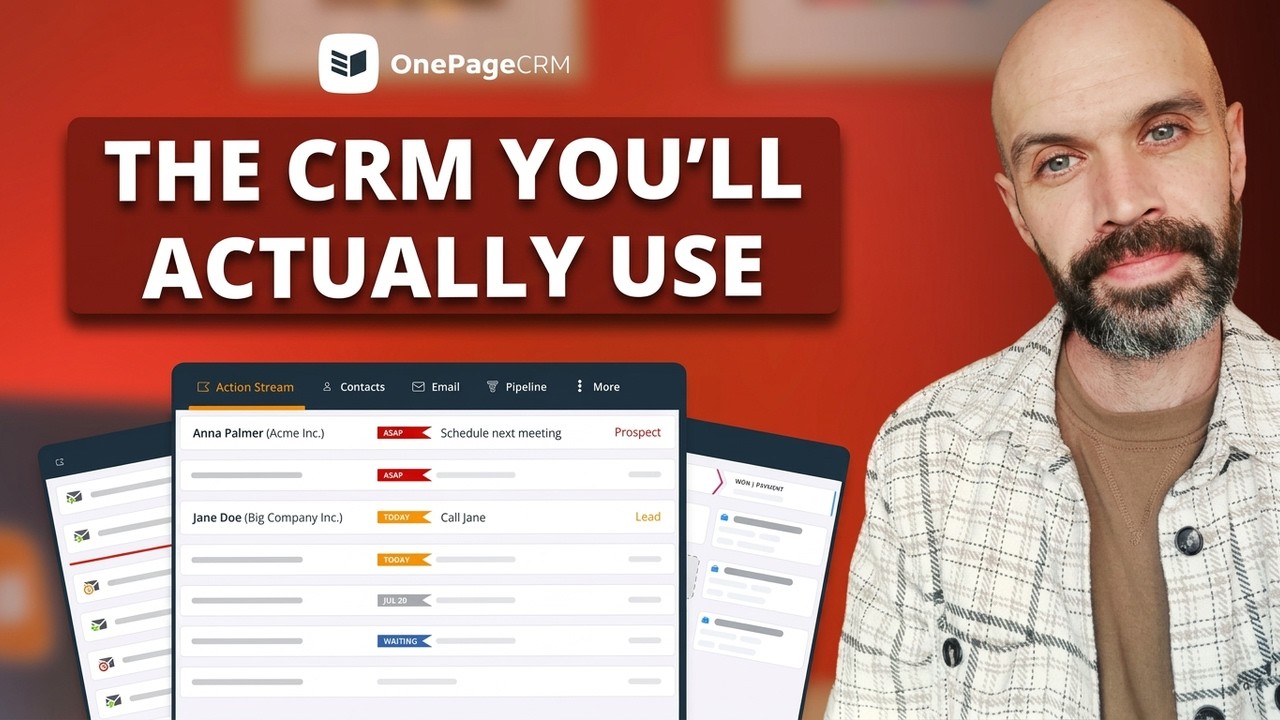
OnePageCRM is a sales CRM built for small businesses. Every contact in it gets a follow-up action, and the CRM sorts your whole list by how urgent those actions are, so you always know who to contact next. Everything happens on one page, where you can also email contacts, make calls, track deals, send quotes, and manage the delivery of what you sold. And if you'd rather talk than type, you can manage it all by chatting with an AI assistant.
What OnePageCRM does better than Zoho:
- You'll never forget a customer. Every contact in OnePageCRM carries a follow-up action, while tasks in Zoho don't have to be tied to anyone.
- The CRM is much easier to learn. Everything runs on one page that looks like an email inbox. Zoho, in contrast, spreads your work across many tabs, modules, and settings.
- Quality support is available for all. You can reach a real person by phone, email, live chat, or screen share on any plan, while better support in Zoho is a paid upgrade.
- You can email far more customers each day. OnePageCRM's entry plan allows 250 emails a day, as opposed to Zoho's 50.
- You can capture leads from any web page. The free browser extension saves contacts from websites, social profiles, and your inbox, while Zoho's extension only works in Gmail.
- Your data gets backed up every day. OnePageCRM does that automatically on every plan, while Zoho gives you two free backups a month and charges for the rest.
OnePageCRM Pros:
- The interface looks like an email inbox, so there's almost no learning curve.
- Workflow automations are available on every plan.
- You can add unlimited contacts and deals.
- Every user gets VIP support through multiple channels.
- AI assistants like ChatGPT, Claude, Perplexity, Grok, and Mistral AI can handle the admin work for you.
OnePageCRM Cons:
- There's no free plan, only a 21-day free trial.
- The dashboard is simple, with no advanced analytics.
- Little customization options.
Pricing: The Professional plan costs $9.95 per user/month, and the Business plan costs $19.95. Every new account starts with a 21-day free trial, no credit card needed.
G2 rating: 4.7/5 (over 250 reviews)
What users say about OnePageCRM:
I use OnePageCRM to manage my sales pipeline and stay on top of my leads. It helps me stay organized and consistent with my follow-ups. What I like most about OnePageCRM is that it is easy to use and very straightforward. It helps me focus on what actually matters and keeps me on action.
Bigin | Best for simple deal management on a tight budget
Bigin is a smaller CRM from the same company as Zoho. It was built for small teams that found the main CRM too heavy. Bigin has just a few tabs, an interface that resembles Google Sheets, and it runs fast. You get pipelines, contacts, tasks, and a multi-channel inbox for email, WhatsApp, and X. The entry plan costs just $7 per user/month.
What Bigin does better than Zoho:
- You can start using it without any training. Bigin keeps to a few tabs and a spreadsheet-like layout, while Zoho CRM takes real time and training to learn.
- The software runs faster. Bigin was built for speed and doesn't lag, which is a common complaint about Zoho CRM.
- You stay in the Zoho ecosystem for half the price. Bigin costs $7 per user/month and still connects with Zoho's own apps.
Bigin Pros:
- It's one of the cheapest CRMs on the market.
- The interface feels familiar from the first login.
- The inbox brings email, WhatsApp, and X together.
- Support is the same on all paid plans.
- There's a 45-day money-back guarantee.
Bigin Cons:
- There are no email sequences on any plan.
- The free plan only covers one user and 500 records.
- File storage is 1GB, no matter the plan.
- Add-ons make the total price hard to predict.
Pricing: The free plan covers one user. The Express plan costs $7 per user/month, and the Premier plan costs $12. There's also a 15-day free trial.
G2 rating: 4.6/5 (over 840 reviews)
What users say about Bigin:
Recently, our small business needed a better way to manage a growing volume of clients, so we turned to the Bigin by Zoho platform. We really liked its minimalist interface, the number of functions that can be customized, and how its workflows connect to help us monitor and track everything more easily.
Freshsales | Best for omnichannel outreach
Freshsales is a sales CRM made by Freshworks. It lets you reach customers through eight channels, and it backs that up with solid sales tools. You can manage deals in a Kanban pipeline that flags the ones going stale, automate repetitive work with built-in workflows, and schedule meetings without a separate tool. Paid plans start at $9 per user/month, and there's a free plan for up to three users.
What Freshsales does better than Zoho:
- You can talk to customers on more channels. Freshsales covers eight, namely email, phone, live chat, SMS, WhatsApp Business, Facebook Messenger, LINE, and Google Business. Zoho's inbox, on the other hand, handles email, Facebook, and X.
- The interface is easier to get around. Freshsales keeps to six main tabs, with a plus button for creating anything from any page. Zoho's screens, in contrast, are packed with buttons and modules.
- The free plan gives you more. Freshsales includes two-way email sync even on its free plan, which is something Zoho's free plan doesn't offer.
Freshsales Pros:
- There's a free plan for up to three users.
- You can send and receive emails from the freemium.
- Freddy AI scores leads and summarizes contact histories.
- Migrating from another CRM is easy.
Freshsales Cons:
- You can only import data once per day.
- Email sequences and duplicate management require the $39 plan.
- There's no customer support on weekends.
- Some calling features only work with paid Freshworks add-ons.
Pricing: The free plan supports up to three users. The Growth plan costs $9 per user/month, and the next plan up is Pro at $39, which is a big jump for a small team.
G2 rating: 4.5/5 (over 1,200 reviews)
What users say about Freshsales:
I use Freshsales for deal management, sales funnel, and daily tasks. It helps me organize our sales funnel effectively. The deal management feature is very impactful, allowing me to understand where we currently are in the sales process. I also find the call log feature valuable, and the initial setup was easy.
HubSpot | Best for marketing and sales in one place
HubSpot is an all-in-one platform that covers marketing, sales, customer service, and content. For sales, you get contact management, pipelines, meeting scheduling, and a shared inbox that your whole team can answer from. The platform also connects with over 2,000 other business apps. There's a free plan for up to two users, and paid plans start at $20 per user/month.
What HubSpot does better than Zoho:
- Prospects can book time with you. HubSpot includes a meeting scheduler with an online booking page others can use, while in Zoho you set up meetings yourself from inside the CRM.
- You won't need a second product for marketing. HubSpot's marketing tools are part of the platform, while Zoho's email marketing lives in a separate product called Zoho Campaigns.
- You can work through your tasks in one go. HubSpot queues them up and prompts you to complete them one after another, while in Zoho you pick through the task board yourself.
HubSpot Pros:
- It enriches your customer's data automatically.
- A meeting scheduler with an online booking page is included.
- Your whole team can communicate with customers from one place.
- There's a built-in AI assistant (Breeze).
HubSpot Cons:
- At $20 per user/month, the entry plan costs more than Zoho's.
- Email sequences, workflows, and duplicate management all require the $90 plan.
- The Professional plan comes with a mandatory onboarding fee.
- With multiple Hubs and plans, the pricing structure is confusing.
Pricing: The free plan supports up to two users. Sales Hub Starter costs $20 per user/month, and the next plan up is Professional at $90 per user/month, plus a $1,500 onboarding fee.
G2 rating: 4.4/5 (over 13,800 reviews)
What users say about HubSpot:
What I like most about HubSpot Sales Hub is that it centralizes the entire sales process in one place. It makes it easier to track opportunities, manage contacts, and automate repetitive tasks, allowing the sales team to be more organized and productive.
Salesforce Starter | Best for advanced reporting and analytics
Salesforce Starter is the small business plan of the world's biggest CRM platform. It combines sales, marketing, and customer service tools. There's even an e-commerce module for building and managing an online store. In addition to that, the reporting and analytics go deeper than in most small business CRMs, and Slack is integrated both ways. At $25 per user/month, though, it's the most expensive CRM on this list.
What Salesforce Starter does better than Zoho:
- You can create as many pipelines as you want. Salesforce Starter has no pipeline limit, while Zoho's entry plan caps you at five.
- You can sell products straight from the platform. Salesforce Starter includes a commerce module for building an online store, which Zoho CRM doesn't have.
- There's more time to try it out. The free trial runs for 30 days, twice as long as Zoho's.
Salesforce Starter Pros:
- Sales, marketing, service, and commerce live in one platform.
- Reporting and analytics are a strong point.
- Slack is integrated both ways.
- The free trial lasts 30 days.
Salesforce Starter Cons:
- At $25 per user/month, it costs the most on this list.
- There are no workflow automations on the Starter plan.
- The learning curve is steep.
- Faster support costs 30% of your license fees.
Pricing: Salesforce Starter costs $25 per user/month, and the next plan up is $100. There's no free plan.
G2 rating: 4.5/5 (over 4,000 reviews)
What users say about Salesforce Starter:
I value being able to store and track all of our customer data in one place, and to customize the system to our specific business use case. A business can't really operate or scale effectively without a CRM, and Salesforce is extremely powerful and flexible, so it can fit the needs of organizations of any size.
Monday CRM | Best for building a custom CRM setup
Monday CRM comes from the same company as Monday.com, the work management platform. The CRM is a separate product built for sales, and everything in it runs on boards. You get colorful boards for contacts, deals, and activities, over 200 templates to start from, and no-code blocks for building your own setup. Keep in mind that every paid plan requires at least three users.
What Monday CRM does better than Zoho:
- You can customize it without an expert. Monday's boards can be built and arranged with ease, while customizing Zoho usually takes training or hired help.
- The interface is not as overwhelming. Monday's interface is visual and colorful, while Zoho's screens are dense and dated.
- You can get help at any hour. Monday's live chat is open 24/7, while Zoho's standard support is available eight hours a day, five days a week.
Monday CRM Pros:
- You can store as many records as you want.
- Over 200 templates mean you don't have to build from scratch.
- Dashboards are customizable with all kinds of widgets.
- Live chat support is available 24/7.
Monday CRM Cons:
- Every paid plan requires at least three users.
- Two-way email sync requires the Standard plan.
- The cheapest plan doesn't support any integrations.
- There's no phone or email support.
Pricing: The Basic plan is advertised at $12 per user/month, but because of the three-user minimum, you'll pay at least $36 a month. Standard comes to $51 a month, and Pro comes to $84.
G2 rating: 4.6/5 (over 1,300 reviews)
What users say about Monday CRM:
I find it very useful because of its AI-powered features, which make creating forms, workflows, and automations smooth. It's easy to collaborate with team members, keep information organised, and manage tasks in one place. The platform is multifunctional and flexible, making it suitable for a wide range of business and project management needs.
Agile CRM | Best for sales, marketing, and service on a budget
Agile CRM is an all-in-one tool for very small budgets. It splits into three workspaces, one each for sales, marketing, and customer service. The entry plan costs $9.99 per user/month, but there's also a free plan for up to ten users. The trade-off is that the software feels dated, and the cheaper plans put tight caps on several features.
What Agile CRM does better than Zoho:
- The all-in-one setup costs less. Agile covers sales, marketing, and customer service at $9.99 per user/month, while Zoho's entry plan costs $14.
- More people can use it for free. Agile's free plan covers up to ten users, while Zoho's covers three.
- Phone support is included from the start. Every paid Agile plan comes with it, while better support in Zoho costs an extra 20% of your subscription.
Agile CRM Pros:
- The free plan covers up to ten users.
- Sales, marketing, and service tools are all included.
- Phone support comes with every paid plan.
- Two-year billing drops the price below $9.
Agile CRM Cons:
- The three workspaces add up to over thirty tabs.
- The interface looks outdated and can be slow.
- The cheaper plans have tight caps on automations and integrations.
- There's no free trial for the paid plans.
- Users suspect the software is no longer actively developed.
Pricing: The Starter plan costs $9.99 per user/month, and the next plan up is Regular at $39.99. Every plan includes 5,000 emails, and you pay for more after that.
G2 rating: 4.0/5 (over 370 reviews)
What users say about Agile CRM:
Agile CRM is the most feature complete CRM out there. Combine that with the per month cost and you have the best value for money CRM around. Calendar/booking feature, email campaigns with branching logic, integration with website inquiry forms, so many features!
Which CRM is the best Zoho alternative?
Any of the seven CRMs above can take Zoho's place. The right one comes down to what your small business needs.
If you want a simpler tool from the same family, Bigin is the natural first stop. Freshsales makes sense when your customers write to you on many different channels, and HubSpot fits businesses that lean on marketing. Salesforce Starter suits teams that want deep reporting and a big-name platform. Monday CRM will suit you if you enjoy building your own setup, and Agile CRM gives you the most tools for the least money.
But for most small businesses, the best Zoho alternative is OnePageCRM.
It's simple where Zoho is not, it includes proper support on every plan, and it never lets you forget to follow up with a customer. What's more? From the start, it gives you access to all the essentials you need to properly manage customers and sales.