Salesforce is the biggest name in CRM software. But being the biggest name doesn't make it the best fit for all small businesses.
The good news is that there are tons of other options. In this post, we'll walk through some of the best Salesforce alternatives, focusing exclusively on small business CRMs. We have tested and researched each of these CRMs in depth to see how well they work for small businesses.
For each alternative, you'll see what it does better than Salesforce Starter, where it falls short, what it costs, and how its users rate it.
Why do small businesses look for Salesforce alternatives?
Salesforce has customers of every size, but a lot of small businesses end up deciding it's not for them. Some come to that conclusion after years of using it, while others do their research and never sign up in the first place. And when you look into why, the same three problems come up over and over.
We wanted to see those problems for ourselves, so we created a Salesforce Starter account and used it for weeks the way a small business would. We also went through what users say on Reddit and on Salesforce's own community. Here's what we found.
You pay for a lot more than you'll ever use
Salesforce Starter costs $25 per user/month. That's the plan meant for small businesses, and it's already well above the $10 to $15 that most small business CRMs charge. The problem is, even at that price, you don't get workflow automations. Those only come with the next plan, which costs $100 per user/month.
And to make things worse, you'll need to shell out even more money for some extra (but necessary) expenses. For one, faster customer support costs an extra 30% of your license fees.
In the end, you'll be paying a lot of money for a tool you'll never use in full. In fact, users with years on the platform say they only ever touched a fraction of what they were paying for.
You can't run it without expert help
Salesforce is enterprise software, and the Starter version doesn't change that. You still get separate modules for sales, marketing, service, and commerce. And each of these have their own tabs and subtabs.
That's why it's no surprise that Salesforce itself recommends the platform for businesses that have a dedicated CRM manager or can hire consultants to handle the setup. But of course, most small businesses don't have a CRM manager, and they'd rather not pay a consultant either. Yet, without that kind of help, the software is simply hard to set up and use.
Support is slow unless you pay extra
Customer support is where Salesforce disappoints the most. On the standard support plan, which is what every paid user starts with, the response time is two days. If you want faster help, you'll need the Premier plan, and that costs an extra 30% of your license fees.
What's more? Users say that even the paid support tiers aren't reliably faster. Some report support cases that stayed open for months, until they eventually fixed the problem themselves.
How we ranked these Salesforce alternatives
Every CRM on this list was evaluated with the VIS framework, the same one we use in all our small business CRM reviews.
VIS stands for Value, Impact, and Speed. Value looks at whether you get your money's worth. Impact is about how much the CRM improves the way you sell. And Speed focuses on how quickly beginners can learn the tool and start working in it.
To score these CRMs, we opened an account, added contacts, managed deals, and tried out all the other parts of the software.
Salesforce alternatives comparison table
Before we go through the alternatives one by one, here's how all eight CRMs compare side by side.
| CRM | Pricing | Best for |
| Salesforce Starter | $25 per user/month | An all-in-one platform for growing teams |
| OnePageCRM | $9.95 per user/month | Following up and advancing deals |
| HubSpot | $20 per user/month (free plan available) | Marketing and sales in one place |
| Zoho CRM | $14 per user/month (free plan available) | All-in-one business management |
| Pipedrive | $14 per user/month | Visual deal tracking |
| Freshsales | $9 per user/month (free plan available) | Omnichannel outreach |
| Monday CRM | $12 per user/month (3-seat minimum) | Building a custom CRM setup |
| Insightly | $29 per user/month | Managing sales and client projects together |
The 7 best Salesforce alternatives
OnePageCRM | Best for following up and advancing deals
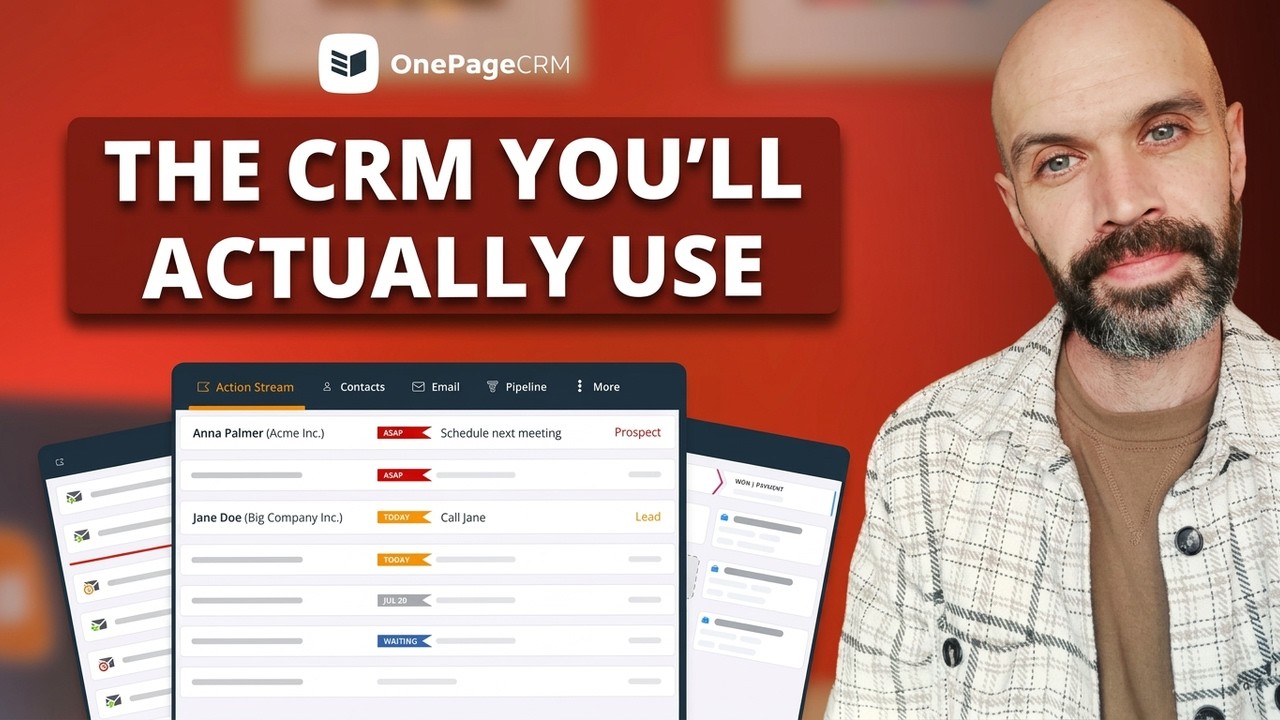
OnePageCRM is a sales CRM built around follow-ups. Every contact gets a next step, and the CRM sorts your whole list by how urgent those steps are, so you always know who to talk to first. But it covers much more than follow-ups. You can email contacts, call them, track deals, send quotes, and even manage the delivery of what you sold, all from one page.
What OnePageCRM does better than Salesforce:
- You'll never forget to follow up with a customer. Every contact in OnePageCRM has a follow-up action attached, while Salesforce keeps tasks in a to-do pop-up that isn't tied to anyone in particular.
- The CRM is much easier to use. Everything happens on a single page that looks like an email inbox. In contrast, Salesforce spreads your work across separate modules for sales, marketing, service, and commerce.
- You pay less and get more. OnePageCRM costs $9.95 per user/month and includes workflow automations, while Salesforce charges $25 and doesn't.
- Quality support is available for all. You can reach a real person by phone, email, live chat, or screen share even during a free trial. That's unlike Salesforce, where faster support costs 30% extra.
- You can save leads from any web page. The free browser extension captures people from websites, social profiles, and your email inbox. Salesforce's extension mostly captures companies, not people.
- There's a pipeline for after the sale, too. You can use it to track the delivery of your product or service, while Salesforce's pipelines end once the deal closes.
OnePageCRM Pros:
- The interface looks like an email inbox, so there's almost no learning curve.
- Workflow automations are available on every plan.
- You can add as many contacts and deals as you want.
- Every user gets VIP support from multiple channels.
- It takes admin work off your hands by connecting to AI assistants (e.g. ChatGPT, Claude, Perplexity & Grok).
OnePageCRM Cons:
- There's no free plan, only a 21-day free trial.
- The dashboard is simple, with no advanced analytics.
- Little customization options.
Pricing: OnePageCRM's Professional plan costs $9.95 per user/month, and the Business plan costs $19.95. Every new account starts with a 21-day free trial, no credit card needed.
G2 rating: 4.7/5 (over 250 reviews)
What users say about OnePageCRM:
I use OnePageCRM to manage my sales pipeline and stay on top of my leads. It helps me stay organized and consistent with my follow-ups. What I like most about OnePageCRM is that it is easy to use and very straightforward. It helps me focus on what actually matters and keeps me on action.
HubSpot | Best for marketing and sales in one place
HubSpot is an all-in-one platform that combines marketing, sales, customer service, and content tools. For sales, the part you'd use is the Sales Hub. It handles contact management, pipelines, and meeting scheduling, and there's a shared inbox your whole team can work from. HubSpot also has a free plan for up to two users, which is how many small businesses get started with it.
What HubSpot does better than Salesforce:
- Prospects can book time with you. HubSpot includes a meeting scheduler with an online booking page, while Salesforce Starter has no built-in way to schedule meetings.
- You can connect your other tools from the start. HubSpot's marketplace has over 2,000 integrations, and they're available from the entry plan. In Salesforce, the full app library requires the $100 plan.
- You can chat with your Facebook audience from the CRM. HubSpot has a two-way Facebook Messenger connection, while Salesforce Starter keeps communication to email and calls.
HubSpot Pros:
- The free plan is good enough for a small team to start with.
- Contact details get filled in automatically through data enrichment.
- The mobile app has a business card scanner.
- Breeze, the built-in AI, can summarize contacts and deals.
HubSpot Cons:
- Phone support requires the Professional plan.
- Email sequences, workflows, and duplicate management all require the $90 plan.
- The Professional plan comes with a mandatory onboarding fee.
- The interface has more than ten tabs and takes time to learn.
- With multiple Hubs and plans, the pricing structure is confusing.
Pricing: The free plan supports up to two users. Sales Hub Starter costs $20 per user/month, and the next plan up is Professional at $90 per user/month, plus a $1,500 onboarding fee.
G2 rating: 4.4/5 (over 13,800 reviews)
What users say about HubSpot:
What I like most about HubSpot Sales Hub is that it centralizes the entire sales process in one place. It makes it easier to track opportunities, manage contacts, and automate repetitive tasks, allowing the sales team to be more organized and productive.
Zoho CRM | Best for all-in-one business management
Zoho CRM is an all-in-one platform like Salesforce, but priced for small businesses. It manages contacts, deals, and tasks, and it lets you talk to customers through email, phone, and social media. It also connects with the 40-plus other business apps in Zoho's ecosystem. And if the default setup doesn't suit you, there's a built-in editor called Canvas that lets you customize almost everything, no code needed.
What Zoho CRM does better than Salesforce:
- You can automate your work from the start. Zoho includes workflow automations even on its free plan. In Salesforce, automations don't come until the $100 plan.
- You can reach customers on more channels. Zoho's inbox combines email, Facebook, and X in one place, which is something Salesforce Starter doesn't offer.
- It's much cheaper to grow with. Zoho's Standard plan costs $14 per user/month, and the next plan up is $23. In Salesforce, that same jump takes you from $25 to $100.
Zoho CRM Pros:
- The free plan supports three users.
- It integrates with over 1,100 business apps.
- Email sequences are included from the Standard plan.
- You get dashboards and up to 100 custom reports on the lowest tier.
Zoho CRM Cons:
- The interface is dense, and the learning curve is steep.
- File storage is very limited, and more space costs extra.
- You only get two free data backups per month.
- Better support costs an extra 20% of your subscription.
Pricing: The free edition supports up to three users. Paid plans start at $14 per user/month for Standard, and the Professional plan costs $23. Most plans have a 15-day free trial.
G2 rating: 4.1/5 (over 2,900 reviews)
What users say about Zoho CRM:
What I like best about Zoho CRM is its balance between functionality and ease of use. It provides a centralized platform for managing leads, contacts, deals, and customer interactions. The workflow automation features help reduce manual work, and the customization options make it easy to adapt the system to different business processes.
Pipedrive | Best for visual deal tracking
Pipedrive is a sales CRM built around the pipeline. When you log in, the first thing you see is a Kanban board with all your deals on it, and you move them from stage to stage with drag and drop. There are no marketing or commerce modules here. Pipedrive focuses on deals, and everything in the tool exists to help you close them.
What Pipedrive does better than Salesforce:
- There's less to learn and less to ignore. Pipedrive only covers sales, while Salesforce surrounds your sales work with modules most small teams never open.
- It costs a lot less to get started. Pipedrive's entry plan is $14 per user/month, as opposed to Salesforce's $25.
- Your deal follow-ups sit in one place. The Feed gathers every activity connected to your deals and sorts them by due date. Salesforce, in contrast, keeps tasks in a pop-up to-do list.
Pipedrive Pros:
- You can set sales goals on the cheapest plan.
- You can create unlimited pipelines.
- The marketplace has over 500 integrations.
- Deleted data can be restored from a trash bin.
Pipedrive Cons:
- The entry plan has no two-way email sync.
- Live chat and phone support require a higher-tier subscription.
- Web forms are part of a paid add-on.
- There are too many tabs and subtabs to get used to.
Pricing: The Lite plan costs $14 per user/month, and the Growth plan costs $39. There's no free plan, but there's a 14-day free trial.
G2 rating: 4.3/5 (over 3,000 reviews)
What users say about Pipedrive:
One of the simplest & cost effective CRMs out there, specifically helpful for startups/SMBs. We are a <10 people Sales team, and we shifted from Sheets/Excel to Pipedrive to primarily track deal progress. Visual Pipeline also makes it better for everyone on the team to get a single view glance of all deal stages.
Freshsales | Best for omnichannel outreach
Freshsales is a CRM built by Freshworks, and communication is its strong suit. You can reach customers through eight channels, including email, phone, SMS, WhatsApp, and Facebook Messenger. There's also a built-in AI (Freddy) that scores your leads and summarizes each contact's history. Paid plans start at $9 per user/month, and there's a free plan for up to three users.
What Freshsales does better than Salesforce:
- You can talk to customers wherever they are. Freshsales puts eight communication channels in one inbox, while Salesforce Starter has no multi-channel inbox at all.
- It's far cheaper to start with. In addition to the existence of a free plan, the entry subscription costs $9 per user/month. On the other hand, Salesforce Starter starts at $25, and it has no free plan.
- It's easier to find your way around. Freshsales keeps things to six main tabs, with a plus button that creates contacts, deals, or tasks from any page. In Salesforce, features are buried under tabs within tabs.
Freshsales Pros:
- There's a free plan for up to three users.
- You can send and receive emails from the freemium.
- Freddy AI scores leads and summarizes contact histories.
- You can create contacts, deals, and tasks from any page.
- Migrating from another CRM is easy.
Freshsales Cons:
- You can only import data once per day.
- Email sequences and duplicate management require the $39 plan.
- There's no customer support on weekends.
- Some calling features only work with paid Freshworks add-ons.
Pricing: The free plan supports up to three users. The Growth plan costs $9 per user/month, and the next plan up is Pro at $39, which is a big jump for a small team.
G2 rating: 4.5/5 (over 1,200 reviews)
What users say about Freshsales:
I use Freshsales for deal management, sales funnel, and daily tasks. It helps me organize our sales funnel effectively. The deal management feature is very impactful, allowing me to understand where we currently are in the sales process. I also find the call log feature valuable, and the initial setup was easy.
Monday CRM | Best for building a custom CRM setup
Monday CRM comes from the same company as Monday.com, the work management platform a lot of teams already know. The CRM is a separate product, though, and it's built for sales. You get colorful boards for your contacts, deals, and activities, and you can rearrange them however you want. There are even over 200 templates to start from. But every paid plan requires at least three users, so it's not one for solo sellers.
What Monday CRM does better than Salesforce:
- You can change the CRM yourself. Monday's setup is built from no-code blocks anyone can rearrange, while deeper changes in Salesforce usually call for an expert.
- A three-person team pays less. Three users on Monday's Basic plan cost $36 a month, while the same team on Salesforce Starter pays $75.
- You can get help at any hour. Monday's live chat is available 24/7 on every plan, while Salesforce's standard support takes up to two days to respond.
Monday CRM Pros:
- You can store unlimited records on every plan.
- Over 200 templates mean you don't have to build from scratch.
- Dashboards are customizable with all kinds of widgets.
- Live chat support is available 24/7.
Monday CRM Cons:
- Every paid plan requires at least three users.
- Two-way email sync requires the Standard plan.
- The cheapest plan doesn't support any integrations.
- There's no phone or email support.
Pricing: The Basic plan is advertised at $12 per user/month, but because of the three-user minimum, you'll pay at least $36 a month. Standard comes to $51 a month, and Pro comes to $84.
G2 rating: 4.6/5 (over 1,300 reviews)
What users say about Monday CRM:
I find it very useful because of its AI-powered features, which make creating forms, workflows, and automations smooth. It's easy to collaborate with team members, keep information organised, and manage tasks in one place. The platform is multifunctional and flexible, making it suitable for a wide range of business and project management needs.
Insightly | Best for managing sales and client projects together
Insightly is a CRM with project management built in. Besides managing contacts, leads, and sales opportunities, it lets you track the delivery of client projects, and there's even a time tracker for measuring the work. The reporting is strong as well, with customizable dashboards available from the entry plan. All of this comes at a price, though. At $29 per user/month, Insightly is the most expensive CRM on this list.
What Insightly does better than Salesforce:
- You can manage projects in the same tool. Insightly's project module takes over after the sale, complete with time tracking. Salesforce Starter has nothing for managing work after the deal closes.
- You get ten times the storage. Insightly's entry plan includes 10GB of file storage, while Salesforce gives your entire account just 1GB.
- Support doesn't depend on your plan. Every Insightly customer gets the same help, trial users included. In Salesforce, faster support costs 30% of your license fees.
Insightly Pros:
- Project management and time tracking are built in.
- The entry plan includes 10GB of file storage.
- Reports and dashboards are customizable from the start.
- Support is equal across all plans.
Insightly Cons:
- At $29 per user/month, it costs even more than Salesforce Starter.
- There are no email sequences on any plan.
- Workflow automation requires the $49 plan.
- Users report that getting comfortable with the system can take months.
Pricing: The Plus plan costs $29 per user/month, the Professional plan costs $49, and Enterprise costs $99. There's no free plan, and the 14-day trial gives you the Professional features.
G2 rating: 4.2/5 (over 940 reviews)
What users say about Insightly:
Insightly CRM has a clean, user-friendly interface that makes it easy to track leads, contacts, and opportunities. The integration with Google Workspace, Outlook, and third-party apps is seamless, and I like that it combines project management and CRM in one tool.
Which CRM is the best Salesforce alternative?
Each of these seven CRMs can replace Salesforce Starter, but the right one will depend on what your small business needs.
If you want one platform that runs your whole business, Zoho CRM comes closest to Salesforce. HubSpot fits businesses that win a lot of customers through marketing. For teams that live in their pipeline, there's Pipedrive, and for those talking to customers across many channels, Freshsales. Monday CRM will suit you if you enjoy building your own setup, and Insightly makes sense when there's client work to deliver after the deal is won.
But for most small businesses, the best Salesforce alternative is OnePageCRM.
It's affordable, it takes almost no time to learn, and it makes sure you never forget to follow up with a customer. Best of all, you won't need a consultant to run it.