Ask about CRMs, and HubSpot is usually the first name that comes up. There's a reason for that. It costs nothing to start, and it packs marketing, sales, and customer service into one platform.
But of course, being popular doesn't mean it's right for every small business.
That's why this post covers the seven best HubSpot alternatives for small businesses. We've thoroughly researched and tested each one.
Why do small businesses look for HubSpot alternatives?
Some people stop using HubSpot after a few months, while others do research about it and decide not to start using it at all.
When you ask both of them why, you'll often find that their reasons are the same.
So, we collected all those complaints and verified them through hands-on testing. And that's how we came up with the below list of why people look for alternatives to HubSpot CRM.
1. The real cost is higher than advertised
HubSpot's entry plan starts from $20 per user/month. However, on this plan, you can't manage duplicate contacts or build custom reports. You also can't get help via a phone call. Even email sequences are missing.
To access these, you'll need to shell out $90 per user/month to upgrade to the Professional plan. And to make matters worse, that plan requires an extra fee for onboarding.
So one missing feature can turn a $20 bill into a four-figure one. What's more? Users say the plans are hard to tell apart. Some report that even HubSpot's own sales reps lose track of what's included where.
2. It's too complex for a small business
HubSpot was made for companies with separate marketing, sales, and service departments. A small business gets all of that in one interface. That means more than ten main tabs and far more features than most small teams will ever use.
Naturally, this takes time to learn. In fact, users say the first weeks feel overwhelming.
Even HubSpot seems to be aware of this problem. That's why the company charges new Professional customers $1,500 just for onboarding.
3. Getting help is hard
In HubSpot, how much help you get depends on how much you pay. The free plan only gives you help articles and courses. Starter adds email and live chat, and you can only call the support team on the Professional plan.
That's a backwards setup for a small business, because the people on the cheaper plans usually need the most help.
And even the help you qualify for isn't quick. Users describe conversations that start with a bot, and human replies can take days to arrive. Many also notice that sales calls come much faster than support answers.
How we ranked these HubSpot alternatives
Every CRM on this list went through the same test we use for all our small business CRM reviews.
This test is called the VIS scale. VIS is short for Value, Impact, and Speed, and it checks nine things about each CRM. These include fair pricing, equal customer support, a strong entry plan, email automation, ease of use, and a few others. Our CRM evaluation guide houses the full breakdown, so feel free to check it out.
To score each CRM, we created an account, imported contacts, managed deals, and used other parts of the system, as a small business would.
And everything is judged for small businesses only.
HubSpot alternatives comparison table
Here's a quick look at HubSpot and the seven alternatives.
| CRM | Pricing | Best for |
| HubSpot | From $20 per user/month | All-in-one platform for larger teams |
| OnePageCRM | From $9.95 per user/month | Following up and advancing deals |
| Zoho CRM | From $14 per user/month | All-in-one business management |
| Freshsales | From $9 per user/month | Omnichannel outreach |
| ActiveCampaign | From $15/month (1,000 contacts) | Marketing automation |
| Bigin | From $7 per user/month | Small teams on a tight budget |
| Salesforce Starter | From $25 per user/month | Managing sales and ecommerce together |
| Insightly | From $29 per user/month | Sales and project management |
The 7 best HubSpot alternatives
OnePageCRM | Best for following up and advancing deals
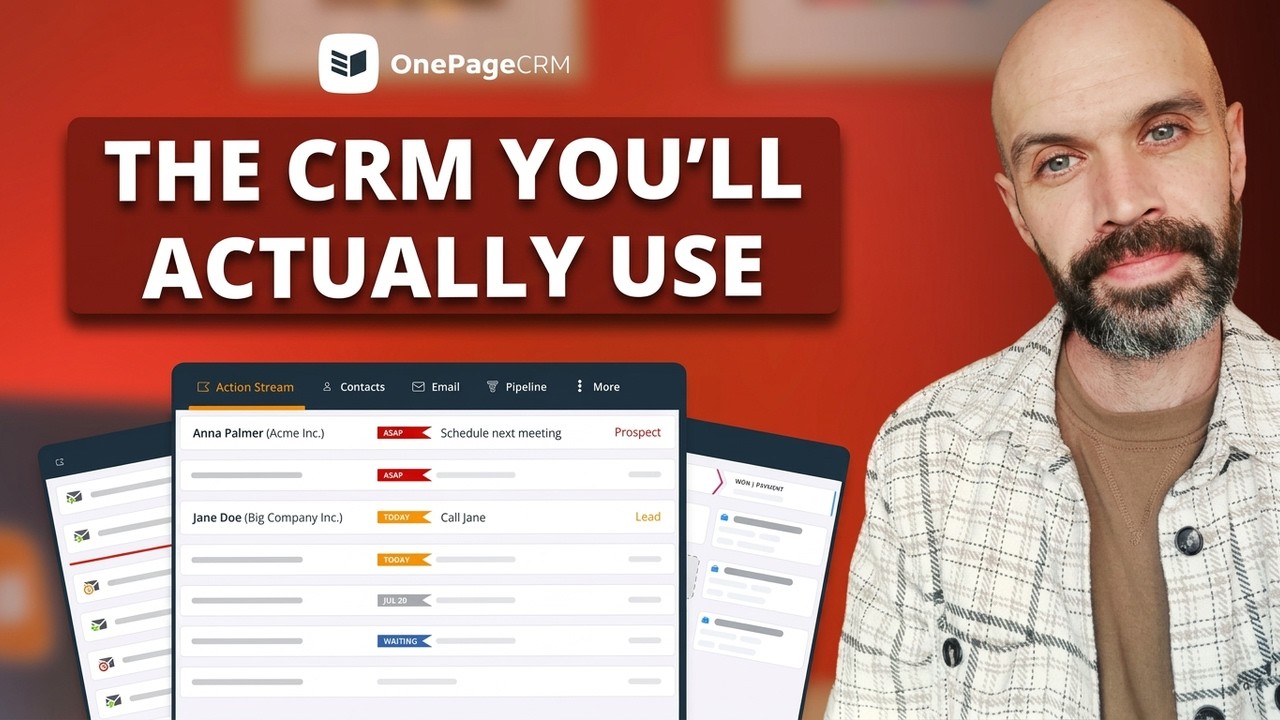
OnePageCRM helps you sell through follow-ups. It asks you to set a next step for every contact and reminds you to actually carry it out. This is the Next Action method, and it keeps every lead inching closer and closer to a sale. The other sales tools you need are here, as well. You can email and call contacts, move deals toward the close, send quotes, and manage the delivery of whatever you sold. Best of all, you can do everything from one easy-to-use page.
What it does better than HubSpot:
- It keeps you following up. Every contact has a next step, so no lead gets forgotten. In HubSpot, tasks are optional to-dos.
- It's quicker to learn. OnePageCRM only includes the tools your small business will need and use. In contrast, HubSpot's range is larger, which makes it harder to get the hang of the system.
- It's easier to work with. You can manage your whole business from a single page. That's unlike HubSpot, which spreads your work across more than ten tabs.
- OnePageCRM is much more affordable. The entry plan starts from $9.95, while HubSpot's is $20. Yet, unlike the latter, OnePageCRM still includes all the features your small business needs.
- You can save leads from anywhere on the web. The free browser extension grabs contact details from websites and social profiles. HubSpot's extension only works inside Gmail and Outlook.
- Support is equal on every plan. You can reach the team by phone, email, live chat, or a screen-share call. In HubSpot, phone support needs the $90 plan.
Pros:
- OnePageCRM is affordable, even for solo professionals.
- It always pushes you to follow up with your contacts.
- The interface is so simple that complete beginners can figure it out.
- You can manage the CRM by chatting with an AI assistant like ChatGPT, Claude, Perplexity, Grok, or Mistral AI.
- There's VIP customer support for all users.
- There are no hidden fees or onboarding costs.
Cons:
- No free plan (you get a 21-day free trial instead)
- No built-in marketing tools (it connects with Mailchimp for that)
- Reporting is simple compared to the big platforms
Pricing: Paid plans start at $9.95 per user/month, and the bigger plan costs $19.95. Every new account starts with a 21-day free trial, and no credit card is needed.
G2 rating: 4.7/5 from over 255 reviews.
What users say about OnePageCRM:
I use OnePageCRM to manage my sales pipeline and stay on top of my leads. It helps me stay organized and consistent with my follow-ups. What I like most about OnePageCRM is that it is easy to use and very straightforward. It helps me focus on what actually matters and keeps me on action.
Zoho CRM | Best for all-in-one business management
Zoho CRM makes a promise similar to HubSpot's. It's one system for sales, marketing, and customer service, but at small business prices. The free plan covers three users, and although it has limitations, it does include all the basic tools small businesses need. For more functionality, you can connect it with over 1,100 other apps. However, the learning curve is a problem. Zoho has a busy interface and endless settings, so it takes time to master.
What it does better than HubSpot:
- The free plan takes three users instead of two. It also includes simple automation, which HubSpot's free plan doesn't.
- Email sequences come with the $14 plan. In HubSpot, they need the $90 one.
- Phone support is available from the very first plan. In HubSpot, calling the support team needs the $90 Professional plan.
Pros:
- Free plan for up to three users
- The mobile app keeps working even without an internet connection
- Phone, email, and chat support on all plans
- Huge choice of integrations
Cons:
- Takes real time and training to learn
- You only get two free data backups per month
- Faster support costs an extra 20% of your subscription
- Email marketing needs Zoho Campaigns, a separate product with its own bill
Pricing: Free for up to three users. Paid plans start at $14 per user/month, and the next tier costs $23. There's a 15-day free trial.
G2 rating: 4.1/5 from over 2,900 reviews.
What users say about Zoho CRM:
I find Zoho CRM extremely seamless for an app that is made in India and exported globally. One of the key qualities is its seamless integration with other customer datasets and the tickets that are being raised. I also appreciate the really good quality of the UI, which is structured around productivity.
Freshsales | Best for omnichannel outreach
Freshsales lets you talk to customers wherever they are. Emails, phone calls, live chats, SMS, WhatsApp, and Facebook Messenger all arrive in one inbox. There's also Freddy, the built-in AI that scores your leads and gives you a summary of their journey so far. The pricing is friendly, too. In addition to having a freemium plan, Freshsales' paid plans start at just $9.
What it does better than HubSpot:
- The free plan fits three users and includes full email sync. HubSpot's free plan covers the email basics too, but it stops at two users.
- The $9 plan comes with 20 automated workflows. HubSpot's $20 Starter has none.
- WhatsApp and Facebook Messenger chats are included. In HubSpot, WhatsApp needs a plan that starts at $800 per month.
Pros:
- Free plan for up to three users
- Built-in AI that scores leads and writes summaries
- One inbox for email, SMS, WhatsApp, and social chats
- Phone, chat, and email support on every plan
Cons:
- Only one sales pipeline (your deal-tracking board) until the $39 plan
- Duplicate cleanup also needs the $39 plan
- The jump from $9 to $39 is hard on a small budget
- Some calling features need paid Freshworks add-ons
Pricing: Free for up to three users. Paid plans cost $9 (Growth), $39 (Pro), and $59 (Enterprise) per user/month. The free trial lasts 21 days.
G2 rating: 4.5/5 from over 1,200 reviews.
What users say about Freshsales:
We use freshsales mainly as a call management program, as our company does not use the lead-> sale type model. It has worked very well for us, and the customer service is top notch, replying to our inquiries very quickly and effectively. We use it daily, at all times of year.
ActiveCampaign | Best for marketing automation
ActiveCampaign is a marketing tool first and a CRM second. You can run marketing campaigns across email, SMS, and WhatsApp. ActiveCampaign also includes automations, which it uses to follow up on your campaigns when the right conditions are met. The contacts your campaigns go out to live in the built-in CRM, where each one gets a profile you can manage, tag, and sort. And if you pay for the add-on, you'll be able to track deals, as well.
What it does better than HubSpot:
- Full marketing automation costs $49 a month here. Getting the same freedom in HubSpot means a Professional plan at $800 a month.
- There are no setup fees. HubSpot's plan with marketing automation charges an extra $3,000 for onboarding.
- You can track opens, clicks, and engagement from the start. To track marketing engagement in HubSpot, you'll need a higher-tier subscription.
Pros:
- Includes a wide range of marketing functionalities
- Tons of options for segmenting your audience
- 14-day free trial and a money-back guarantee
- No setup or onboarding fees
Cons:
- The bigger your contact list gets, the more you pay
- Only one user on the two cheapest plans
- Deal tracking costs extra as an add-on
- Pricing is confusing, with too many subscription plans to choose from
Pricing: Starts at $15/month for 1,000 contacts and one user, billed annually. The next plans cost $49 and $79. CRM features like pipelines and deals come as a paid add-on.
G2 rating: 4.4/5 from over 14,700 reviews.
What users say about ActiveCampaign:
What I like best about ActiveCampaign is its powerful automation capabilities. It makes it easy to create personalized customer journeys, automate follow ups, and manage email campaigns efficiently. I also like the CRM integration, which helps keep sales and marketing activities aligned in one platform.
Bigin | Best for small teams on a tight budget
The team at Zoho realized that their main CRM was too heavy for small businesses. So, they built Bigin to offer a lightweight CRM alternative. You get an intuitive workspace that feels like a spreadsheet, a free plan for up to 500 records, and a $7 plan with email built right in. It even connects with WhatsApp and X. Just don't expect much room to grow, because storage, backups, and several other features cost extra.
What it does better than HubSpot:
- You can use Bigin on more devices. There are apps for iPhone, Android, Apple Watch, and even CarPlay, while HubSpot stops at the phone apps.
- Customers can reach you on WhatsApp from the entry plan. In HubSpot, WhatsApp needs a plan that starts at $800 per month.
- New customers get free onboarding and a 45-day money-back guarantee. That's unlike HubSpot, where you're charged an extra $1,500.
Pros:
- The cheapest paid plan on this list at $7 per user/month
- Free plan for solo users with light needs
- Spreadsheet-like interface makes the system look and feel familiar
- Phone, email, and chat support from the first paid plan
Cons:
- Integrations are thin outside the Zoho family, and most of the marketplace is phone-system apps
- Storage is capped at 1GB, and extra backups cost money
- Add-ons make the final price hard to predict
- Small teams can outgrow it quickly
Pricing: Free for up to 500 records. Paid plans cost $7 per user/month (Express) and about $12 (Premier). There's a 15-day trial and a 45-day money-back guarantee.
G2 rating: 4.6/5 from over 800 reviews.
What users say about Bigin:
I like the simple and user-friendly interface of Bigin by Zoho CRM. The pipeline management feature makes tracking leads and deals very easy and clear. It integrates well with other Zoho applications, which improves workflow efficiency. The automation features save time and help manage customer follow-ups without missing tasks.
Salesforce Starter | Best for managing sales and ecommerce together
Salesforce Starter is the small business version of Salesforce, one of the biggest names in CRM. The suite covers a lot of ground. You can manage contacts and deals, run email campaigns, handle customer service, and even build an online store. Your team's Slack channels connect to it, too. Just know that this platform was scaled down from enterprise software, and it kept some of that enterprise complexity.
What it does better than HubSpot:
- Email sequences are included from the entry plan ($25). You build them with a tool called Flow Builder, while HubSpot saves sequences for the $90 Professional plan.
- It keeps your contact list clean. The CRM spots duplicate records and prompts you to merge them, something HubSpot won't do until the $90 plan.
- You can create as many pipelines as you need from the lowest plan, while HubSpot's entry plan caps you at two.
Pros:
- One subscription covers sales, marketing, customer service, and an online store, so you don't pay for separate tools.
- The 30-day free trial gives you more time to test the CRM than most vendors allow.
- You can open your Slack chats inside the CRM, and pull up CRM info inside Slack.
- Contact profiles show where each customer is on Google Maps.
Cons:
- At $25 per user/month, it costs more than most small business CRMs.
- You only get 1GB of file storage in total, and contracts or email attachments use it up quickly.
- You can't automate your workflow on the entry plan.
- Support answers can take two days, and faster help costs an extra 30% of your license fees.
- The learning curve is steep.
- If Starter stops being enough, the next tier (Pro) is too expensive ($100 per user/month).
Pricing: The Starter Suite costs $25 per user/month, and there's no free plan. The free trial lasts 30 days, longer than most CRMs offer.
G2 rating: 4.5/5 from over 4,000 reviews.
What users say about Salesforce Starter:
I value being able to store and track all of our customer data in one place, and to customize the system to our specific business use case. A business can’t really operate or scale effectively without a CRM, and Salesforce is extremely powerful and flexible, so it can fit the needs of organizations of any size.
Insightly | Best for sales and project management
Insightly is a CRM and project management tool in one. You can capture leads, qualify them, and track deals through the pipeline. Then, when a deal is won, the same system helps you deliver the work you sold. Customizable reports and dashboards come with the entry plan, and the marketplace connects you with over 540 apps. It's a lot of software, though, and getting comfortable with it takes time.
What it does better than HubSpot:
- It manages the work after the sale. Won deals can become projects you track through to delivery, while HubSpot has no simple way to follow client projects.
- Support is the same for all users. Every plan offers assistance via email, live chat, and phone. On HubSpot, though, phone support is only for higher-tier subscribers.
- You can build custom reports from the entry plan ($29). To get the same on HubSpot, you must have at least a Professional subscription ($90).
Pros:
- Sales and client projects live in one system
- You can build custom reports and dashboards from the cheapest plan.
- Everyone gets the same support.
- You have 10GB of file storage on the entry plan.
Cons:
- $29 per user/month is almost twice the average price of a small business CRM.
- 14 trial days are rarely enough to set up and test a system this size.
- To automate your workflow, you need to get on the $49 plan.
- This CRM has no email sequences at all.
- The interface spreads your work across up to twelve tabs.
Pricing: Paid plans cost $29 (Plus), $49 (Professional), and $99 (Enterprise) per user/month. There's no free plan, and the free trial lasts 14 days.
G2 rating: 4.2/5 from over 940 reviews.
What users say about Insightly:
What I like most about Insightly CRM is its user-friendly interface and strong integration capabilities. It makes it easy to manage contacts, projects, and pipelines in a straightforward way, and it connects smoothly with tools like email and other business systems so everything stays streamlined in one place.
Which CRM is the best HubSpot alternative?
The answer depends on what you need most.
Zoho CRM comes closest to HubSpot's all-in-one shape, and Salesforce Starter covers sales, customer service, and e-commerce in one. ActiveCampaign is the strongest choice for marketing automation. Freshsales works well when customers reach you across many channels, Insightly pairs project management with sales, and Bigin is the gentlest on a small budget.
But for most small businesses, the best HubSpot alternative is OnePageCRM.
You get the tools a small team actually uses (contacts, follow-ups, deals, and delivery) without the feature bloat or the upgrade traps that make HubSpot expensive.