When you're looking for a sales CRM, Pipedrive is often the first one you'll see. It's a good tool, but it's not the right fit for every small business.
Which is why we made this post.
It contains some of the best Pipedrive alternatives for small businesses. To compile the list, we thoroughly researched and tested each CRM.
Why do small businesses look for Pipedrive alternatives?
Many small businesses use Pipedrive and like it. Still, some of them decide to leave after a while, and some people read up on the CRM and never sign up at all. Ask either group why, and you'll hear the same three complaints.
We didn't take those complaints at face value. First, our team spent countless hours using Pipedrive like any small business would. After that, we looked into what its users say on Reddit. The complaints turned out to be true.
1. Limited emailing features
Pipedrive's cheapest plan can't connect to your email account. If you want an email saved in the CRM, you forward it to a special Pipedrive address yourself, one message at a time. The plans that do connect to your inbox start at $39 per user/month, well over twice the entry price.
Even then, the connection isn't as advanced as it should be. After all, it pulls in every email you receive from every email address, including personal ones, ads, and promotions.
2. Basics are sold as paid extras
Some tools that most CRMs include for free are paid add-ons in Pipedrive. Take web forms, the boxes on your website where interested visitors can leave their details. In Pipedrive, they're part of an add-on that costs about $32.50 per month, more than the subscription itself. Managing projects and sending marketing emails cost extra in the same way.
Users notice this problem, too. They describe needing one more small thing every few months, and each time, the solution was to upgrade to a pricier plan or pay for another add-on.
3. You need to pay more for better support
On the cheapest plan, help only comes through the help center, chatbot, and email. Live chat and phone support are only for users who have pricier subscription plans.
There's also personal onboarding, but, again, it's only for users who spend at least $1,000 a month.
How we ranked these Pipedrive alternatives
Every pick on this list went through the same evaluation we use in our small business CRM reviews. We call it the VIS scale, short for Value, Impact, and Speed, and it checks nine things about a CRM. A fair price, equal support for every customer, and ease of use are a few of them. Our CRM evaluation guide explains the whole scale.
To run those checks, we use each CRM ourselves and dig into the research. We open accounts, connect an email address, bring in contacts, and sell the way a small team sells. That's deliberate, because every verdict here is about small businesses and nothing else.
Pipedrive alternatives comparison table
Before the detailed breakdowns, here's how Pipedrive and the seven alternatives compare at a glance.
| CRM | Pricing | Best for |
| Pipedrive | From $14 per user/month | Visual deal management |
| OnePageCRM | From $9.95 per user/month | Following up and advancing deals |
| Salesmate | From $23 per user/month | Selling over calls and texts |
| Pipeline CRM | From $25 per user/month | Sales with lots of paperwork |
| Salesflare | From $29 per user/month | Automating CRM admin |
| Close | From $9/month (single user) | Cold call outreach |
| Freshsales | From $9 per user/month | Omnichannel outreach |
| Bigin | From $7 per user/month | Small teams on a tight budget |
The 7 best Pipedrive alternatives
OnePageCRM | Best for following up and advancing deals
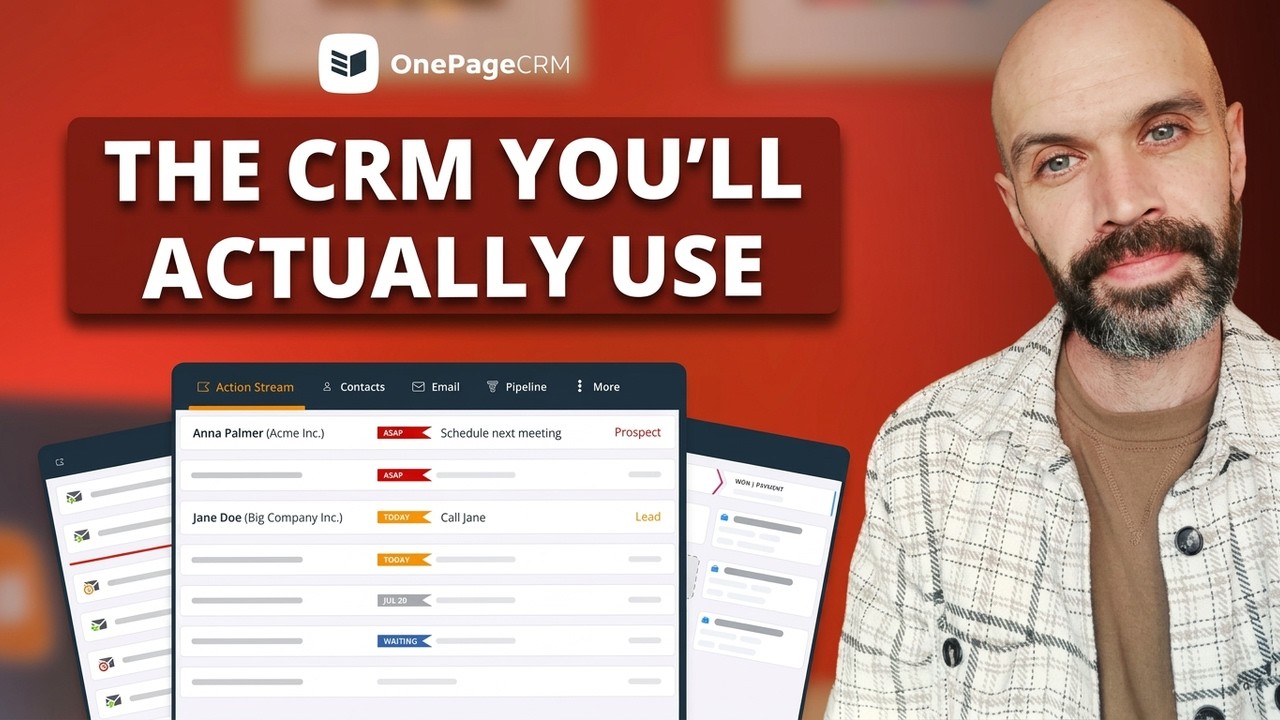
OnePageCRM focuses on the follow-ups that lead to sales. This Pipedrive alternative pushes you to set next steps (or follow ups) for every contact. Then, it nudges you to carry them out and even set more, so your leads always move forward. To further improve your sales process, OnePageCRM lets you email a contact, call them, move their deal along, send a quote, and track the delivery of whatever you sold. Best of all, it all happens on a single page.
What it does better than Pipedrive:
- Your email fully works from the first plan. For $9.95, you can send, receive, and store messages in the CRM, while Pipedrive asks $39 for the same thing.
- Only relevant emails come in. OnePageCRM skips any conversation that doesn't involve the contacts in your sales pipeline, while Pipedrive's inbox is cluttered with every email from every sender (even ads and promos!).
- Every contact carries a follow-up, so no one gets forgotten. Pipedrive only reminds you about a deal if you remembered to give it a task.
- Web forms and the browser extension for grabbing leads cost nothing. In Pipedrive, web forms need an add-on that's about $32.50 per month.
- Everyone gets the same support, by phone, email, chat, or a screen-share call. Pipedrive's entry plan offers a chatbot and email.
- Both of its plans cost less. They're $9.95 and $19.95 per user/month, against Pipedrive's $14 and $39.
Pros:
- Leads keep moving because every contact always has a next step.
- Your whole working day fits on one page.
- You can add as many contacts and deals as your business brings in.
- You can hand the CRM admin to an AI assistant like ChatGPT, Claude, Grok, Perplexity, or Mistral AI.
- What's on the pricing page is the only thing you'll pay. No hidden fees.
- Trial users and all paying customers get VIP support.
Cons:
- There's no free plan, though the free trial runs 21 days.
- Not too many customization options
- Reporting is simple compared to the big platforms.
Pricing: Plans cost $9.95 and $19.95 per user/month. New accounts get a 21-day free trial of the top plan and don't need a credit card.
G2 rating: 4.7/5 from over 255 reviews.
What users say about OnePageCRM:
What I like best about OnePageCRM is its simplicity and action focused approach to customer relationship management. Instead of overwhelming users with complex features, it helps prioritize the next action for each lead or customer, making it easier to stay organized and move opportunities forward. The interface is intuitive, and setting up contacts, tasks, and pipelines is straightforward.
Salesmate | Best for selling over calls and texts
Salesmate helps you sell over calls and texts. You can ring or text a contact without leaving the CRM. You can also manage deals, run email campaigns, handle customer service, and build automations. There's even an AI assistant (Sandy) on the higher plans. The problem, though, is the sheer size of the CRM. Salesmate's main menu holds ten tabs, so it can take a while to get the hang of.
What it does better than Pipedrive:
- Connecting your inbox doesn't cost extra. Two-way email sync (sending and receiving email inside the CRM) is on every Salesmate plan, but on none of Pipedrive's under $39.
- Repetitive work can be automated from the start. The $23 plan includes a visual builder for automations, while Pipedrive's entry plan has no automation at all.
- A person answers when you need help. Every plan includes screen-share support sessions, while Pipedrive's entry plan limits you to a chatbot and email.
Pros:
- You can call and text inside the CRM.
- The CRM offers you multiple pipelines.
- You get a shared inbox for your whole team (if any).
- The level of support is the same across all plans.
Cons:
- The $23 entry price is above what most small business CRMs charge.
- Email sequences need the $39 Pro plan.
- Calling and texting only work after you buy a phone number from Salesmate.
- Between the ten tabs and all the subtabs, learning it takes a while.
Pricing: The Basic plan is $23 per user/month if you pay annually, Pro is $39, and Business is $63. A 15-day free trial is included, but a free plan isn't.
G2 rating: 4.7/5 from over 110 reviews.
What users say about Salesmate:
We’re a wedding planning company with a 10-member team, and we mainly use Salesmate for CRM and lead tracking. The platform has really simplified the way we manage and track lead status, which has directly improved our lead conversions.
Pipeline CRM | Best for sales with lots of paperwork
Pipeline CRM is a lot like Pipedrive, but with more focus on paperwork. Like Pipedrive, you get a Kanban pipeline, and you can drag deals from stage to stage. But on top of that, you can also create contracts and documents inside the CRM. And since storage is unlimited, you can hold as many of these documents as you want. However, the problem is, the entry plan only allows you to work with 250 deals.
What it does better than Pipedrive:
- From the cheapest plan, sent and received emails automatically appear in your CRM. But Pipedrive's entry plan expects you to forward each one yourself.
- Every plan comes with unlimited file space, and document tools are included rather than sold as an add-on like Pipedrive's.
- Switching costs nothing. The Pipeline CRM team moves your data over from your old system within three business days, while Pipedrive only gives personal onboarding to accounts spending $1,000 a month.
Pros:
- You can create and send contracts without leaving the CRM
- File storage is unlimited on every plan
- The team migrates your data from your old CRM for free
- You can send, receive, and store text messages.
Cons:
- At $25 per user/month, the entry plan costs a lot for one pipeline and 250 deals.
- Email sequences and bulk email both need the $49 Grow plan.
- You get exactly one automation on the entry plan.
- Automatic duplicate cleanup also needs the $49 plan.
- Personalized onboarding is a paid package, starting at $750.
Pricing: Start costs $25 per user/month, Develop $33, and Grow $49. The 14-day trial gives you the Grow plan's features, and there's no free plan.
G2 rating: 4.3/5 from over 950 reviews.
What users say about Pipeline CRM:
What I like best about Pipeline CRM is its simplicity and ease of use. The interface is clean, making it easy to track leads, manage deals, and monitor sales activities without a steep learning curve. The visual sales pipeline helps keep opportunities organized and provides a clear view of where each deal stands.
Salesflare | Best for automating CRM admin
Salesflare is quite popular for how it handles data entry on users' behalf. It pulls contact details from emails, signatures, and social profiles, then keeps every record up to date on its own. With that part handled, you get free time for actual selling. You can move deals across your pipeline, send emails, automate your follow-ups, and track who's engaging with your emails. There's no free plan, though. And you can only sign up with a business email address.
What it does better than Pipedrive:
- Creating new contacts is mostly hands-free. Their details come straight out of emails and social profiles, while Pipedrive expects manual entry for anything outside Gmail.
- Enrichment is part of the package. Salesflare looks up a contact's company and social profiles at no extra cost, while Pipedrive makes you pay for data enrichment.
- You get a whole month to make up your mind. The trial runs 30 days, twice as long as Pipedrive's.
Pros:
- Contact records are built and updated automatically
- It features engagement tracking
- The CRM lets you know when a contact hasn't heard from your team in a while
- You can access the CRM from inside your email account
Cons:
- You can't sign up without a business email address.
- At $29 per user/month, the entry price is more than double Pipedrive's.
- Automated email sequences, custom dashboards, and permissions all need the $49 Pro plan.
- The entry plan includes just five credits a month for discovering new leads.
Pricing: Growth costs $29 per user/month billed annually, Pro is $49, and Enterprise is $99 with a minimum of five users. The free trial lasts 30 days, no credit card required.
G2 rating: 4.8/5 from over 290 reviews.
What users say about Salesflare:
What I like best about Salesflare is how incredibly easy it is to use and set up. The automated data entry from emails and calendars saves time, and the visual pipeline makes managing leads and deals very straightforward. It feels like a CRM that’s actually built for users, not just admins.
Close | Best for cold call outreach
Close is made for selling by phone. Its calling system is built right into the CRM, so you can dial any lead in seconds. Then, there's the power dialer, which feeds you the next call as soon as you finish one. You can even mix texts and emails into your calling routine, and no matter how many leads you add, Close takes them all. Just watch the phone bill, though. Outbound calls cost extra, on top of the subscription.
What it does better than Pipedrive:
- You can call people without any extra tools. Close has its own phone system inside the CRM, while Pipedrive has a click-to-call button but no phone system of its own.
- You can reach out on more than one channel. A single Close sequence can email a lead, then call, then text, while Pipedrive's sequences only send emails.
- You'll never run out of room for leads. Close lets you store as many as you want, while Pipedrive's entry plan caps you at 2,500 deals per user.
Pros:
- The power dialer saves you hours of manual dialing
- The interface is minimal and fairly quick and easy to work with
- There's a $9 plan for solo sellers
- You can store unlimited leads
Cons:
- The $9 entry plan only accommodates one user.
- You can't automate your work on the entry plan.
- Teams of two or more start at $35 per user/month.
- Email sequences and advanced automations need a higher-tier plan ($99)
- Outbound calls add to your total bill.
- You can't text or take incoming calls using a number from elsewhere.
Pricing: Solo costs $9 per month for one user, Essentials is $35 per user/month, and Growth is $99. There's no free plan.
G2 rating: 4.7/5 from over 2,000 reviews.
What users say about Close:
I love the power dialer and voice mail drop features in Close; they make things a lot easier. The inbox is another favorite because it helps track activity on every single deal. It's amazing because I never miss any deals. I can set reminders and snooze tasks, so they always show up when needed.
Freshsales | Best for omnichannel outreach
Freshsales is for businesses whose customers text as often as they email. Messages from email, SMS, WhatsApp, and Facebook Messenger all land in one inbox. Beyond messaging, you can track deals on a drag-and-drop pipeline, build quotes, schedule meetings, and automate the repetitive work. All of this comes at a small business price, too. There's a free plan for three users, and paid plans start at $9.
What it does better than Pipedrive:
- You don't pay to connect your inbox. Even Freshsales' free plan syncs your email both ways, while in Pipedrive, that costs $39 per user/month.
- You can use it without paying at all. The free plan covers up to three users, while Pipedrive only offers a 14-day trial before the bills start.
- The $9 plan gives you more than Pipedrive's $14 one. It comes with 20 automations and phone support, and Pipedrive's entry plan has neither.
Pros:
- Customers can reach you through eight channels
- It lets you know when a deal is rotting
- The mobile app can show you which contacts are nearby.
- Every plan gets phone, chat, and email support.
Cons:
- You can only import data once per day
- The cheaper plans only give you one pipeline.
- You can't manage duplicates or email sequences without a higher plan ($39)
- The free plan includes no file storage at all.
- Several calling features only work with paid Freshworks add-ons.
- There's no support on weekends.
Pricing: The free plan covers three users. Growth costs $9 per user/month, Pro is $39, and Enterprise is $59, with a 21-day free trial.
G2 rating: 4.5/5 from over 1,200 reviews.
What users say about Freshsales:
Freshsales is easy to use and everything is in one place. I like the lead tracking and email follow-ups, it saves time and keeps things organized. The pipeline view also helps me clearly see deals and focus on the important ones.
Bigin | Best for small teams on a tight budget
Bigin is the lightweight version of Zoho's main CRM. As a leaner tool, it focuses on more basic things like contact management and letting you manage deals in a Kanban pipeline. And if customers text you on WhatsApp or X, their messages appear inside the CRM. But one of Bigin's most notable features is that it costs less than any other CRM on this list. The paid plan is $7 per user/month.
What it does better than Pipedrive:
- You pay far less for email sync. Bigin includes it on the $7 plan, while Pipedrive doesn't offer it below $39.
- You can stay on the free plan for as long as you like. It holds 500 records with no expiry date, while Pipedrive only gives you a 14-day trial.
- Everyone gets the same support. Bigin's paying customers can all reach the team by phone, email, or chat, while Pipedrive's entry plan offers a chatbot and email.
Pros:
- The spreadsheet-style layout makes it easy to navigate
- New customers get free onboarding and weekly webinars
- There's a 45-day money-back guarantee
- It works on iPhone, Android, Apple Watch, and even the screen in your car.
Cons:
- The entry plan limits you to three pipelines.
- File storage is 1GB on every plan.
- Bigin doesn't offer email sequences at all.
- It has too many add-ons and hidden payments.
Pricing: There's a freemium for solo users. Express costs $7 per user/month, and Premier costs $12. Bigin offers a 45-day money-back guarantee. There's also a free trial that lasts 15 days.
G2 rating: 4.6/5 from over 800 reviews.
What users say about Bigin:
What I like most about Bigin by Zoho CRM is how simple and practical it feels from day one. I didn’t have to spend time figuring things out it just helped me organise my outreach and keep track of conversations without the usual clutter.
Which CRM is the best Pipedrive alternative?
Each CRM on this list is here for a reason.
If most of your selling happens on the phone, Close and Salesmate are the ones to look at. Freshsales makes more sense when customers write to you on WhatsApp and social media. Pipeline CRM fits sales with heavy paperwork, while Salesflare suits anyone who hates typing data into a CRM. And if the budget is tight, Bigin costs the least.
But for most small businesses, the best Pipedrive alternative is OnePageCRM.
In addition to pushing you to always follow up with leads and move deals forward, it also includes all the tools you need to manage contacts, sales, and post-sales, at an affordable price.