Automated workflows and daily tasks
Let your CRM handle the admin, and spend the time you get back on growing the business.


Automate and speed up processes
Automate repetitive tasks
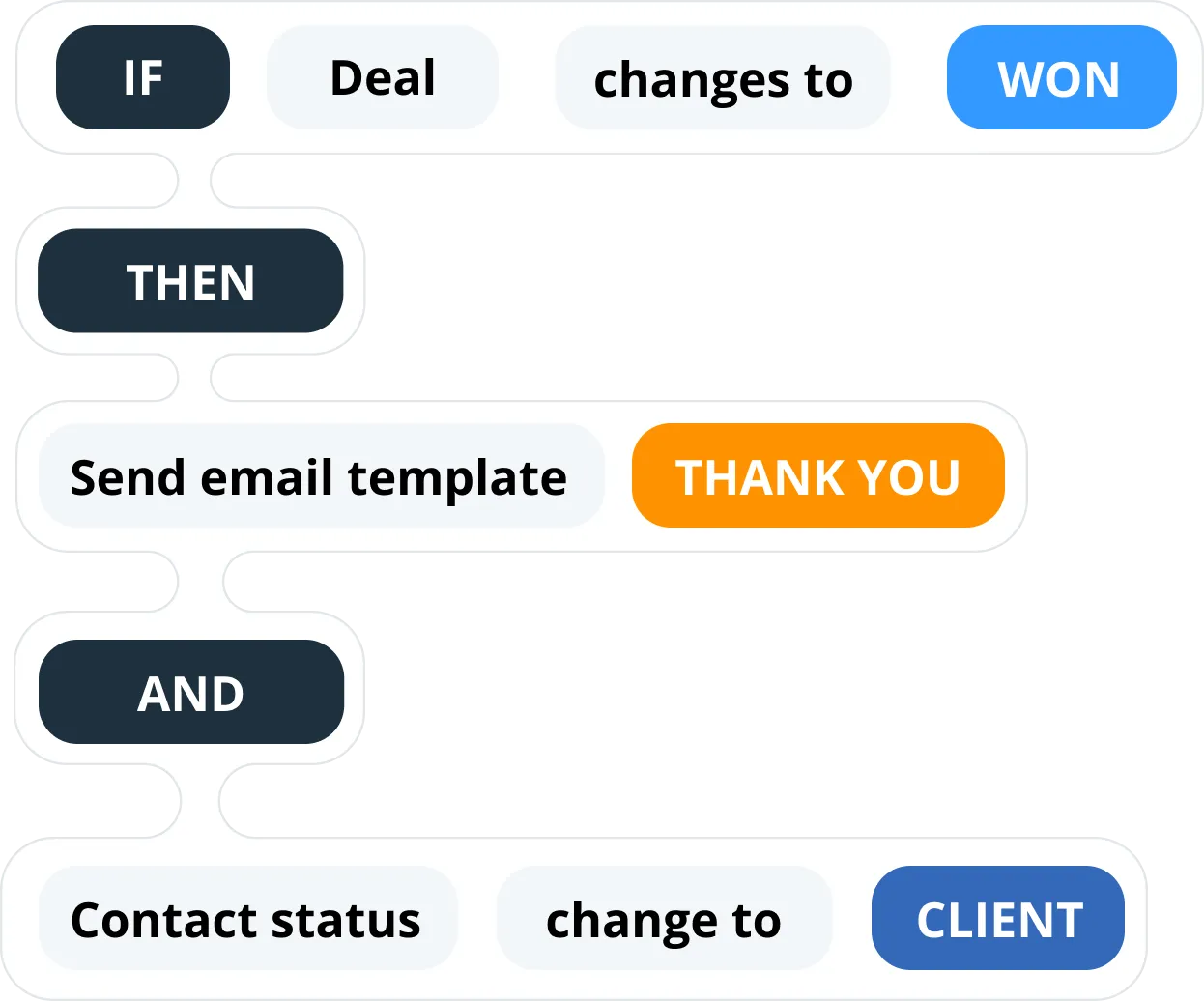
Pick a trigger and what should follow it. Log a call that went unanswered, and the follow-up email and the next step are queued up, ready for you to confirm.
Capture leads in a click
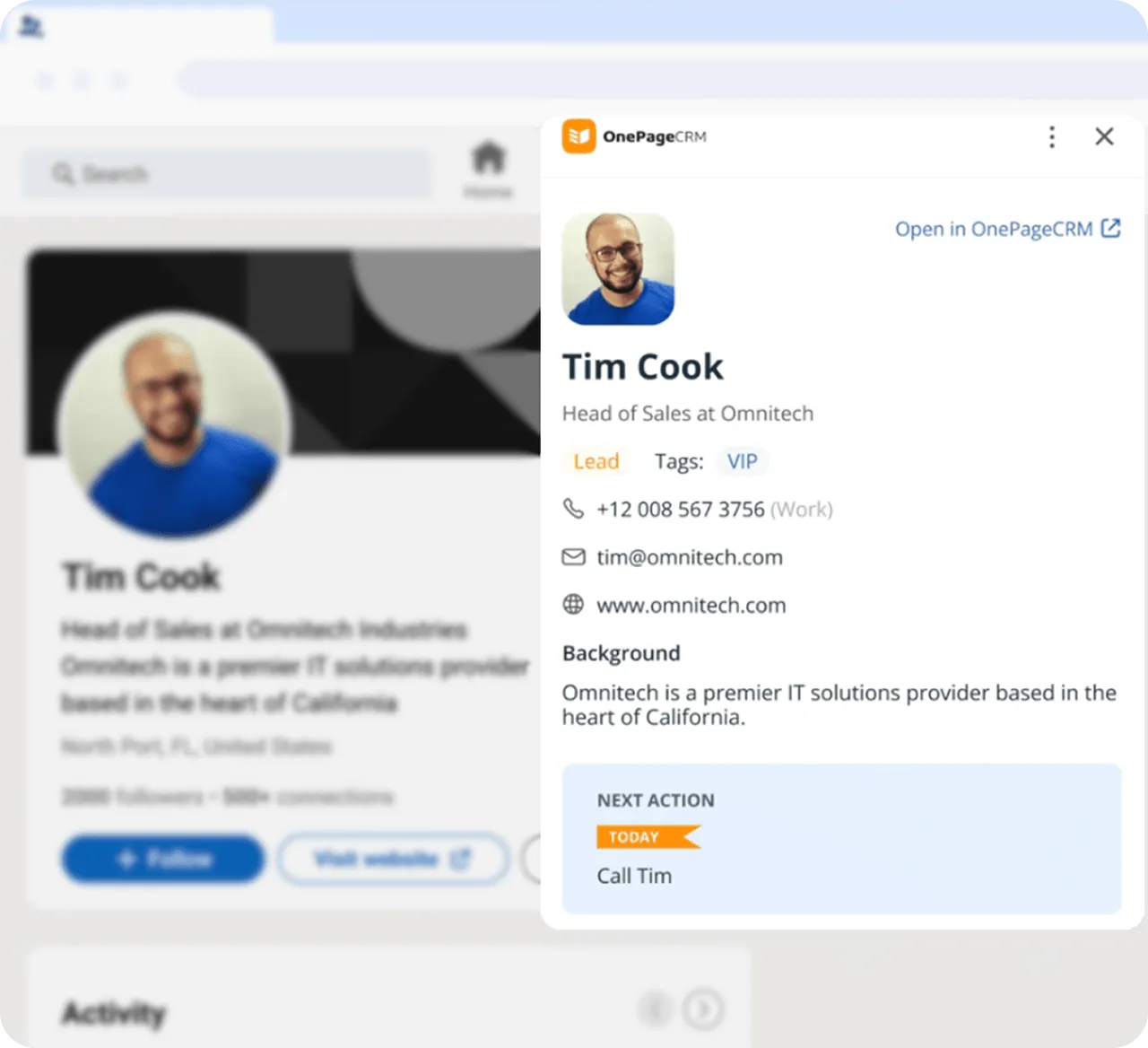
Lead Clipper is a free browser extension. On any web page or social profile, one click takes the name, job title, company, and contact details.
Workflow templates
Save a run of steps as a template, then apply it to one contact or to a hundred.
Web Forms
Embed a form on your site. Every submission arrives as a contact with an owner, a tag, and a follow-up.
Queued Actions
Line up the steps that come after the current one, and finish a Next Action to bring the next one up.
Status and tag sync
Change one contact’s status or tags, and everyone else at that company changes with them.
Lead enrichment
One click fills in a contact’s public social profiles and the details you don’t have yet.
Card Scanner
Photograph a business card on your phone and it becomes a contact. No typing.
What others say

“…The idea of being accountable for the next action with a prospect makes all the difference. All other systems I have tried depend on the operator. OnePageCRM makes you take the next step automatically…”
Steve Elliott · Owner at Thrifty Sites
“OnePageCRM is like having an assistant I don’t have that gets our sales on a priority list, reminds me of what I need to do daily…”
 Geoff FlynnCreative and Operations Director at Brand Blue
“…If my team haven’t logged in a note or a call with a client, I consider it to not have happened…”
 Ciara CrossanFounder and CEO at Wedding Dates
“I find OnePageCRM to be far more user-friendly and with a much easier learning curve.”
 Kelly MainForbes Advisor
“The customer support provided by the OnePageCRM team is unparalleled!”
 Jennifer WaldenGoogle review
“…nothing can come close to its compact and client-centric way of data presentation!”
 Magiting MagatGoogle review
“OnePageCRM stands above many others due to ease of use, value, short learning curve…”
 Bill GluthGoogle review
“It’s near impossible to let any relationship fall through the cracks.”
 Lauren AyersGoogle review
“With OnePageCRM, I know what I need to do next with my leads or existing customers.”
 Petter Frøshaug VasholmenGoogle review
“…the best balance of cost and functionality goes to OnePageCRM.”
 Ross GolenGoogle review
“…for its dedicated purpose, it’s perfect without a lot of bloat.”
 Melody JacksonGoogle review
“OnePageCRM is terrific for our little business.”
 Greg HoldawayGoogle review
“…the focus on Next Action is exactly what our small business needs.”
 HowardGoogle review
“I particularly like the full Outlook email integration, especially the open tracking feature.”
 Phil KGoogle review
“It offers everything I was looking for to help organize my contacts and build a usable database…”
 Joseph CascianiGoogle review
“…everyone on our team can pick up where any of us left a conversation because of the ability to keep detailed notes in OnePageCRM.”
 Bret BicoyGoogle review
The best CRM with simple sales automation
21-day free trial • No credit card required • Simple setup
Frequent questions
There are different types of CRM automation features.
- The most common one is data entry automation. The majority of CRM systems have it. By enabling a data entry automation, small businesses can avoid manual typing and copy-pasting of CRM data.
- Workflow automation helps CRM users automate some processes and trigger automatic events when something is changed in the CRM. For example, if a user adds a call note, an automatic follow-up email to the associated contact can be triggered.
You can use different CRM automation features: pre-saved action sequences or custom Autoflows. Besides, CRM is also a central database for your business where all important client and lead-related information is stored.
Then you can use our Saved Actions to streamline your sales team’s workflow. Saved Actions can speed up your workflow. Easily create templates, group and insert them individually or in bulk in just one click. You can also simply start typing in the Next Action field, and your saved actions will appear.