Marketplace

FaceTime

FaceTime is Apple's calling app for video and audio calls, built into iPhones, iPads, and Macs.

The FaceTime CRM integration turns the phone numbers in OnePageCRM into links that start a FaceTime call. You set it as your calling app once, and every number in your CRM becomes one click away from a call.

Need to set it up? See our Help Docs.

Call a contact by clicking their number

Every phone number in OnePageCRM becomes a link. Click one and FaceTime opens with the number already dialled, so you are not copying digits between windows.

You choose FaceTime as your calling app once, on the dropdown next to any phone number. Each person on the team picks their own, so a Mac user can call through FaceTime while someone else uses a different app entirely.
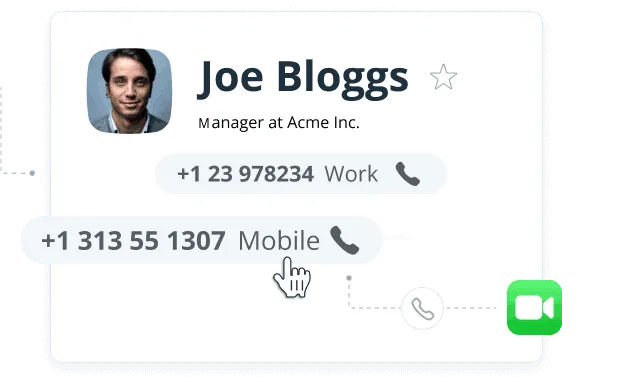
A OnePageCRM Contact Page with two phone numbers, one being clicked to start a FaceTime call.

Log the call and set your next step

When you come back from the call, OnePageCRM is waiting with the call note open. Write what was said, pick the result, and set what happens next with that contact.

It works the same on your phone, so a call made between meetings gets logged before you forget the detail.

More on Next Actions

Tell the team what happened

A call often changes something the rest of the team needs to know. Once the note is saved you can flag it to whoever else is working that account, so the next person to speak to the customer is not starting from scratch.

How team collaboration works

Watch video overview

CRM Calling Integration: Call Clients on WhatsApp, Skype, or FaceTime | OnePageCRM Tutorial1:02

Questions

Yes. FaceTime is an Apple app, so calling through it needs a Mac, an iPhone, or an iPad. On Windows you can point click to call at a different app instead, like WhatsApp, Telegram, or a VoIP provider.

Open any contact, click the arrow next to a phone number, and choose Configure. Pick FaceTime from the list of call handlers and save. Each person on the team does this on their own account.

No. The call happens in FaceTime, and OnePageCRM handles what surrounds it. You write the call note, pick a result, and set the follow-up, all of which stay on the contact.