Free Google Sheets CRM Template
Track leads and follow-ups in a color-coded spreadsheet that sorts itself. One tab to fill in, and no email address required.
- Works in
- Sheets & Excel
- Price
- Free, no sign-up
- Downloads
- 50,000+
Why use this Google Sheets CRM
Easily customizable
We created a step-by-step guide on how to use this template.
Not gated
We don’t ask for your email address. The template is free and works in Google Sheets.
Simple data entry
No tedious data entry. The Google Sheet has only one tab to fill out and can be used daily.
Dynamic follow-ups
This CRM sorts your contacts by the due date of their follow-up reminders. Tracking leads is simple!
Automatic reminders
Get automatic emails to your Gmail when setting up follow-up reminders on Google Sheets.
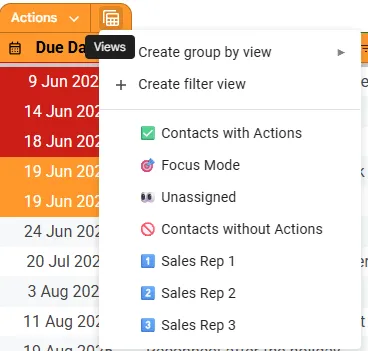
Different views
There are also four different views in this CRM template (including Focus Mode).
Template for Google Sheets
This CRM spreadsheet template is built in Google Sheets with simple formulas and automations.
How does this Google Sheets CRM work
This is a free Google Sheets CRM for a small business or sole traders who want to organize their contact database.
Track leads and follow-ups
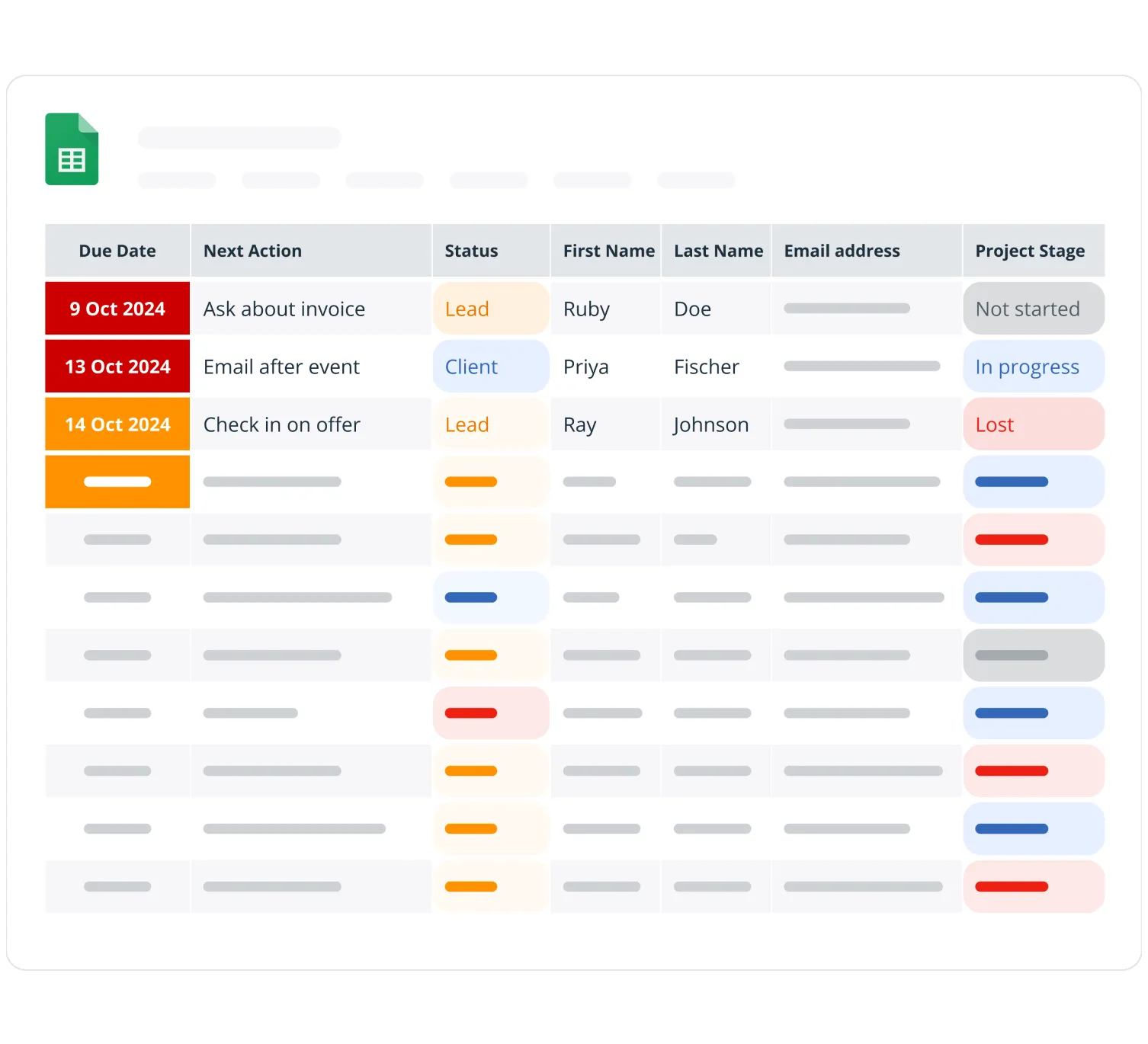
This free color-coded Google Sheets has several views:
- easily prioritize and sort your leads and contacts based on urgency
- automatically highlight overdue and urgent tasks red
- organize your database in a dynamic spreadsheet
Receive follow-up reminders
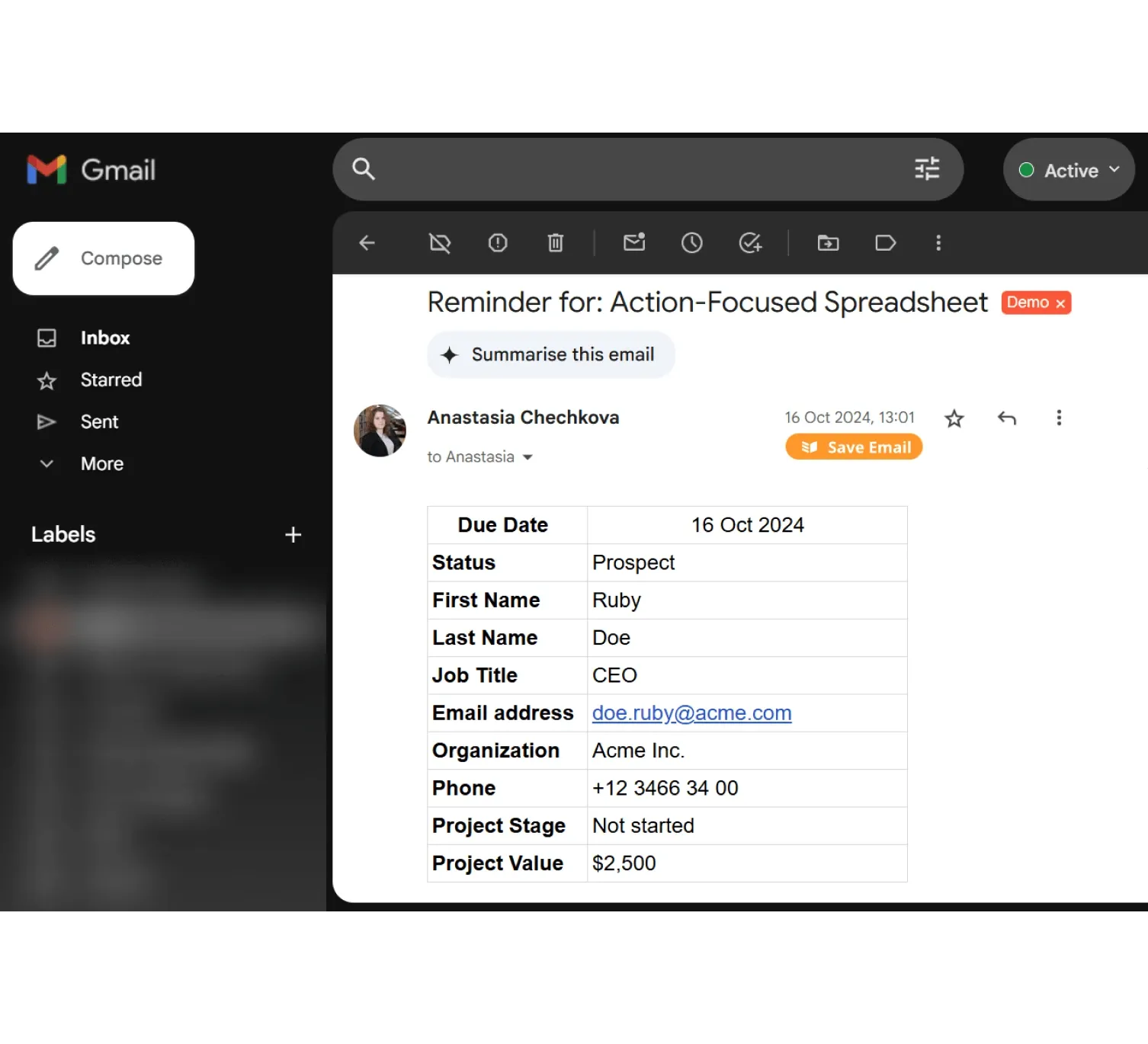
In Google Sheets, install a free add-on and monitor your outreach:
- receive follow-up reminders in your Gmail account
- avoid losing follow-up actions in your to-do lists
- open the spreadsheet only when needed
Visualize your progress
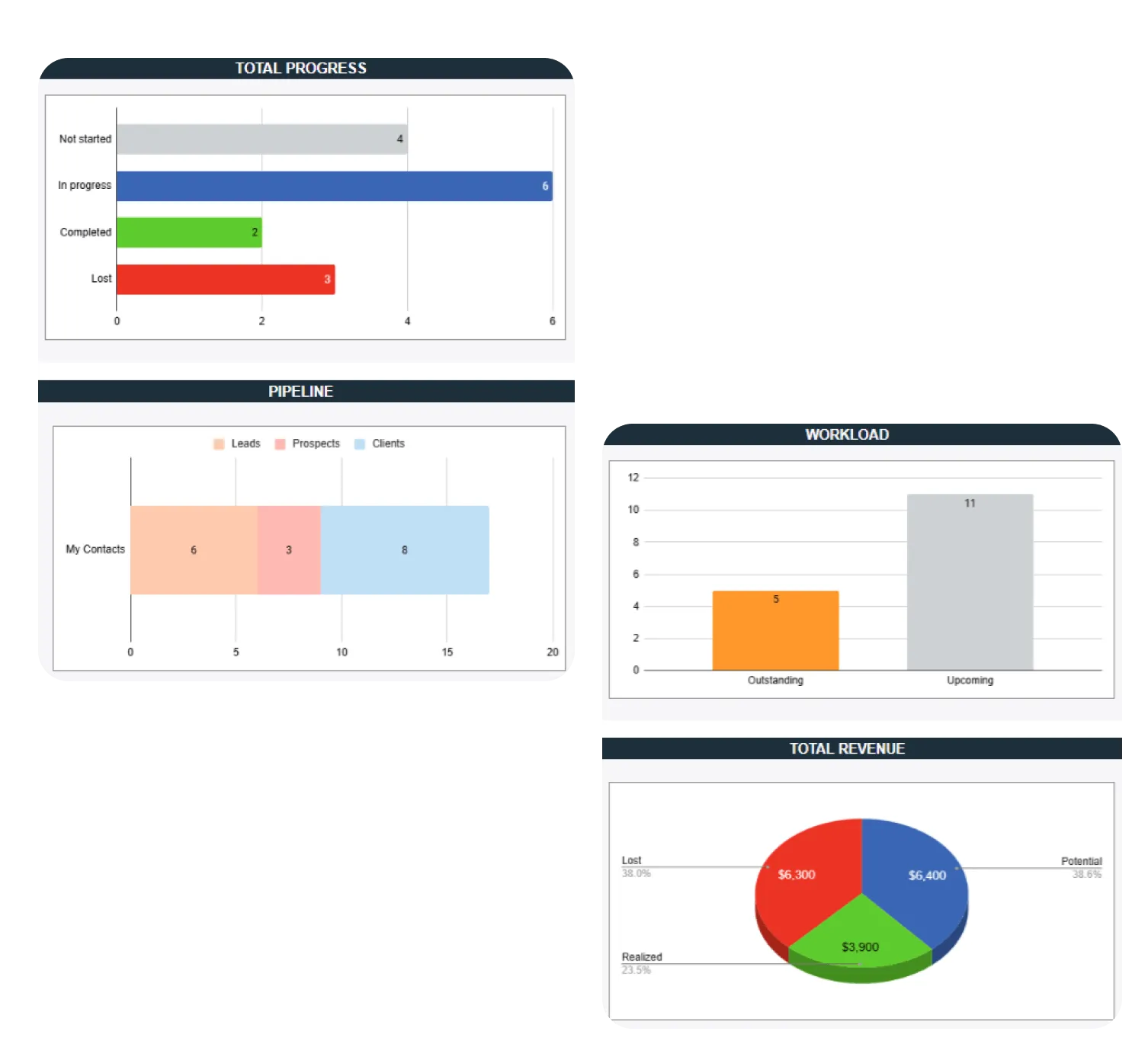
This Google Sheets CRM has a few automatically updated graphs:
- monitor workload and outstanding tasks
- keep an eye on earned vs. lost revenue
- track your sales pipeline
Track your sales performance
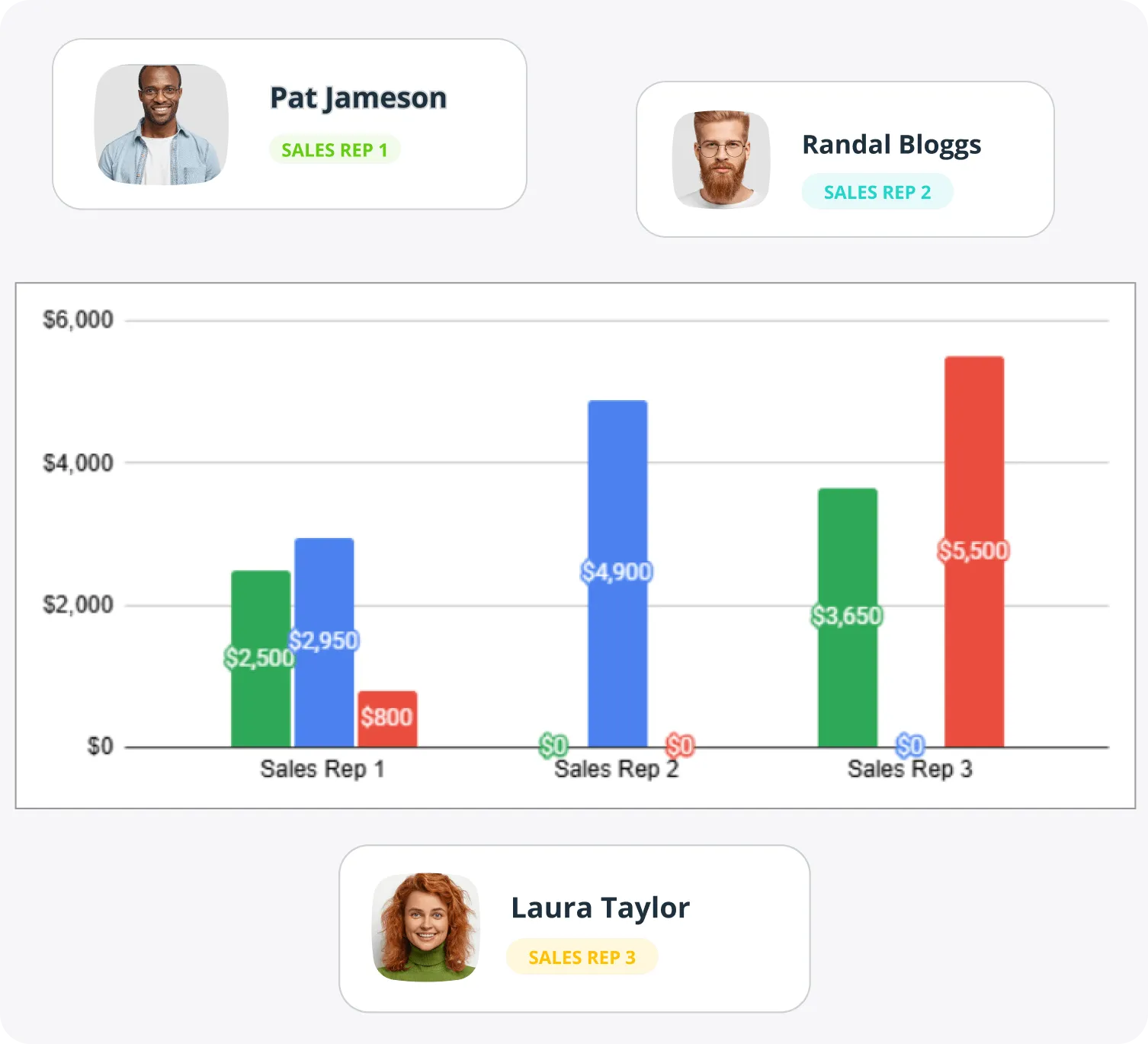
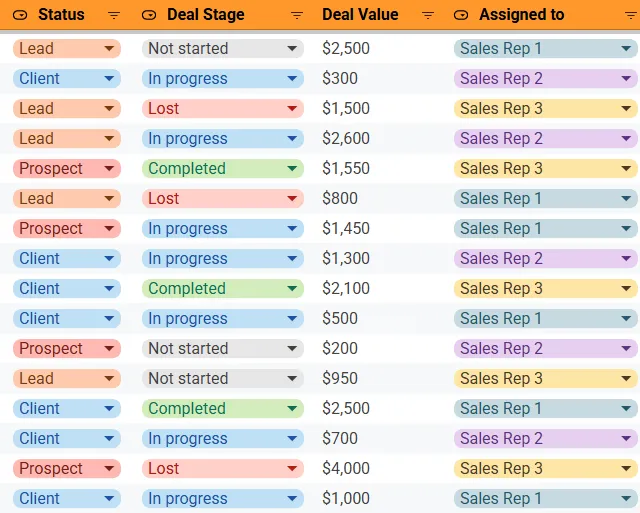
This free Google Sheets CRM has several versions. You can download one for sales tracking to:
- monitor sales team performance
- visualize sales metrics
- structure cold outreach
Tailor to your needs
The Google Sheets CRM is fully customizable:
- use custom color codes
- define drop-downs for Status or Deal Stages
- add new columns as needed
Switch between views
This template has several pre-built views on Google Sheets for easier segmentation:
- see follow-ups that need urgent attention (with Focus Mode)
- get a list of contacts without any Actions
- deal with unassigned leads
- and much more
Watch the free demo
Watch the quick video overview to understand how this free Google Sheets CRM works.

What others say about this template

“This template is invaluable. I like the action-oriented approach. And it fits perfectly with my humble beginnings working with a CRM.”
Roland Varduhn · Blog comment
“I have struggled for fifteen years to find a simple solution, one step above a physical binder with tabs. You have changed my life. THANK YOU”
 Richard RussellBlog comment
“This needs to be found by more people. This is absolutely amazing. Fantastic work!!!”
 @OrcForgeYouTube comment
“Exactly what I was looking for. But now I am trialing the actual product!”
 @coachdan007YouTube comment
“Thank you for Spreadsheet CRM… I was always lacking actionable steps that needed to move the needle forward in business… This will help me build my business efficiently without stress.”
 @RKLokeshAIYouTube comment
“Yep, this is brilliant. Amazing organization.”
 @danielcachafeiro2379YouTube comment
“Just what i needed for my small business. Thank you so much ✌🏼”
 @bastithannerYouTube comment
“I really do like it”
 @milagrosmuniz-amill3511YouTube comment
Questions about this template
The short answer is no.
The CRM spreadsheet template is useful for a very small database (up to 100 contacts) and can be used as a first contact database.
It is a good way to keep track of your contacts and future touchpoints but it has all of the limitations of a spreadsheet and will become too big at some point.
It goes by many different names and formats. Some may call it a spreadsheet CRM template, others refer to it as a CRM in Excel, or just a contact database.
No matter the name, these templates all have one key similarity: they consist of lists of contacts and their associated details, neatly organized in a spreadsheet layout.
- Familiarity. Whatever industry you are in, chances are you already know Google Sheets.
- Wide accessibility. It is free and works anywhere.
- Customization. Formulas, graphs, rows, and columns are all yours to change.
- Ease of use. There is nothing to learn before you start.
Google Sheets was never built to be a CRM. It is a short-term solution for one person and a very small contact database.
- Limited collaboration. The more contacts you have, the harder it gets to work in the file together.
- Limited scalability. As the database grows you will want a tool that connects to everything else you use.
- Security. One accidental share exposes the whole contact list.
It depends on what you are used to. If you want a simple and free solution, Google Sheets is the way to go. It is also hosted in the cloud, so you always have access to the data in your CRM template.
Yes — there are German and Spanish versions. Both are free to download and come with a video tutorial in that language.